


MacBook Air/Retina equivalent of Ctrl+Shift+Eject is Ctrl+Shift+Fn+Power (via: Apple Support Communities)
Posted by jpluimers on 2014/05/12
Recent Retina and MacBook Air’s do not have an optical drive, so they do without the Eject button on the keyboard.
The quick keyboard shortcut Control+Shift+Eject is not directly available, so what is the replacement?
A few people that answered this are jr00ck and Evil Rob:
For newer Retina and MacBook Air’s,
control+shift+fn+powerbutton replacescontrol+shift+eject.
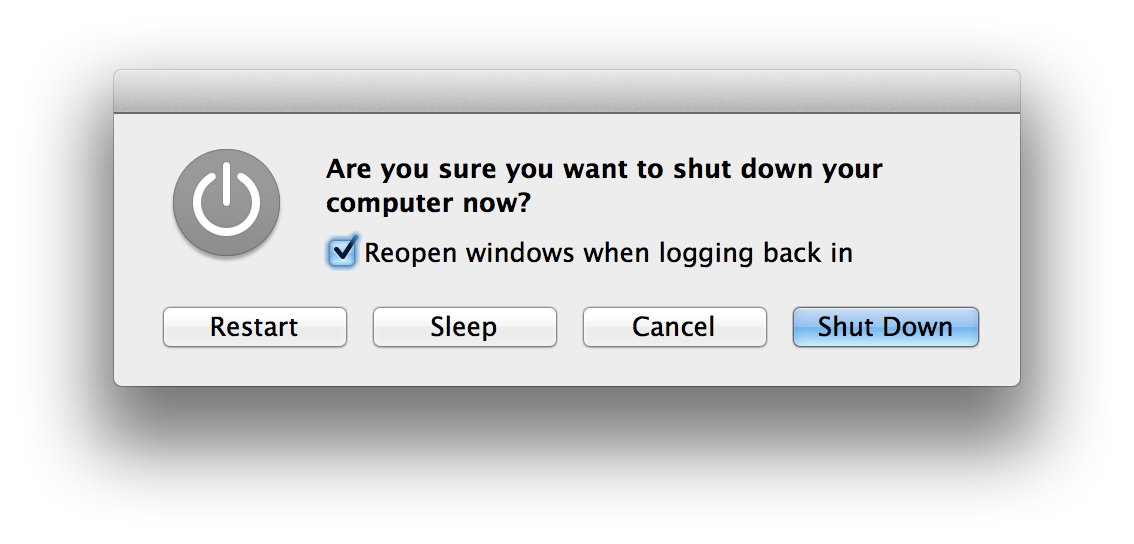
In fact you can even press Fn+Power and get a small dialog that lets you choose what to do and offers a “Reopen windows when logging back in” checkbox:
- Restart
- Sleep
- Cancel
- Shut Down
Click on the screenshot to get a larger version.
–jeroen
via I have a new MacBook Air without an…: Apple Support Communities.

 The Wiert Corner - irregular stream of stuff
Leave a comment