Posted by jpluimers on 2019/02/13
Delphi VCL units that are not using any other VCL units:
Vcl.Bind.ConstsVcl.ConstsVcl.ComStrsVcl.HtmlHelpViewerVcl.IdAntiFreezeVcl.Imaging.GIFConstsVcl.Imaging.JConstsVcl.Imaging.pnglangVcl.OleConstVcl.ShellAnimationsVcl.Shell.ShellConstsVcl.Touch.GestureConstsVcl.Touch.KeyboardTypesVcl.VDBConstsVcl.XPMan
–jeroen
Posted in Delphi, Development, Software Development | Leave a Comment »
Posted by jpluimers on 2019/02/13
Of course you don’t want this. So by the time you read this, the connection has been closed.
For testing some Internet of Shit stuff from a client that cannot do SFTP, I needed a temporary FTP accessible connection.
These links helped:
TL;DR:
- Preparing the USB stick:
- Ensure the USB disk is FAT/FAT32/NTFS
- Create a directory in the root of the USB disk for the FTP user (for now:
FtpDirectory)
- Insert the USB disk in the Fritz!Box
- Logon to the Fritz!Box web UI
- Configure a user for FTP:
- In the menu, go to
System, then FRITZ!Box Users
- Click
Add user
- Name the user (for now:
MyFtpUser)
- Ensure that user *only* has a checkmark for `Access to NAS contents`
- Click the button
Add directory
- In the popup click
Select folder
- Choose the
FtpDirectory you just made
- Click
OK
- Ensure the
read and write checkboxes are enabled
- Click
OK
- Configure the USB stick for FPT access
- In the menu, go to
Home Network, then USB Devices
- Observe if the device is visible and has the correct file system (if not: ask AVM)
- In the menu, go to
Internet, then Permit Access
- Click on the
FRITZ!Box Services
- Ensure there is a checkmark at
Internet access to your storage media via FTP/FTPS enabled
- At
TCP Port for FTP/FTPS, fill in 21 (many IoT devices cannot use a different port)
- Ensure there is *no* checkmark at
Allow only secure FTP connections (FTPS)
- Make a note of the value after
FTP address (something like ftp://example.org:21`)
- Click
Apply
- Test
–jeroen
Posted in Communications Development, Development, Fritz!, Fritz!Box, FTP, Internet protocol suite, IoT Internet of Things, Network-and-equipment, Power User, Software Development, TCP | Leave a Comment »
Posted by jpluimers on 2019/02/13
Via seedstudio, I bumped into EasyEDA – Wikipedia. It seems there are a lot of on-line tools that allow you to draw and often simulate electronics.
Time to put them on my list of stuff to play around with:
Circuitlab also has a nice free interactive book: [WayBack] “Ultimate Electronics” Book – CircuitLab A free interactive electronics textbook, “Ultimate Electronics”
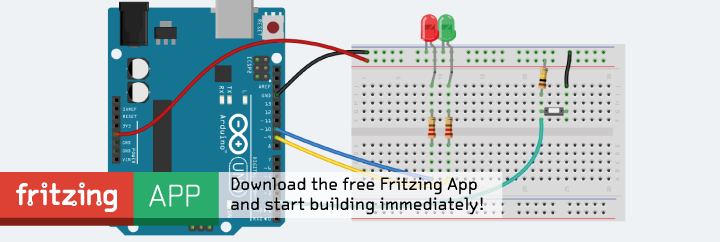
Later – via issue #1 of [WayBack] HackSpace magazine: The new magazine for the modern maker – I also found out about Fritzing which is off-line native software that I want to check out as it is open source:
[Archive.is] Fritzing
It helps a lot knowing there are various Electronic symbol – Wikipedia: Standards for symbols, covering much more than the one below:

To make it easier, power supplies have a host of different symbols for the same things. For instance, DC can have 3 or more different symbols. [WayBack] Electric Current Symbols
–jeroen
Posted in Development, Hardware Development | Leave a Comment »


 The Wiert Corner - irregular stream of stuff