


Mac OS X: setting to have Tab key to bring focus to buttons
Posted by jpluimers on 2013/10/04
One of the things that bugged me when using Mac OS X after years of Windows usage was that the Tab key doesn’t focus buttons in dialogs.
Luckily, there is a setting for that, which by default is off.
Steps (press on a screenshot to enlarge):
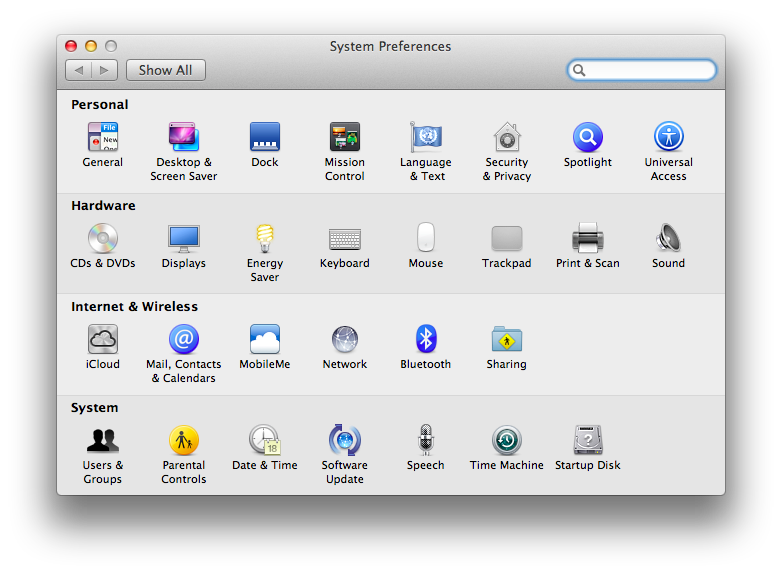
- Select the “System Preferences”

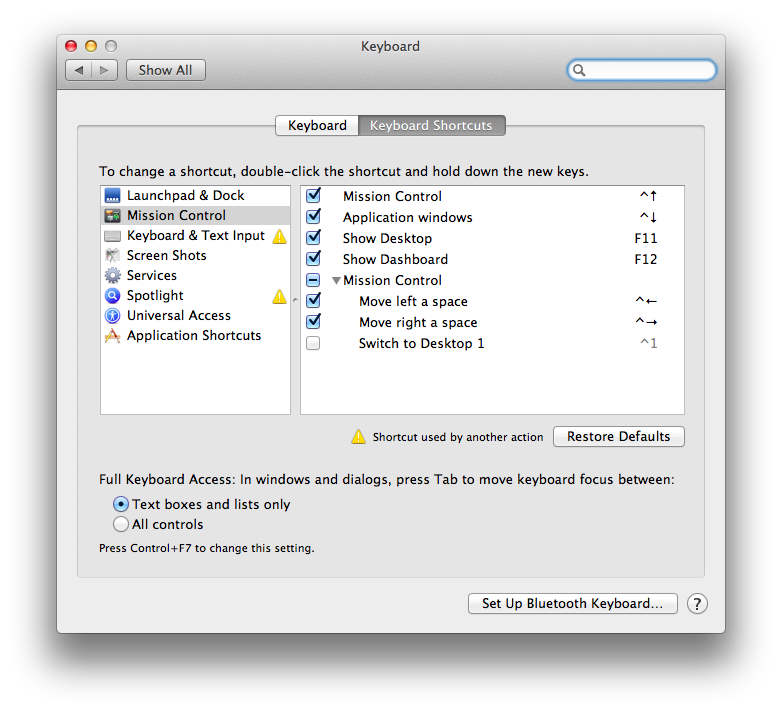
- Select “Keyboard”

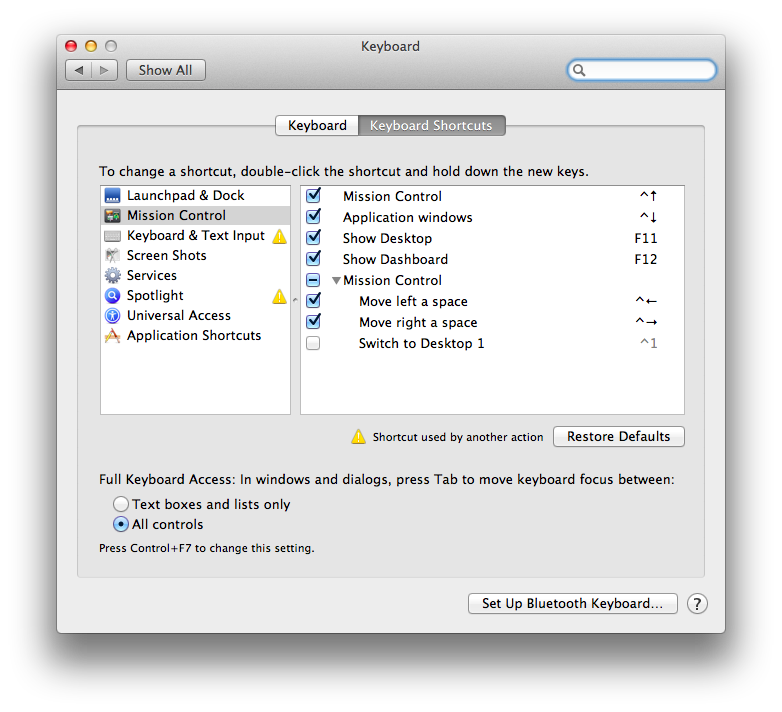
- Switch the radio button from “Text boxes and lists only”

to “All controls”

- Then close the dialog.
–jeroen

 The Wiert Corner - irregular stream of stuff
Leave a comment