


Accessing the Dell Inspiron 17R-5737 HDD (via: NotebookCheck.net Reviews)
Posted by jpluimers on 2015/04/17
Though the Dell Inspiron 17R 5737 Owner’s Manual contains instructions on pages 24-26, it was easier to see how to access it on the photos at
Review Dell Inspiron 17R-5737 Notebook – NotebookCheck.net Reviews.
Steps (see also the pictures below):
– remove the battery
– remove the wide bottom plate
– remove the three screws of the hard drive (there are 4 holes, but only 3 screws, saves half a cent per laptop)
– pull the tab gets the metal bracket with the hard drive out of the laptop.
Now you can unscrew the hard drive from the bracket, and replace it with a new one or an SSD drive.
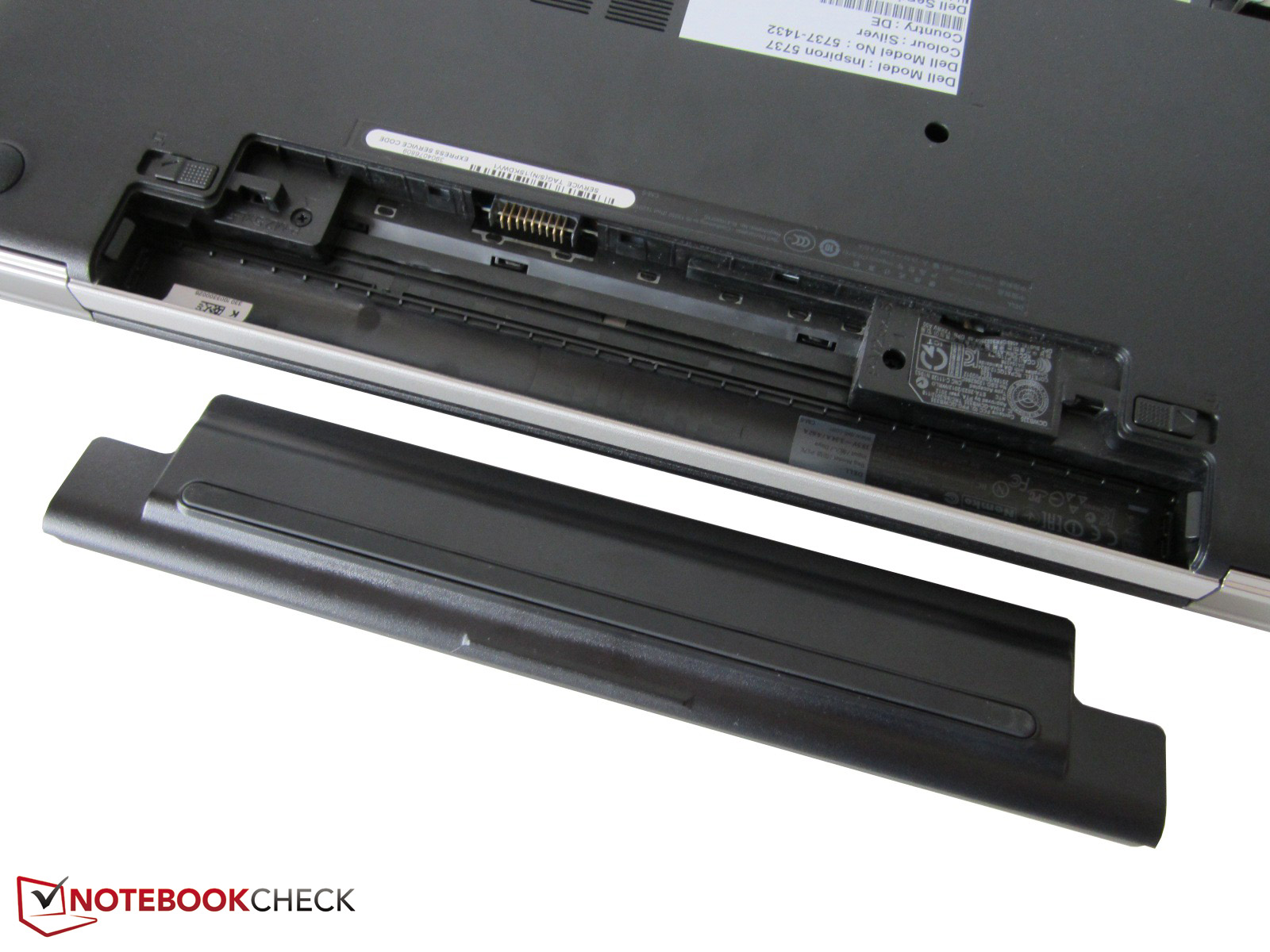
Removing the battery
Removing the wide bottom plate.
Remove the three screws of the hard-drive.
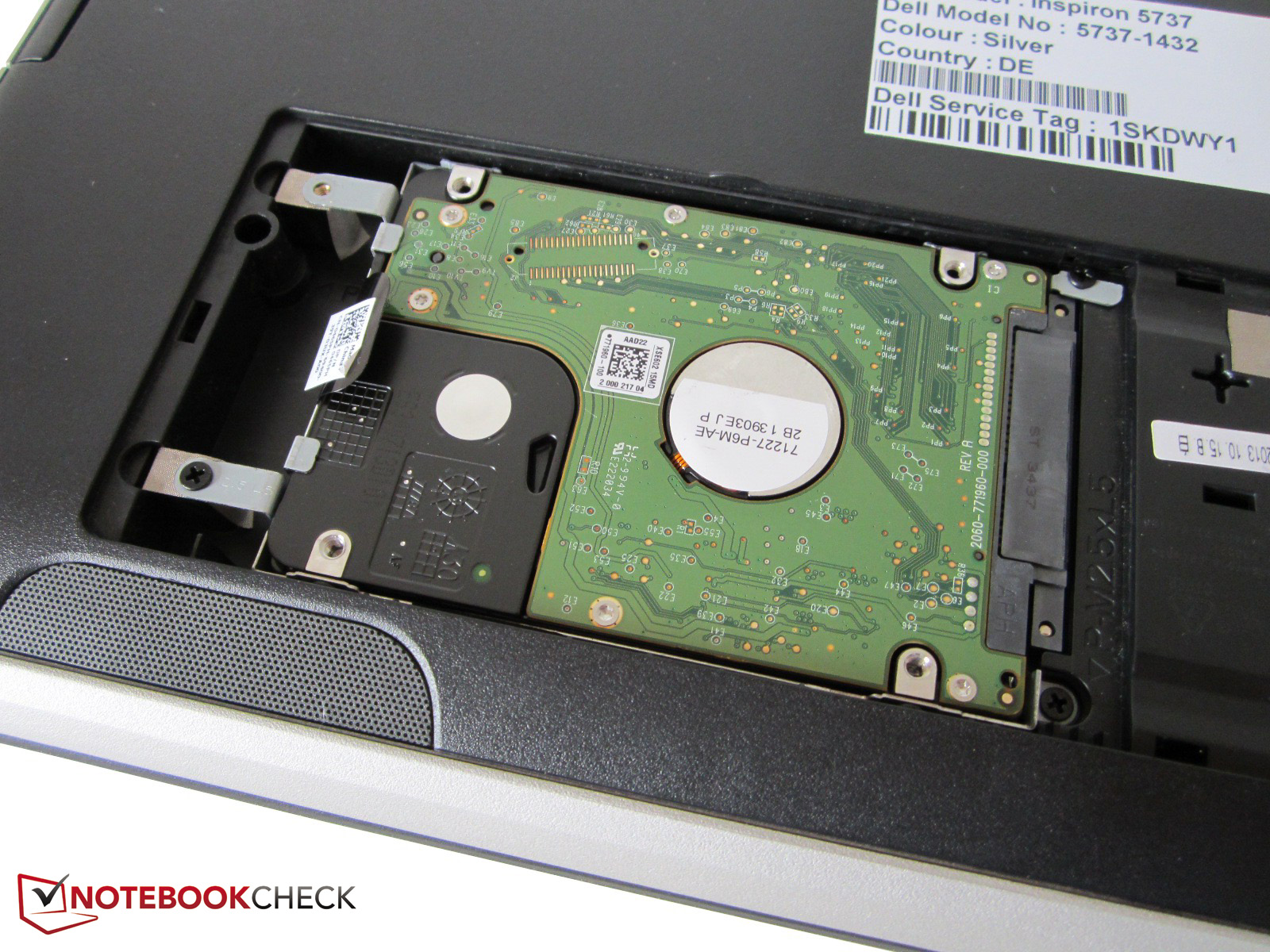
Pull the tab to remove the hard drive.
–jeroen

 The Wiert Corner - irregular stream of stuff
Leave a comment