


A way to skip the Firefox “Well, this is embarrassing” during a sudden reboot
Posted by jpluimers on 2019/03/04
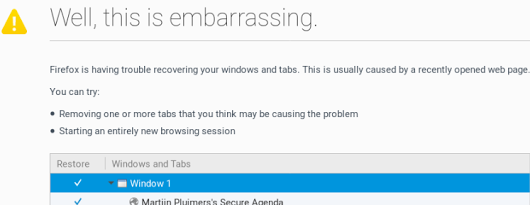 A while ago, I asked about [WayBack] “Is there a way to skip the Firefox “Well, this is embarrassing” during a sudden reboot and just continue with the loading of the default pages? – Jeroen Wiert Pluimers – Google+
Later I found the workaround at both and [WayBack] Well this is embarrassing message | Firefox Support Forum | Mozilla Support with more elaboration at [WayBack] Don’t give Chance for Firefox to Show ‘Well, this is embarrassing” message next time again | Techdows:
- Open Firefox
- Type
about:configin the addressbar  Confirm the
This might void your warranty!
by clicking
I accept the risk!- Search for
browser.sessionstore.resume_from_crash - Double click it so the value changes from the
defaultvaluetrueto theuser setvaluefalse


Now after a sudden reboot of the machine, a start of Firefox just loads the default page.
–jeroen

 The Wiert Corner - irregular stream of stuff
Leave a comment