


Adobe Acrobat Reader DC (née Adobe Reader) has a mind of it’s own not just in names. Error handling, messages and user experience are, well, peculiar.
A while ago, I bumped into this error when double clicking on a PDF file:
Access denied.
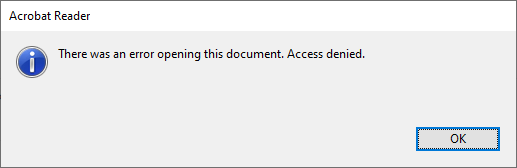
I tried Ctrl-C to copy the text, which has been a feature of standard dialogs as of Windows 2000 (see [Wayback] Cutting Edge: Using Windows Hooks to Enhance MessageBox in .NET | Microsoft Docs) and not hard to implement.
Well, Adobe decided to not support this great user experience: no dialog data on the clipboard, so I had to manually type it:
[Adobe Reader]
There was an error opening this document. Access denied.
[OK]
and searched for [Wayback] “There was an error opening this document. Access denied.” “Reader DC” – Google Search (I will explain the Reader DC bit below) without any useful hints (apart from “reinstall, Adobe Acrobat Reader DC might be corrupted”, lowering security settings and phishing sites wanting me to download so called “repair tools”).
So I decided to open the file using the File -> Open menu with the same file and got a fresh new error:
The file path is too long.
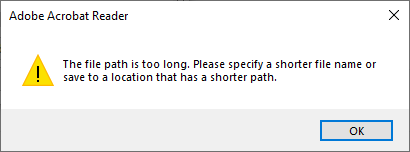
Of course, Ctrl-C here would fail too, so this is the error text:
[Adobe Acrobat Reader]
The file path is too long. Please specify a shorter file name or
save to a location that has a shorter path.
[OK]
Three things about this error message:
- It has a totally different message (with the actual reason the file cannot be opened)
- The caption is “Adobe Acrobat Reader”, where the first message had “Adobe Reader” as caption.
- It actually has an error icon (exclamation mark), where the first message (despite being an error) has the informational icon (encircled i).
Adobe still seems ambivalent on their product name, it is actually Adobe Acrobat Reader DC DC superseding version X, hence the Reader DC bit in the search), but they still call it Adobe Reader and Adobe acrobat Reader.
After all these years, Adobe is inconsistent at best.
–jeroen

 The Wiert Corner - irregular stream of stuff