


Excel 2011/2010: Conditional formatting of TRUE / FALSE values in an Excel range
Posted by jpluimers on 2024/02/13
The conditional formatting feature in Excel is so cool!
If you use FALSE and TRUE expressions to check validity, you can easily make these red and green.
[Wayback/Archive] Conditional formatting of TRUE / FALSE values in an Excel 2010 range – Super User (thanks [Wayback/Archive] tbone for asking and [Wayback/Archive] digitxp for answering):
- Select your cells.
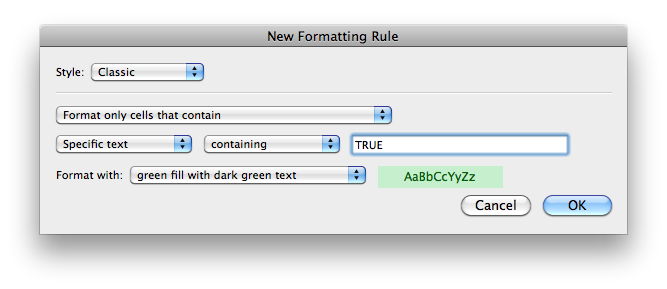
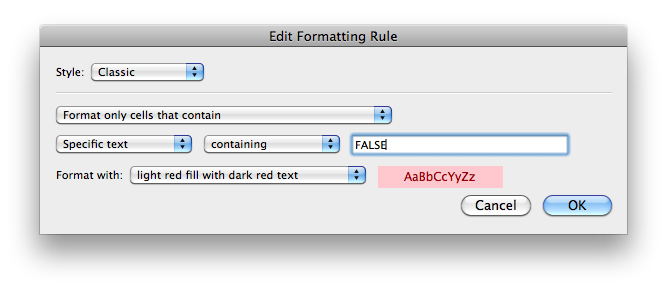
The above is for Excel 2011 on MacOS, but Windows is really similar.
Via: [Wayback/Archive] excel red when false – Google Search
–jeroen

 The Wiert Corner - irregular stream of stuff
Leave a comment