


Hopefully a newer and more reliable “Computa Pranksta” mouse jiggler device will ever be released
Posted by jpluimers on 2024/05/30
For my link archive as this was a cool idea, but for many their device didn’t last that long:
[Wayback/Archive] ElectricRCAircraftGuy/eRCaGuy_ComputaPranksta_Support: Public support for my “Computa Pranksta” mouse jiggler device I sell on Amazon and elsewhere.
This device is a mouse jiggler. It keeps your computer awake. It can also be used to have some fun with your friends (please don’t take it too far–it’s meant to be used in good, friendly gest–not for any type of malicious purposes).
Notes:
- There are software based Mouse Jiggler implementations as well; I wrote about one of them a loooooong time ago in Mouse Jiggler – MouseJiggle.exe will (virtually) move your mouse cursor so the screen saver does not start.
- I have a bunch of “original” USB Mouse Jigglers of which there are compact and long ones. I forgot I had ordered the compact ones too, so I got reminded when I decommissioned the old kiosk machine after my mom passed away and had to lookup what a [Wayback/Archive] cru mj-3 – Google Search was (:
Links on those USB Mouse Jigglers below, but first some links on the Computa Pranksta:
- [Wayback/Archive] Reconfiguring the Computa Pranksta for use as a USB Mouse Jiggler to keep your screensaver off – YouTube (full video below the signature)
- [Wayback/Archive] ElectricRCAircraftGuy.com–RC, Arduino, Programming, & Electronics: Computa Pranksta USB Mouse & Keyboard Device User Manual[Wayback/Archive] Issues · ElectricRCAircraftGuy/eRCaGuy_ComputaPranksta_Support (which basically is the user manual in a README.md format)
- [Wayback/Archive] How does the Computa Pranksta work? I mean, doesn’t it have to install software on your computer? · Issue #1 · ElectricRCAircraftGuy/eRCaGuy_ComputaPranksta_Support
It’s a keyboard. It’s a mouse. You plug it in to use it. You unplug it to stop using it. Aside from a driver your computer may automatically install, and which I can’t really control, it doesn’t install anything on your computer. To completely disable it, you unplug it. That’s it!
- [Wayback/Archive] I just received my Computa Pranksta, but it doesn’t seem to work at all! What do I do? · Issue #2 · ElectricRCAircraftGuy/eRCaGuy_ComputaPranksta_Support
- [Wayback/Archive] What do the LEDs mean? Red, green? · Issue #3 · ElectricRCAircraftGuy/eRCaGuy_ComputaPranksta_Support
- [Wayback/Archive] Can I 3D print a case for it? Do you have a model? · Issue #4 · ElectricRCAircraftGuy/eRCaGuy_ComputaPranksta_Support
Yes, see here for an STL to download: [Wayback/Archive] github.com/ElectricRCAircraftGuy/eRCaGuy_ComputaPranksta_Support/tree/master/cad_files/Thomas_Edgar
- [Wayback/Archive] I’ve been using the device happily for a month now, but suddenly it stopped working. What do I do? · Issue #5 · ElectricRCAircraftGuy/eRCaGuy_ComputaPranksta_Support
- [Wayback/Archive] Does it work on a Mac? · Issue #6 · ElectricRCAircraftGuy/eRCaGuy_ComputaPranksta_Support
- [Wayback/Archive] I’m worried the device is detectable by scanners looking for rogue or malicious devices. Is it? · Issue #8 · ElectricRCAircraftGuy/eRCaGuy_ComputaPranksta_Support
- [Wayback/Archive] Is there a firmware update for the device? Mine is v0.93. · Issue #9 · ElectricRCAircraftGuy/eRCaGuy_ComputaPranksta_Support
- [Wayback/Archive] When I reboot my PC it stops working. I have to unplug it and plug it back in to make it work again. Is this normal? I need to control the system remotely. Are there any workarounds? · Issue #10 · ElectricRCAircraftGuy/eRCaGuy_ComputaPranksta_Support
- [Wayback/Archive] Will you consider making the source code available? · Issue #12 · ElectricRCAircraftGuy/eRCaGuy_ComputaPranksta_Support
- [Wayback/Archive] How does the Computa Pranksta work? I mean, doesn’t it have to install software on your computer? · Issue #1 · ElectricRCAircraftGuy/eRCaGuy_ComputaPranksta_Support
- [Wayback/Archive] eRCaGuy Computa Pranksta USB Device / Mouse Jiggler, 50 user settings, makes friends think their PC is hacked – typically Gibberic, moves the mouse pointer and even puts your PC to sleep mode. : Amazon.de: Computer & Accessories

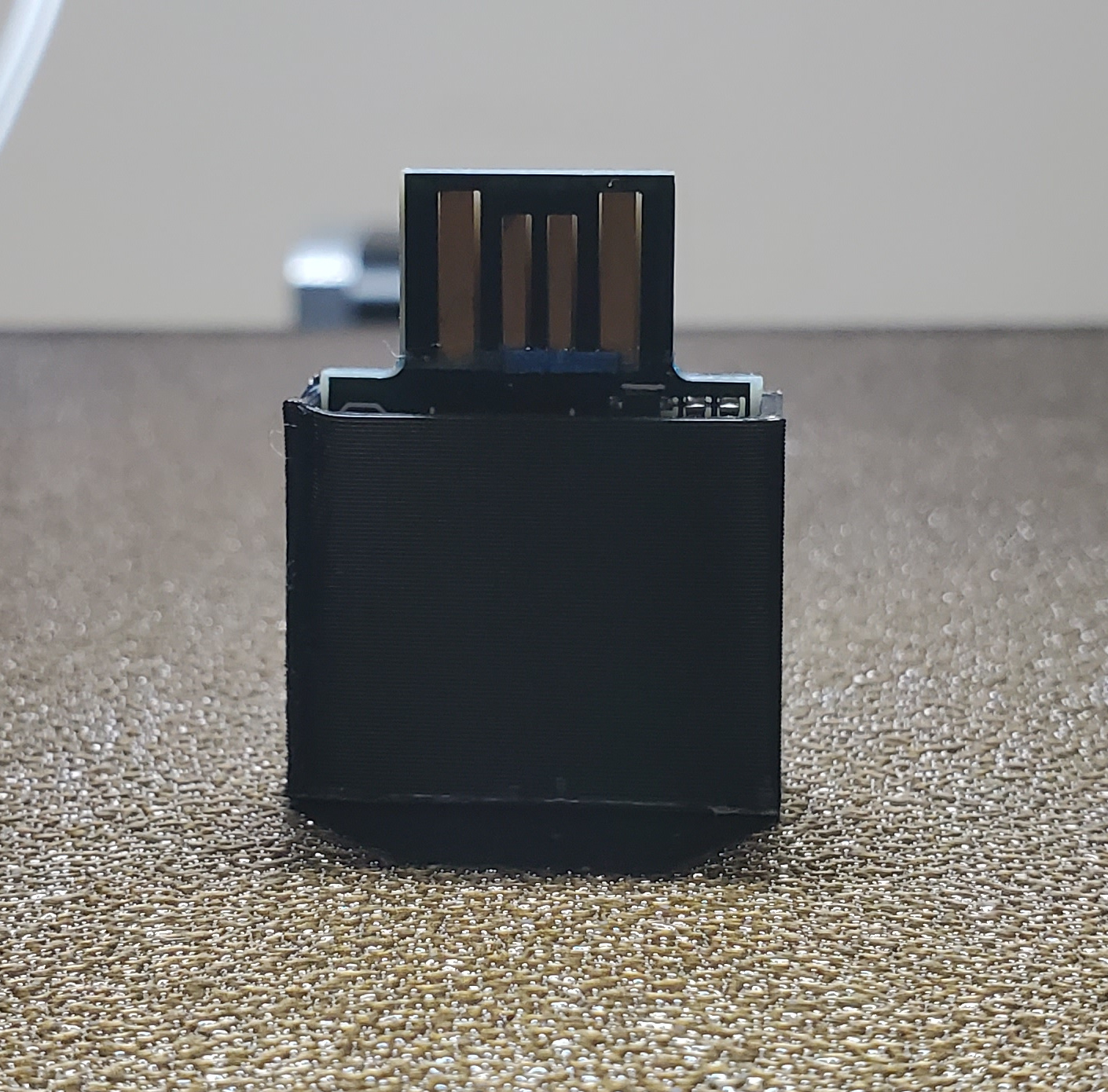
The original “Computa Pranksta” was a bare device, but some people have 3D-printed housing for it:
As promised some links on the “original” Mouse Jiggler (the ones I bought first):
-
- [Wayback/Archive] Keep your computer awake! – CRU (I was not even aware they were programmable; need to check that out later)

Introducing the Mouse Jiggler MJ-3, the latest version of the popular Mouse Jiggler series from CRU. The ultra-compact MJ-3 plugs into your USB port and is the only customizable tool that keeps your computer awake while you perform important functions such as:
- Giving a presentation
- Playing a game like Minecraft
- Uploading or downloading files, copying drives, or installing updates and programs onto your computer
- And more!
AUTOMATE REPETITIVE TASKS
To automate repetitive or predictable tasks commonly found in IT operations or fun pursuits like gaming, the plug-and-use USB device can be programmed with your scripts to play back keystrokes, mouse movements, and mouse clicks.
MJ-3 CONFIGURATION SOFTWARE
The easy-to-use MJ-3 software lets you customize your MJ-3 by helping you create, save, and load scripts for your MJ-3. The free software contains pre-configured scripts and comes in Windows 32-bit, Windows 64-bit, and Mac OS X versions.
Mouse Jiggler MJ-3 Script Creation Software v1.0.1 – Windows 32-bit
Download: [Wayback] Mouse_Jiggler_App_1.0.1.2_for_Windows_32-bit.zip (10.47 MB)
Mouse Jiggler MJ-3 Script Creation Software v1.0.1 – Windows 64-bit
Download: [Wayback] Mouse_Jiggler_App_1.0.1.2_for_Windows_64-bit.zip (11.54 MB)
Mouse Jiggler Software v1.0.1 – macOS 10.x Only (not compatible with macOS 11 or higher)
Download: [Wayback] Mouse_Jiggler_App_1.0.1.2_for_Mac.zip (9.07 MB)
- The same downloads are at [Archive/Archive] Download CRU Software Utilities and Firmware.
- One more download (the PDF manual) is at[Wayback/Archive] Mouse Jiggler MJ-3 | WiebeTech
Documentation and Downloads
- Mouse Jiggler MJ-3 Script Creation Software v1.0.1 – Windows 32-bit
Oct 24, 2014 – 10.47 MB
- Mouse Jiggler MJ-3 Script Creation Software v1.0.1 – Windows 64-bit
Oct 24, 2014 – 11.54 MB
- Mouse Jiggler Software v1.0.1 – macOS 10.x Only (not compatible with macOS 11 or higher)
Oct 24, 2014 – 9.07 MB
- Quick Start Guide for Mouse Jiggler MJ-3
Jul 31, 2018 – 490.83 KB
- Mouse Jiggler MJ-3 Script Creation Software v1.0.1 – Windows 32-bit
- [Wayback/Archive] Keep your computer awake! – CRU (I was not even aware they were programmable; need to check that out later)
- Long model [Wayback/Archive] CRU MJ-1 – Google Search (which does have a Mouse Jiggler name printed on it)
- [Wayback/Archive] Mouse Jiggler MJ-1 – CRU (USD 17 at the time of writing)

- [Wayback/Archive] WiebeTech MJ-1 Mouse Jiggler: Amazon.de: Computer & Accessories (EUR 35 at the time of writing; I bought 2 at the start of 2018)

- [Wayback/Archive] Mouse Jiggler MJ-1 – CRU (USD 17 at the time of writing)
- Compact model [Wayback/Archive] CRU MJ-3 – Google Search (which has no product name printed on it, just manufacturer CRU and the product number MJ-3)
- [Wayback/Archive] Mouse Jiggler MJ-3 – CRU (USD 22 at the time of writing)

- [Wayback/Archive] WiebeTech MJ-3 Programmable Mouse Jiggler: Amazon.de: Computer & Accessorie (EUR 35 at the time of writing; I bought 5 at the end of 2018)

- [Wayback/Archive] Mouse Jiggler MJ-3 – CRU (USD 22 at the time of writing)
The reason I have them is that every few Windows updates/upgrades, some of the power settings get reset so the monitor starts to sleep. That is something you do not want to with a view-only kiosk.
Via:
--jeroen
Video:

 The Wiert Corner - irregular stream of stuff
Leave a comment