The Wiert Corner – irregular stream of stuff

Jeroen W. Pluimers on .NET, C#, Delphi, databases, and personal interests

  • My badges

  • Twitter Updates

  • My Flickr Stream

  • Pages

  • All categories

  • Enter your email address to subscribe to this blog and receive notifications of new posts by email.

    Join 1,860 other subscribers

Archive for the ‘git’ Category

git – Change commit author at one specific commit – Stack Overflow

Posted by jpluimers on 2020/09/22

Every now and then I forget to git config --local user.name and git config --local user.email, so git takes my global settings and I need to fix one or more commits to it shows the correct author.

For the last commit, when not yet pushed, this is easy:

git commit --amend --author="Author Name <email@address.com>"

For historic commits, or when you already pushed, it gets far more difficult, so I am glad there is a good set of steps at [WayBackgit – Change commit author at one specific commit – Stack Overflow.

For now in my %USERPROFILE%\.gitconfig file, I have added entries for various accounts so it is easier to spot them with git config --list --global then edit them using git config --edit --local:

[user.foo]
    name = jeroenfo
    email = ########+jeroenfoo@users.noreply.github.com
[user.gh]
    name = Jeroen Wiert Pluimers
    email = jeroen.vvv.www@pluimers.com
[user.gl]
    name = Jeroen Wiert Pluimers
    email = jeroen.xxx.yyy@pluimers.com

If you pushed, but nobody pulled, and you are the only one committing, then the steps are like this if your git is 1.8 or higher:

  1. Once,
    1. perform git rebase -i --root
    2. at all commits you want to edit, change pick into edit
    3. write the file, then leave the editor (:wq)
  2. For each commit, until git indicates No rebase in progress?:
    1. perform git commit --amend --reset-author --no-edit
    2. perform git rebase --continue

–jeroen

Posted in Development, DVCS - Distributed Version Control, git, Software Development, Source Code Management | Leave a Comment »

Filename too long in Git for Windows – Stack Overflow

Posted by jpluimers on 2020/09/10

[WayBack] Filename too long in Git for Windows – Stack Overflow:

reg add "HKEY_LOCAL_MACHINE\SYSTEM\CurrentControlSet\Control\FileSystem" /v "LongPathsEnabled" /t REG_DWORD /d 1 /f

Related:

–jeroen

Posted in Development, DVCS - Distributed Version Control, git, Software Development, Source Code Management | Leave a Comment »

19 Best Git clients for Windows as of 2018/2019/… – Slant

Posted by jpluimers on 2020/09/08

Despite the year, this page still got updates long after the initial edit [WayBack] 19 Best Git clients for Windows as of 2018 – Slant.

–jeroen

Posted in Development, DVCS - Distributed Version Control, git, Software Development | Leave a Comment »

getting a svn compatible patch diff from the latest commit in a git branch

Posted by jpluimers on 2020/09/03

git diff --no-prefix @~

Via various sources:

–jeroen

Posted in Development, DVCS - Distributed Version Control, git, Software Development, Source Code Management, Subversion/SVN | Leave a Comment »

undo – Can I delete a git commit but keep the changes – Stack Overflow

Posted by jpluimers on 2020/09/02

I wanted to undo a commit, but forgot how to do that.

[WayBack] undo – Can I delete a git commit but keep the changes – Stack Overflow mentions to use

git reset HEAD^

However, on Windows, the ^ caret is an escape character, so there you have to use a ~ tilde instead:

git reset HEAD~

The last one is used in [WayBack] Git – Reset Demystified, and shorthand for

git reset --mixed HEAD~

The differences between --soft, --mixed and --hard is even better explained in [WayBack] The difference between git reset –mixed, –soft and –hard. From http://stackoverflow.com/questions/3528245/whats-the-difference-between-git-reset-mixed-soft-and-hard · GitHub.

In short:

  • --soft keeps the changes of the undone commit in the index (or staging area)
  • --mixed (default) keeps the changes of the undone commit in the working directory
  • --hard deletes the changes

–jeroen

Posted in Development, DVCS - Distributed Version Control, git, Software Development, Source Code Management | Leave a Comment »

hash – Why is Git not considered a “block chain”? – Stack Overflow

Posted by jpluimers on 2020/09/01

Still an interesting question: [WayBackhash – Why is Git not considered a “block chain”? – Stack Overflow.

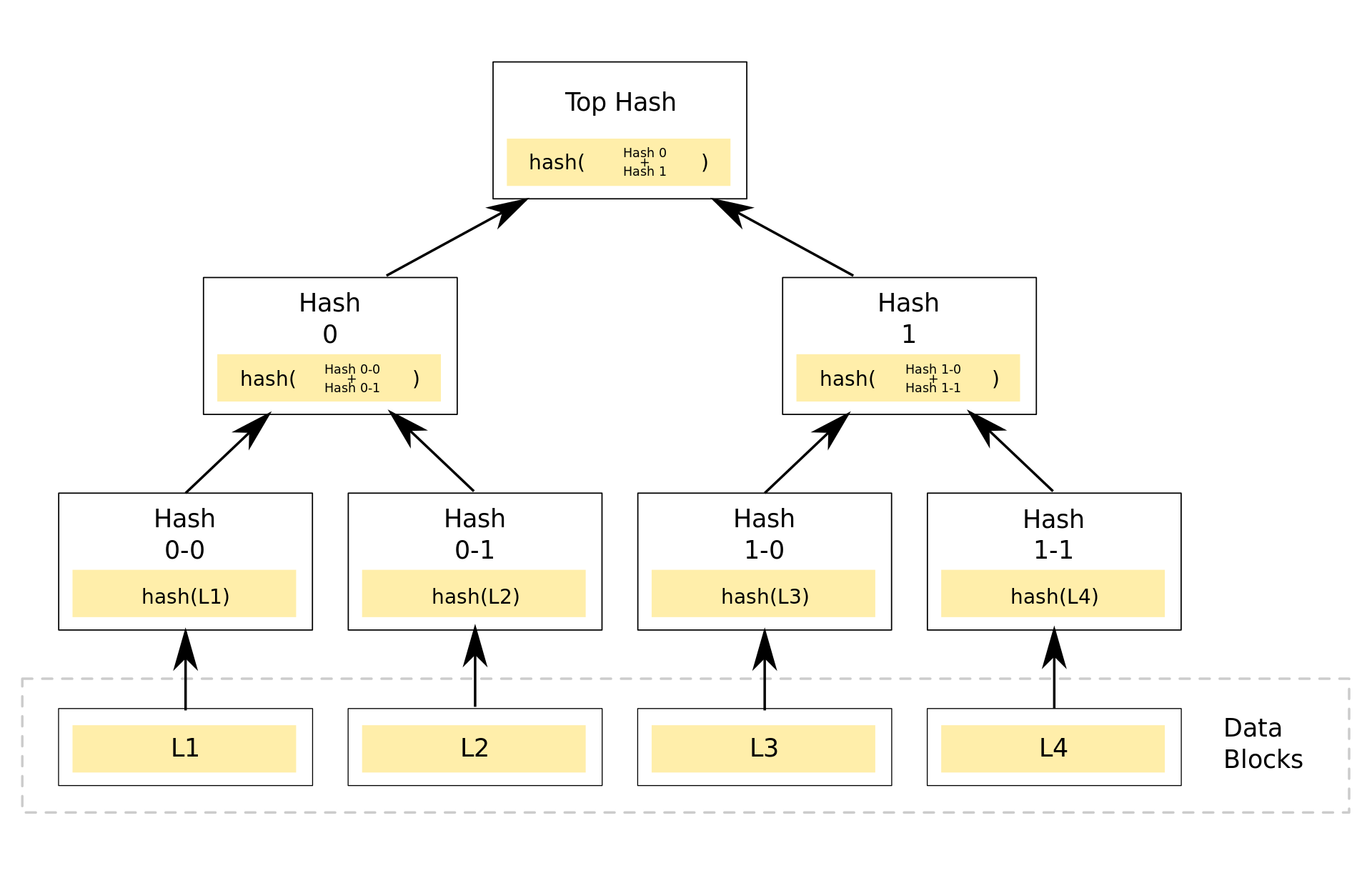
With my limited knowledge of both, I think git is a Merkle tree without both a proof of work and consensus system. That would make it the chain part of block chain, and the without bits the block.

How wrong am I?


It seems I still have a lot to learn about Merkle tree related stuff, so on my research list:

–jeroen

Posted in Development, DVCS - Distributed Version Control, git, LifeHacker, Power User, Software Development, Source Code Management | Leave a Comment »

Bitbucket: diffing a file between two commits in a git repository

Posted by jpluimers on 2020/08/27

Example URL to diff Spring.pas over two commits in a git repository (reminder to self: see if I can find similar information for a Mercurial repository):

https://bitbucket.org/sglienke/spring4d/diff/Source/Base/Spring.pas?diff1=8f4d03020613&diff2=ca8037a2fdecbdbb23d3b997d1160f72838cee02&at=master

This diffs the file https://bitbucket.org/sglienke/spring4d/src/master/Source/Base/Spring.pas over these commits

–jeroen

Posted in BitBucket, Development, DVCS - Distributed Version Control, git, Source Code Management | Leave a Comment »

How to rename git local & remote branches, and local & remote tags

Posted by jpluimers on 2020/08/06

Since I keep forgetting the difference and order between renaming branches and tags.

Note you need to repeat the origin steps for each remote!

[WayBack] How to rename git local and remote branches:

git branch -m old_branch new_branch # Rename branch locally
git push origin :old_branch # Delete the old branch
git push --set-upstream origin new_branch # Push the new branch, set local branch to track the new remote

Like tags below, be aware of the implications when renaming branches: if you pushed before other users already can have the old branch and have acted upon it.

[WayBack] git tag – How do you rename a Git tag? – Stack Overflow:

old^{}
git tag -d old
git push origin :refs/tags/old
git push origin refs/tags/new

Be aware, of the [WayBackimplications that a Git Tag change has to consumers of a package!

Note the first step is not just a plain git tag new old

The reason is that this will create a tag new pointing to the tag old, failing to point to the actual commit behind old. A more detailed explanation, including how to better handle renames, is at [WayBackgit tag – Why isn’t my tag listed when I checkout with Git GUI? – Stack Overflow

–jeroen

Posted in Development, DVCS - Distributed Version Control, git, Software Development, Source Code Management | Leave a Comment »

Searching github commits

Posted by jpluimers on 2020/07/29

Finding the github commit search page was not obvious to me as the main page only allows searching for repositories, and commit pages insides repositories do not have a search box:

Luckily there are two search pages that can search issues:

You can get to both by stumbling on [WayBack] About searching on GitHub – User Documentation, then clicking “Search using a visual interface”

The first search page has built-in help which I have included below, though not explaining how to search for commits which are in [WayBack] Searching commits – User Documentation, and certainly does not tell you need to add type=commitsto the search box.

Read the rest of this entry »

Posted in Development, DVCS - Distributed Version Control, git, GitHub, LifeHacker, Power User, Software Development, Source Code Management | Leave a Comment »

On my research list: “git merge –no-ff”

Posted by jpluimers on 2020/07/29

I need to put some time in understanding git merge --no-ff.

Some links to get started:

–jeroen

Posted in Development, DVCS - Distributed Version Control, git, Software Development, Source Code Management | Leave a Comment »