The Wiert Corner – irregular stream of stuff

Jeroen W. Pluimers on .NET, C#, Delphi, databases, and personal interests

  • My badges

  • Twitter Updates

  • My Flickr Stream

  • Pages

  • All categories

  • Enter your email address to subscribe to this blog and receive notifications of new posts by email.

    Join 1,860 other subscribers

Archive for the ‘fiber’ Category

LAN/WAN network building: test and know how to locate your cabling

Posted by jpluimers on 2025/09/04

I have seen too many sites where cabling was laid en never tested before actual use, which meant locating the cabling and faults was a nightmare.

Be sure to have good (which can be very simple, but more complex when Power over Ethernet is involved) testing hardware and use it during installation. You will thank yourself later.

A few videos that can be helpful:

Read the rest of this entry »

Posted in Development, Ethernet, fiber, Hardware, Hardware Development, Internet, Network-and-equipment, PoE - Power over Ethernet, Power User | Tagged: , , , , , | Leave a Comment »

Reminder to self: check if other internet providers can deliver over the “Open” Dutch Fiber network

Posted by jpluimers on 2025/06/06

When “Open” Dutch Fiber (ODF) builds a fiber network, the internet provider Odido (ex T-Mobile Netherlands) gets a year exclusive use of the infrastructure.

In practice that is longer (see below tweets why), and for me it might become almost 2 years after ODF announced they would start building the local fiber network in the area where I live: [Wayback/Archive] [Odido Glasvezel] Ervaringen & Discussie – Internet en hosting – GoT.

You really do not want Odido, as they do NOT support IPv6 (I have Does Odido (the old T-Mobile Netherlands) which took over Tweak Internet (they supported IPv6) already support IPv6? scheduled on that).

Currently Odido does a lot of colportage, even threatening that copper will be phased out – yeah, that is going to take years! – likely because their exclusivity period is about to end. Which is a reminder for me to check if other providers can already deliver over the ODF network.

Dates to remember:

Read the rest of this entry »

Posted in fiber, Internet, Power User | Leave a Comment »

Reggefiber NTU: convert blind cap to become pure fiber, so no ethernet media converter is needed

Posted by jpluimers on 2021/09/20

Some links:

Edit 20210922: added the below Twitter thread, added searches for the now unavailable videos

[Archive.is] Joel Haasnoot on Twitter: “Freedom laat je alles zelf doen zonder monteur, maar risico als het stuk gaat is 2000-6000 euro om nieuwe splice te doen. Maar er zijn dus ook geen filmpjes oid :)… “

Joel Haasnoot‏ @webguy· Sep 20

Ik moest mij hier een paar maanden gelden hier induiken, maar enigszins bizar hoe weinig documentatie of Google-baar spul is. Er wordt vanuit gegaan dat sysadmins dit maar leren…
Jeroen Wiert Pluimers‏ @jpluimers· Sep 20

Inderdaad. Helaas is het youtube filmpje inmiddels private. Wat heb jij uiteindelijk gedaan?
Joel Haasnoot‏ @webguy· Sep 21

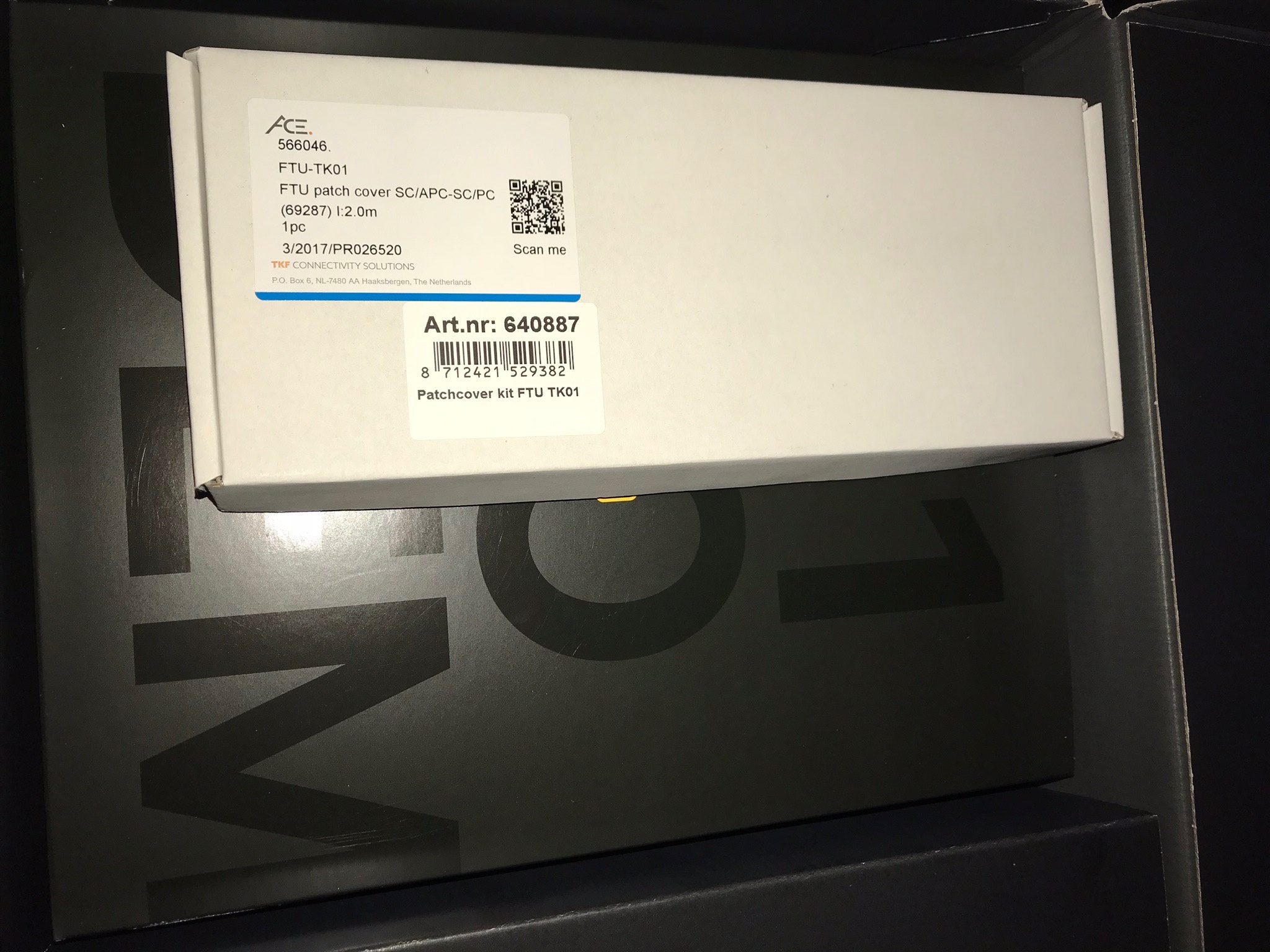
Paar problemen, deels omdat ik een van de eerste 128 oid was bij Freedom en er geen verhuisproces was. Had eerst een patchcover nodig voor nieuwe TK-01 (https://www.kpnwebshop.com/modems-routers/producten/patchcover-kit-ftu-tk01/2 …) en daar zat geen patchkabel bij (geen NTU nodig bij Freedom), want dat was opeens een SC ipv LC eind.
Joel Haasnoot‏ @webguy· Sep 21

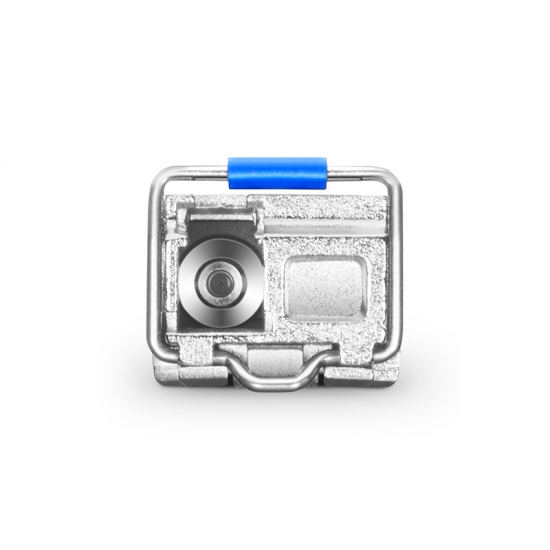
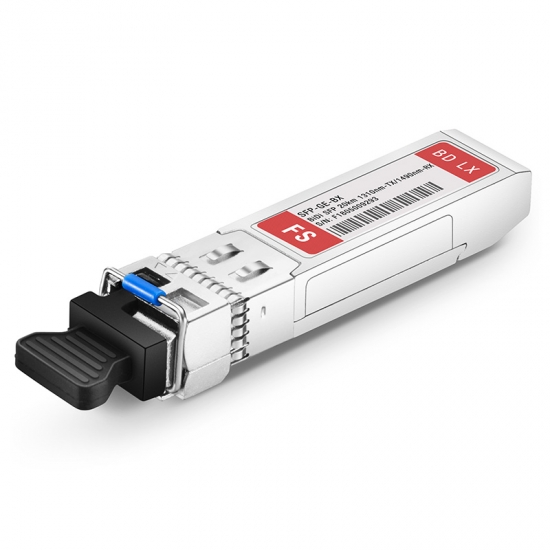
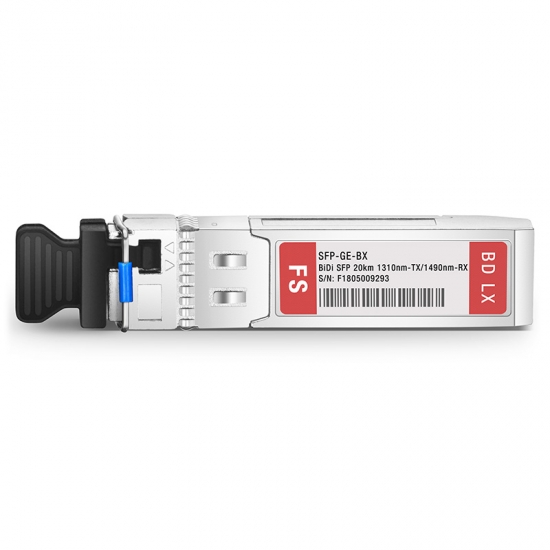
Uiteindelijk had KPNNetwerkNL 4 weken nodig om licht op de lijn te krijgen… Ik heb nu nog een patchkabel + optics liggen voor Mikrotik router, maar vooor nu nog maar even via router.
Replying to @webguy @jpluimers
Freedom laat je alles zelf doen zonder monteur, maar risico als het stuk gaat is 2000-6000 euro om nieuwe splice te doen. Maar er zijn dus ook geen filmpjes oid :)

Videos:

–jeroen

Read the rest of this entry »

Posted in fiber, Internet, Power User | Leave a Comment »

Stratix BreedbandAtlas | Bekijk de consumentenbreedband dekking op uw locatie

Posted by jpluimers on 2018/11/09

[WayBack] BreedbandAtlas | Bekijk de consumentenbreedband dekking op uw locatie:

De BreedbandAtlas toont u actuele informatie over de dekking van consumentenbreedband in Nederland – zowel het type verbinding als de snelheid.

This is for consumer broadband connections, but for many businesses that is good enough (especially since players like xs4all and HeldenVanNu offer business plans like subnets, PIN-payment-over-IP).

Via: [WayBack] ‘Aanleg glasvezel groeit weer door lokale projecten en aanleg in buitengebieden’ – IT Pro – Nieuws – Tweakers

The site is by Stratix which also has published this fiber penetration chart over time:

Read the rest of this entry »

Posted in ADSL, fiber, Internet, Power User | Leave a Comment »

Wieso eigentlich PPPoE, Deutschland? Ganz früher, als Ihr noch ein Joghurt im Regal war…

Posted by jpluimers on 2018/11/05

An historic view on PPPoE usage: [WayBack] Wieso eigentlich PPPoE, Deutschland? Ganz früher, als Ihr noch ein Joghurt im Regal wart und die Telekom von ISDN mit Kanalbündelung (128kBit/s) auf DSL… – Kristian Köhntopp – Google+

Note that in The Netherlands:

Actually, xs4all DSL and Fiber use PPPoE too, in large part because it makes it easer for them to do IPv6. From https://www.xs4all.nl/service/diensten/internet/installeren/modem-instellen/hoe-kan-ik-een-ander-modem-dan-fritzbox-instellen.htm

<<<
ADSL
PPPoA (vpi/vci 8/48, vc-mux). Via de PPPoA verbinding loopt zowel IPv4 als IPv6 verkeer.
PPP authenticatie: PAP
• PPP credentials moeten ingevuld zijn (de waarden zijn niet belangrijk, maar er moet er wel iets ingevuld zijn)

VDSL en FTTH
PPPoE via VLAN6 (802.1Q). Via de PPPoE verbinding loopt zowel IPv4 als IPv6 verkeer.
• PPP authenticatie: PAP
• PPP credentials moeten ingevuld zijn (de waarden zijn niet belangrijk, maar er moet er wel iets ingevuld zijn)
RFC4638 wordt ondersteund op ons netwerk. Dit betekent dat u als klant een MTU van 1500 kunt gebruiken als uw router RFC4638 ondersteunt.
>>>

–jeroen

Posted in ADSL, fiber, Internet, Power User | Leave a Comment »

Bye, bye ADSL…

Posted by jpluimers on 2016/12/27

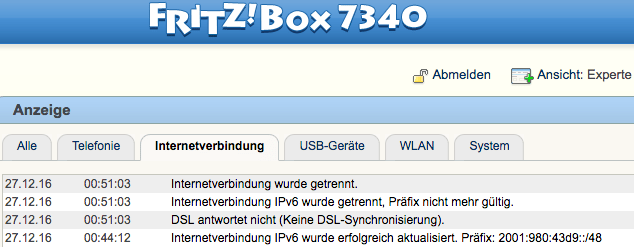
As I got rid of some final hard coded IPv4 stuff, earlier this month I said good-bye to Ziggo cable internet.

Today, the xs4all ADSL line finally got disconnected as well:

My old trusty Fritz!Box 7340 showing ADSL got disconnected for good on 20161217

My old trusty Fritz!Box 7340 showing ADSL got disconnected for good on 20161217

Which means that the years of running an xs4all DSL connection over mxStream, KPN FAST ADSL and xs4all ONLY are over. Oh the days:

Read the rest of this entry »

Posted in ADSL, fiber, History, Internet, ISP, KPN, Power User, xs4all, Ziggo/UPC/A2000 | Leave a Comment »

difference between ADSLfiber and fiberfiber when both are @xs4all.

Posted by jpluimers on 2016/03/28

20150412 ping statistics from WiFi -> ADSL -> VPN -> fiber (where ADSL and fiber both are Fritz!Box machines having LAN-LAN VPN to each other):

PING 192.168.71.1 (192.168.71.1): 56 data bytes
64 bytes from 192.168.71.1: icmp_seq=0 ttl=63 time=19.190 ms
...64 bytes from 192.168.71.1: icmp_seq=1 ttl=63 time=18.905 ms
64 bytes from 192.168.71.1: icmp_seq=2 ttl=63 time=19.261 ms
64 bytes from 192.168.71.1: icmp_seq=3 ttl=63 time=19.982 ms
64 bytes from 192.168.71.1: icmp_seq=4 ttl=63 time=19.332 ms
64 bytes from 192.168.71.1: icmp_seq=5 ttl=63 time=26.800 ms
64 bytes from 192.168.71.1: icmp_seq=6 ttl=63 time=20.139 ms
64 bytes from 192.168.71.1: icmp_seq=7 ttl=63 time=19.498 ms
64 bytes from 192.168.71.1: icmp_seq=8 ttl=63 time=18.915 ms
64 bytes from 192.168.71.1: icmp_seq=9 ttl=63 time=19.200 ms
64 bytes from 192.168.71.1: icmp_seq=10 ttl=63 time=18.948 ms
64 bytes from 192.168.71.1: icmp_seq=11 ttl=63 time=19.524 ms
64 bytes from 192.168.71.1: icmp_seq=12 ttl=63 time=19.511 ms
64 bytes from 192.168.71.1: icmp_seq=13 ttl=63 time=20.417 ms
64 bytes from 192.168.71.1: icmp_seq=14 ttl=63 time=19.350 ms
64 bytes from 192.168.71.1: icmp_seq=15 ttl=63 time=18.690 ms
64 bytes from 192.168.71.1: icmp_seq=16 ttl=63 time=18.632 ms
64 bytes from 192.168.71.1: icmp_seq=17 ttl=63 time=18.912 ms
64 bytes from 192.168.71.1: icmp_seq=18 ttl=63 time=19.397 ms
64 bytes from 192.168.71.1: icmp_seq=19 ttl=63 time=19.257 ms
64 bytes from 192.168.71.1: icmp_seq=20 ttl=63 time=18.147 ms
64 bytes from 192.168.71.1: icmp_seq=21 ttl=63 time=18.601 ms
^C
--- 192.168.71.1 ping statistics ---
22 packets transmitted, 22 packets received, 0.0% packet loss
round-trip min/avg/max/stddev = 18.147/19.573/26.800/1.657 ms

same but LAN –> fiber -> VPN -> ADSL

Pinging 192.168.24.1 with 32 bytes of data:
Reply from 192.168.24.1: bytes=32 time=19ms TTL=63
Reply from 192.168.24.1: bytes=32 time=17ms TTL=63
Reply from 192.168.24.1: bytes=32 time=18ms TTL=63
Reply from 192.168.24.1: bytes=32 time=17ms TTL=63
Reply from 192.168.24.1: bytes=32 time=18ms TTL=63
Reply from 192.168.24.1: bytes=32 time=17ms TTL=63
Reply from 192.168.24.1: bytes=32 time=18ms TTL=63
Reply from 192.168.24.1: bytes=32 time=17ms TTL=63

Ping statistics for 192.168.24.1:
    Packets: Sent = 24, Received = 24, Lost = 0 (0% loss),
Approximate round trip times in milli-seconds:
    Minimum = 17ms, Maximum = 19ms, Average = 17ms

–jeroen

Posted in ADSL, fiber, Fritz!, Fritz!Box, Internet, Network-and-equipment, Power User, routers, VPN | Leave a Comment »

Fiber to Fiber speed beats Cable to Fiber speed by a factor 2 (all three internet connections are in the same house)

Posted by jpluimers on 2015/10/05

I’ve two fiber connections, one cable connection and one ADSL connection at home.

This is a traceroute from one fiber connection to the other over the outside network:

traceroute to snip.xs4all.nl (80.100.143.119), 64 hops max, 52 byte packets
 1  tomatortn66u (172.23.71.1)  0.951 ms  0.708 ms  0.638 ms
 2  fiber24315337241.heldenvannu.net (37.153.243.241)  1.135 ms  0.988 ms  0.974 ms
 3  rt121bb121-212-183.routit.net (212.121.121.183)  1.973 ms  1.976 ms  1.919 ms
 4  0-7-0-4-core2-a-tc1.routit.net (84.246.25.133)  2.711 ms  2.498 ms  2.517 ms
 5  0-7-0-4-core2-a-tc1.routit.net (84.246.25.133)  2.725 ms  2.674 ms  2.535 ms
 6  0-7-0-7-core4-a-tc2.routit.net (37.0.80.7)  3.048 ms  2.883 ms  2.712 ms
 7  1-2-inet1-tc2.routit.net (84.246.25.46)  2.767 ms  2.633 ms  2.514 ms
 8  ams-ix.tc2.xs4all.net (80.249.208.166)  2.676 ms  4.177 ms  2.775 ms
 9  0.ae5.xr3.3d12.xs4all.net (194.109.5.13)  2.987 ms  3.114 ms  11.387 ms
10  xe-8-1-0.dr11.xs4all.net (194.109.7.14)  6.188 ms
    xe-7-0-1.dr11.d12.xs4all.net (194.109.7.58)  3.320 ms
    xe-8-0-1.dr11.d12.xs4all.net (194.109.7.38)  3.206 ms
11  snip.xs4all.nl (80.100.143.119)  4.079 ms !X  3.960 ms !X  3.946 ms !X

This is the same but from my third connection (that will go away sooner than later): Cable.

traceroute to snip.xs4all.nl (80.100.143.119), 64 hops max, 52 byte packets
 1  www.asusnetwork.net (192.168.171.1)  1.016 ms  0.983 ms  0.938 ms
 2  * * *
 3  212.142.62.69 (212.142.62.69)  11.427 ms  8.361 ms  8.459 ms
 4  84.116.244.97 (84.116.244.97)  8.080 ms  10.405 ms  7.340 ms
 5  nl-ams09b-ri1-xe-10-2-0.aorta.net (84.116.130.22)  7.625 ms
    nl-ams09b-ri1-xe-8-0-0.aorta.net (84.116.130.2)  10.392 ms
    84.116.136.81 (84.116.136.81)  9.534 ms
 6  0.xe-1-2-0.xr1.tc2.xs4all.net (194.109.7.209)  8.315 ms  9.505 ms  9.684 ms
 7  0.ae5.xr3.3d12.xs4all.net (194.109.5.13)  9.508 ms
    0.ae4.xr4.1d12.xs4all.net (194.109.5.9)  9.565 ms
    0.ae5.xr3.3d12.xs4all.net (194.109.5.13)  9.459 ms
 8  xe-7-0-1.dr11.d12.xs4all.net (194.109.7.58)  8.547 ms  13.159 ms  9.893 ms
 9  snip.xs4all.nl (80.100.143.119)  9.710 ms !X  10.079 ms !X  8.121 ms !X

Finally there is ADSL (which will go even sooner):

snap:~ # traceroute snip.xs4all.nl
traceroute to snip.xs4all.nl (80.100.143.119), 30 hops max, 40 byte packets using UDP
 1  192.168.71.1 (192.168.71.1)  1.052 ms   0.554 ms   0.520 ms
 2  lo0.dr13.d12.xs4all.net (194.109.5.212)  17.767 ms   17.368 ms   17.123 ms
 3  1423.ae3.xr4.1d12.xs4all.net (194.109.7.137)  16.901 ms 1418.ae3.xr4.1d12.xs4all.net (194.109.7.17)  16.628 ms 1323.ae3.xr3.3d12.xs4all.net (194.109.7.141)  16.354 ms
 4  xe-8-1-0.dr11.xs4all.net (194.109.7.14)  15.961 ms xe7-0-0.dr11.d12.xs4all.net (194.109.7.170)  15.762 ms xe-8-1-0.dr11.xs4all.net (194.109.7.14)  15.283 ms
 5  snip.xs4all.nl (80.100.143.119)(N!)  15.914 ms (N!)  16.171 ms (N!)  15.710 ms

Cable is about twice as slow than Fiber.

ADSL is about three times as slow than Fiber.

–jeroen

Posted in fiber, Fritz!, Fritz!Box, Internet, Power User, routers, TomatoUSB | Leave a Comment »