


I totally agree with the first comment of [Wayback/Archive] Naming Files and Directories the Right Way – YouTube as it holds not just for file management, but for naming anything including software development:
@yorickwolter
--jeroen
Posted by jpluimers on 2026/01/29
I totally agree with the first comment of [Wayback/Archive] Naming Files and Directories the Right Way – YouTube as it holds not just for file management, but for naming anything including software development:
@yorickwolter
--jeroen

Posted in *nix, Apple, BSD, Development, Linux, Mac OS X / OS X / MacOS, Power User, Software Development, Windows | Leave a Comment »
Posted by jpluimers on 2026/01/07
Often connections are TCP based, but sometimes UDP is all you have to test with, so I was quite surprised that testing that was quite forward. The solutions by [Wayback/Archive] How to Do a UDP Ping in Linux works on any platform where you can have nmap or netcat on installed (which by now is almost all platforms including Windows):
Posted in *nix, *nix-tools, Apple, BSD, Mac OS X / OS X / MacOS, netcat, nmap, Power User, Windows | Leave a Comment »
Posted by jpluimers on 2025/05/26
[Wayback/Archive] Florian Roth on Twitter: “First security application I install on … macOS: LittleSnitch Linux Server: Fail2ban Linux Workstation: etckeeper Windows Workstation: GlassWire Windows Server: Sysmon — What are yours?”
Full thread at [Wayback/Archive] Thread by @cyb3rops on Thread Reader App
Some interesting responses to the original tweet, hence me saving it.
–jeroen
Posted in *nix, *nix-tools, Apple, BSD, FreeBSD, Mac OS X / OS X / MacOS, Power User, Windows | Leave a Comment »
Posted by jpluimers on 2025/05/08
Having used less for 40+ years now, I wonder how moar measures up to it: [Wayback/Archive] GitHub – walles/moar: Moar is a pager. It’s designed to just do the right thing without any configuration.
Features I at least expect are in [Wayback/Archive] less: display the contents of a file in a terminal | less Commands | Man Pages | ManKier.
Via [Wayback/Archive] Johan Walles recently commenting on [Wayback/Archive] linux – How can I have less automatically decompress xz files like it did with gz files on my old SUSE distro? – Super User.
--jeroen
Posted in *nix, *nix-tools, Apple, BSD, Development, Go (golang), Mac, Mac OS X / OS X / MacOS, Power User, Software Development | Leave a Comment »
Posted by jpluimers on 2025/04/18
I wonder how well [Wayback/Archive] H3/H2 Net Card – ODROID is supported by pfSense. It is an M.2 based PCIe network card that adds 4 ethernet ports of 2.5 gigabit each to an ODROID H2 or H3 series (so you have 6 ports total), ideal for some hefty router.
Pictures (from the above link) of the board, cases and mainboard below.
But first: Realtek NICs is not vendor supported on FreeBSD (which pfSense and OPNsense are based on).

Posted in *nix, BSD, Ethernet, FreeBSD, Hardware, Network-and-equipment, pfSense, Power User, routers | Tagged: homelab, serverbuilds | Leave a Comment »
Posted by jpluimers on 2022/08/04
Rob Gongrijp has this nice repository [Wayback/Archive.is] ropg/ipocalypse: FreeBSD jails with web servers on a single IPv4 address:
…
To deal with web servers (which all need to be reached at ports 80 (http) and 443 (https), I describe a convenient Apache reverse proxy setup in its own jail, and the management script I wrote to make things super-easy.
…
Via [Archive.is] ᖇ⦿ᖘ Gonggrijp on Twitter: “HOWTO for setting up a FreeBSD host with multiple jails running web servers on a single IPv4 address. (No rocket science: just a general HOWTO plus an easy certificate management / reverse proxy script which also works on other systems with adaptation.) … “
With an interesting response [Archive.is] corbosman on Twitter: “I use kubernetes/traefik pretty much like that, and before that docker/traefik. It’s getting more and more difficult to get IP space at all.… “
–jeroen
Posted in *nix, BSD, Development, Power User, Software Development, Web Development | Leave a Comment »
Posted by jpluimers on 2022/04/13
I say to people: only use shell interactively, don’t write scripts. Never. Not one.
But Kris, they ask, why so radical?
Because of this:
is the literal English Google Translation of the German text
Ich sage den Leuten: benutzt Shell nur interaktiv, schreibt keine Scripte. Nie. Nicht eines.
Aber Kris, fragen sie, wieso so Radikal?
Deswegen:
then links to [Wayback/Archive] Jan Schaumann on Twitter: “TIL zgrep(1) is a shell script. BSD basically does “zcat | grep”, but GNU does “gzip -dc | sed”. How did I learn that? The fun way! CVE-2022-1271, arbitrary-file-write and code execution vulnerability in GNU zgrep / gzip. …”:

Posted in *nix, *nix-tools, Apple, ash/dash, ash/dash development, bash, bash, BSD, Development, Mac, Mac OS X / OS X / MacOS, Power User, Scripting, Software Development | Leave a Comment »
Posted by jpluimers on 2017/12/25
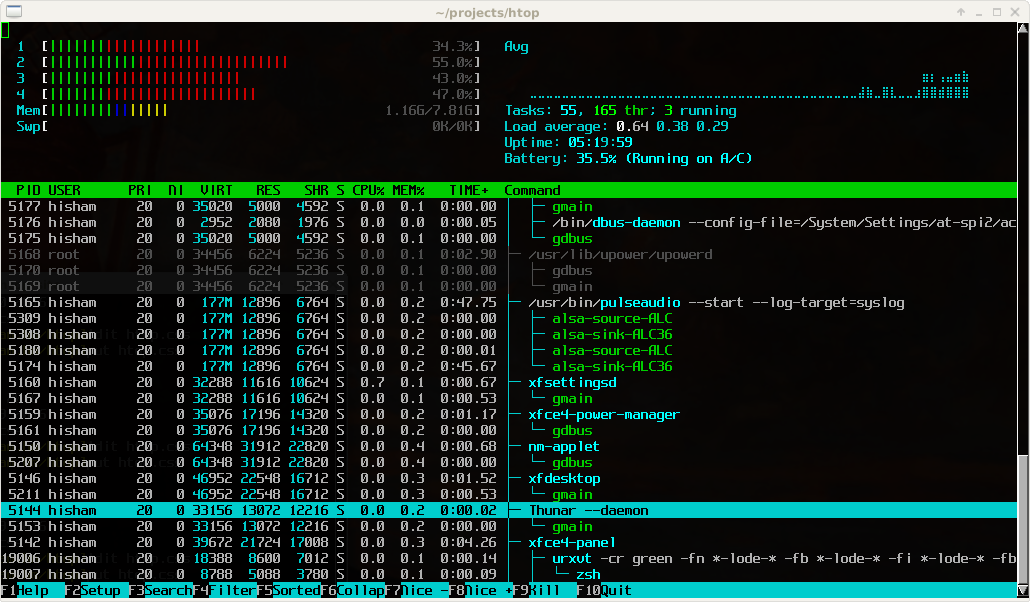
Great tool: [WayBack] htop – an interactive process viewer for Unix because it’s both interactive and supports a wide range of OSes: Linux, FreeBSD, OpenBSD and Mac OS X.
Thanks to Warren Postma who suggested it in his comment at [WayBack] 18 Useful Commands to Get Hardware Information on Linux – Linuxslaves.
Note that on OS X you get this warning after brew install htop :
htop requires root privileges to correctly display all running processes,

so you will need to run `sudo htop`.

You should be certain that you trust any software you grant root privileges.
On Linux you don’t get this message as there you have the /proc file system providing enough information as explained at [WayBack] osx – Why does htop on Mac OS X require root privileges to see data for all processes, but on Linux it runs without root – Super User.
A workaround (involving the setuid bit) is at [WayBack] Running htop on Mac OS X needs root. Why?! | Blog | JoeNyland.me or by running visudo ensuring you don’t need a password for it at [WayBack] osx – htop isn’t returning CPU or memory usage!? – Super User
–jeroen

Posted in *nix, *nix-tools, Apple, BSD, Linux, Mac OS X / OS X / MacOS, macOS 10.12 Sierra, OS X 10.11 El Capitan, OS X 10.9 Mavericks, Power User | Leave a Comment »
Posted by jpluimers on 2017/03/20
Explains how to find out top 10 files and directories under Unix / Linux using sort and du command in human-readable format.
Interesting, especially
alias 'ducks=du -cks * | sort -rn | head'
Source: How Do I Find The Largest Top 10 Files and Directories On a Linux / UNIX / BSD?
via: Joe C. Hecht and nixCraft.
–jeroen
Posted in *nix, *nix-tools, Apple, BSD, Linux, Mac, Mac OS X / OS X / MacOS, Power User | Leave a Comment »
Posted by jpluimers on 2017/02/08
On most systems, I use bash as shell, but not all systems have it, for instance the shell.xs4all.nl server uses tcsh and ESXi 4+ uses a very limited ash shell from busybox (ESX 4 had bash though).
There is this huge script that covers many shell and operating system versions (even DOS, Windows) and interpreters (python, ruby, php, etc) what shell is this which I got through Stéphane Chazelas‘s answer in linux – determine shell in script during runtime – Unix & Linux Stack Exchange
I wanted a shorter thing that works in current Linux, BSD, OS X and ESXi versions.
Some very short scripts are less reliable, for instance echo $SHELL looks nice, but isn’t always set.
Similar for echo $0 which will fail for instance if it shows as sh but in fact is a different shell in disguise.
This works for bash, tcsh and busybox sh, is a bit more precise than getting $0. It’s based on HOWTO: Detect bash from shell script – Stack Overflow:
lsof -p $$ | awk '(NR==2) {print $1}'
But on ESXi it shows this because lsof doesn’t take any parameter there and just dumps all information:
----------+---------------------+---------------------+--------+------------------
It’s because lsof on ESXi always shows this header where Cartel and World aren’t exactly well documented:
Cartel | World name | Type | fd | Description

----------+---------------------+---------------------+--------+------------------
Empirically for non VM related processes, it looks like the Cartel is the PID and World name the command.
On Linux and BSD based systems, the header looks like this, so command and PID are reversed in ESXi:
COMMAND PID USER FD TYPE DEVICE SIZE/OFF NODE NAME
This command then works on both ESXi, OS X, Linux and BSD assuming you can word search for the PID and noting that PID/command will be reversed on ESXi as compared to OSX/Linux/BSD:
lsof -p $$ | grep -w $$ | awk '(NR==2) {print $1,$2}'
–jeroen
Posted in Apple, bash, BSD, Development, iMac, Mac, Mac OS X / OS X / MacOS, Mac OS X 10.4 Tiger, Mac OS X 10.5 Leopard, Mac OS X 10.6 Snow Leopard, Mac OS X 10.7 Lion, MacBook, MacBook Retina, MacBook-Air, MacBook-Pro, MacMini, OS X 10.10 Yosemite, OS X 10.11 El Capitan, OS X 10.8 Mountain Lion, OS X 10.9 Mavericks, Power User, Scripting, Software Development | Leave a Comment »
 The Wiert Corner - irregular stream of stuff