


On my list of things to try some dotfiles including [WayBack] GitHub – gpakosz/.tmux: Oh My Tmux! My pretty + versatile tmux configuration that just works (imho the best tmux configuration).
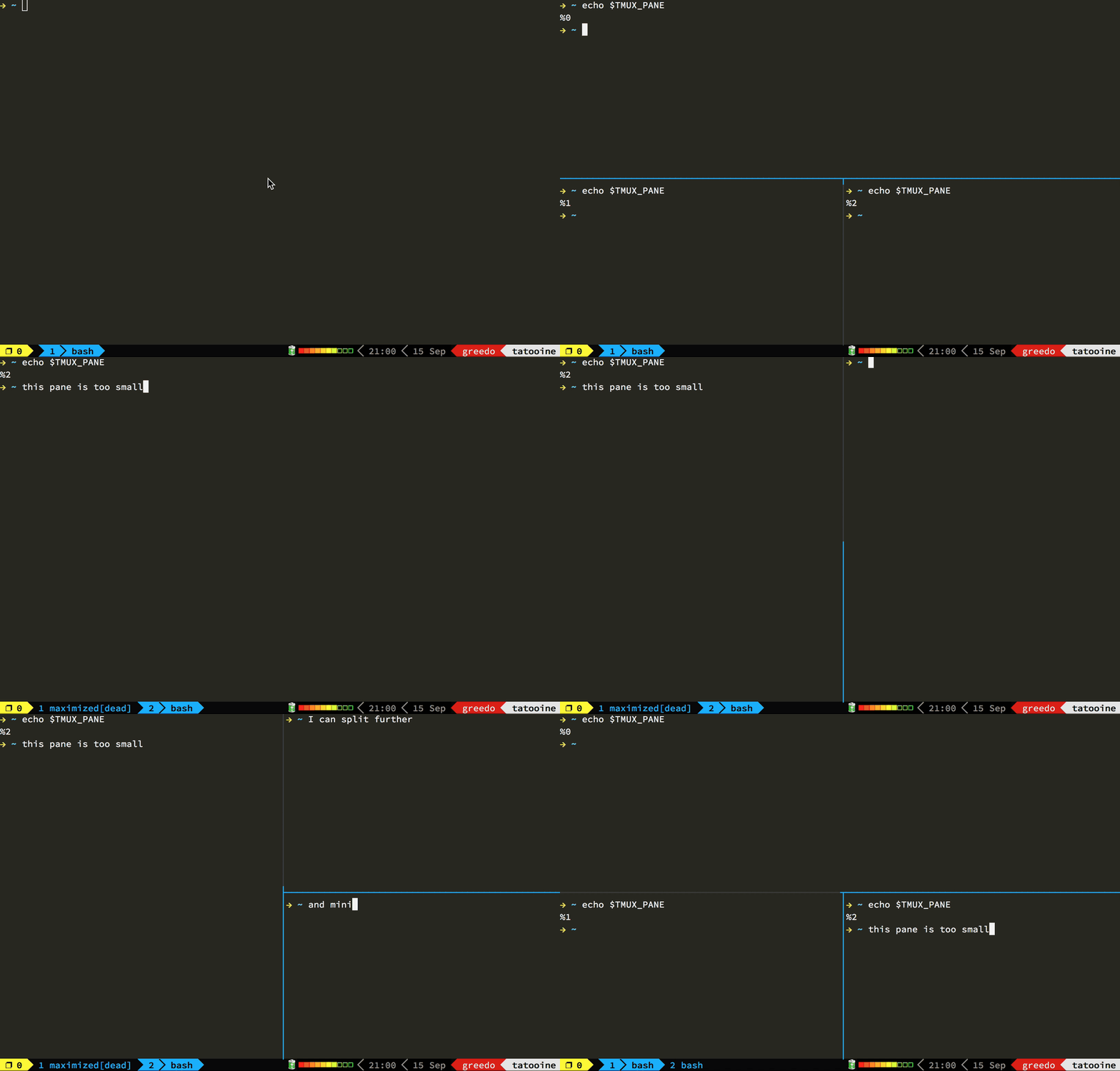
–jeroen
Posted by jpluimers on 2020/06/08
On my list of things to try some dotfiles including [WayBack] GitHub – gpakosz/.tmux: Oh My Tmux! My pretty + versatile tmux configuration that just works (imho the best tmux configuration).
–jeroen

Posted in *nix, *nix-tools, Power User, tmux | Leave a Comment »
Posted by jpluimers on 2018/12/24
From a while back, but still so cool! It allows you to “recover” the terminal (stdin/stdout/stderr) of a process that was attached to a terminal or ssh session.
Reptyr – Forgot to “screen” your ssh session first, and now that long running thing is stuck?
»
reptyr PIDwill grab the process with id PID and attach it to your current terminal.«server:~ # zypper install reptyr ... Retrieving: reptyr-0.3dev_git20120325-7.1.2.x86_64.rpm ...................[done] (1/1) Installing: reptyr-0.3dev_git20120325-7.1.2 ........................[done] server:~ # rpm -qi reptyr ... Summary : A tool for "re-ptying" programs Description : reptyr is a utility for taking an existing running program and attaching it to a new terminal. Started a long-running process over ssh, but have to leave and don't want to interrupt it? Just start a screen, use reptyr to grab it, and then kill the ssh session and head on home. Distribution: openSUSE 13.1
Source: [WayBack] Reptyr – Forgot to “screen” your ssh session first, and now that long running thing is stuck?… – Kristian Köhntopp – Google+
It works with tmux too and is supported on many Linux distributions, see for instance [WayBack] Reptyr – Move A Running Process From One Terminal To Another Without Closing It – OSTechNix.
You can even redirect a pty for gdb usage: [WayBack] reptyr(1): new terminal – Linux man page
StackExchange thread: [WayBack] How to recover a shell after a disconnection with these entries:
Originally from 2011 [WayBack] reptyr: Attach a running process to a new terminal – Made of Bugs it is still maintained:
GitHub repository [WayBack] nelhage/reptyr: Reparent a running program to a new terminal
–jeroen

Posted in *nix, *nix-tools, Linux, openSuSE, Power User, screen, SuSE Linux, tmux | Leave a Comment »
Posted by jpluimers on 2018/03/12
The joy of single character command-line switches, so thanks [WayBack] demure for answering at [WayBack] How do I disconnect all other users in tmux? – Stack Overflow:
You can use
<prefix> D(where prefix isC-bby default), to chose which clients to detach; it will also list they col/lines as well as the last used time.You could also use tmux’s
detach-clientoptiondetach-client [-P] [-a] [-s target-session] [-t target-client] (alias: detach) Detach the current client if bound to a key, the client specified with -t, or all clients currently attached to the session speci- fied by -s. The -a option kills all but the client given with -t. If -P is given, send SIGHUP to the parent process of the client, typically causing it to exit.either from
<prefix>:followed bydetach [options]or on the command line inside tmux withtmux detach [options]
–jeroen
Posted in *nix, *nix-tools, Power User, tmux | Leave a Comment »
Posted by jpluimers on 2017/07/19
I’ve not tracked down the cause yet, but these seem to be related:
I’ve “fixed” 4. by doing this as recommended at osx – Copy and Cut sometimes don’t work – Ask Different:
launchctl list | grep com.apple.pboardIf the pboard daemon is running, then stop and start it. If it’s not running, start it:
launchctl stop com.apple.pboard
launchctl start com.apple.pboard
Now 4. works again if I restart each application, 6. still works, but these applications still cannot copy/paste to 1. 2. and 3.
What does work is a full reboot, but that takes a while (especially Chrome re-loading lots of Windows: I need to get more organised here).
It might be that I need to restart each application in 6.
Grrr…..
–jeroen
Posted in *nix, *nix-tools, Apple, atom editor, Hardware, iMac, Internet, Mac, Mac OS X / OS X / MacOS, MacBook, MacBook Retina, MacBook-Air, MacBook-Pro, MikroTik, Network-and-equipment, OS X 10.10 Yosemite, OS X 10.11 El Capitan, OS X 10.9 Mavericks, Power User, routers, Text Editors, tmux | 4 Comments »
Posted by jpluimers on 2016/11/16
In my alias list:
alias "tmux-attach-or-create-main-session=tmux new-session -A -s main"
Via User Wesley Baugh – Unix & Linux Stack Exchange who answered:
If naming your session is okay, then it’s easy to do with the new-session command:
tmux new-session -A -s mainwhere
mainis the session name that will be attached to or created if needed.From
man tmuxThe -A flag makes new-session behave like attach-session if session-name already exists; in this case, -D behaves like -d to attach-session.
–jeroen
Source: How to start tmux with attach if a session exists – Unix & Linux Stack Exchange
Posted in *nix, *nix-tools, Linux, openSuSE, Power User, SuSE Linux, tmux | Leave a Comment »
Posted by jpluimers on 2016/03/21
Simple steps to Capture tmux output – the much less painful way | Rico’s Tech Memo
Note the last line under 8) is a literal command: type it as such and it will save to that file.
–jeroen
Posted in *nix, *nix-tools, Power User, tmux | Leave a Comment »
 The Wiert Corner - irregular stream of stuff