


Increasing your Windows NTFS disk size under VMware ESXi
Posted by jpluimers on 2015/04/03
A really long time I wrote about Increasing your Windows XP NTFS disk size under VMware Workstation 7.
I totally forgot that article also included a link to do the same on ESXi the old fashioned style. The tool you needed back then (and still works) there is vmkfstools (the ESXi version, not the vCLI version), and use it like this to extend the VMDK disk to 60 gigabyte:
vmkfstools --extendvirtualdisk 60G /vmfs/volumes/datastore_name/vm_name/disk_name.vmdk
You can replace --extendvirtualdisk with -X.
However, nowadays you can do the same from the vSphere Client as explained by David Davis at How to Extend a vSphere Windows VM Disk Volume.
After that you follow the steps in the original article to increase the partition size inside Windows.
As of Windows Vista, this has become much easier, so there you go.
–jeroen
vSphere screenshot:
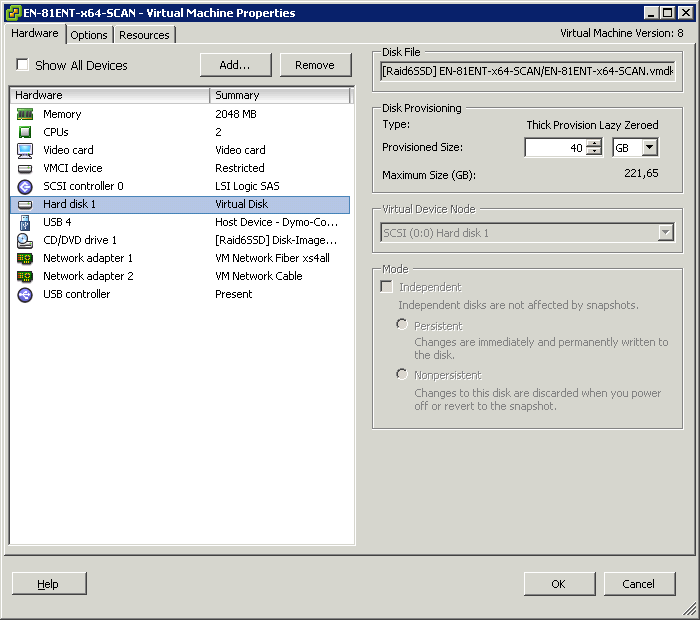
Resize the HDD size from within the vSphere Client

 The Wiert Corner - irregular stream of stuff
Leave a comment