


How to set default apps on Mac | iMore
Posted by jpluimers on 2020/05/07
- Select a file in the Finder
- Press Command-I to show the “Get Info” for the file (or right click, and select “Get Info”)

- Expand the “Open with”
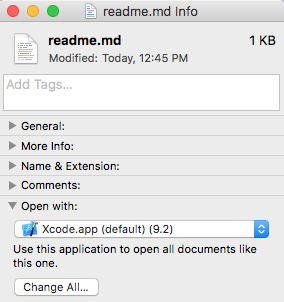
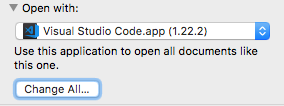
- Select a different application than the default, then press the “Change All…” button
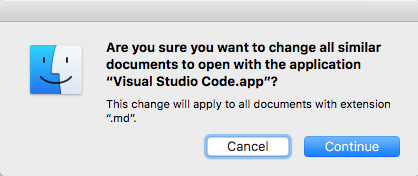
- Confirm the change


Based on [WayBack] How to set default apps on Mac | iMore.
–jeroen

 The Wiert Corner - irregular stream of stuff
Leave a comment