


Figuring out the cause of “Controlled Folder Access” error messages.
Posted by jpluimers on 2023/09/13
Still need to investigate why every now and then Windows Remote Desktop causes this error:
C:\Windows\System32\mstsc.exe has been blocked from modifying %userprofile%\Documents\ by Controlled Folder Access.
Related links about EventID numbers 1123, 1124 and 5007:
- [Wayback] Is anyone using Windows Defender Controlled folder access? – Page 4 – Windows 10 Forums explaining the below Event Viewer (eventvwr.exe) custom view:
<QueryList>
  <Query Id="0" Path="Microsoft-Windows-Windows Defender/Operational">
    <Select Path="Microsoft-Windows-Windows Defender/Operational">*[System[(EventID=1123 or EventID=1124 or EventID=5007)]]</Select>
    <Select Path="Microsoft-Windows-Windows Defender/WHC">*[System[(EventID=1123 or EventID=1124 or EventID=5007)]]</Select>
  </Query>
</QueryList>
- [Wayback] Protect important folders from ransomware from encrypting your files with controlled folder access | Microsoft Docs
The following table shows events related to controlled folder access:
REVIEW CONTROLLED FOLDER ACCESS EVENTS IN WINDOWS EVENT VIEWER Event ID Description 5007Event when settings are changed 1124Audited controlled folder access event 1123Blocked controlled folder access event - [Wayback] View attack surface reduction events | Microsoft Docs
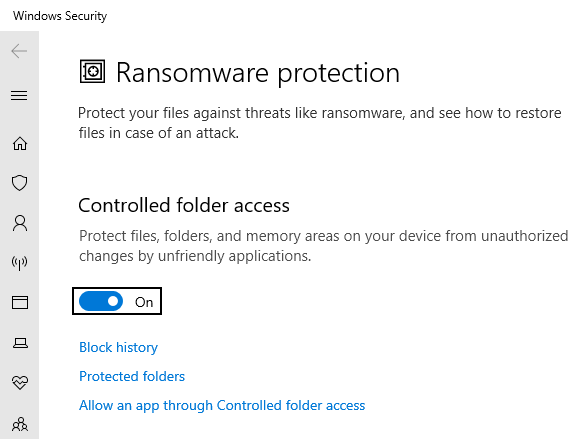
This is the place in the Settings where you can enable the Controlled Folder Access feature:
Windows 10 Settings: Controled Folder Access
In my case it was the Remote Desktop Connection client (RDP client also known as mstsc.exe) with this error message:
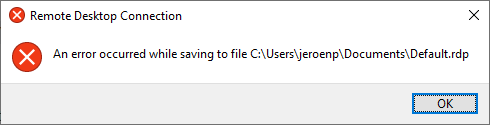
mstsc.exe cannot save Defaults.rdp
[Window Title]
Remote Desktop Connection

[Content]
An error occurred while saving to file C:\Users\jeroenp\Documents\Default.rdp

[OK]
This makes sense as %USERPROFILE%\Documents is protected.
–jeroen

 The Wiert Corner - irregular stream of stuff
Leave a comment