The Wiert Corner – irregular stream of stuff

Jeroen W. Pluimers on .NET, C#, Delphi, databases, and personal interests

  • My badges

  • Twitter Updates

  • My Flickr Stream

  • Pages

  • All categories

  • Enter your email address to subscribe to this blog and receive notifications of new posts by email.

    Join 1,835 other subscribers

Archive for the ‘Software Development’ Category

In the series “avoid Variants when coding in Delphi”: the comparison operator

Posted by jpluimers on 2020/08/18

For Variant types, the = comparison operator in Delphi maps to the VarCompareValue in the Variants unit.

That function fails to handle various comparisons and for some it knows it can handle raises a VarInvalidOp through various code paths (like CheckType) to VarInvalidOp because the implementation limits itself to varEmpty..varUInt64, which I think means that these are unsupported:

  • varRecord
  • varStrArg
  • varObject
  • varUStrArg
  • varString
  • varAny
  • varUString
  • varArray
  • varByRef

This fails when using the = operator:

What is this code supposed to do, if v1 and v2 are variant arrays with the same content?

if v1 = v2 then
  WriteLn('equal')
else
  WriteLn('not equal');

Spring4d has a function SameValue in the Spring.pas unit which handles more cases, at least the case when both operands are arrays having the same content.

Source: [WayBack] I think I may have mentioned that I hate Variants: What is this code supposed to do, if v1 and v2 are variant arrays with the same content? if v1 = v2… – Thomas Mueller (dummzeuch) – Google+

Thanks to Thomas Mueller and Stefan Glienke for this.

–jeroen

Posted in Delphi, Development, Software Development | Leave a Comment »

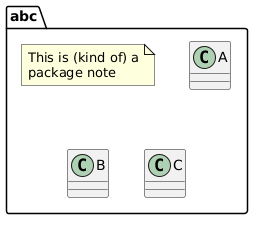
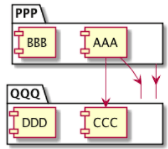
Some PlantUML links I needed for complex component diagram editing

Posted by jpluimers on 2020/08/18

A while ago, I had to create a bit more complex component diagrams than the simple ones I used to create in PlantUML.

Some links that helped me:

UML2 style examples for skinparam that are equivalent:

skinparam component {
  Style uml2
}
skinparam {
  componentStyle uml2
}

Read the rest of this entry »

Posted in Development, Diagram, PlantUML, Software Development, UML | Leave a Comment »

PowerShell: checking minimum version

Posted by jpluimers on 2020/08/13

Nowadays, often your PowerShell code uses features unavailable in older PowerShell versions. When running it on a version that is too old, you usually get an error message, for instance like this:

Unable to find type [Ordered]: make sure that the assembly containing this type is loaded.

Back in the days, this was a new feature introduced in PowerShell 3.0: [WayBack] Use cases of [ordered], the new PowerShell 3.0 feature – Stack Overflow

It is way friendlier to show a message indicating the version is too old in stead of throwing this error.

That’s where the # Requires Version 3.0 directive comes in: [WayBackabout_Requires | Microsoft Docs.

Adding this line to the top of a script gives output like this on a stock Windows 7 SP1 system that has PowerShell 2.0:

# PowerShell -f List-Delphi-Installed-Packages.ps1
The script ‘List-Delphi-Installed-Packages.ps1’ cannot be run because it contained a “#requires” statement at line 1 for Windows PowerShell version 3.0. The version required by the script does not match the currently running version of Windows PowerShell version 2.0.
+ CategoryInfo : ResourceUnavailable: (List-Delphi-Installed-Packages.ps1:String) [], ParentContainsErrorRecordException
+ FullyQualifiedErrorId : ScriptRequiresUnmatchedPSVersion

Note that PowerShell 3.0 is also the minimum version for debugging it in Visual Studio Code (which means you do not have to use PowerShell ISE any more; it is still there , but so far behind as a development tool that many prefer Visual Studio Code):

–jeroen

Posted in CommandLine, Development, PowerShell, PowerShell, Scripting, Software Development | Leave a Comment »

PowerShell: finding WSD printer details enumerating through HKLM\SYSTEM\CurrentControlSet\Enum\SWD\DAFWSDProvider

Posted by jpluimers on 2020/08/13

WSD seems the way Microsoft Windows 8+ does printing, which makes it a lot harder to find the IP address of a printer, for instance to configure a Mac to print to it.

The key seems to be enumerating over HKEY_LOCAL_MACHINE\SYSTEM\CurrentControlSet\Enum\SWD\DAFWSDProvider.

Some links that should help me doing this:

–jeroen

Posted in Development, PowerShell, Scripting, Software Development | Leave a Comment »

A load on agility related posts referenced by Markus Eggers – Google+

Posted by jpluimers on 2020/08/13

A while ago, Markus Eggers – Google+ started following me on G+, so I found out about his posts: most of them refer to very useful agility related ones.

So my reading list just got a bit longer, with tuples on Markus Eggers – Google+ and where it points to.

Other interesting posts:

–jeroen

Posted in Agile, Conference Topics, Conferences, Development, Event, Software Development | Leave a Comment »

Roderick Gadellaa auf Twitter: “@ingnl Ik begrijp dat jullie gaan stoppen met TAN codes. Juich ik toe, 2FA met sms is behoorlijk lek. Maar nu moet ik jullie app gaan gebruiken. Ik werp 1 blik op de permissions die jullie app wil en denk: Neen.…”

Posted by jpluimers on 2020/08/12

[WayBackRoderick Gadellaa auf Twitter: “@ingnl Ik begrijp dat jullie gaan stoppen met TAN codes. Juich ik toe, 2FA met sms is behoorlijk lek. Maar nu moet ik jullie app gaan gebruiken. Ik werp 1 blik op de permissions die jullie app wil en denk: Neen.…”

Reminder to self: check what permissions are needed now.

–jeroen

Read the rest of this entry »

Posted in Development, Power User, Security, Software Development | Leave a Comment »

PlantUML – Visual Studio Marketplace

Posted by jpluimers on 2020/08/12

This and built-in markdown support made the switch to Visual Studio code from Atom.io so much easier: [WayBack] PlantUML – Visual Studio Marketplace.

Atom.io was already on my list of tools to say good bye to: though a good project to show the versatility of the Electron Framework, over time – like Google Chrome – it had become a memory and CPU hog and a drag to use and update.

Integrating debuggers and other parts of the development life cycle involved too much fuzz, for which Visual Studio code (also known as vscode) was much easier from the start.

Probably Visual Studio code did not suffer from what the Dutch call Law of the handicap of a head start: it is much more responsive and versatile than Atom.io. Also the plugins – despite having come to the market later – feel way more mature in Visual Studio code than Atom.io.

Finally, the PlantUML support extension for vscode is so much nicer than in Atom.io, it for instance supports live updating and in addition to local rendering, rendering through a PlantUML server (see [WayBack] GitHub – plantuml/plantuml-server: PlantUML Online Server).

Source code is at [WayBack] GitHub – qjebbs/vscode-plantuml: Rich PlantUML support for Visual Studio Code.

Read the rest of this entry »

Posted in .NET, atom editor, Development, Diagram, PlantUML, Power User, Software Development, Text Editors, UML, Visual Studio and tools, vscode Visual Studio Code | Leave a Comment »

Comparing versions with wildcards and without them (for instance for semantic versioning)

Posted by jpluimers on 2020/08/12

For a project I’m going to be in need to compare version numbers.

I’m not sure yet if I need wildcards, or can leave them out (but for partial semantic versioning, I might need them).

Below a bunch of links that should get me started.

From a quick glance: versioning is hard, comparing even harder.

On versioning in general

Numeric versioning (usually without wildcards):

On semantic versioning (SemVer for short):

On the C# Version class (which handles most of semantic versioning except: leading zero’s, very large numbers, non-numeric release specifiers)

Interesting idea, but not sustainable: using floating point values to compare versions:

On wildcards:

Via: [WayBack] Anyone tips for a TVersion structure that supports at max quad digits or wildcards and comparison? Like 3.2 matching 3.2.5.7, but not matching 3.3.4.28 ? – Jeroen Wiert Pluimers – Google+

–jeroen

Posted in *nix, *nix-tools, Development, Power User, rpm, Software Development, Versioning | Leave a Comment »

Installing and updating Windows PowerShell – via Microsoft Docs

Posted by jpluimers on 2020/08/11

Since I keep forgetting that PowerShell is part of WMF (Windows Management Framework) and about the compatibility/installation matrix: [WayBack] Installing Windows PowerShell | Microsoft Docs:

The installation package for PowerShell comes inside a WMF installer. The version of the WMF installer matches the version of PowerShell; there’s no stand alone installer for Windows PowerShell.

If you need to update your existing version of PowerShell, in Windows, use the following table to locate the installer for the version of PowerShell you want to update to.

Windows PS 3.0 PS 4.0 PS 5.0 PS 5.1
Windows 10 (see Note1)
Windows Server 2016
installed
Windows 8.1
Windows Server 2012 R2
installed [WayBack] WMF 5.0 [WayBack] WMF 5.1
Windows 8
Windows Server 2012
installed [WayBack] WMF 4.0  [WayBack] WMF 5.0 [WayBack] WMF 5.1
Windows 7 SP1
Windows Server 2008 R2 SP1
[WayBack] WMF 3.0 [WayBack] WMF 4.0 [WayBack] WMF 5.0 [WayBack] WMF 5.1

To upgrade to WMF 5.0 from 4.0 you need to install .net 4.5 or later on your machine first. Then install WMF 5.0 RTM.

–jeroen

Posted in CommandLine, Development, PowerShell, PowerShell, Scripting, Software Development | Leave a Comment »

GitHub – blackrosezy/gui-inspect-tool: Gui Inspect tool for Windows

Posted by jpluimers on 2020/08/11

Old but useful: [WayBackGitHub – blackrosezy/gui-inspect-tool: Gui Inspect tool for Windows, a collection of Windows UI inspection tools:

  • AccEvent.exe
  • AccExplorer32.exe
  • Inspect.exe
  • SPYXX.EXE
  • swapy-ob-0.4.3.exe
  • UISpy.exe
  • ViewWizard.exe
  • WSEdit.EXE
  • swapy-ob-0.4.3.exe

–jeroen

Posted in Development, Software Development, Windows Development | Leave a Comment »