The Wiert Corner – irregular stream of stuff

Jeroen W. Pluimers on .NET, C#, Delphi, databases, and personal interests

  • My badges

  • Twitter Updates

  • My Flickr Stream

  • Pages

  • All categories

  • Enter your email address to subscribe to this blog and receive notifications of new posts by email.

    Join 1,861 other subscribers

Archive for the ‘Node.js’ Category

The Way of the Gopher – Digg Data – Medium

Posted by jpluimers on 2019/02/19

Interesting read, especially about the node event-loop which tries to mask it is single threaded by doing cooperative multi-tasking: [WayBackThe Way of the Gopher – Digg Data – Medium – Making the Switch from Node.js to Golang.

It mentions [WayBack] GitHub – gengo/goship: A simple tool for deploying code to servers.

Via: [WayBackJonas Bandi on Twitter: “There’s that alarm that goes off in my brain when I read about something being fast and easy and production-level.”

https://twitter.com/jbandi/status/1026868884266278912

–jeroen

Posted in Development, Go (golang), JavaScript/ECMAScript, Node.js, Scripting, Software Development | Leave a Comment »

Why the New V8 is so Damn Fast – NodeSource

Posted by jpluimers on 2019/02/07

Wow, impressive work, and a very good explanation of some of the optimizations that take place and how you can check which ones work on your code: [WayBack] Why the New V8 is so Damn Fast – NodeSource:

The entire V8 compiler pipeline was overhauled and shipped with Node.js version 8. This post investigates what speed improvements we can expect as a result.

Via: [WayBack] Adrian Marius Popa – Google+

–jeroen


Posted in Development, JavaScript/ECMAScript, Node.js, Scripting, Software Development | Leave a Comment »

GitHub – GoogleChromeLabs/ndb: ndb is an improved debugging experience for Node.js, enabled by Chrome DevTools

Posted by jpluimers on 2019/02/05

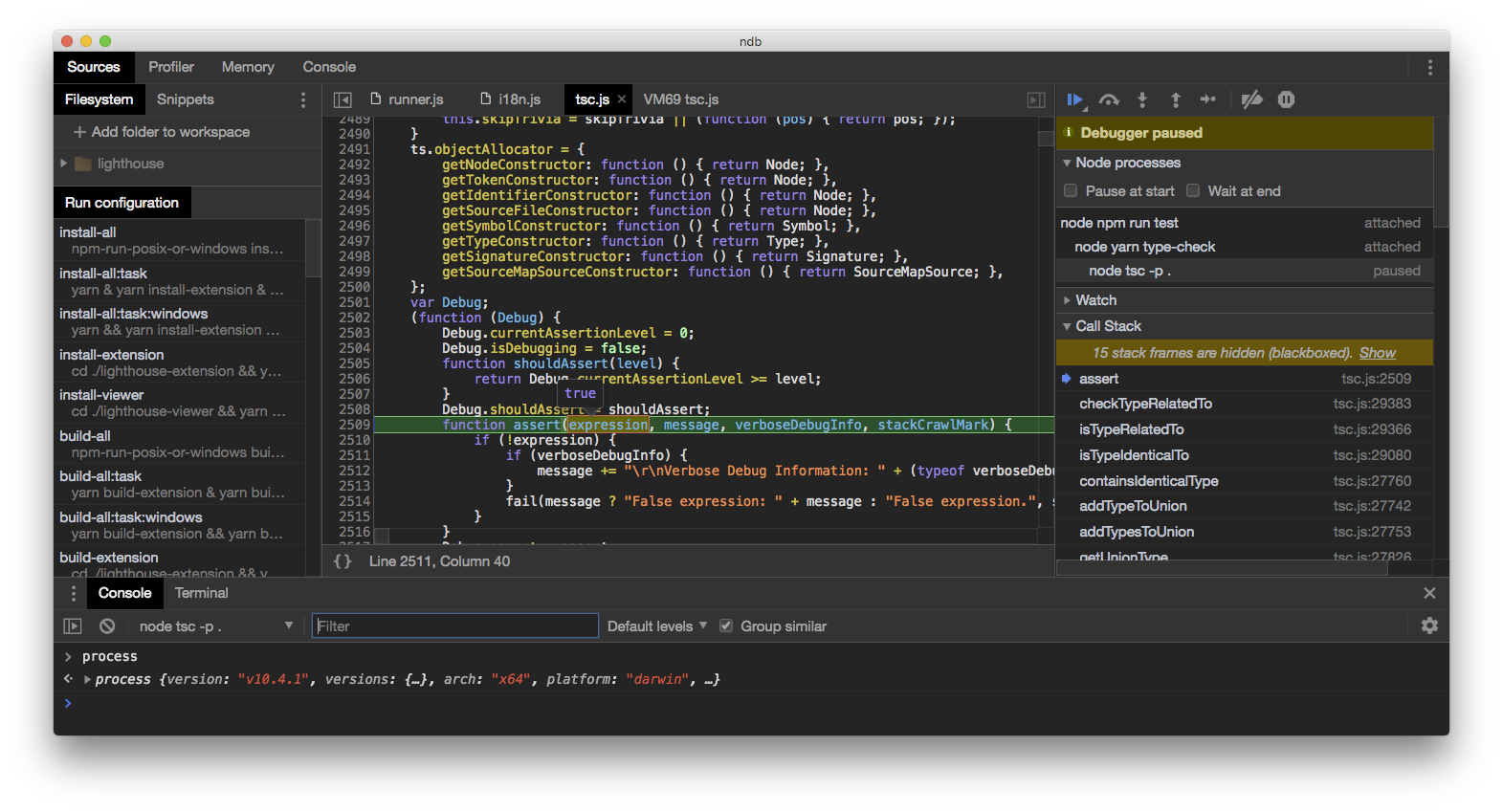
This looks like ndp is a drop in wrapper for node allowing for in depth debugging: [WayBackGitHub – GoogleChromeLabs/ndb: ndb is an improved debugging experience for Node.js, enabled by Chrome DevTools

Via: [WayBack] ndb: An Improved Debugging Experience for Node – Adrian Marius Popa – Google+

–jeroen

Posted in Development, JavaScript/ECMAScript, Node.js, Scripting, Software Development | Leave a Comment »

Reinstalling atom.io: getting the user-installed package list then re-installing it.

Posted by jpluimers on 2018/01/02

Sometimes your Atom installation gets so unstable that the quickest solution is a reinstall. For that you need to get a list of user-installed packages, then re-install them.

On Windows your Atom Package Manager apm is here (but not in the path), where the first is version specific and the latter the most recent version:

%LOCALAPPDAT%\atom\app-1.18.0\resources\cli\apm.cmd
%LOCALAPPDATA%\atom\bin\apm.cmd

On Mac OS X, it is here and in the path:

/usr/local/bin/apm
/Applications/Atom.app/Contents/Resources/app/apm/node_modules/.bin/apm

Save your packages:

apm list --installed --bare > package-list.txt

Install packages:

apm install --packages-file package-list.txt

For my own memory, the settings folders:

  • Windows: %USERPROFILE%\.atom
  • Mac OS X: ~/.atom

–jeroen

via:

Posted in atom editor, Development, JavaScript/ECMAScript, Node.js, Power User, Scripting, Software Development, Text Editors | Leave a Comment »

coinmon: In case you don’t want to install 61 packages [1] :)

Posted by jpluimers on 2017/12/04

via: [WayBack] Hacker News – coinmon: In case you don’t want to install 61 packages [1] :) and [WayBack] The curl + jq based approach to check Bitcoin prices looks a bit more attractive than using a node.js package with 61 dependencies, doesn’t it? Source:… – ThisIsWhyICode – Google+

Function to call curl from bash:

    $ coinmon() {
    >     curl "https://api.coinmarketcap.com/v1/ticker/?convert=$1" | jq ".[0] .price_$1"
    > }

    $ coinmon eur
    "6988.4723188"

Or in Python (from the same HackerNew thread): [Archive.is] https://www.pastery.net/jnscrh/

#!/usr/bin/env python3

from urllib.request import urlopen
from decimal import Decimal
import json

def print_coin(coin):
    print("{} ticker:".format(coin["name"]))
    print("Price: {:,} EUR".format(Decimal(coin["price_eur"])))
    print("Market cap: {:,} EUR".format(Decimal(coin["market_cap_eur"])))
    print()


r = urlopen("https://api.coinmarketcap.com/v1/ticker/?convert=eur")
coins = json.loads(r.read().decode("utf8"))

for coin in coins:
    if coin["id"] in ("bitcoin", "ethereum", "ripple", "monero"):
        print_coin(coin)

–jeroe

Posted in Development, JavaScript/ECMAScript, Node.js, Software Development | Leave a Comment »

Visual Studio Code – getting started – some links

Posted by jpluimers on 2017/10/05

It might sound like I’m late in the game, but remember that blog posts are usually scheduled like a year in advance.

So I found out a long time ago (I think it’s Matthijs ter Woord who attended me) about Visual Studio Code.

At the start [WayBack] it was more limited (from memory something like C#, TypeScript, Java Script languages and frameworks Node.js and ASP.NET 5) than my other development environments but now it’s much richer.

It’s based on the Electron framework which I kew from the Atom.io editor and Koush‘s framework Electron Chrome that wraps Chrome Apps in Electron so he ensured Vysor would live after Google will kill Chrome Apps.

Oh it’s free and runs multi-platform which I like a lot (and was one of the reasons to start using Atom.io): Mac OS X, Windows and Linux are supported.

So here are a few links to get started:

I got reminded a while back** that it is now supported by OmniPascal [WayBack] which I like because of my Turbo Pascal -> VAX/VMS -> csh -> Delphi -> AS/400 -> .NET background.

Like Visual Studio Code is updated often, the Omni Pascal blog [WayBack] shows regular updates and I like it a lot better than the Lazarus IDE (I’m not a visual RAD person: I’m a RAD code person) especially the refactorings.

So start playing with it. I will post more about my Visual Studio Code experience in due time.

–jeroen

** via [WayBackFinally: OmniPascal 0.11.0 released – Implement an interface via key stroke …

Posted in .NET, ASP.NET, C#, Delphi, Development, JavaScript/ECMAScript, Node.js, Omni Pascal, Pascal, Scripting, Software Development, TypeScript, Visual Studio and tools, vscode Visual Studio Code | 1 Comment »

Heroku Node.js in the cloud (free hosting!) – via: Smart Mobile Studio

Posted by jpluimers on 2017/03/28

Heroku is a platform as a service (PaaS) that enables developers to build, run, and operate applications entirely in the cloud.

Source: Cloud Application Platform | Heroku

via:

As mentioned in the first part, node.js was initially developed for the cloud. While there are enough paid hosting providers available, much nicer is of course to get it running for free! :). We will try to get our node.js server of part 2 up and running in the cloud…

Source: Server-side Node.js (part 3): Node.js in the cloud (free hosting!) – Smart Mobile Studio [WayBack]

Heroku is ideal for experimenting as their free plan allows for sleeping dyno instances that only get activated when there is a need for it (they sleep after 30 minutes of inactivity) and rain from the pool of 1000 free dyno hours per month.

See these links for more information

–jeroen

Posted in Development, Heroku, JavaScript/ECMAScript, Node.js, Scripting, Software Development | Leave a Comment »