The Wiert Corner – irregular stream of stuff

Jeroen W. Pluimers on .NET, C#, Delphi, databases, and personal interests

  • My badges

  • Twitter Updates

  • My Flickr Stream

  • Pages

  • All categories

  • Enter your email address to subscribe to this blog and receive notifications of new posts by email.

    Join 1,861 other subscribers

Archive for the ‘Source Code Management’ Category

Plastic SCM blog: Unified diff of a branch

Posted by jpluimers on 2020/11/03

Too bad I bumped into this a long time after having been a regular PlasticSCM user: [Archive.is] Plastic SCM blog: Unified diff of a branch:

Learn how to create a custom action to run a unified diff operation for a Plastic SCM branch.

It is an open source tool called unifiedbranchdiff.exe at github, and seems based on a cm path for getting paths, and cm patch for generating the actual patch, and needing external GNU tools diff and patch (hopefully it also works with more recent versions than the woefully outdated 2007 Win32 versions of [WayBack] DiffUtils 2.8.7 for Windows and [WayBack] Patch 2.5.9 for Windows).

Related:

–jeroen


Posted in Development, DVCS - Distributed Version Control, PlasticSCM, Software Development, Source Code Management | Leave a Comment »

Thread by @doctorow on the RIAA using DMCA section 1201 to ban youtubedl from GitHub

Posted by jpluimers on 2020/10/31

A very interesting thread by @doctorow:

Late last week, the @RIAA sent a legal threat to @Github, claiming that the popular (and absolutely lawful) tool #youtubedl (which allows users to download Youtube videos for offline viewing, e……

Source: [WayBack] Thread by @doctorow on Thread Reader App – Thread Reader App

More on section 1201: [Wayback] Pluralistic: 24 Oct 2020 – Pluralistic: Daily links from Cory Doctorow: RIAA kills youtubedl

There is also a great technical analysis at [Wayback/Archive.is] Analysis of the RIAA claims against youtube-dl · GitHub

This write-up follows the code paths in youtube-dl that get executed when you try to run it based on the claims of RIAA has put forwardThis is a technical analysis, not a legal one.

via

–jeroen

Read the rest of this entry »

Posted in Development, DVCS - Distributed Version Control, GitHub, Opinions, Power User, Software Development, Source Code Management | Leave a Comment »

Some links on assembling a proper Katalon .gitignore file

Posted by jpluimers on 2020/10/29

I used these links to find out what entries a Katalon .gitignore file should contain:

Combining the above, the .gitignore file needs to at least contain:

/.classpath
/.project
/.settings
bin/lib/
Libs/
/bin
/Libs
.settings
.classpath
settings/internal
/.svn
/bin/lib/Temp*.class
Reports/
.project
/libs/Temp*.groovy
bin/lib/
bin/keyword/

(funny that .svn should be in a .gitignore file and that various combinations of casing are used)

–jeroen

Posted in Development, DVCS - Distributed Version Control, git, Katalon, Software Development, Source Code Management, Testing | Leave a Comment »

Must read post when using Git on line endings: What’s the best CRLF handling strategy with git? – Stack Overflow

Posted by jpluimers on 2020/09/23

Start with this must read post: cross platform – What’s the best CRLF handling strategy with git? – Stack Overflow.

Then read all the links in that answer, especially

Then see if you agree with my conclusion:

use a .gitattributes file to steer line ending conversions on a per-repository base.

I usually try to have git not mess with any line endings: check-out as-is, check-in as is.

Historically this has been a mess (not limited to, but prevalent on Windows installations), not just because core.autocrlf has been superseded by core.eol, so below are some links that will help.

TL;DR

Always execute these after installing git:

git config --global core.autocrlf false
git config --global core.eol native

If needed, repeat in the current repository:

git config --local core.autocrlf false
git config --local core.eol native

Finally verify the settings with git config --list --show-origin (via [WayBack] Where does git config –global get written to? – Stack Overflow)

Note

The git config list will show equals signs. Do NOT use these when setting values: that will silently fail.

So these fail:

git config --global core.autocrlf=false
git config --global core.eol=native

git config --local core.autocrlf=false
git config --local core.eolnative

Despite the output when listing on a machine that already had these values et:

git config --list | grep -w 'core.autocrlf\|core.eol'
core.autocrlf=false
core.eol=native
core.autocrlf=false
core.eol=native

References

–jeroen

PS: To look at the various local and global settings, read Where does git config –global get written to? – Stack Overflow.

Posted in Development, DVCS - Distributed Version Control, git, Software Development, Source Code Management | Leave a Comment »

git – Change commit author at one specific commit – Stack Overflow

Posted by jpluimers on 2020/09/22

Every now and then I forget to git config --local user.name and git config --local user.email, so git takes my global settings and I need to fix one or more commits to it shows the correct author.

For the last commit, when not yet pushed, this is easy:

git commit --amend --author="Author Name <email@address.com>"

For historic commits, or when you already pushed, it gets far more difficult, so I am glad there is a good set of steps at [WayBackgit – Change commit author at one specific commit – Stack Overflow.

For now in my %USERPROFILE%\.gitconfig file, I have added entries for various accounts so it is easier to spot them with git config --list --global then edit them using git config --edit --local:

[user.foo]
    name = jeroenfo
    email = ########+jeroenfoo@users.noreply.github.com
[user.gh]
    name = Jeroen Wiert Pluimers
    email = jeroen.vvv.www@pluimers.com
[user.gl]
    name = Jeroen Wiert Pluimers
    email = jeroen.xxx.yyy@pluimers.com

If you pushed, but nobody pulled, and you are the only one committing, then the steps are like this if your git is 1.8 or higher:

  1. Once,
    1. perform git rebase -i --root
    2. at all commits you want to edit, change pick into edit
    3. write the file, then leave the editor (:wq)
  2. For each commit, until git indicates No rebase in progress?:
    1. perform git commit --amend --reset-author --no-edit
    2. perform git rebase --continue

–jeroen

Posted in Development, DVCS - Distributed Version Control, git, Software Development, Source Code Management | Leave a Comment »

Filename too long in Git for Windows – Stack Overflow

Posted by jpluimers on 2020/09/10

[WayBack] Filename too long in Git for Windows – Stack Overflow:

reg add "HKEY_LOCAL_MACHINE\SYSTEM\CurrentControlSet\Control\FileSystem" /v "LongPathsEnabled" /t REG_DWORD /d 1 /f

Related:

–jeroen

Posted in Development, DVCS - Distributed Version Control, git, Software Development, Source Code Management | Leave a Comment »

19 Best Git clients for Windows as of 2018/2019/… – Slant

Posted by jpluimers on 2020/09/08

Despite the year, this page still got updates long after the initial edit [WayBack] 19 Best Git clients for Windows as of 2018 – Slant.

–jeroen

Posted in Development, DVCS - Distributed Version Control, git, Software Development | Leave a Comment »

getting a svn compatible patch diff from the latest commit in a git branch

Posted by jpluimers on 2020/09/03

git diff --no-prefix @~

Via various sources:

–jeroen

Posted in Development, DVCS - Distributed Version Control, git, Software Development, Source Code Management, Subversion/SVN | Leave a Comment »

undo – Can I delete a git commit but keep the changes – Stack Overflow

Posted by jpluimers on 2020/09/02

I wanted to undo a commit, but forgot how to do that.

[WayBack] undo – Can I delete a git commit but keep the changes – Stack Overflow mentions to use

git reset HEAD^

However, on Windows, the ^ caret is an escape character, so there you have to use a ~ tilde instead:

git reset HEAD~

The last one is used in [WayBack] Git – Reset Demystified, and shorthand for

git reset --mixed HEAD~

The differences between --soft, --mixed and --hard is even better explained in [WayBack] The difference between git reset –mixed, –soft and –hard. From http://stackoverflow.com/questions/3528245/whats-the-difference-between-git-reset-mixed-soft-and-hard · GitHub.

In short:

  • --soft keeps the changes of the undone commit in the index (or staging area)
  • --mixed (default) keeps the changes of the undone commit in the working directory
  • --hard deletes the changes

–jeroen

Posted in Development, DVCS - Distributed Version Control, git, Software Development, Source Code Management | Leave a Comment »

hash – Why is Git not considered a “block chain”? – Stack Overflow

Posted by jpluimers on 2020/09/01

Still an interesting question: [WayBackhash – Why is Git not considered a “block chain”? – Stack Overflow.

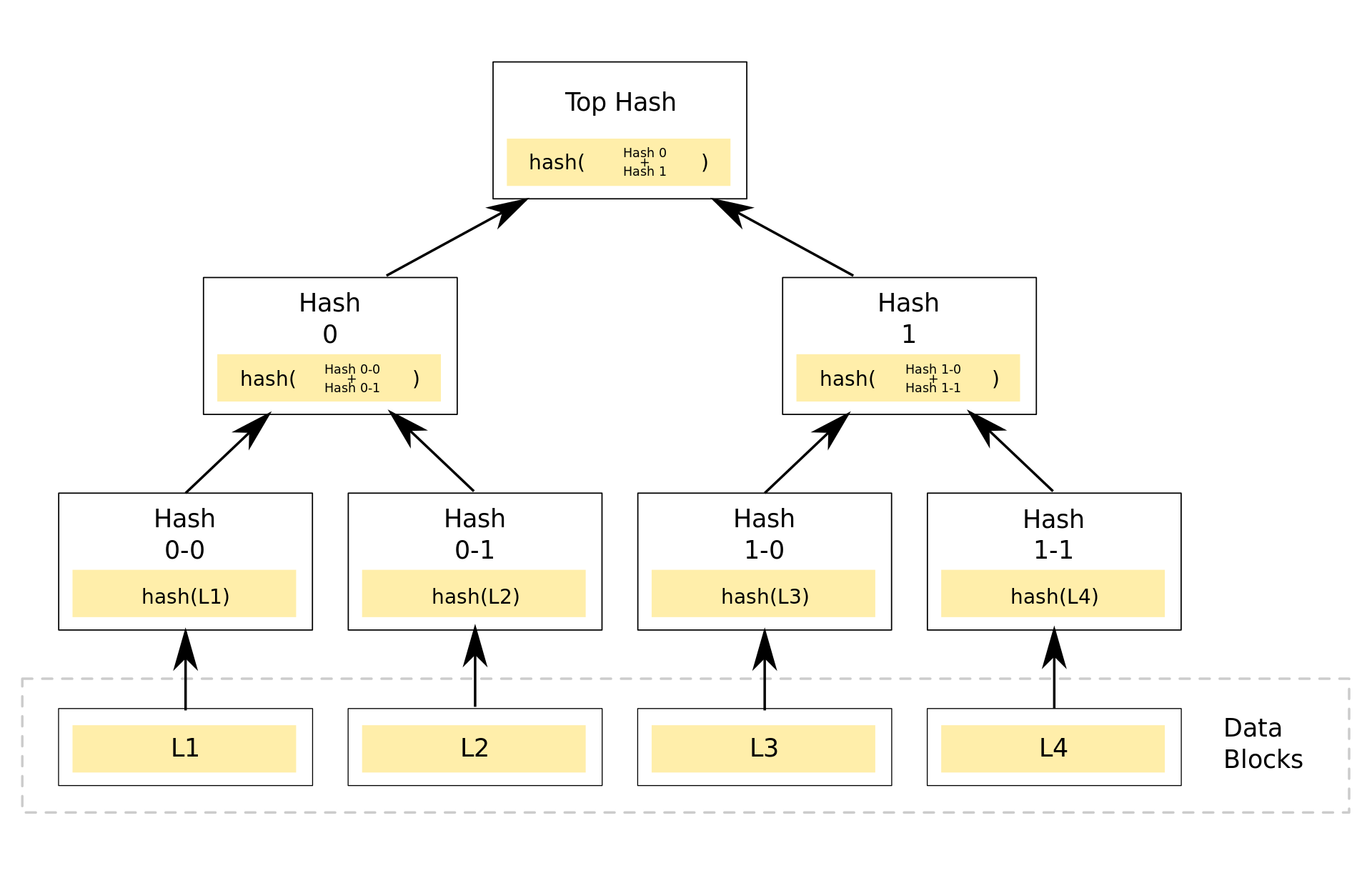
With my limited knowledge of both, I think git is a Merkle tree without both a proof of work and consensus system. That would make it the chain part of block chain, and the without bits the block.

How wrong am I?


It seems I still have a lot to learn about Merkle tree related stuff, so on my research list:

–jeroen

Posted in Development, DVCS - Distributed Version Control, git, LifeHacker, Power User, Software Development, Source Code Management | Leave a Comment »