The Wiert Corner – irregular stream of stuff

Jeroen W. Pluimers on .NET, C#, Delphi, databases, and personal interests

  • My badges

  • Twitter Updates

  • My Flickr Stream

  • Pages

  • All categories

  • Enter your email address to subscribe to this blog and receive notifications of new posts by email.

    Join 1,861 other subscribers

Archive for the ‘Source Code Management’ Category

Installing SourceTree 3.x for Windows on an air-gapped machine

Posted by jpluimers on 2020/03/11

Since the “account.json” SourceTree search did not help me much, below are the steps for installing SourceTree for Windows 3.x on an air-gapped machine.

Prerequisites:

Steps:

  1. Run Process Explorer on the target system
  2. Run the SourceTreeSetup installer on the target system
  3. When registering, click on the “BitBucket” button on the target system
  4. In Process Explorer, find out the web browser process that the setup kicks off and grab the command-line, which looks like this when running Chrome as default browser:
    "%LocalAppData%\Google\Chrome\Application\chrome.exe" -- "https://bitbucket.org/site/oauth2/authorize?response_type=code&client_id=123456789012345678&state=authenticated&redirect_uri=http://localhost:34106/"
  5. Copy the URL bit https://bitbucket.org/site/oauth2/authorize?response_type=code&client_id=123456789012345678&state=authenticated&redirect_uri=http://localhost:34106/ over and paste it on a machine that has internet access
  6. Logon, and follow the steps until the URL look like this: http://localhost:34106/?state=authenticated&code=876543210987654321
  7. Copy that URL over to a web-browser on the target system and execute it
  8. Finish the installation steps on the target system

Now a new file should be in %LocalAppData%\Atlassian\SourceTree\accounts.json suitable for SourceTree 3.x. In the future you might be lucky enough to copy that to a target system before installing.

I was not so lucky, because my accounts.json was SourceTree 2.x based, which the SourceTree 3.x setup modifies, but is still not happy with.

Note these number differ on each request:

  • 123456789012345678 is a base64 encoded request ID
  • 876543210987654321 is a base64 encoded response ID
  • 34106 is a random TCP port where the installer is listening on to get the authentication information

Fiddler

Initially, I had Fiddler steps in the above, but found out I did not need those. One thing that complicated this is that Fiddler had been removed from Chocolatey for a while, so I was not sure it would stay as a product:

SourceTree

Now has an MSI installer:

Has old steps for 2.x versions to get around the above hoopla:

–jeroen

Posted in Development, DVCS - Distributed Version Control, Software Development, Source Code Management, SourceTree | Leave a Comment »

Sunsetting Mercurial support in Bitbucket – Bitbucket

Posted by jpluimers on 2020/01/30

February 1st, the start commences of Sunsetting Mercurial support in Bitbucket – Bitbucket [WayBack]. Starting June 1st, only git is supported by Bitbucket, despite them having started with and focused mainly Mercurial at first.

Here are the major dates of the sunset:

  • February 1, 2020: users will no longer be able to create new Mercurial repositories
  • June 1, 2020: users will not be able to use Mercurial features in Bitbucket or via its API and all Mercurial repositories will be removed.

All current Mercurial functionality in Bitbucket will be available through May 31, 2020.

So by now you should have started migrating from Mercurial to git, probably away from BitBucket.

Read the rest of this entry »

Posted in BitBucket, Development, DVCS - Distributed Version Control, git, Mercurial/Hg, Software Development, Source Code Management | Leave a Comment »

Some things I learned from “Git tips and tricks | GitLab”

Posted by jpluimers on 2020/01/21

Via [WayBackGit tips and tricks | GitLab “Handy Git commands for everyday use” I learned these:


–jeroen

Via: [WayBack] GitLab on Twitter: Ready to get #backtowork? Brush up on a few tips and tricks we use at GitLab everyday: https://t.co/W8zFjxnSN6

Read the rest of this entry »

Posted in Development, DVCS - Distributed Version Control, git, Software Development, Source Code Management | Leave a Comment »

Hopefully one day there will be `git submodule remove`

Posted by jpluimers on 2019/12/04

I like that you can add git repositories inside eachother using git submodule add but when it’s time to say goodbye to a submodule you need some convoluted statements. So I really wish one day there will be git submodule remove.

Until then, these links will help you to get rid of a git submodule:

TL;DR you have to manually edit the below files:

  • .gitmodules
  • .git/config

Then you need to:

  • (recursively) remove the subdirectory containing the submodule in the repository
  • sometimes (recursively) the subdirectory containing the submodule in .git/modules

–jeroen

Posted in Development, DVCS - Distributed Version Control, git, Source Code Management | Leave a Comment »

Git: Push a new or existing repo to Github · GitHub

Posted by jpluimers on 2019/11/27

Since I tend to forget the exact statements for starting a fresh repository and push it to a git hoster like GitHub or GitLab: [WayBack] Git: Push a new or existing repo to Github · GitHub

–jeroen

Posted in Development, DVCS - Distributed Version Control, git, GitHub, GitLab, Software Development, Source Code Management | Leave a Comment »

Unorthodocs: Abandon your DVCS and Return to Sanity – bitquabit

Posted by jpluimers on 2019/11/21

Some interesting thoughts on DVCS: [WayBackUnorthodocs: Abandon your DVCS and Return to Sanity – bitquabit

Besides the very good point it raises about DVCS (Git, Mercurial and most other DVCSes treat the whole state of the repository as the atom) it also indicates quite a few shortcomings:

  • most people hardly ever need the full history to be off-line
  • having the full history means repositories get huge in size, including your off-line clone
  • pseudo-solutions for huge repository sizes – like git-LFS or git-annex – are a no-go because now you loose atomicity
  • huge repositories in file or commit counts make them slow, especially when the trees are deep
  • splitting up repositories isn’t a good idea either because again: you loose atomicity
  • all DVCS are hard, not just git, because they are distributed and full of features
  • the workflow for submitting pull requests is quite a bit longer than submitting a patch, even though merging in a DVCS can be hard too (despite atomicity which does help a lot for DVCS systems)

I see many other advantages of DVCS systems (for instance that you only need to locally have the branches you are interested in, way better tooling for DVCS systems, ditto for sites hosting DVCS), but it always a good thing to know the weak spots of what you are working with.

–jeroen

Posted in Development, DVCS - Distributed Version Control, git, Mercurial/Hg, Software Development, Source Code Management | Leave a Comment »

git tag – How to delete a git remote tag? – Stack Overflow

Posted by jpluimers on 2019/11/20

When working with git, often the brevity of a solution is remarkable. Remembering how it can be so short is the hard part. An explanation why helps, for instance with [WayBackgit tag – How to delete a git remote tag? – Stack Overflow by markdorison.

He explains why you end up with:

git push --delete <origin> <tagname>

Here, <origin> is your remote, and <tagname> the tag to delete.

He explains other ways, which is done by [WayBackgist.github.com/mobilemind/7883996 as well:


# delete local tag '12345'
git tag -d 12345
# delete remote tag '12345' (eg, GitHub version too)
git push origin :refs/tags/12345
# alternative approach
git push –delete origin tagName
git tag -d tagName

–jeroen

Posted in Development, DVCS - Distributed Version Control, git, Software Development, Source Code Management | Leave a Comment »

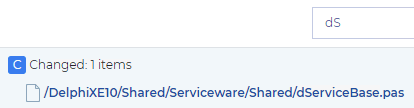
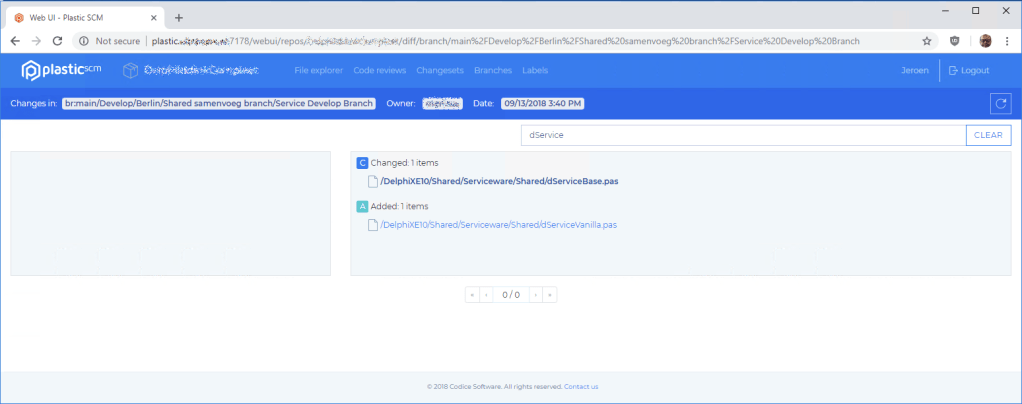
How can I view a file in the @plasticscm webUI? I tried from changeset view, but clicking on a file does nothing. When looking in the Chrome developer tools, I see an error 500 which is not surfaced to the UI.…

Posted by jpluimers on 2019/11/04

For my history: [WayBack] Jeroen Pluimers on Twitter: “How can I view a file in the @plasticscm webUI? I tried from changeset view, but clicking on a file does nothing. When looking in the Chrome developer tools, I see an error 500 which is not surfaced to the UI.…

Images:

–jeroen

Read the rest of this entry »

Posted in Development, PlasticSCM, Source Code Management | Leave a Comment »

Gitless: a simple version control system built on top of http://gitless.com/

Posted by jpluimers on 2019/10/09

Time to experiment with [WayBack] Gitless: a simple version control system built on top of http://gitless.com/:

Gitless is an experiment to see what happens if you put a simple veneer on an app that changes the underlying concepts. Because Gitless is implemented on top of Git (could be considered what Git pros call a “porcelain” of Git), you can always fall back on Git.

It is open source at https://github.com/sdg-mit/gitless

via: UMass Amherst CICS Distinguished Lecture: Daniel Jackson (Massachusetts Institute of Technology) “Towards a Theory of Software Design”

–jeroen

Posted in Development, DVCS - Distributed Version Control, git, Software Development, Source Code Management | Leave a Comment »

Git man-page generator (“Git is easy to learn”)

Posted by jpluimers on 2019/10/08

Somebody didn’t believe the claim “Git is easy to learn” and wrote a [WayBackgit man page generator  (of course with a repository: github: Lokaltog/git-man-page-generator), for example generating

git-complete-tip

NAME

git-complete-tipcomplete all non-committed downstream tips opposite of a few rebased remote indices

SYNOPSIS

git-complete-tip [ –maintain-log | –lecture-violate-history ]

DESCRIPTION

git-complete-tip completes a few staged tips inside any forward-ported non-staged unstaged indices, and a few checked out subtrees fscked by histories in the tree, but that are not in HOLD_SUBTREE, are checked out in a temporary pack.

 …

For the same reason there is [WayBack] XKXD: Git (image on the right), which is [WayBack] explained for a reason. Just see this little summary:

The difficulty of using Git in common situations is belied by the apparent simplicity of its use in tutorial-style situations. Committing and sharing changes is fairly straightforward, for instance, but recovering from situations such as accidental commits, pushes or bad merges is difficult without a solid understanding of the rather large and complex conceptual model. For instance, three of the top five highest voted questions on Stack Overflow are questions about how to carry out relatively simple tasks: undoing the last commit, changing the last commit message, and deleting a remote branch.

Actually the “easy to learn” means “there is easy to find documentation for it“.

–jeroen

via: UMass Amherst CICS Distinguished Lecture: Daniel Jackson (Massachusetts Institute of Technology) “Towards a Theory of Software Design”

Read the rest of this entry »

Posted in Development, DVCS - Distributed Version Control, Fun, git, Software Development, Source Code Management | Leave a Comment »