The Wiert Corner – irregular stream of stuff

Jeroen W. Pluimers on .NET, C#, Delphi, databases, and personal interests

  • My badges

  • Twitter Updates

  • My Flickr Stream

  • Pages

  • All categories

  • Enter your email address to subscribe to this blog and receive notifications of new posts by email.

    Join 1,860 other subscribers

Archive for the ‘Android Devices’ Category

I keep a separate gallery app around just to be able to upload specific pictu…

Posted by jpluimers on 2017/10/20

Smart tip:

I keep a separate gallery app around just to be able to upload specific pictures to +Google Photos​ because there is no option to do so from the Photos

Via: [WayBack] I keep a separate gallery app around just to be able to… … – Roderick Gadellaa – Google+

–jeroen

Read the rest of this entry »

Posted in Android Devices, Google, Google Photos, Power User | Leave a Comment »

OnePlus OxygenOS built-in analytics: disable it as soon as you can

Posted by jpluimers on 2017/10/16

Remove the OnePlus Analytics service because of privacy violations:

Source: [WayBackOnePlus OxygenOS built-in analytics

We take a look at the analytics built into the OxygenOS, the flavour of Android built by phone manufacturer OnePlus.

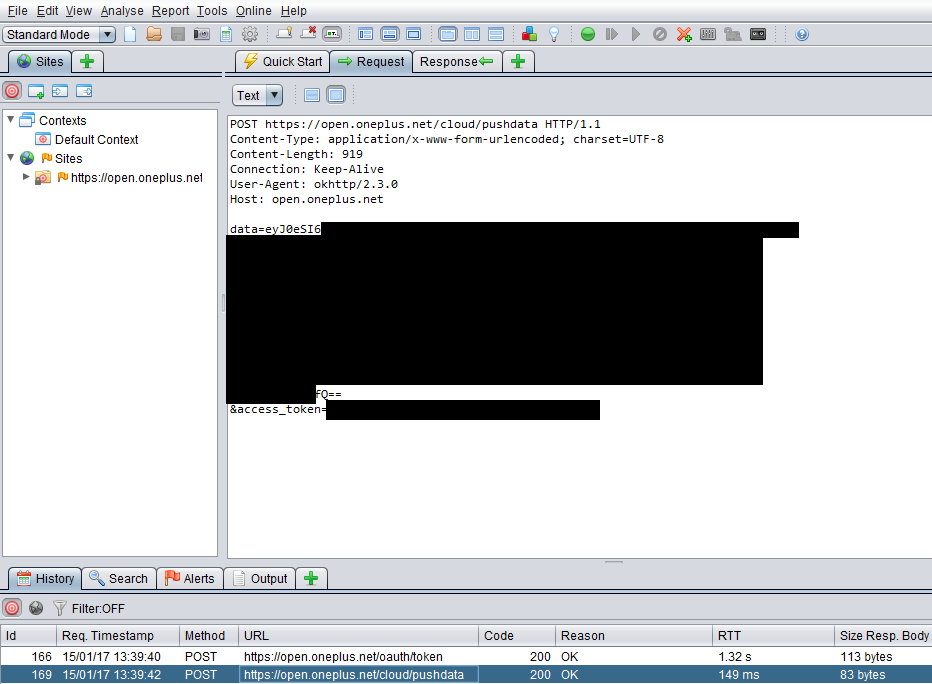
The analytics data is sent over https, but it contains way too much information on your privacy.

This also taught me about this interesting project: [WayBack] OWASP Zed Attack Proxy Project – OWASP

These tweets describe how to disabled it:

It was also present OnePlus Five, I found it through:

  1. Settings
  2. Developer Options
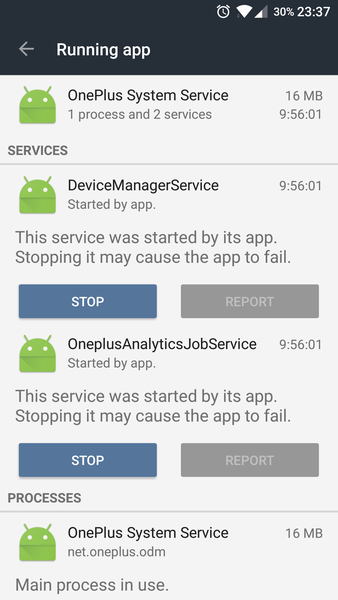
  3. Running Services
  4. OnePlus System Service
  5. OnePlusAnalyticsJobService

Until removed, it restarts at every boot.

Removing the service seems more permanent than the alternative [WayBack] Dear OnePlus, please stop spying on my phone:

  1. Settings
  2. Advanced
  3. Join user experience program
  4. toggle this option to off

It is unclear to me what turned that option on in the first place.

–jeroen

via: [WayBack] Welp. As a OnePlus owner, this makes me pretty damn unhappy :/ https://www.chrisdcmoore.co.uk/post/oneplus-analytics/ +Colm Buckley – Kristian Köhntopp – Google+
 

Posted in Android Devices, OnePlus Five, OnePlus Two, Power User, Privacy | Leave a Comment »

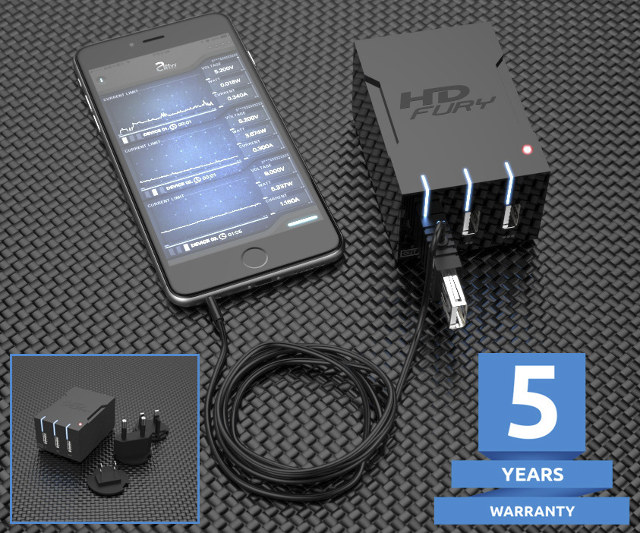
$59 HDFury Universal PSU Doctor Supports Power Monitoring via iOS or Android

Posted by jpluimers on 2017/05/11

Interesting device [WayBack]: $59 HDFury Universal PSU Doctor Supports Power Monitoring via iOS or Android which has a lot more details.

Via: [WayBack] +HDfury has launched a 3-port USB charger/power supply with power monitoring function. – Jean-Luc Aufranc – Google+

–jeroen

Posted in Android Devices, Apple, Development, Hardware Development, Hardware Interfacing, iOS, Power User, USB | Leave a Comment »

OnePlus Stock

Posted by jpluimers on 2017/01/13

In the past, lots of people were waiting for invites.

Now they’re look at [WayBackOnePlus Stock:

Overview of products sold by OnePlus! See if products are in stock in your country!

via: [WayBackOther – Oneplus 3T/3/2/x Availability OnePlusStock – OnePlus Forums

–jeroen


Posted in Android Devices, Power User | Leave a Comment »

tkannelid comments on The Death of CyanogenMod and What it Means for Development

Posted by jpluimers on 2016/12/26

if you have a CyanogenOS phone and can disable updates on it, do so.

For instance if you have a OnePlus One…

[WayBackReddit: tkannelid comments on The Death of CyanogenMod and What it Means for Development

–jeroen

Posted in Android Devices, OnePlus One, Power User | Leave a Comment »

Lock screen dialer shortcut gone in 6.0 – Android Forums at AndroidCentral.com

Posted by jpluimers on 2016/09/02

Solution:

  1. Go to Settings
  2. Click Apps
  3. Click
  4. Gear Icon
  5. Click Default Apps
  6. Click Assist & voice input
  7. Click Assist app.
  8. Changing that to None instead of Google App puts the dialer shortcut back on the lock screen, but it also disables long pressing the home button to launch the Google App/Now.

–jeroen

Source: Lock screen dialer shortcut gone in 6.0 – Android Forums at AndroidCentral.com

Posted in Android Devices, OnePlus Two, Power User | Leave a Comment »

Revamped Android Screen Recording and Mirror: no root required. Android 5+: record to GIF and video Mirror…

Posted by jpluimers on 2016/07/13

This is so cool:

Revamped Screen Recording and Mirror app is live.No root required. Android 5.0+.Supports recording to GIF and video.Mirroring to Fire TV, Apple TV,… – Koushik Dutta (Koush) – Google+

Not just for software developers as it’s very useful for power users as well.

–jeroen

Posted in Android, Android Devices, Development, Mobile Development, Power User, Software Development | Leave a Comment »

Vysor Pro Feature – Go Wireless to mirror and control your device without a USB Cable…

Posted by jpluimers on 2016/07/06

If you have a [Wayback/Archive] Vysor Pro (either subscription or one-time payment for life-long usage), then you can use this new [Wayback/Archive] New Vysor Feature – Go Wireless Click that button to mirror and control your without a USB cable…

There are more Pro features to come; currently they are:

  • High Quality Mirroring
  • Fullscreen Mode
  • Go Wireless
  • Vysor Share
  • Drag and Drop Files
  • Access to all future features

If Google Pay doesn’t work in your country, then you can use PayPal. When that doesn’t work either, well…

Another nice Vysor Pro feature: [Wayback/Archive] Vysor Share Server – an easy Android device farm: You can share all your Android devices at once using the new Share All feature. – Koushik Dutta (Koush) – Google+

Vysor links:

Read the rest of this entry »

Posted in Android, Android Devices, Development, Mobile Development, Power User, Vysor | Leave a Comment »

Android ADB over TCP/IP

Posted by jpluimers on 2016/05/19

Android ADB over TCP/IP can be a bit of a pain to setup. Some devices have a built-in option to enable this (by default on port 5555), otherwise you have to connect through USB first, then use ADB to enable TCP/IP:

adb tcpip 5555

I got it to work without being root, but on some devices you need to be.

See these links for more information:

Note that while writing this, ADB For Chrome could not run over TCP/IP.

–jeroen

Posted in Android, Android Devices, Development, Mobile Development, OnePlus One, Power User, Software Development | 2 Comments »

networking – Is there a command or application similar to ipconfig? – Android Enthusiasts Stack Exchange

Posted by jpluimers on 2016/05/18

Trick:

use “netcfg” to list all available devices

It will show you the IP addresses associated with them too.

On my OnePlus One, it was wlan0.

–jeroen

via networking – Is there a command or application similar to ipconfig? – Android Enthusiasts Stack Exchange.

Posted in Android, Android Devices, Development, Mobile Development, OnePlus One, Power User, Software Development | Leave a Comment »