The Wiert Corner – irregular stream of stuff

Jeroen W. Pluimers on .NET, C#, Delphi, databases, and personal interests

  • My badges

  • Twitter Updates

  • My Flickr Stream

  • Pages

  • All categories

  • Enter your email address to subscribe to this blog and receive notifications of new posts by email.

    Join 1,860 other subscribers

Archive for the ‘X9SRi-F’ Category

PCIe bifurcation to split an x16 or x8 slot into multiple x4 channels: allows PCIe adapters with multiple NVMe cars

Posted by jpluimers on 2022/03/07

It looks like some X9 and X10 Supermicro boards already support PCIe bifurcation (splitting of PCIe slots into multiple channels), which might be worth a try to upgrade some of my older rigs to use NVMe instead of SATA storage as it will allow me to use adapters that support multiple NVMe devices into a single PCIe slot.

The X9 motherboards uses an LGA 2011-R socket, and the X10 motherboards an LGA 2011-R3 sockets.

Both use chipsets not being that different: the X9 uses the C600 series (which are similar to the X79 consumer series), and the X10 uses the C610 series (which are similar to the X99 consumer series).

This is what I found out about the bifurcation support for my boards:

References:

–jeroen

Posted in Hardware, Mainboards, Power User, SuperMicro, X10SRH-CF, X9SRi-3F, X9SRi-F | Leave a Comment »

IPMI will not grab IP even with DHCP turned on : homelab

Posted by jpluimers on 2021/08/13

TL;DR

  1. ensure the IPMI network cable is connected before connecting the power cable
  2. ensure the IPMI LAN is using the dedicated interface
  3. ensure the IPMI LAN interface is connected to a “non green” port of your network switch
  4. ensure the DHCP server has been cold rebooted
  5. ensure the IPMI VLAN configuration matches your network
  6. ensure the IPMI firewall configuration matches the network you try to reach IPMI from
  7. ensure the motherboard does not have a short-circuit anywhere

Otherwise SuperMicro devices might not get a DHCP address on the IPMI (BMC) interface, despite the tooling like [WayBack] ipmicfg indicating getting DHCP was succesful.

This especially holds for X9 boards, likely for newer boards as well.

Personally I never had the 4. and up above, but I bumped into 1. and 2. with SuperMicro boards and 3. with other devices.

Based on

Read the rest of this entry »

Posted in Hardware, Mainboards, Power User, SuperMicro, X9SRi-3F, X9SRi-F | Leave a Comment »

SuperMicro iKVM and IPMI: not able to initiate “Virtual Media” -> “Virtual Storage”

Posted by jpluimers on 2021/05/24

I had something odd on one SuperMicro systeem:

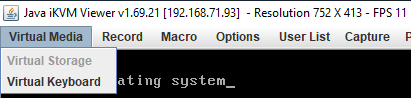
The “Virtual Storage” menu item under “Virtual Media” was marked grey (gray?) as being unavailable.

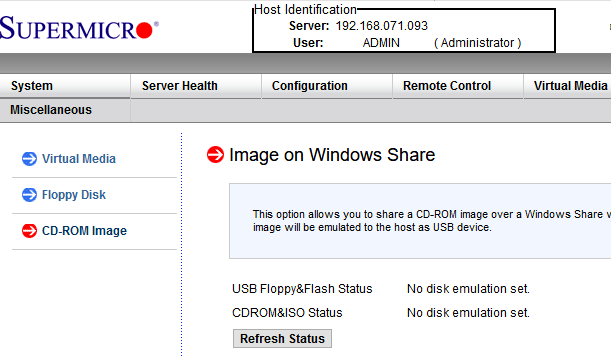
Despite that, no disk image was shown mounted according to the web interface at menu path “Virtual Media” -> “CD-ROM Image“:

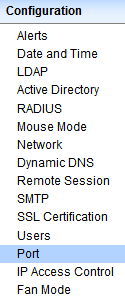
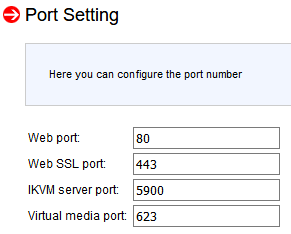
Port settings were good though as seen in menu path “Configuration” -> “Port“:

Even nmap did not show significant differences between the various systems (partial dump here; full dump below)

Discovered open port 443/tcp on 192.168.71.96
Discovered open port 5900/tcp on 192.168.71.96
Discovered open port 80/tcp on 192.168.71.96
Discovered open port 22/tcp on 192.168.71.96
Discovered open port 5985/tcp on 192.168.71.96
Discovered open port 623/tcp on 192.168.71.96

I use alias alias nmap-fingerprint_host_all-ports-even-if-ping-fails='sudo nmap -O -v -A -p- -Pn' here as it usually gives best results for port scans on a single machine.

“Secret” setting

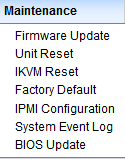
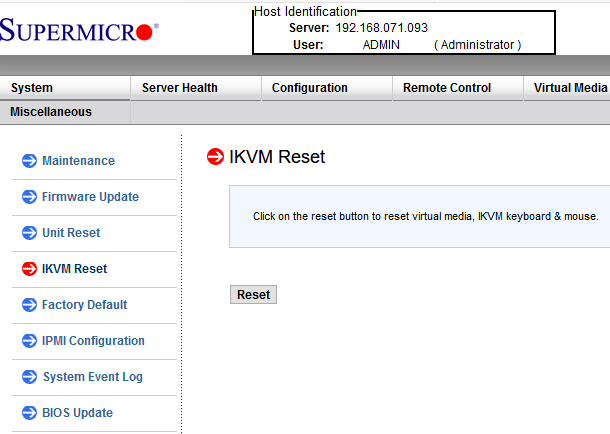
The secret is in a different menu entry under menu path “Maintenance” -> “IKVM reset“:

After pressing the Reset button, then restarting the iKVM client, “Virtual Media” -> “Virtual Storage” is nog grey any more, and just works:

Read the rest of this entry »

Posted in Hardware, IPMI, Mainboards, Power User, SuperMicro, X9SRi-F | Leave a Comment »

SC732D4-500B | Mid-tower | Chassis | Products | Super Micro Computer, Inc.

Posted by jpluimers on 2021/05/10

The [WayBack] SC732D4-500B | Mid-tower | Chassis | Products | Super Micro Computer, Inc. is a nice tower case, but remember that it has 2 USB 3.0 ports on the outside.

If you have a motherboard without onboard USB 3.0 pin headers, or one with incompatible pin headers, then you cannot use these ports with this standard cable that comes with the case:

Cable(S) CBL-0453L 1 USB 3.0,INT,19 PIN/F TO 19PIN/F,60CM,CONNECT TO CBL-0454L

Most of the X9 motherboards have no compatible pin headers.

These boards are an exception:

Too bad my boards are X9SRI-F and X9SRI-3F (do NOT get the bare X9SRI: it has no iPMI) with C6xx Dual processor Sandy Bridge-based Xeon chipsets (List of Intel Xeon chipsets) – Wikipedia:

This cable might fix this, though there is very little documentation on either of these cables:

Adapter Cable CBL-0454L USB3.0 to 2.0 adapter cable – 30cm(19pin male to 9pin female)

I could find no site with a picture of the first cable, and only newegg had pictures of the last one.

[WayBack] Supermicro CBL-0454L Supermicro CBL-0454L USB 3.0 to USB 2.0 Adapter Cable – Newegg.com

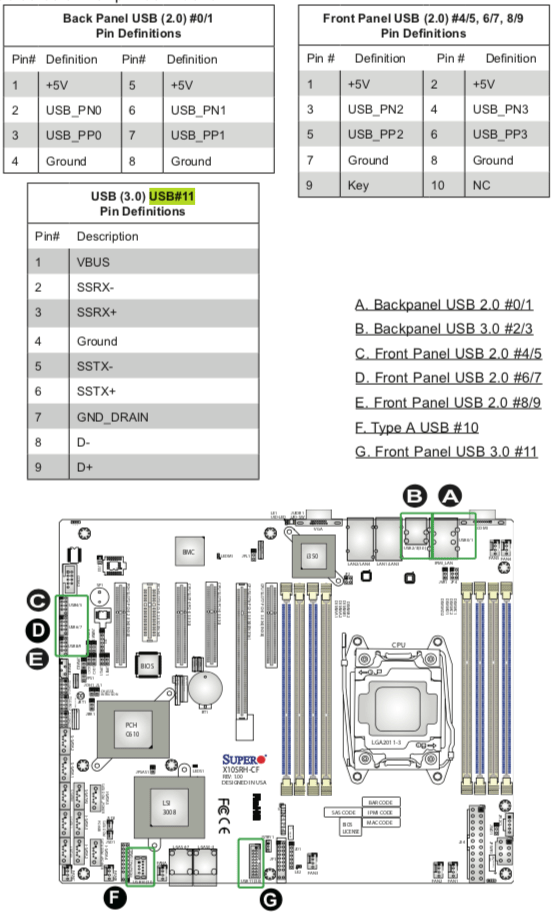
Luckily I had an X10 manual at hand, so here you can see the various pin-outs.

One end of the CBL-0454L has the same pin out as “USB (3.0) USB#11 Pin Definitions” (actually you need to double the rows) so CBL-0453L fits into it.

The other end of CBL-0454L fits into “Front Panel USB (2.0) /5, 6/7, 8/9” headers.

Fitting 2.5 inch drives in it

Another interesting aspect is part:

2.5″ HDD Bracket MCP-220-73201-0N HDD Cage (4x Internal 2.5″ fixed HDD bays)

Again hard to find pictures. There is only one at the whole supermicro site:

[WayBack] Supermicro | Products | SuperWorkstation | Mid-Tower | 5039C-T with Part List

[WayBack] 5039C-T_side.jpg

The part is [WayBack] Supermicro MCP-220-73201-0N Accessories with 0091016_2-5in-hdd-cage-4x-internal-2-5in-hdd.jpg (500×500)

–jeroen

Posted in Hardware, Mainboards, Power User, SuperMicro, X9SRi-3F, X9SRi-F | Leave a Comment »

Supermicro X9SRi-F Mainboard with SCU – Motherboards and CPUs – Unraid

Posted by jpluimers on 2021/05/10

Passthrough should work with these: [WayBack] Supermicro X9SRi-F Mainboard with SCU – Motherboards and CPUs – Unraid

Both unRaid and eESXi success in that thread.

–jeroen

Posted in Hardware, Mainboards, Power User, SuperMicro, X9SRi-F | Leave a Comment »

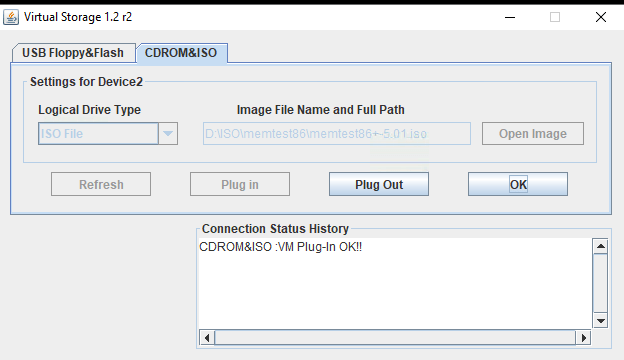
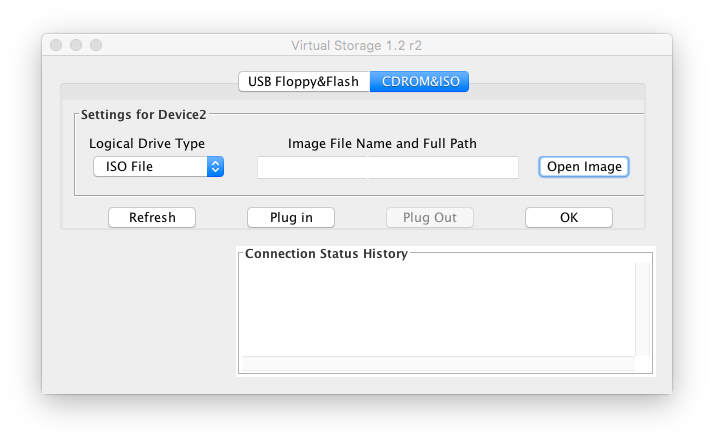
MacOS IPMIView and Supermicro X9SRi-F web interface cannot mount ISOs; on Windows, the web started Java iKVM console can

Posted by jpluimers on 2021/05/07

Screenshots so I do not forget.

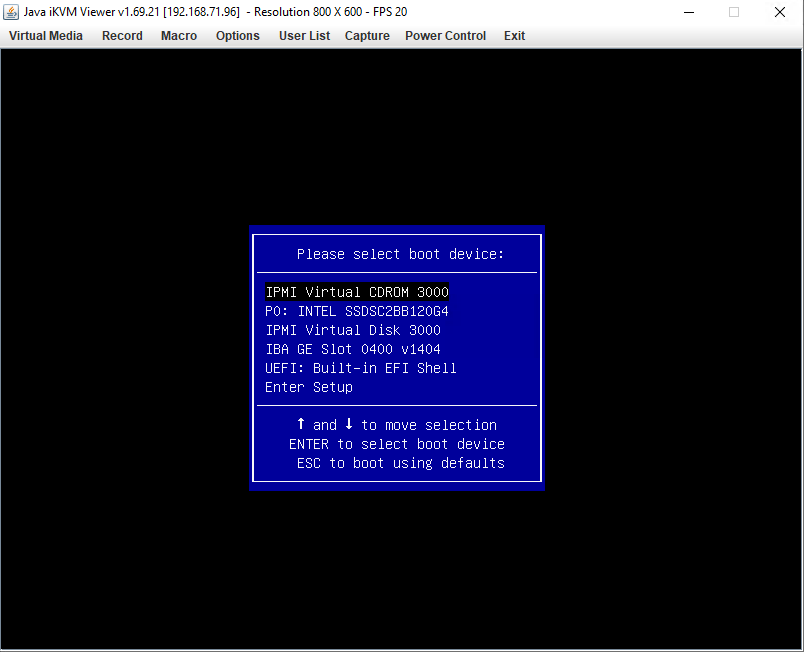
Works from Windows Java iKVM Viewer v1.69.21 started via the web interface:

C:\Users\jeroenp>java -version
java version "1.8.0_211"
Java(TM) SE Runtime Environment (build 1.8.0_211-b12)
Java HotSpot(TM) 64-Bit Server VM (build 25.211-b12, mixed mode)

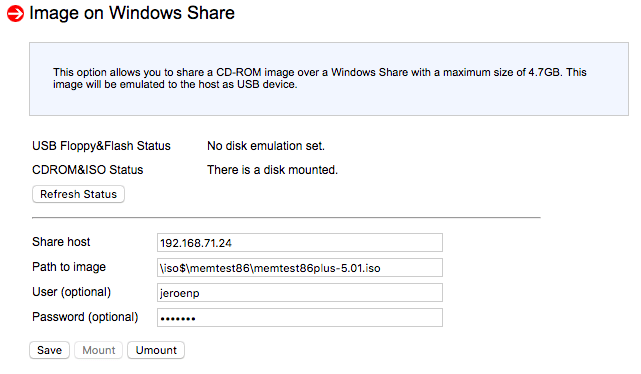
Fails from web interface:

It does not matter if the share is iso$ or iso: both fail in the same way.

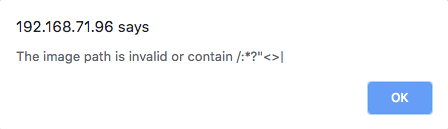
Note this was after working around this very confusion error message from the web interface:

The image path is invalid or contain /:*?"<>|

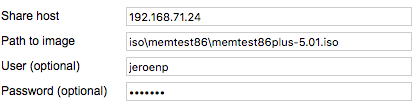
The error message is just telling that the path should start with a back-slash:

[WayBack] Supermicro IPMI and Windows Share – Server Fault

With HTML5 iKVM this seems to work fine, but that requires more recent motherboards:

[WayBack] How to map a network share to boot from ISO, moving Supermicro Java iKVM to browser-only HTML5 iKVM | TinkerTry IT @ Home

Fails on MacOs with Java iKVM Viewer v1.69 r14.

# java -version
java version "1.8.0_74"
Java(TM) SE Runtime Environment (build 1.8.0_74-b02)
Java HotSpot(TM) 64-Bit Server VM (build 25.74-b02, mixed mode)

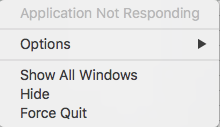
Gets you the rainbow circle of death and an “application not responding”

The success and failure are the same no matter the firmware; the same results were obtained both before and after upgrading the IPMI firmware:

–jeroen


PS: from Twitter


Posted in Hardware, IPMI, Mainboards, Power User, SuperMicro, X9SRi-F | Leave a Comment »

Supermicro: 5 BIOS beeps might just mean internal VGA is disabled

Posted by jpluimers on 2021/05/03

A while ago, I got a second hand Supermicro workstation and wondered why the IPMI KVM would not show anything.

The video card in it worked fine, so I used it as a desktop machine setup for a while, happily running VMS.

I finally decided to move into a closet, so I removed the video card, and rebooted.

Then it beeped 5 times, which was odd: I expected it to switch from the video card to the internal video. It didn’t.

Older BIOS codes: [WayBack] AMI BIOS Beep Codes – Thomas-Krenn-Wiki

From PDF [WayBack] BIOS POST Codes for C7/X9/X10/X11/B9/B10/B1/A1 Motherboards

PEI Beep Codes

# of Beeps Description
1 Memory not Installed
1 Memory was installed twice (InstallPeiMemory routine in PEI Core called twice)
2 Recovery started
3 DXEIPL was not found
3 DXE Core Firmware Volume was not found
4 Recovery failed
4 S3 Resume failed
7 Reset PPI is not available

DXE Beep Codes

# of Beeps Description
1 Invalid password
4 Some of the Architectural Protocols are not available
5 No Console Output Devices are found
5 No Console Input Devices are found
6 Flash update is failed
7 Reset protocol is not available
8 Platform PCI resource requirements cannot be met

So I did a bit of reading in the manual, then found about a jumper which had happily been living out of view, under the video card:

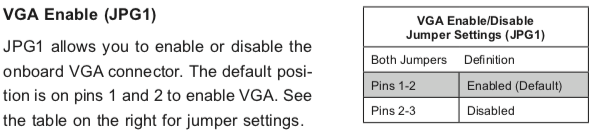
VGA Enable (JPG1)

JPG1 allows you to enable or disable the onboard VGA connector. The default position is on pins 1 and 2 to enable VGA.

Setting the jumper to pins 1&2 made internal VGA available again, it happily booted and showed in the IPMI KVM.

Later I understood why the jumper was set to VGA disabled: when having two video cards, by default Windows will extend your desktop to an invisible monitor.

The easiest workaround for that is just to disable VGA. However, you can also change Windows

Older versus newer boards

It appears that most older SuperMicro systems have a hardware switch, but for newer chipsets supporting Intel Quick Sync Video a there is a BIOS setting: [WayBack] Enable internal graphics in SUPERMICRO servers | Any IT here? Help Me!

Windows 10 fixing video cards and ACPI_BIOS_ERROR

The reboot did not work fine: Windows 10 would not initialise properly, but hung when detecting video cards.

Read the rest of this entry »

Posted in Hardware, IPMI, Mainboards, Power User, SuperMicro, X10SRH-CF, X9SRi-3F, X9SRi-F | Leave a Comment »