Archive for the ‘WiFi’ Category
Posted by jpluimers on 2019/02/22
When your UniFi Cloud Key web interface shows this [Archive.is] after upgrading:

UniFi Controller is starting up…
Please wait a moment
Then you just ran into a bug which seems to occur most with 5.9.29 of the UniFi software: [Archive.is] “UniFi Controller is starting up…” “Please wait a moment” “5.9.29” – Google Search
The easiest way is to restore from a backup: this usually works.
For that you need ssh access, which usually is with the ubnt user. But you could have made life more complicated when you followed these:
Steps from [WayBack] UniFi Controller is starting up… Please Wait A Moment – Ubiquiti Networks Community (thanks [Archive.is] About mrfoxdk – Ubiquiti Networks Community!):
- SSH to the Unifi CloudKey
dpkg -P unifi- Open a browser and browse the URL of CloudKey
- Login
- Press “Install” under UniFi
- Wait for the process to complete, and then wait a bit for the service to be brought online.
- Recover the configuration backup from the latest backup
Removing and reinstalling the UniFi software, then restore from backup
Step 2 above will purge the unifi software of the cloud key as per dpkg --help:
Read the rest of this entry »
Posted in *nix, Power User, Ubiquiti, WiFi | Leave a Comment »
Posted by jpluimers on 2019/01/21
Seems my interest in Ubiquiti needs more research: [WayBack] Linus Torvalds – Google+: Working gadgets: Ubiquiti UniFi collection.
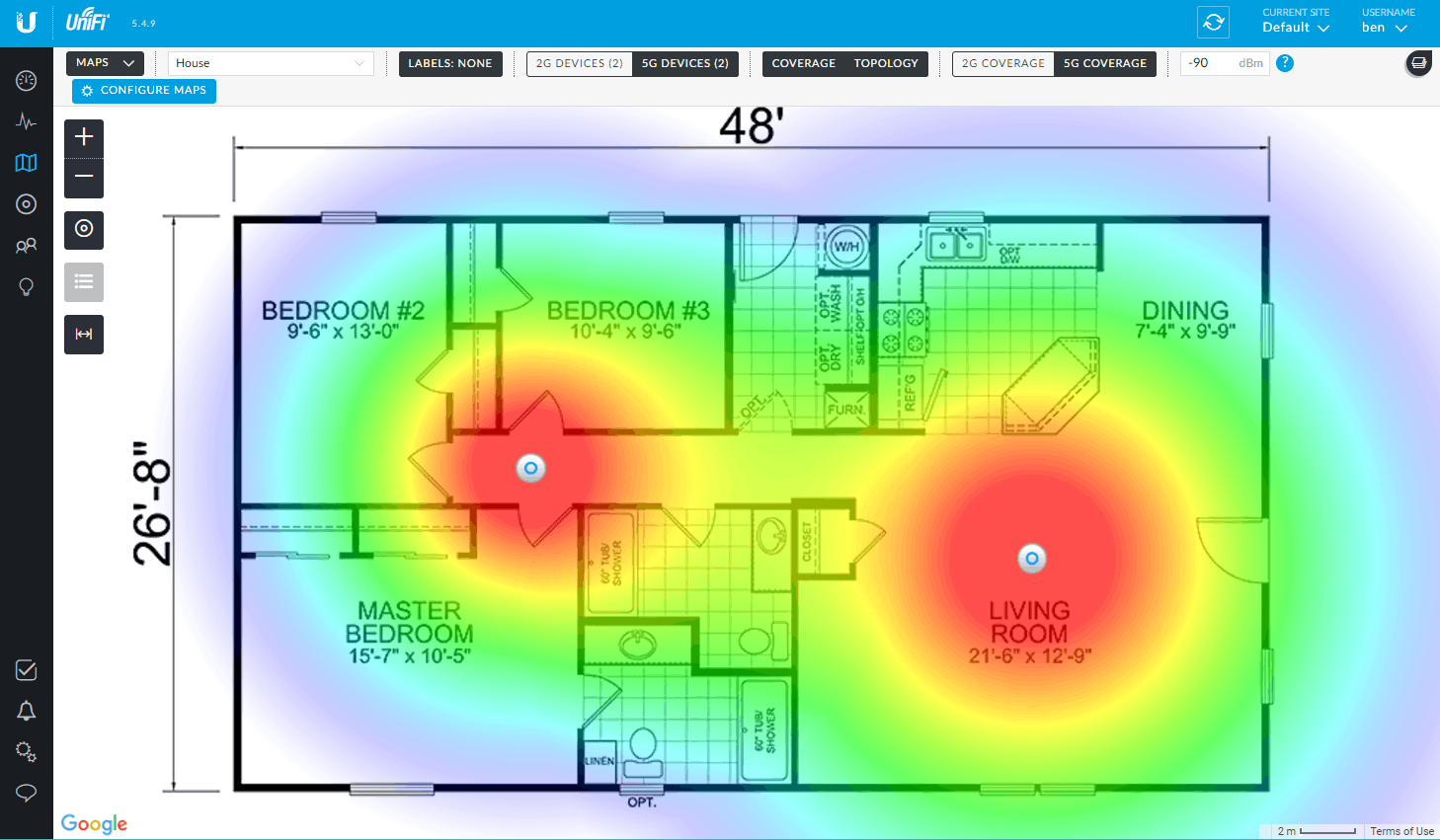
Hopefully by now I’ve time to re-design the WiFi coverage in the house and invest in a few of those access points.
Related:
- [WayBack 1/2/3] Vincent Parrett commented: I have two of these (along with a cloudkey and edgemax switch) in my house, perfect wifi coverage over the whole house. I’m also using ubnt routers and switches for our servers in the US. Less impressed with the edgerouter pro, has overheating issues due to poor thermal design, but still easy to use and configure etc.
- [WayBack 1/2] Dear interwebz, what and how many #Ubiquiti devices do I need to cover 5Ghz WiFi with seamless roaming on 3 stacked floors of 10×10 meter home office se… – Jeroen Wiert Pluimers – Google+
- Tweakers.net:
- PoE from other vendors:
 Controller
- The easiest way to configure, is to have a Unifi Controller running in your network.
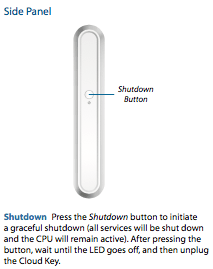
- The controller can be a [WayBack] Ubiquiti Networks – UniFi® Cloud Key, but does not have to be: a VM, Docker Container, Raspberry Pi, or other solution can work just as well.
- Unifi Controller Versions are released at irregular times, usually at least once a month; I used these places to track them:
- When using a CloudKey, please avoid sudden power loss: it can brick the database
- Configuration:
- Online configuration Portal: https://unifi.ubnt.com/
- This works way better at device discovery than the Chrome plugin “Ubiquiti Device Discovery Tool” below
- You can perma-link to your local device; it looks like
https://unifi.ubnt.com/5.8.24.0/unifi/site/default/dashboard?d=############000000000#######000000000#######00000000######## where # are digits, 0 are usually zero digits and 5.8.24.0 is .0 prepended by the first 3 parts of your Unifi Controller Version (mine had Version 5.8.24-11016 at that time).
- [WayBack] Ubiquiti Networks – Search | discovery tool
- Wireshark
- You can capture AP traffic using Wireshark because the Access Points all support SSH
- UniFi information:
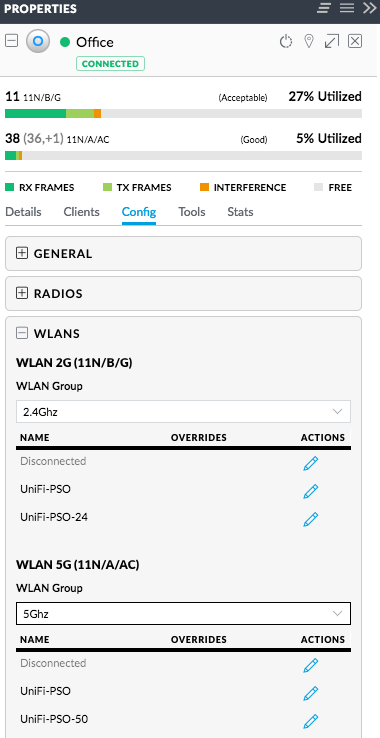 Splitting 5Ghz and 2.4Ghz SSIDs: two ways (I think the second is cleaner)
- Either have one WLAN group with a set of SSIDs, then in each access point disable the 2.4Ghz SSID on the 5GHz radio, and disable the 5Ghz SSID on the 2.4Ghz radio
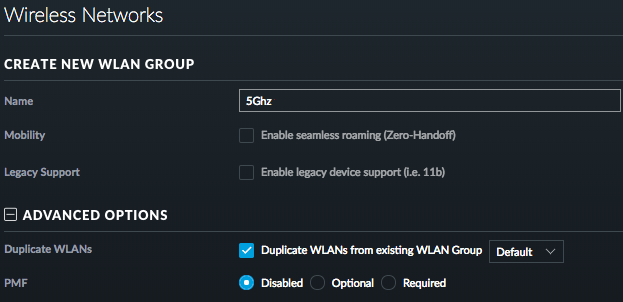
- Have different WLAN groups with an SSID (or set of SSIDs) for each frequency, then in each access point select the appropriate group for each radio
For both the first and second one, you need to configure under “Config” -> “WLANs”.
For the second one, you can clone from the first, then change the SSID names.
–jeroen
Read the rest of this entry »
Posted in Power User, Ubiquiti, WiFi | Leave a Comment »
Posted by jpluimers on 2019/01/07
A while ago, I write about Locally Administered Addresses: a few series of MAC addresses you can use on your local network: MAC address ranges safe for testing purposes (Locally Administered Address).
A while ago, I found ones in my network and ones in my WiFi SSID survey starting with FA:8F:CA. They did not show up in the Wireshark · OUI Lookup Tool nor their manufacturer database.
But with bit 7 turned off they start with F8:8F:CA which does show up as “F8:8F:CA Google, Inc.”
They appear to be Google devices, in my case Google ChromeCast ones, though they can also be Google Home ones.
Google does “magic” with networks, just look at a few of the links here:
–jeroen
Posted in Ethernet, Google, Internet, Network-and-equipment, Power User, Ubiquiti, WiFi | Leave a Comment »
Posted by jpluimers on 2018/12/11
Not sure when this happened but the CIDR list is no more [WayBack] https://www.whatsapp.com/cidr.txt:
Dear partners,
Please note that we have migrated the latest IP pools of WhatsApp to Facebook Mobile Partner Portal. Feel free to browse to the Settings page of the portal and download the latest WhatsApp IP pool: https://fb.me/mpp_support
Further IP pool updates are also done through the portal and are no longer distributed via email or through WhatsApp web site.
If you have not yet registered on the Mobile Partner Portal or have difficulties accessing it - please request access through the following form and we'll be happy to assist: https://fb.me/mpp_access
For any technical requests please contact us through the Support section of the portal: https://fb.me/mpp_support
WhatsApp team
In the past it was the place to get the CIDR so you could either block or allow WhatsApp traffic: [earlier WayBack]
It is still widely cited as way to regulate WhatsApp traffic, for instance at these places:
Time to find an automated way to get the replacement list. Maybe the below helps (via [WayBack] Block facebook messenger and whatsApp on Dlink router – Super User)
whois -h whois.radb.net '!gAS32934'
–jeroen
Posted in Android Devices, Development, Internet, Network-and-equipment, Power User, routers, SocialMedia, Software Development, Ubiquiti, WhatsApp, WhatsApp for Android, WiFi | Leave a Comment »
Posted by jpluimers on 2018/01/15
Posted in Power User, WiFi | Leave a Comment »
Posted by jpluimers on 2017/10/18
[WayBack] Kristian Köhntopp – Google+:
The S in IoT is for Security, and the U is for Update Policy.
–jeroen

Posted in Development, Fun, Power User, Quotes, Software Development, WiFi | Leave a Comment »
Posted by jpluimers on 2017/08/25
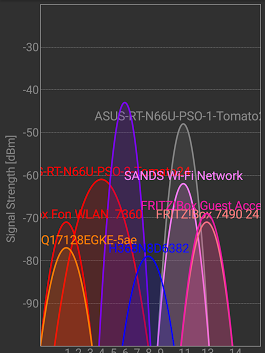
For me, too often – even at home – mobile internet is faster than WiFi over 2.4 Ghz and sometimes even faster than WiFi at 5 Ghz..
Further below is inside my home. I’ve no idea what these – relatively strong – networks are:
- SANDS Wi-Fi Network (it has a MAC in the OUI list of Apple and is configured as GB device)
- venus-HQ17128EGKE-5ae (it has a MAC in the local private range)
- H368N8D6382 (and a network HZN242961585 that looks similar but is very different – the first has a MAC from ZTE corporation, the last from Samsung Electronics)
From Kristian Köhntopp near work in the city centre:

At my home:
A Google+ profile for Jeroen Wiert Pluimers
Source: at home… +Kristian Köhntopp
–jeroen
Via:
Posted in Power User, WiFi | Leave a Comment »
Posted by jpluimers on 2017/01/06
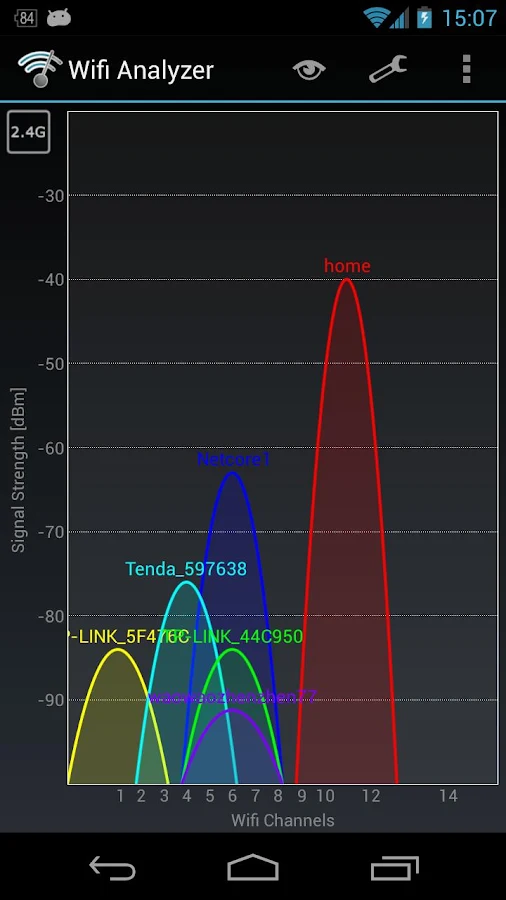
Brilliant! Helped me to track down why an original 1st generation Chromecast didn’t want to connect to a Buffalo WLAE-AG300N.
The problem there is that the original Chromecast does only 2.4Ghz WiFi and the WLAE-AG300N favours 5Ghz WiFi over 2.4Ghz when set to auto.
The solution is in the last picture: basically force the WLAE-AG300N to use 11n/g/b only which limits it to 2.4Ghz (it cannot use both frequencies at the same time).
Yes, I know the Microwaves drawback, but as the original Chromecast only does 2.4Ghz. I’d rather get the Chromecast Ethernet adapter but Google refuses to ship these outside the USA.
Source: Wifi Analyzer – Android Apps on Google Play

Force the WLAE-AG300N to use only 2.4Ghz
Posted in Chromecast, Google, Power User, WiFi | Leave a Comment »




 The Wiert Corner - irregular stream of stuff