


Steps for adjusting a whiteboard photo in Paint.NET
Posted by jpluimers on 2014/03/21
Based on a few links, these are the steps I used to enhance the photo of a whiteboard using Paint.NET:
- Auto-Level
- Reduce-Noise=Max
- Duplicate-Layer
- Gaussian-Blur=20
- Invert Colors
- Layer-Blend-Mode=Color Dodge
- Reduce-Noise=Max
These are the links I used to come to this list:
- Cleaning Up Whiteboard Pictures.
- How to Copy a Whiteboard With Your Digital Camera or Camera Phone.
- SnapClean.me – Dead Simple Photo Cleanup.
- sandbox/gimp/clean-whiteboard-photo.scm at master · kyleburton/sandbox (this one gets installed under “Filters”).
- Fred’s ImageMagick Scripts: WHITEBOARD.
- How to clean up photos of whiteboards with Gimp | Hints & Kinks.
Below are the steps on an image I got from The collective awareness | Idea By Window.
–jeroen
Todo: compare the ImageMagick script against https://plus.google.com/u/0/+IlyaGrigorik/posts/Cjpo67YrL4B
There, John Layt pointed me at these two tools:
- Scan Tailor (a Windows program).
- Flameeyes/unpaper (which is a fork of the now unmaintained unpaper 0.3.) which seems aimed at *nix.
Steps
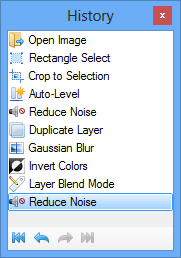
Edited whiteboard.jpg (click to enlarge)
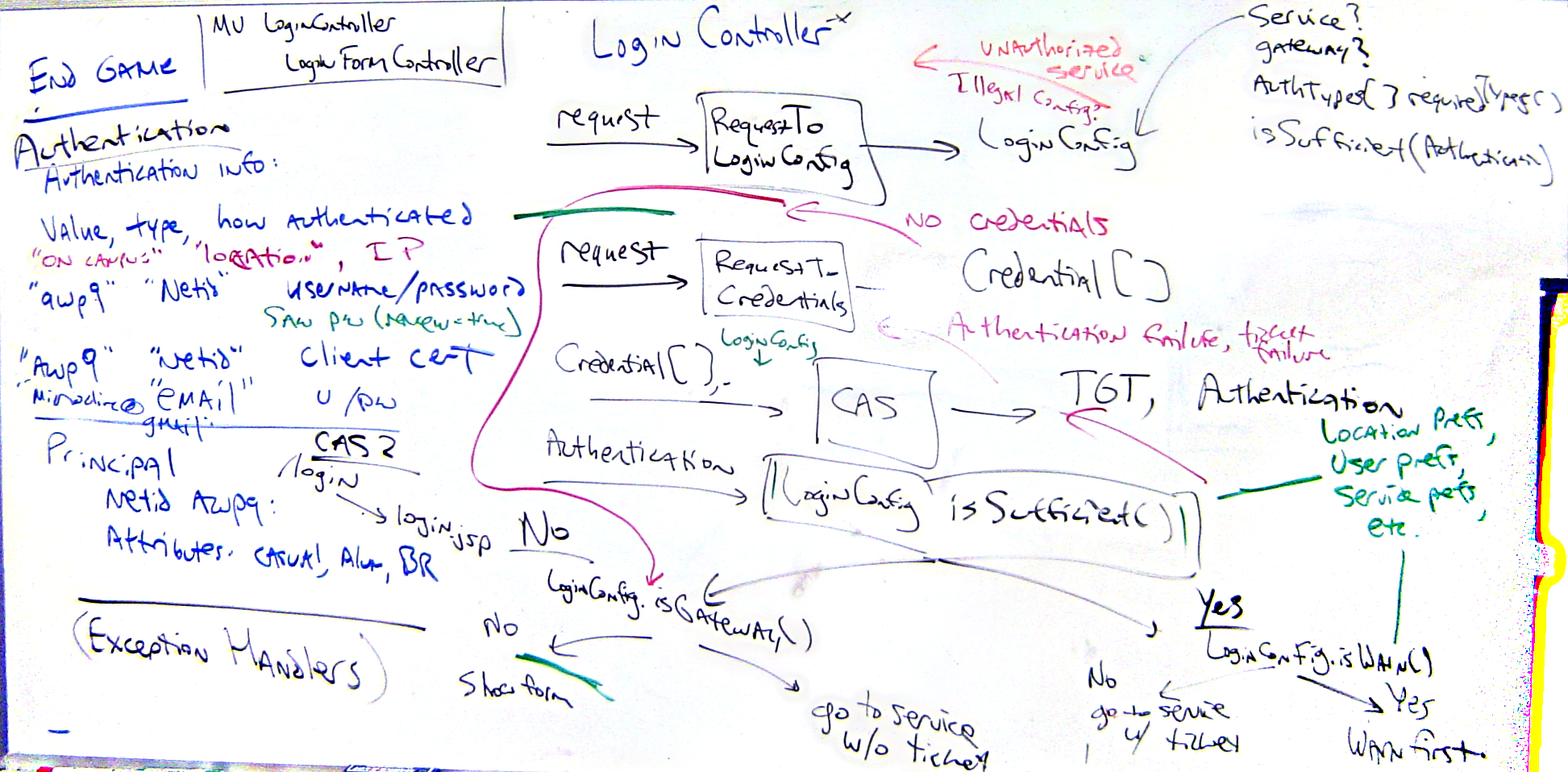
Adjusted whiteboard image
Original whiteboard.png (click to enlarge)

Original whiteboard image

 The Wiert Corner - irregular stream of stuff
Steps for adjusting a whiteboard photo in Gimp « The Wiert Corner – irregular stream of stuff said
[…] A long time ago, I wrote about Steps for adjusting a whiteboard photo in Paint.NET. […]