The Wiert Corner – irregular stream of stuff

Jeroen W. Pluimers on .NET, C#, Delphi, databases, and personal interests

  • My badges

  • Twitter Updates

  • My Flickr Stream

  • Pages

  • All categories

  • Enter your email address to subscribe to this blog and receive notifications of new posts by email.

    Join 1,862 other subscribers

Archive for 2015

SMS cards: The technology inside IBM’s 1960s mainframes

Posted by jpluimers on 2015/12/11

When SMS means Standard Module System.

Pure Geek Porn, for instance this triple AND gate:

triple AND gate with germanium transistors and diodes

triple AND gate with germanium transistors and diodes

Thanks Jan Wildeboer for sharing this.

–jeroen

via: SMS cards: The technology inside IBM’s 1960s mainframes.

Posted in History | Leave a Comment »

In remembrance of Felipe Rodriquez

Posted by jpluimers on 2015/12/10

Felipe makes a few appearances in this great _Unauthorized Access_ documentary by Annaliza Savage 1994.

Memorable moments:

  1. Intro about the initial small size of Hack-Tick.
  2. The start of the Hack-Tick ISP in The Netherlands, which originally started with UUCP and later grew into one of the most important general ISPs with a very keen focus in privacy: xs4all.
  3. Hacking at the End of the Universe congress.

Most of the “in memories” were in Dutch, but one of the few English ones says it all: [Wayback] D U T C H F E L L O W S — In memory of Felipe Rodriquez.

Karin Spaink (friend of Felipe, also suffering from MS) wrote [Wayback] Felipe Rodriguez has died.

A few of the Dutch articles that impressed me very much (some obituaries, some on the internet history in The Netherlands):

–jeroen

The full video:

Slightly longer but with a worse audio quality:

https://www.youtube.com/watch?v=x_BCOfeyl-0


Posted in About, History, Internet, Personal | 1 Comment »

The size and distribution of the data over your Google Drive storage

Posted by jpluimers on 2015/12/10

Drive storage is at https://www.google.com/settings/storage

–jeroen

Posted in G+: GooglePlus, GMail, Google, GoogleDrive, Power User, SocialMedia | Leave a Comment »

Continua CI: viewing events (errors) for a certain repository #continuaci @FinalBuilder

Posted by jpluimers on 2015/12/09

Somehow this isn’t linked logically from the UI, so here are two sets of steps to get there:

From the “Event log”

  1. Go to the “Event Log” page on your Continua CI server; for my server that is https://continuaci.pluimers.com/administration/events.
  2. Click on any repository name (in my case DUnitX) and note the GUID at the end of the URL: https://continuaci.pluimers.com/administration/ci/repositories/index/94c6f27d-20a4-4f53-a81c-94f863db248d
  3. Append index and that GUID to the first URL: https://continuaci.pluimers.com/administration/events/index/94c6f27d-20a4-4f53-a81c-94f863db248d

From the “Source Repositories”

  1. Go to the “Source Repositories” URL on your Continua CI server; for my server that is https://continuaci.pluimers.com/administration/ci/repositories
  2. Click on the word “Error” or red cross (sometimes you can click only one of them) in front of any failing repository: https://continuaci.pluimers.com/administration/events/index/94c6f27d-20a4-4f53-a81c-94f863db248d

The second has the drawback that you can only see events for repositories that are currently in error, not any repository that has ever been in error.

So maybe I was doing something stupid and maybe there is a far easier way, but these work (:

–jeroen

Posted in Continua CI, Continuous Integration, Development, Software Development | Leave a Comment »

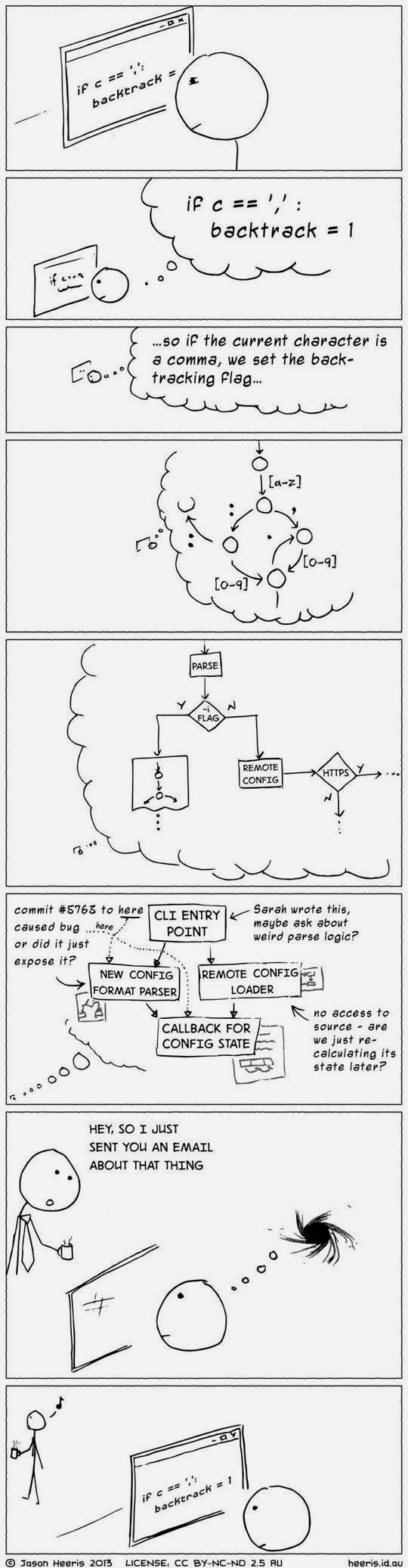
The coding love – When I read and refactor code of another developer

Posted by jpluimers on 2015/12/09

Thanks Stefan Glienke for this picture:

When I read and refactor code of another developer

When I read and refactor code of another developer

–jeroen

via: The coding love – When I read and refactor code of another developer.

Posted in .NET, About, Delphi, Development, Software Development | 1 Comment »

DUnit with a twist: Delphi: GUI-testing. Table of contents

Posted by jpluimers on 2015/12/08

Interesting reads despite the level of English:

GUI-testing. Table of contents

GUI-testing 1. About tests and specially fitted “checkpoints”
GUI-testing 2. Thinking of testing
GUI-testing 3. Thinking of testing №2
GUI-testing 4. Thinking of testing №3
GUI-testing 5. Thinking of testing №4
GUI-testing 6. Thinking of testing №5
GUI-testing 7. Briefly. About GUI-testing “in the spoken style”
GUI-testing 8. About GUI-testing “in spoken style”. The follow-up
GUI-testing 9. GUI-testing “in spoken style”. Introducing of the alphanumeric characters to the current control
GUI-testing 10. GUI-testing “in the spoken style”. Note about “how this thing is organized”
GUI-testing 11. GUI-testing “in the spoken style”. How this thing is organised №2
GUI-testing 12. GUI-testing “in the spoken style”. Back to the basics
GUI-testing 13. GUI-testing “in spoken style”. Back to the basics. Example of pressing the button of the form through the script
GUI-testing 14. GUI-testing “in the Russian style”. Adding DUnit to our “scripts”
–jeroen

via: 18-ть лет с Delphi: GUI-testing. Table of contents

Posted in Delphi, Development, Software Development | Leave a Comment »

Why Developers hate being interrupted. CodeProject – Google+

Posted by jpluimers on 2015/12/08

via: CodeProject – Google+.

b2a4b1c7-2467-463a-a5e6-5723a18c03c6


Posted in Development, Software Development | Leave a Comment »

WiFi networks that support seamless handover

Posted by jpluimers on 2015/12/07

It looks like Ubiquiti UniFi can do this, can others? How good are they? Price points?

If so, please comment.

–jeroen

via: Another update on my Ubiquiti UniFi network, since I today noticed another…

Posted in Power User, Ubiquiti, WiFi | Leave a Comment »

Displaying Full Message Headers and Source in Microsoft Outlook (Windows) – via: Yale ITS

Posted by jpluimers on 2015/12/07

Showing message headers and source used to be easy in early Outlook versions.

But as of Outlook 2007 they hid the internet message headers even further away than in Outlook 2003.

Steps for Outlook 2007+:

  1. Start Outlook.
  2. Double-click the message for which you want to view full internet headers.
  3. Click Options (2007) or Tags (2010/2013).
  4. The Message Options dialog box is displayed. You are after the Internet headers field at the bottom of the dialog box.

Same for the message source:

  1. Start Outlook
  2. Double-click the message for which you want to view full internet headers.
  3. In the Move section of the Ribbon, click on Actions
  4. Click Other Actions
  5. Click View Source
  6. Notepad (or the program associated with html source files) opens with a file email.txt containing the message source.

–jeroen

via:

Posted in Office, Office 2003, Office 2007, Office 2010, Office 2013, Outlook, Power User | Leave a Comment »

¯\_(ツ)_/¯ bot not ¯\_㋡_/¯ or using Katakana for Smileys

Posted by jpluimers on 2015/12/06

Recently I see a lot of people using the ¯_(ツ)_/¯  emoticon as a meme for shrugging arms (though *shrug* is both shorter and easier to type).

It’s based on the Tsu kana (which is has no meaning by itself, but is a mora indicating a glottal stop) and seems to be in use since 2011.

There is also the Shi kana (which also resembles a smiling face), which would lead to ¯_(シ)_/¯.

The fun part is that the for Shi, Wikpedia mentions ㋛ (which is basically Shi enclosed in a circle) it would become ¯_㋛_/¯ which is as short as *shrug* but more visual.

But for Tsu, Wikipedia doesn’t mention ㋡ (maybe coincidentally, the Tsu enclosed in a circle Wiktionary page isn’t there yet as well) which would make ¯_㋡_/¯, again as short as *shrug* but more visual and the one I would prefer.

The below Unicode code points were all added in 1993, quite some time before they got used as emoticons:

–jeroen

PS: there is a little visual trick to cope with shi, tsu, so and n: watch the stroke order and top/left line.


Posted in Emoticons, Fun, Geeky, History | Leave a Comment »