


macOS Sierra: Change the order of the network ports your computer uses to connect
Posted by jpluimers on 2018/10/15
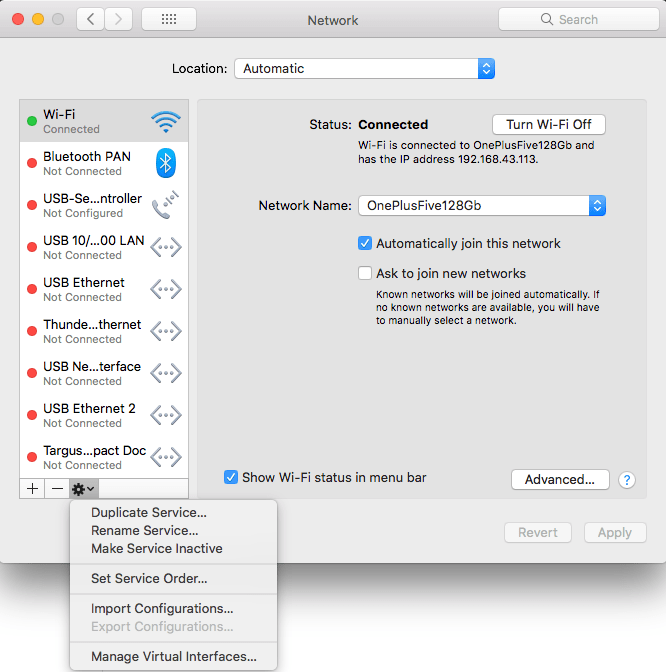 Very useful when you want to give your WiFi less priority than an USB or Thunderbolt network adapter: [WayBack] macOS Sierra: Change the order of the network ports your computer uses to connect.
It is not just that the topmost adapter gets more priority: it also determines the DNS search!
Anyway: after choosing “Set Service Order” on the right, choose the order as seen below.
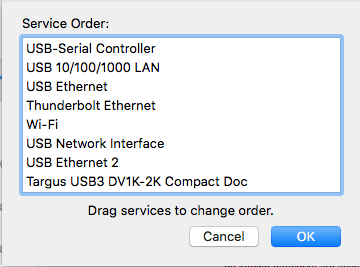
–jeroen
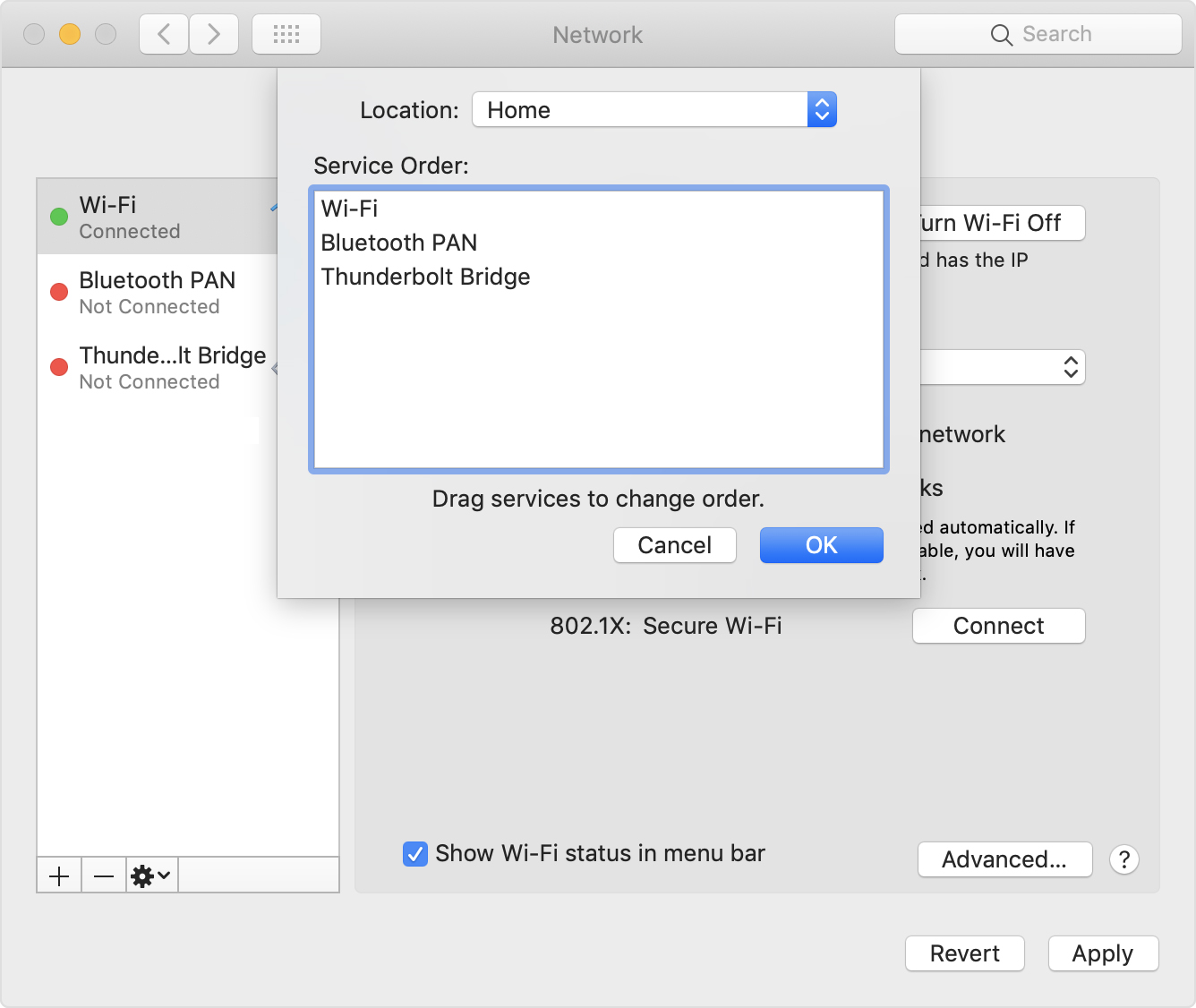
PS: Since Apple is cleaning up their site, only the above WayBack works, but luckily the below link explains it in a very similar way when using Locations:
[WayBack] How to use network locations on your Mac – Apple Support

 The Wiert Corner - irregular stream of stuff
Leave a comment