


Seems my interest in Ubiquiti needs more research: [WayBack] Linus Torvalds – Google+: Working gadgets: Ubiquiti UniFi collection.
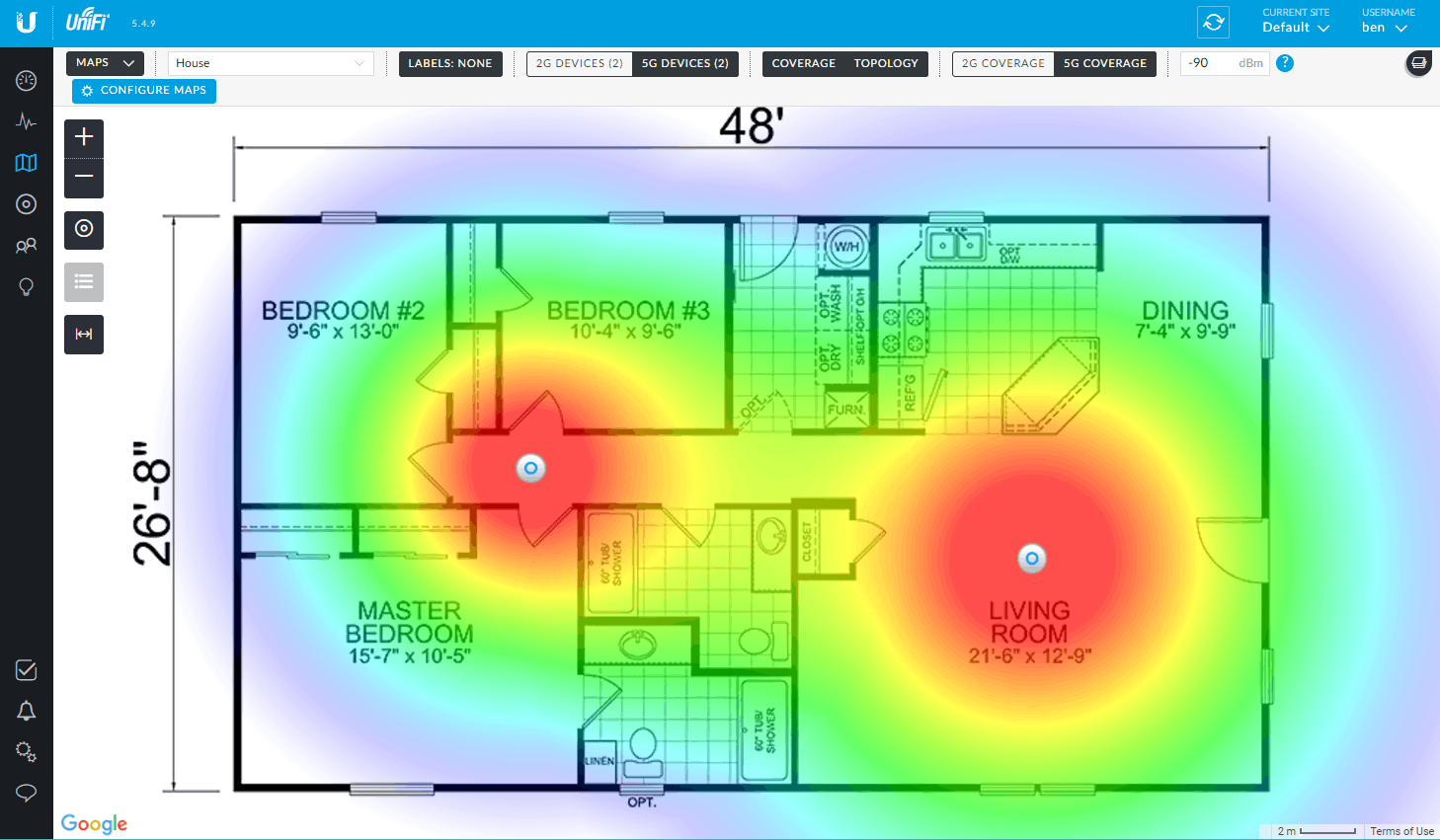
Hopefully by now I’ve time to re-design the WiFi coverage in the house and invest in a few of those access points.
Related:
- [WayBack 1/2/3] Vincent Parrett commented: I have two of these (along with a cloudkey and edgemax switch) in my house, perfect wifi coverage over the whole house. I’m also using ubnt routers and switches for our servers in the US. Less impressed with the edgerouter pro, has overheating issues due to poor thermal design, but still easy to use and configure etc.
- [WayBack 1/2] Dear interwebz, what and how many #Ubiquiti devices do I need to cover 5Ghz WiFi with seamless roaming on 3 stacked floors of 10×10 meter home office se… – Jeroen Wiert Pluimers – Google+
- [WayBack] Use a third party POE switch – Ubiquiti Networks Community
- Apart from alternatives, this observation “FWIW my experience with the TP-Link SF and SG series switches is poor. I have had more than average hardware failures with these, and some versions silently drop packets (most notably BDPUs if using STP).”
- [WayBack] Solved: UAP-AC-Lite with TP-Link TL-SG1008PE – Ubiquiti Networks Community
- Powering the UAP-AC-Lite with a Mikrotik RB960PGS (also known as hEX PoE) over PoE works fine
- [WayBack] Use a third party POE switch – Ubiquiti Networks Community
- Tweakers.net:
- PoE from other vendors:
- RB260GSP (does passive PoE only) – [WayBack] POE – UAP-AC-LR with Mikrotik RB260GSP? – Ubiquiti Networks Community
- RB960PGS also known as hEX PoE (does 802.3af, see below)
- Mikrotik needs to make up their mind, as they ship a 24V power supply which cannot power any 802.3af/802.3at devices. The 48POW power supply enables 802.3af for the RB960PGS hEX PoE: [WayBack] hEX PoE (RB960PGS) – Need 48V Power Supply – MikroTik
- Ubiquiti UniFi AP-AC LITE production week 2016-38 (first four digits of serial number 1638) and more recent support 802.3af: [WayBack] Bekijk reactie – [Ubiquiti-apparatuur] Ervaringen & Discussie – Deel 2 – Netwerken – GoT
- 48v PoE should work too, but it is better to assume date code 1646 (officially this is 1641, but not all ones function correctly):
 Controller
- The easiest way to configure, is to have a Unifi Controller running in your network.
- The controller can be a [WayBack] Ubiquiti Networks – UniFi® Cloud Key, but does not have to be: a VM, Docker Container, Raspberry Pi, or other solution can work just as well.
- Unifi Controller Versions are released at irregular times, usually at least once a month; I used these places to track them:
- [WayBack] UniFi Updates Blog – Ubiquiti Networks Community (a bit awkward because the overview has message summaries in addition to the topic)
- [WayBack] UniFi Updates Blog | UniFi Forum NL (easier to track as the message overview is a simple table that has a message topic column)
- [WayBack] Chocolatey Gallery | Ubiquiti UniFI Controller 5.8.28
- When using a CloudKey, please avoid sudden power loss: it can brick the database
- There are various ways to safely power it down:
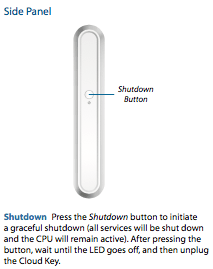
- The button on the side is a power down button (see image on the right I got the documentation at [WayBack] https://dl.ubnt.com/guides/UniFi/UniFi_Cloud_Key_UC-CK_QSG.pdf)
- On the CloudKey interfaces themselves: [WayBack] Solved: Re: Correct way to remove Cloud Key – Ubiquiti Networks Community:
- There is the “Shutdown” button, in the Unifi Controller UI (https://a.b.c.d.e:8443/manage): Settings -> Maintenance -> Cloud Key Operations -> Shutdown Cloud Key
- Similar in the cloud environment as that is a kind of wrapper around the local controller: Settings -> Maintenance -> Cloud Key Operations -> Shutdown Cloud Key
- There is a “Power Off” button in the Unifi Cloud Key UI (https://a.b.c.d.e:8443/manage/main): Maintenance -> Power Off
- There is the “Shutdown” button, in the Unifi Controller UI (https://a.b.c.d.e:8443/manage): Settings -> Maintenance -> Cloud Key Operations -> Shutdown Cloud Key
- Resurrecting can be needed, and is relatively easy if you can still SSH into it as root:
- [WayBack] Solved: Unifi Cloud Key Nonfunctional After Reboot – Ubiquiti Networks Community
- [WayBack] Solved: Re: Unifi Cloud Key Nonfunctional After Reboot – Ubiquiti Networks Community
-
service unifi stop
mongod --repair --dbpath /srv/unifi/data/db
service unifi start
-
- Sometimes it will not shutdown, so you have to force it, with the risk of having to restore a database backed-up on SD card: [WayBack] Solved: Re: Cloud Key won’t shutdown – Ubiquiti Networks Community
- More recent CloudKey use a USB C plug, not Micro USB plug [WayBack] Solved: PoE injector for Cloud Key – Ubiquiti Networks Community
- Powering was a bit tricky:
- Powering a CloudKey with a TP-Link TL-SG1008PE works fine
- Powering a CloudKey with a [WayBack] MikroTik Routers and Wireless – Products: hEX PoE (RB960PGS)
- over PoE fails (it does not come up at all, the Mikrotik PoE led flashes red once when inserting the network cable).
- over USB fails as well (the CloudKey gets in a reboot loop: white led flashes in the same pattern like for good PoE boot, but goes dark after ~20 seconds, then after a few seconds rinse repeat. This despite the USB 1A power delivery of the Mikrotik: [WayBack] Cloud Key USB-C power adapter recommendation – Ubiquiti Networks Community. CloudKey boot cycle starts a few seconds after the PoE light on the Mikrotik becomes red (meaning PoE is active).
- Others have better luck on USB: [WayBack] Cloud Key micro-USB power supply electrical requirements (ripple/noise/voltage min/max)? – Ubiquiti Networks Community
- I have tested the RBS960PGS with firmwares 6.39.2 and 6.42.7 after reading the [WayBack] Manual:PoE-Out – MikroTik Wiki.
- Passive 48V PoE is also a possible solution: [WayBack] UniFi – Cloud Key Troubleshooting Guide – Ubiquiti Networks Support and Help Center: Powering the UniFi Cloud Key
- There are various ways to safely power it down:
- Configuration:
- Online configuration Portal: https://unifi.ubnt.com/
- This works way better at device discovery than the Chrome plugin “Ubiquiti Device Discovery Tool” below
- You can perma-link to your local device; it looks like
https://unifi.ubnt.com/5.8.24.0/unifi/site/default/dashboard?d=############000000000#######000000000#######00000000########where#are digits,0are usually zero digits and5.8.24.0is.0prepended by the first 3 parts of your Unifi Controller Version (mine hadVersion 5.8.24-11016at that time).
- [WayBack] Ubiquiti Networks – Search | discovery tool
- [Archive.is/WayBack] Ubiquiti Device Discovery Tool – Chrome Web Store
- Note that temporarily there was a fake Crome tool: [WayBack] Fake Ubiquiti Device Discovery Tool discovered on the Chrome Web Store – Ubiquiti Networks Community
- [WayBack] Java https://dl.ubnt.com/tools/beta/discovery-tool/ubnt-discovery.zip
- [Archive.is/WayBack] Ubiquiti Device Discovery Tool – Chrome Web Store
- Online configuration Portal: https://unifi.ubnt.com/
- Wireshark
- You can capture AP traffic using Wireshark because the Access Points all support SSH
- UniFi information:
- [WayBack] UniFi Network Planner
- [WayBack] Ubiquiti Networks Support and Help Center
- [WayBack] Home – Ubiquiti Networks Community
- [WayBack] Solved: roaming wifi between 3 x UAP AC LR – Ubiquiti Networks Community
- [WayBack] Wireless LAN Roaming FAQ – Ubiquiti Networks Community
- SSIDs and radios:
- [WayBack] Solved: Re: set AP to 2.4 and 5 GHz on different ssid – Ubiquiti Networks Community
- [WayBack] Solved: Re: How setup a separate 2.4 and a separate 5 ghz ssid – Ubiquiti Networks Community
- [WayBack] Solved: Re: Splitting 2.4 / 5 Ghz onto different SSID or not – advice and guidance request please. – Ubiquiti Networks Community
- [WayBack] Solved: Re: How to force 5 Ghz – Ubiquiti Networks Community
- [WayBack] Solved: Re: Max 4 SSIDs per AP, how many per controller? – Ubiquiti Networks Community
- [WayBack] Solved: Re: “A maximum of 4 wireless networks are allowed per wlan group when connectivity monitor is e – Ubiquiti Networks Community
- [WayBack] Ubiquiti Networks – Downloads
- [WayBack] UniFi demo dashboard
- [WayBack] Wireless APs and Switches | UniFi | b3n.org
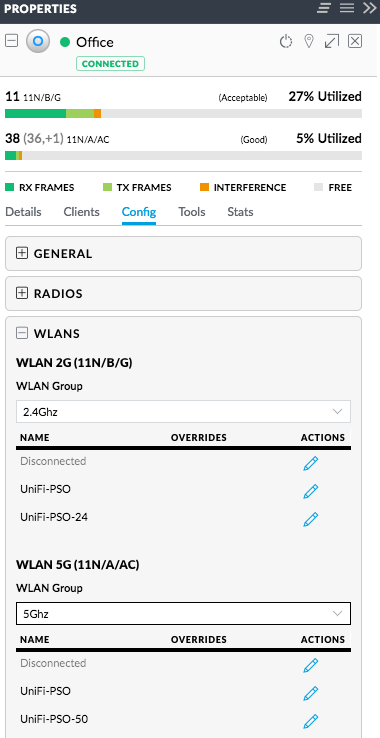 Splitting 5Ghz and 2.4Ghz SSIDs: two ways (I think the second is cleaner)
- Either have one WLAN group with a set of SSIDs, then in each access point disable the 2.4Ghz SSID on the 5GHz radio, and disable the 5Ghz SSID on the 2.4Ghz radio
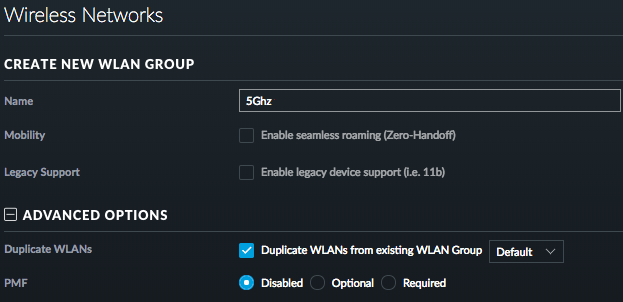
- Have different WLAN groups with an SSID (or set of SSIDs) for each frequency, then in each access point select the appropriate group for each radio
For both the first and second one, you need to configure under “Config” -> “WLANs”.
For the second one, you can clone from the first, then change the SSID names.
–jeroen


 The Wiert Corner - irregular stream of stuff