


openSUSE forums tips
Posted by jpluimers on 2020/07/17
A few tips from posting to the openSUSE forums, learned from banging my head to the wall too often.
- They are at https://forums.opensuse.org/forum.php
- The forum software can be very slow at times taking ~tens of seconds for loading a post:
- loading multiple posts or pages of posts you are interested in multiple tabs speeds up your reading a lot
- Answers on the post often are along the form “has been answered before” without pointing to the actual link, even if the post is marked with a read icon, for instance in [WayBack] No option to “keep me logged in on this device” with Novell/openSUSE login?
- Your email is not your username, so do not use it during logon: [WayBack] Lousy log in
- Be sure to read any forum FAQs, for instance [WayBack] openSUSE Forums FAQ: not logged in
- Logoff can be very soon, not minutes any more, but certainly not 8 hours either: [WayBack] have to login evry few minutes – Page 2
- Keeping a window open to force activity and disable auto-logoff fails in many browser including my Chrome on Mac OS configuration
- There is no auto-logon
- The search function in the forum is horrible.
- Google searching within a subforum fails because of how the forum software is structured: site:forums.opensuse.org/forumdisplay.php/690-How-to-use-the-forums
- This sort of works: site:forums.opensuse.org “How to use the forums?” “logged”
- Google search is always at least few days behind
- The forum software is proprietary (vBulletin – Wikipedia) and has a
- When writing/replying to posts:
- Edit your answer off-line, because
- you will automatically be logged off even if the forum indicates you are still logged on (there is no count down of the activity timer), see
- when you re-logon, your carefully edited text has been lost from the cache
- Never use formatting, either auto-introduced, or introduced while pasting, avoid BB-code
- Reasoning
- The text-based NNTP/e-mail back-end of the forum does not support formatting well
- The HTML editor will without warning interpret all kinds of character combinations
- Those character combinations will be turned into images
- You cannot post too many images at once
- When you re-post, often your post text has been lost from the cache
- The forum editor often gets confused by formatting
- Pasting by keyboard or middle-mouse-button often includes formatting, even: [WayBack/Archive.is] forum: how do get rid of all formatting while pasting? – Page 2
- This happens even when copying from the console: [WayBack] forum: how do get rid of all formatting while pasting?
- Though the forum supports BB code, NNTP news readers do not, and the added formatting gives quite a mess
- If you insist using it: [WayBack] vBulletin.org Forum – BB Code List
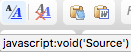
- Use the text (“Source mode”) version of the editor, by first clicking the left most button: “Source”
- After this, the third and fourth button get greyed out:

- After this, the third and fourth button get greyed out:
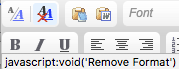
- Remove formatting button is the second from the left (in both text and WYSIWIG mode): “Remove format”
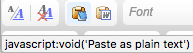
- If you are in WYSIWIG mode, then always paste using the third button from the left that strips formatting: “Paste as plain text”
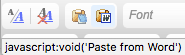
- NEVER EVER paste with formatting with the fourth button from the left: “Paste from Word”
- Reasoning
- Edit your answer off-line, because


–jeroen

 The Wiert Corner - irregular stream of stuff
Leave a comment