


Configure IntelliSense (SQL Server Management Studio) | Microsoft Docs
Posted by jpluimers on 2020/10/08
Not sure why, but all of a sudden, SSMS did not code-complete any table or column names any more.
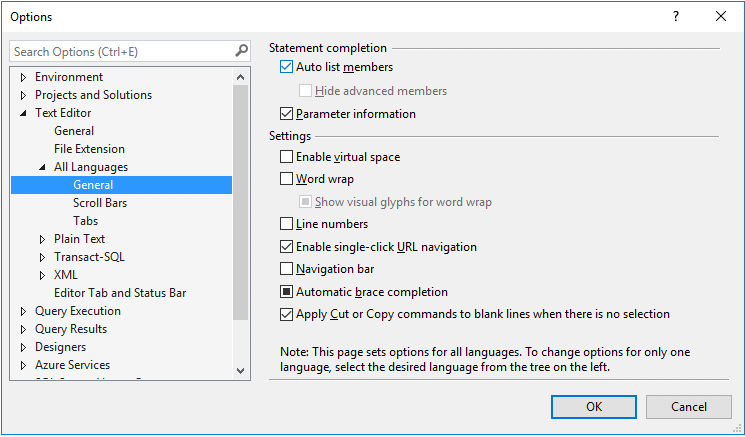
This shows where that setting is [WayBack] Configure IntelliSense (SQL Server Management Studio) | Microsoft Docs.
The odd thing: updating to a more fresh 17.x version solved the problem all by itself.
Anyway, you can change the settings under the section “All Languages”, “Transact-SQL” or “XML”, each in the “General” sub-section:
–jeroen

 The Wiert Corner - irregular stream of stuff
Leave a comment