Archive for the ‘JavaScript/ECMAScript’ Category
Posted by jpluimers on 2020/12/09
In my list of things to play with: [WayBack] GitHub – DevExpress/testcafe: A Node.js tool to automate end-to-end web testing.:
A Node.js tool to automate end-to-end web testing.
Write tests in JS or TypeScript, run them and view results.
https://devexpress.github.io/testcafe
- Works on all popular environments: TestCafe runs on Windows, MacOS, and Linux. It supports desktop, mobile, remote and cloud browsers (UI or headless).
- 1 minute to set up: You do not need WebDriver or any other testing software. Install TestCafe with one command, and you are ready to test:
npm install -g testcafe
- Free and open source: TestCafe is free to use under the MIT license. Plugins provide custom reports, integration with other tools, launching tests from IDE, etc. You can use the plugins made by the GitHub community or make your own.
Related:
- [WayBack] A node.js tool to automate end-to-end web testing | TestCafe:
Use TestCafe to write tests in JS or TypeScript, run them and view results. TestCafe runs on Windows, MacOS, and Linux and takes 1 minute to set up.
- [WayBack] TestCafe: Web Testing Framework | DevExpress
100% web-based functional testing framework with integrated visual test recorder, remote device testing, and natural JavaScript API
- From download to recording your first test in less than 5 minutes — installer automatically configures your environment.
- With TestCafe, you can run tests in any browser that supports HTML5 (including IE9+, Chrome, Firefox, Safari, Opera).
- TestCafe is operating system agnostic so you can run tests on Windows, Mac or Linux machines.
- Run tests on remote computers and mobile devices.
- Run tests in multiple browsers and on multiple machines in parallel.
- Run tests in the background on any machine.
- TestCafe allows you to test web pages that require Basic and Windows HTTP Authentication.
Via:
Screen materials below the fold.
–jeroen
Read the rest of this entry »
Posted in Development, JavaScript/ECMAScript, LifeHacker, Power User, Scripting, Software Development, Testing, Web Development | Leave a Comment »
Posted by jpluimers on 2020/11/10
Two interesting sites to ease transforming JSON fragments in log-messages to a table system, for instance Excel.
- Paste the bits in [WayBack] Best JSON Pretty Print Online then fix any syntax errors.
- Copy from there to [WayBack] json2table.com and press the triangle button (run)
- Copy either the tabular or tree result to your favourite program.
- Format any numbers for readability. I really like the
Custom format ##0.00E+00 that just shows the exponents in multiples of 3 (so kilo, mega, giga, etc)[WayBack] formatting – How can I format bytes a cell in Excel as KB, MB, GB etc? – Stack Overflow
This way I copied the example code into adjecent Excel areas, so I could compare the values and calculate memory increase of a Delphi application.
—jeroen
Read the rest of this entry »
Posted in Development, JavaScript/ECMAScript, JSON, LifeHacker, Power User, Scripting, Software Development | Leave a Comment »
Posted by jpluimers on 2020/10/01
For my link archive:
Back-ticks can be very useful for instance when you need to specifying json tags.
References for that:
–jeroen
Posted in Development, Encoding, Go (golang), JavaScript/ECMAScript, JSON, Scripting, Software Development | Leave a Comment »
Posted by jpluimers on 2020/06/25
From a while back, but still relevant as the speed of the GMail web-UI still has not improved.
[WayBack/Archive.is] Peeking under the hood of redesigned Gmail – Boris – Medium
Via:
–jeroen
Read the rest of this entry »
Posted in CSS, Development, GMail, Google, HTML, JavaScript/ECMAScript, Power User, Scripting, Software Development, Web Development | Leave a Comment »
Posted by jpluimers on 2020/06/01
Cool: [WayBack] GitHub – kzahel/web-server-chrome: An HTTP Web Server for Chrome (chrome.sockets API)
This allows you to develop HTTP applications that live in Chrome:
[Archive.is1/Archive.is2] Web Server for Chrome – Chrome Web Store: A Web Server for Chrome, serves web pages from a local folder over the network, using HTTP. Runs offline.
Of course you could to python -m SimpleHTTPServer 8888 or python -m http.server 8888, but this runs within chrome and can be used from inside JavaScript projects.
Features
- serve local files
- configure listening port
- configure listening interface (e.g. localhost or all interfaces)
- custom http handlers possible
- websocket support available
- works nice with chrome.runtime.onSuspend
- options for autostart, start in background, etc etc.
- handles range requests, HEAD, etc
- options for CORS
- optional PUT, DELETE request (for upload files)
- sets MIME types
- can render directory listing
- See relevant options: https://github.com/kzahel/web-server-chrome/blob/master/polymer-ui/options.js
Via [WayBack] This is super useful: A# web #server that runs in #Chrome! Makes it super easy to do local web dev without the hassle of setting up a complex back end s… – Jason Mayes – Google+
–jeroen
Posted in Chrome, Development, Google, JavaScript/ECMAScript, Power User, Scripting, Software Development, Web Development | Leave a Comment »
Posted by jpluimers on 2020/05/14
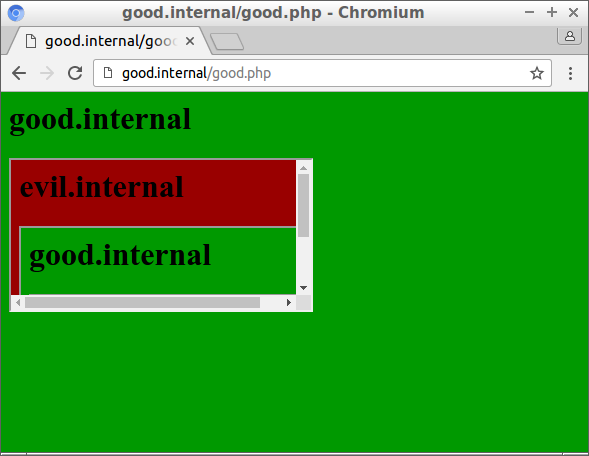
Back in the days, framing stuff from other sites would just work. Nowadays, often they don’t because of a variety of reasons, often the site not wanting to be embedded, which is OK with me.
But it pays knowing what they do and how they do it, to ensure it is not an accidental setting of the address bar URL to the wrong value like in
  if(top != window) {
    top.location = window.location
  }
So here are some links for me to dig deeper when I encounter framing issues again:
My basic idea for a workaround is to go through a proxy.
It looks like others had this idea too, so some links future reading via cors proxy – Google Search:
–jeroen
Read the rest of this entry »
Posted in Development, JavaScript/ECMAScript, JSFiddle, Scripting, Software Development, Web Development | Leave a Comment »



 The Wiert Corner - irregular stream of stuff