Archive for the ‘Mac OS X / OS X / MacOS’ Category
Posted by jpluimers on 2018/02/14
There still is no ps xf on Mac OS X.
You need brew install pstree for that. Then you can excute pstree which gives you a treeview of the processes running.
via: [WayBack] command line – Linux’ ps f (tree view) equivalent on OSX? – Ask Different
–jeroen
Posted in *nix, *nix-tools, Apple, Home brew / homebrew, iMac, Mac, Mac OS X / OS X / MacOS, MacBook, MacBook Retina, MacBook-Air, MacBook-Pro, MacMini, macOS 10.12 Sierra, OS X 10.10 Yosemite, OS X 10.11 El Capitan, OS X 10.9 Mavericks, Power User, ps | Leave a Comment »
Posted by jpluimers on 2018/02/14
I’m still amazed this is not in stock Mac OS X:
In Finder > Select a folder > Right click, we get a popup with an option to create a new folder:Is there a way to add menu item New Textfile for adding a new text file?
[WayBack] macos – Right-click, create a new text file. How? – Ask Different
One way is to use Automator scripts, but: scripting…
–jeroen
Posted in Apple, Automator scripts, Development, iMac, Mac, Mac OS X / OS X / MacOS, MacBook, MacBook Retina, MacBook-Air, MacBook-Pro, MacMini, macOS 10.12 Sierra, OS X 10.10 Yosemite, OS X 10.11 El Capitan, OS X 10.9 Mavericks, Power User, Scripting, Software Development | Leave a Comment »
Posted by jpluimers on 2018/01/30
Most sites explaining how to decompress an xz file mention you should use unxz from the xz utils toolbox.
Running unzx on Msc OS X requires the xz formula from homebrew:
$ brew install xz
==> Downloading https://homebrew.bintray.com/bottles/xz-5.2.2.mavericks.bottle.tar.gz
######################################################################## 100.0%
==> Pouring xz-5.2.2.mavericks.bottle.tar.gz
🍺  /usr/local/Cellar/xz/5.2.2: 91 files, 1.4M
–jeroen
Posted in Apple, Home brew / homebrew, Mac OS X / OS X / MacOS, macOS 10.12 Sierra, OS X 10.10 Yosemite, OS X 10.9 Mavericks, Power User | Leave a Comment »
Posted by jpluimers on 2018/01/12
It looks like when syncing folders between Mac OS X (MacOS X?) and Windows, many directories get empty Icon? files have a size of 0 bytes.
None of these directories had custom icons, so I’m inclined to remove them all from the Google Drive folder:
find . -name 'Icon*' -size 0 -print0 | xargs -0 rm
as [WayBack] Didier Trosset answered at [WayBack] How to delete many 0 byte files in linux? – Stack Overflow
Before I do that, I need to read these in more detail:
–jeroen
Posted in Apple, Google, GoogleDrive, iMac, Mac, Mac OS X / OS X / MacOS, MacBook, MacBook Retina, MacBook-Air, MacBook-Pro, MacMini, OS X 10.10 Yosemite, OS X 10.11 El Capitan, OS X 10.9 Mavericks, Power User | Leave a Comment »
Posted by jpluimers on 2017/12/25
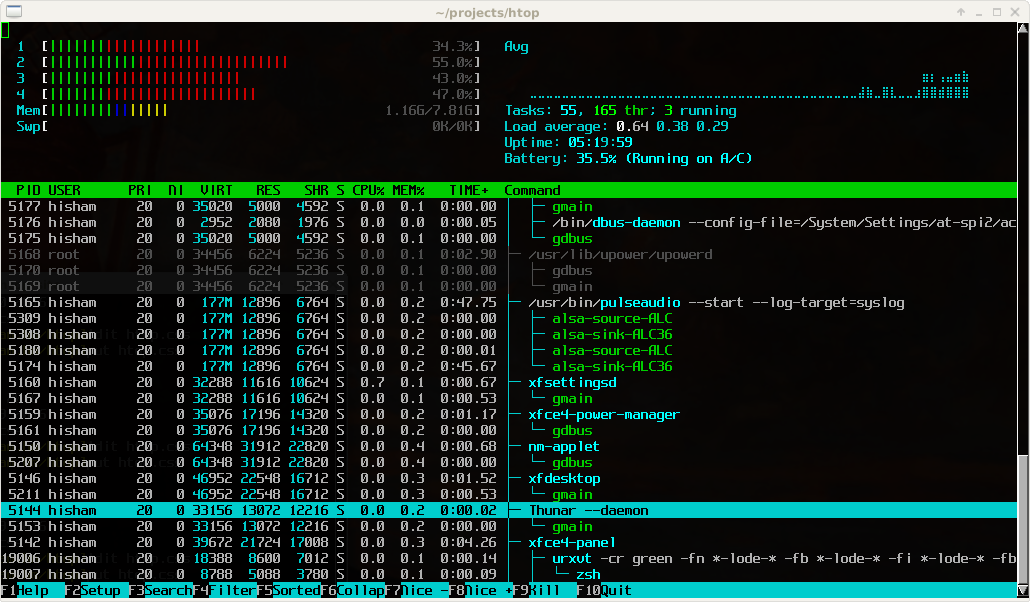
Great tool: [WayBack] htop – an interactive process viewer for Unix because it’s both interactive and supports a wide range of OSes: Linux, FreeBSD, OpenBSD and Mac OS X.
Thanks to Warren Postma who suggested it in his comment at [WayBack] 18 Useful Commands to Get Hardware Information on Linux – Linuxslaves.
Note that on OS X you get this warning after brew install htop :
htop requires root privileges to correctly display all running processes,

so you will need to run `sudo htop`.

You should be certain that you trust any software you grant root privileges.
On Linux you don’t get this message as there you have the /proc file system providing enough information as explained at [WayBack] osx – Why does htop on Mac OS X require root privileges to see data for all processes, but on Linux it runs without root – Super User.
A workaround (involving the setuid bit) is at [WayBack] Running htop on Mac OS X needs root. Why?! | Blog | JoeNyland.me or by running visudo ensuring you don’t need a password for it at [WayBack] osx – htop isn’t returning CPU or memory usage!? – Super User
–jeroen
Posted in *nix, *nix-tools, Apple, BSD, Linux, Mac OS X / OS X / MacOS, macOS 10.12 Sierra, OS X 10.11 El Capitan, OS X 10.9 Mavericks, Power User | Leave a Comment »
Posted by jpluimers on 2017/12/01
Free and – unlike the also free [WayBack] dupeGuru – finds duplicate files – hasn’t crashed on my system yet or fails to add folders:
Read reviews, compare customer ratings, see screenshots, and learn more about Duplicate File Finder for files & folders. Download Duplicate File Finder for files & folders for Mac OS X 10.9 or later and enjoy it on your Mac.
[WayBack] Duplicate File Finder for files & folders on the Mac App Store
–jeroen
Posted in Apple, iMac, Mac, Mac OS X / OS X / MacOS, MacBook, MacBook Retina, MacBook-Air, MacBook-Pro, MacMini, OS X 10.10 Yosemite, OS X 10.11 El Capitan, OS X 10.9 Mavericks, Power User | Leave a Comment »
Posted by jpluimers on 2017/12/01
cd /Volumes/Backup/Backups.backupdb/Joshua\ Priddle’s\ MacBook\ Pro/Latest/Macintosh\ HD/Users/priddle
tmutil restore -v secret_docs.txt ~/
Learned from [WayBack] Restoring files from OS X Time Machine with Terminal.app:
- do not use
cp as it will give you wrong permissions
- do use
tmutil
More elaborate steps (including finding the backup in the first place) is at [WayBack] Commandline restoration of a file in Time Machine on OS X | Hacks for Macs
–jeroen
Posted in Apple, iMac, Mac, Mac OS X / OS X / MacOS, Mac OS X 10.4 Tiger, Mac OS X 10.5 Leopard, Mac OS X 10.6 Snow Leopard, Mac OS X 10.7 Lion, MacBook, MacBook Retina, MacBook-Air, MacBook-Pro, MacMini, macOS 10.12 Sierra, OS X 10.10 Yosemite, OS X 10.11 El Capitan, OS X 10.8 Mountain Lion, OS X 10.9 Mavericks, Power User | Leave a Comment »
Posted by jpluimers on 2017/11/24
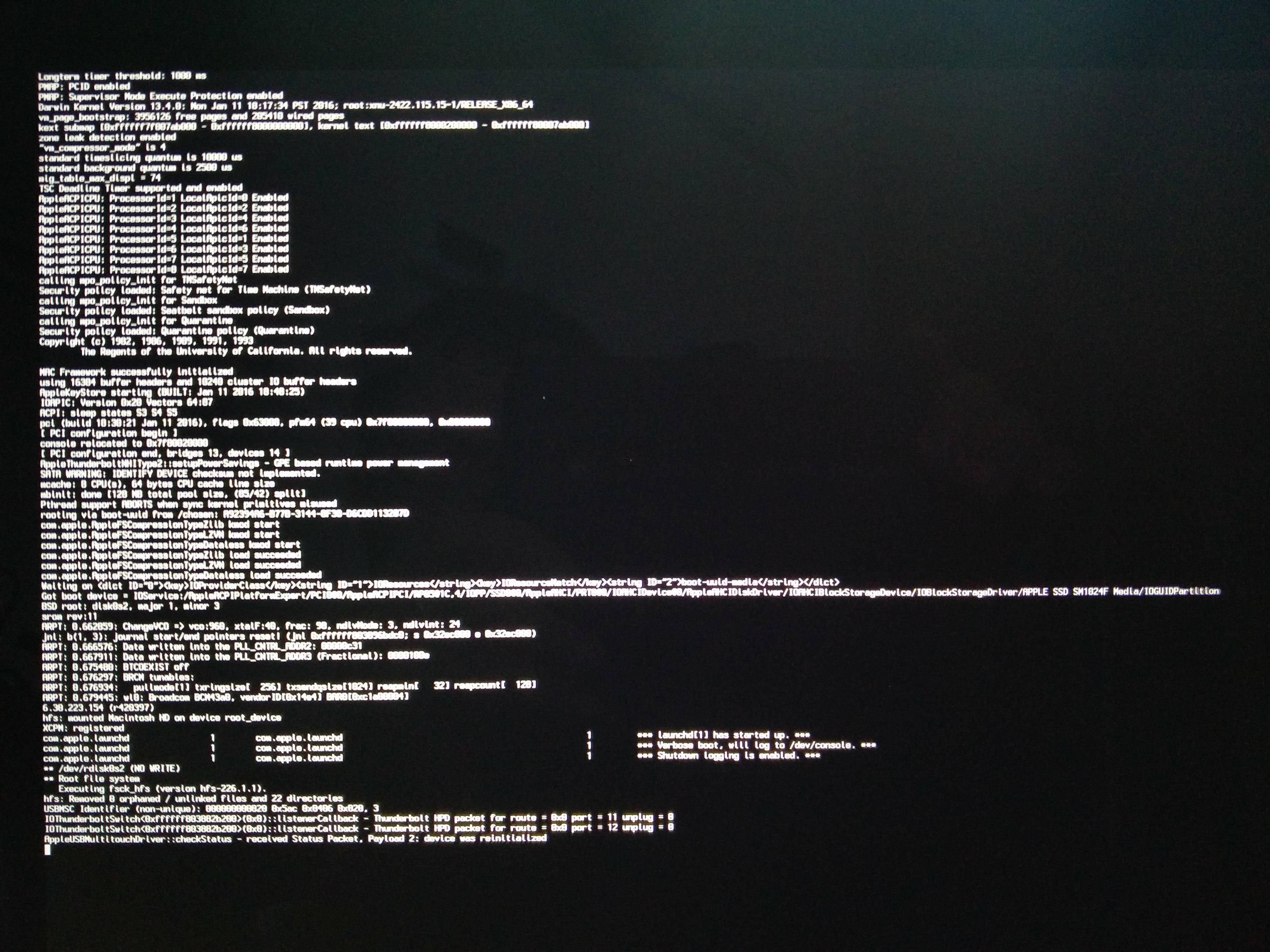
[WayBack] macbook – OS X 10.9.5 hangs with grey spinner; safe mode last message is “payload 2: device was reinitialized” – Ask Different
[WayBack] Recovery partition: “Restore From Time Machine Backup” stuck at 43.6% for more than 60 minutes – Ask Different
Steps since then:
- Restoring an image backup failed: same situation
- (it took an hour to verify the media, then an OK button appeared before continuing to restore in the middle of the night; actual restore took 4+ hours)
- Reinstalling OS X 10.9.5 failed: error -4403F
- Restoring a prior Time Machine backup hung at less than 50% (taking like 6 hours)
- Reinstalling OS X 10.9.5 over a different fiber connection worked
- Mounting the image backup succeeded, but took 3 hours to complete “verifying…”
- Migration Assistent on the image backup worked fine
In total it took 2.5 days to get the machine back in working condition.
Related links:
There was no transparent proxy inbetween the MacBook and Apple so these didn’t help:
What did help was ensuring there was only ONE NAT in between the MacBook and Apple.
–jeroen
Posted in Apple, Mac, Mac OS X / OS X / MacOS, MacBook, MacBook Retina, OS X 10.9 Mavericks, Power User | Leave a Comment »
Posted by jpluimers on 2017/11/17
The first trick works for WinBox 3.7 on Mac [download], the second doesn’t.
First trick:
To override your security settings and open the app anyway:
-
In the Finder, locate the app you want to open.
Don’t use Launchpad to do this. Launchpad doesn’t allow you to access the shortcut menu.
-
Press the Control key and click the app icon, then choose Open from the shortcut menu.
-
Click Open.
The app is saved as an exception to your security settings, and you can open it in the future by double-clicking it just as you can any registered app.
Second trick:
Note: Another way to grant an exception for a blocked app is to click the “Open Anyway” button on the Security pane of System Preferences. This button is available for about an hour after you try to open the app.
To open this pane, choose Apple menu > System Preferences, then click Security & Privacy.
Both from [WayBack] OS X El Capitan: Open an app from an unidentified developer
–jeroen
Posted in Apple, iMac, Mac, Mac OS X / OS X / MacOS, MacBook, MacBook Retina, MacBook-Air, MacBook-Pro, MacMini, OS X 10.11 El Capitan, Power User | Leave a Comment »


 The Wiert Corner - irregular stream of stuff