


In the continuing series of Chocolatey/Scoop/winget related posts, this one is about Windows Terminal.
There are basically two ultimate sources you can install it from:
- The Microsoft Store at [Wayback1/Wayback2/Archive1/Archive2] aka.ms/terminal/Get Windows Terminal – Microsoft Store manually, or via winget:
-
winget install --id 9N0DX20HK701 --source msstore --accept-source-agreements --accept-package-agreements --silent
-
- GitHub at [Wayback/Archive] microsoft/terminal: The new Windows Terminal and the original Windows console host, all in the same place!, manually, or via winget or Chocolatey:
-
winget install --id=Microsoft.WindowsTerminal -e -
choco upgrade microsoft-windows-terminal
-
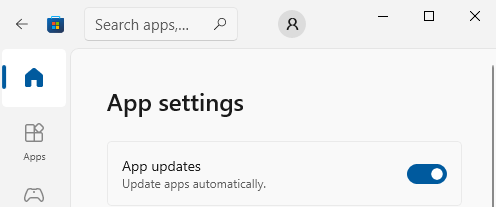
You can configure the Microsoft Store to automatically install updates as per [Wayback/Archive] Turn on automatic app updates (on my system this was the default):
Microsoft Store – Auto-Updates is turned on by default
As a backgrounder, here some articles on Windows Terminal, ConPTY and the Windows Console from the [Wayback/Archive] DevBlogs – Microsoft Developer Blogs:
- [Wayback/Archive] Windows Command-Line: Backgrounder | Windows Command Line Tools For Developers
- [Wayback/Archive] Windows Command-Line: The Evolution of the Windows Command-Line | Windows Command Line
- [Wayback/Archive] Windows Command-Line: Inside the Windows Console | Windows Command Line
- [Wayback/Archive] Windows Command-Line: Introducing the Windows Pseudo Console (ConPTY) | Windows Command Line
- [Wayback/Archive] Windows Command-Line: Unicode and UTF-8 Output Text Buffer | Windows Command Line
More on (pseudo)terminals in general containing [Wayback/Archive] “ConPTY” – Search results – Wikipedia:
More on using the Windows Terminal:
- [Wayback/Archive] Windows Terminal installation | Microsoft Docs
- [Wayback/Archive] How to make a pretty prompt in Windows Terminal with Powerline, Nerd Fonts, Cascadia Code, WSL, and oh-my-posh – Scott Hanselman’s Blog
- [Wayback/Archive] It’s time for you to install Windows Terminal – Scott Hanselman’s Blog
- [Wayback/Archive] Take your Windows Terminal and PowerShell to the next level with Terminal Icons – Scott Hanselman’s Blog
- [Wayback/Archive] Adding Predictive IntelliSense to my Windows Terminal PowerShell Prompt with PSReadline – Scott Hanselman’s Blog
- [Wayback/Archive] My Ultimate PowerShell prompt with Oh My Posh and the Windows Terminal – Scott Hanselman’s Blog
My related blog posts:
- On my reading list: Windows Console and PTY
- Installing Windows OpenSSH from the command-line on Windows 10 and 11
–jeroen


 The Wiert Corner - irregular stream of stuff