


Adobe Acrobat Reader – Content Preparation Progress window
Posted by jpluimers on 2019/04/08
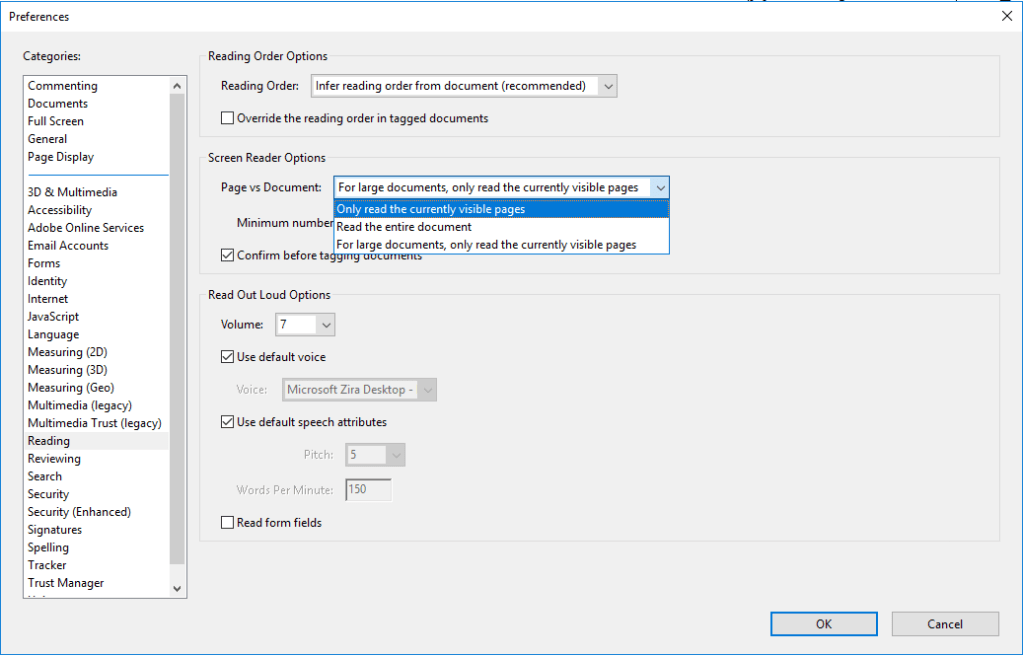
I hope this gets rid of the content preparation progress window:
Disable the screen reader options in Adobe Acrobat:
- [WayBack] Adobe Acrobat prompts that the document is untagged and must be prepared for reading
- [WayBack] Adobe Acrobat 11 – Content Preparation Progress window – Spiceworks
- [WayBack] How do I disable accessibility features??? | Adobe Community
–jeroen

 The Wiert Corner - irregular stream of stuff
Dr. Wu said
Thanks for sharing. Hope for the best!
jpluimers said
Thanks a lot!