


Node-RED
Posted by jpluimers on 2019/12/11
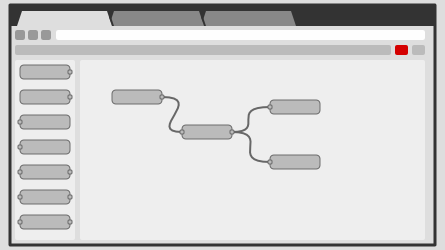
Node-RED is a programming tool for wiring together hardware devices, APIs and online services in new and interesting ways.It provides a browser-based editor that makes it easy to wire together flows using the wide range of nodes in the palette that can be deployed to its runtime in a single-click.
Seems one of the ways to automate our home: [WayBack] Node-RED, as it supports many input and output methods with all kinds of nodes between them:
input output inject debug catch status link link mqtt mqtt http http response websocket websocket tcp tcp udp udp serial serial
It is based on node.js, seems to need PM2 for running as a service, so I need to first figure out how well it runs on OpenSuSE (with more details than this gist).
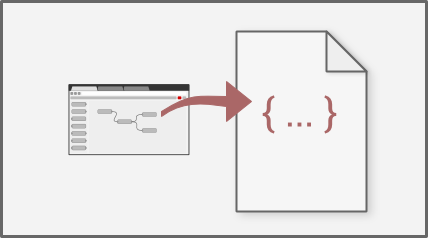
After that I need to figure out how to version your configurations using git and document as it looks like the configurations sources are stored in JSON format [WayBack].
For resources:
- StackOverflow node-red tag
- Github node-red repositories
- nodered documentation to:
- get started (including Installation, Running, Adding non-stock Nodes, Upgrading, Creating your first and second flow, running on Docker / Windows)
- running on a device (Raspberry Pi, BeagleBone Black, Android) which needs extra device specific modules to hardware inputs/outputs
- communicating with a device (Arduino)
- running in the cloud (IBM Bluemix, SenseTecnic FRED, Amazon Web Services, Microsoft Azure)
- user guide (including Configuration, Security, Logging, Command-line Admin, Writing Functions, Embedding into an existing app)
- cookbook (with many flows covering Basics, HTTP and MQTT)
- creating nodes (with a wall of information: Creating your first node, JavaScript File, HTML File, Storing Context, Node properties, Node credentials, Node appearance, Node status, Configuration nodes, Help style guide, Packaging, Internationalisation)
- flows (hundreds of them)
- get started (including Installation, Running, Adding non-stock Nodes, Upgrading, Creating your first and second flow, running on Docker / Windows)
Code is published as JSON, but I wish more examples also showed the visual representation.
Via: [WayBack] Now I can go to bed :-) Added node-red [1] to my setup and thanks to node-red-contrib-ui [2] (replaced by node-red-dashboard [3]) I can now generate ni… – Jan Wildeboer – Google+ who also provided the large screenshot below.
–jeroen
This file contains hidden or bidirectional Unicode text that may be interpreted or compiled differently than what appears below. To review, open the file in an editor that reveals hidden Unicode characters.
Learn more about bidirectional Unicode characters
| openSUSE and SLE | |
| Download Node.js via openSUSE one-click. | |
| Available RPM packages for: openSUSE 11.4, 12.1, 12.2, 12.3, 13.1, Factory and Tumbleweed; SLE 11 (with SP1/SP2/SP3 variations). | |
| Example install on openSUSE 13.1: | |
| sudo zypper ar \ | |
| http://download.opensuse.org/repositories/devel:/languages:/nodejs/openSUSE_13.1/ \ | |
| Node.js | |
| sudo zypper in nodejs nodejs-devel | |
| pm2 statup fix | |
| https://github.com/Unitech/pm2/issues/57 | |
| https://github.com/Unitech/pm2#startup-script-generation |


 The Wiert Corner - irregular stream of stuff
Leave a comment