The Wiert Corner – irregular stream of stuff

Jeroen W. Pluimers on .NET, C#, Delphi, databases, and personal interests

  • My badges

  • Twitter Updates

  • My Flickr Stream

  • Pages

  • All categories

  • Enter your email address to subscribe to this blog and receive notifications of new posts by email.

    Join 1,860 other subscribers

Archive for the ‘Photography’ Category

The new MonsterAdapter LA-FZ1 lens adapter with AF support for old F-mount lenses is now available for sale – Nikon Rumors

Posted by jpluimers on 2025/11/27

Just in case I upgrade from F-mount to Z-mount and want to re-use my old 1980s/1990s era F-mount lenses:

[Wayback/Archive] The new MonsterAdapter LA-FZ1 lens adapter with AF support for old F-mount lenses is now available for sale – Nikon Rumors

Related: [Wayback/Archive] MonsterAdapter LA-FZ1 Archives – Nikon Rumors

--jeroen

Posted in About, LifeHacker, Nikon, Personal, Photography, Photography, Power User | Leave a Comment »

DPReview archives: how accessible will they be?

Posted by jpluimers on 2023/04/10

There are various posts indicating part or all of DPreview will be archived:

  1. [Wayback/Archive] DPReview closure: an update: Digital Photography Review
  2. [Wayback/Archive] The Wayback Machine on Twitter: “@jpluimers @geerlingguy @internetarchive We are “on it””
  3. [Wayback/Archive] DPReview – Archiveteam
  4. [Wayback/Archive] Digicam Finder · The most complete and accurate digital camera data source on the internet (1994 — 2023)  which is open source at [Wayback/Archive] open-product-data/digital-cameras: The most complete and accurate digital camera* data on the internet, assembled and maintained by the community. (via [Wayback/Archive] Good news — the camera feature search and all data is saved | Migration | DPRevived)

I wonder how accessible each form of archive will be. The last entry in the above list is very accessible, but only has the camera data (which is a very important aspect, but do not underestimate the forum with millions of posts either).

–jeroen

Posted in ArchiveTeamWarrior, Internet, InternetArchive, Photography, Power User | Leave a Comment »

In deze tijden van desinformatie belangrijker dan ooit “Zo check je waar die foto vandaan komt: foto’s controleren met een paar muisklikken.” (Peter Burger op Twitter) #OSINT

Posted by jpluimers on 2022/04/08

(English link for OSINT video/photo checking at the bottom of the post)

[Wayback/Archive] Peter Burger on Twitter: “Zo check je waar die foto vandaan komt: foto’s controleren met een paar muisklikken.”

Met voorbeeld video’s hoe je dit met foto’s kunt doen, en een wat langere YouTube video hoe je dat ook met video kunt doen via [Wayback/Archive] Peter Burger on Twitter: “@ManoelServal Hebben we net een video over gemaakt! …”

[Wayback/Archive] Hoe check je video’s? – YouTube

Soms kom je op internet video’s tegen waarvan je denkt: klopt dat wel? In deze video van Nieuwscheckers zie je hoe je heel simpel kan controleren waar een video vandaan komt. http://www.nieuwscheckers.nl

Verderop in de replies een eenvoudige manier om video’s terug te vinden [Wayback/Archive] Peter Burger on Twitter: “@CarelBrendel Met gewoon screenshots maken en dan reverse image search kom je vaak een heel eind. Wil je meer dan is er speciaal voor video de Amnesty YouTube Data Viewer en vooral de geweldige plugin van Invid: …”:

[Wayback/Archive] InVID Verification Plugin – InVID project

A plugin to debunk fake news and to verify videos and images

It is available on that page for both Firefox and Chrome.

Via:

English

The last link also pointed to a tweet English content on tracing the source of video/photo material [Wayback/Archive] Jan Vergouwe on Twitter: “Ook benieuwd wat je zou kunnen doen om te checken of een foto of video nep of echt is? Een goed te volgen (in Engels wel) introductie…”

[Wayback/Archive] Shayan Sardarizadeh on Twitter: “Are you keen to learn how to use free, open source tools to investigate and verify videos and images online? @_kRaay @BenDoBrown @paulybrown and I have made a video with some tips about how we in @BBCNews verify online content. You might actually like it! …”

–jeroen

Read the rest of this entry »

Posted in LifeHacker, Photography, Power User, SocialMedia, Twitter, YouTube | Leave a Comment »

Nikon D700 Firmware A:Ver.1.04/B:Ver.1.03 2013/05/21

Posted by jpluimers on 2021/02/08

Links for Nikon D700 Firmware A:Ver.1.04/B:Ver.1.03 2013/05/21

Via:  [Cache/Archive.is] Approved Memory Cards – D700

–jeroen

Posted in Nikon, Photography, Power User | Leave a Comment »

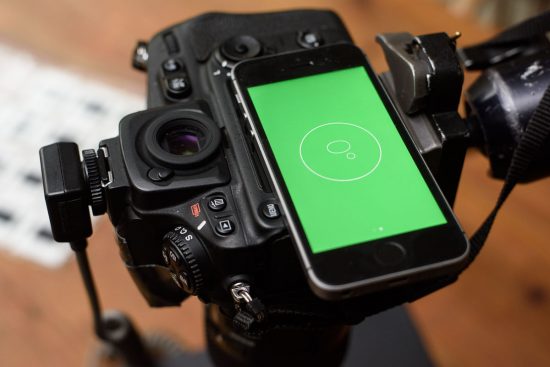
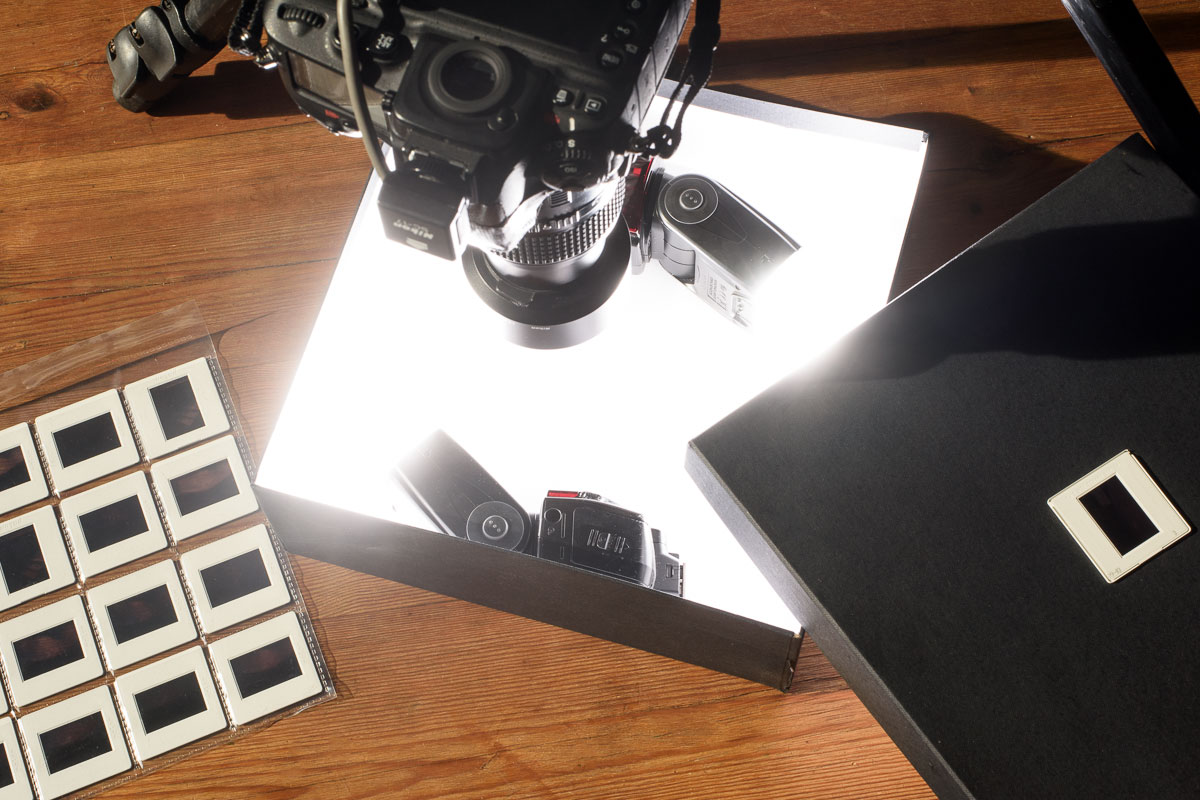
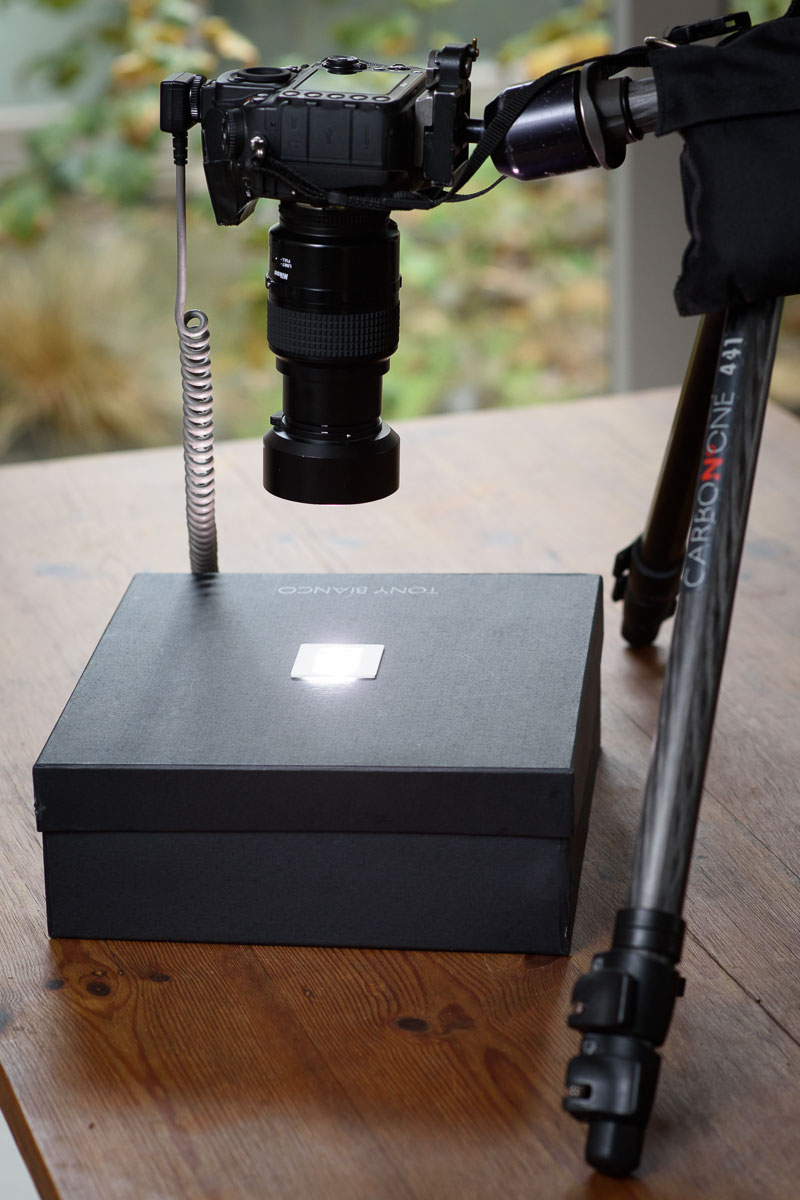
Copying photographic film with the Nikon D810 and a shoe box | Nikon Rumors

Posted by jpluimers on 2020/08/14

Cool idea:

Copying photographic film with the Nikon D810 and a shoe box by Anthony McKee (www.anthonymckee.com): While many photographers are keenly waiting for the new Nikon ES2 film digitising adapter set to arrive in stores, I have been making use of my own Nikon film copying kit that I put together a while ago using a Nikon

Source: [WayBackCopying photographic film with the Nikon D810 and a shoe box | Nikon Rumors


–jeroen

Posted in Nikon, Photography, Power User | Leave a Comment »

Nikon D850 Negative Digitizer Mode | Richard Haw’s Nikon Maintenance Site

Posted by jpluimers on 2017/10/23

For my link archive:

–jeroen

Posted in LifeHacker, Nikon, Photography, Power User | Leave a Comment »

For both FX and DX lenses: printable Nikon lens hood templates – via Nikon Rumors

Posted by jpluimers on 2015/03/23

Since I posted In case I ever misplace/break one: Free printable cardboard lens hoods, I found that Nikon Rumours had covered that too.

Now the added even more coverage in Printable Nikon lens hood templates | Nikon Rumors.

Which is kind of neat as now there are two kinds of printable lens hoods: DX (for my D300) and FX (for my D700).

–jeroen

PS: Missed Schedule fired again on this post as it was originally scheduled for 6:00 some European time zone (not sure which, as WordPress.com is unclear about that though).

Posted in LifeHacker, Nikon, Photography, Power User | Leave a Comment »

Some paper tricks for your digital camera (in my case: Nikon D700/D300, SB-900 and various lenses)

Posted by jpluimers on 2014/08/25

Sometimes cheap paper stuff beats having no tools at all.

Two things you can use with your Nikon:

For semi- or professional white balance, you’d probably use the WhiBal from Michael Tapes (the same guys that created LensAlign).

–jeroen

Posted in Nikon, Photography, Power User | Leave a Comment »

In case I ever misplace/break one: Free printable cardboard lens hoods

Posted by jpluimers on 2014/07/11

Like a lens cap, lens hoods are also easy to misplace, loose or break.

For most DLSR lenses, there are Free printable cardboard lens hoods.

–jeroen

Posted in LifeHacker, Nikon, Photography, Power User | 1 Comment »

Nikon D700/D300/D300s/… 3D auto track Autofocus Settings

Posted by jpluimers on 2013/07/26

One of the nicest tips ever for shooting with Nikon D700/D300s/D300:

By setting the Custom Setting Menu a3 (Dynamic AF Area) to 51 Points (3D Tracking) in AF-C and the Crosshair mode, your manually-chosen AF point will magically move all around the frame tracking your subject! You’ll see it move all around, and it really works. This only works in the Crosshair and AF-C mode; it doesn’t move around in the Big White Rectangle, Tit or AF-S modes.

This tracking mode gives us another way to shoot if you don’t want to select a single AF sensor near your subject. If you prefer, you can autofocus with the center sensor, and in this 51-point 3D tracking mode, keep your finger on the shutter and the AF area will move all by itself, tracking the subject as you recompose!

So:

  1. Set your auto focus menu a3 to be “51 Points (3D tracking)”
  2. Set your auto focus switch to Continuous
  3. Focus a focus point to a part of your composition you want to be sharp

If the part moves, or you recompose, the focus point will automatically adjust.

–jeroen

via: Nikon D700 Autofocus Settings.

Posted in Nikon, Photography, Power User | Leave a Comment »