Archive for the ‘Hardware Interfacing’ Category
Posted by jpluimers on 2019/02/12
 Cool: [WayBack] Build a Power Bank in $2: 7 Steps (with Pictures)
Via:
TL;DR:
- salvage 18650 batteries from laptop battery packs
- test to separate good ones from bad ones
- assemble together the good ones
- put them in a holders
- solder plusses to plusses and minuses to minuses
- add charger electronics
- test
- put acrylic plate on front/back
Stuff you need:
–jeroen
Posted in 18650, Batteries, Development, Hardware Development, Hardware Interfacing, Li-Ion, Power User | Leave a Comment »
Posted by jpluimers on 2018/12/18
Since it’s my data, I’d rather be in control myself, so here are some links that will help me going around the Zevercloud solution I posted about yesterday.
- Raspberry Pi based:
- Parse RS485 data
- Parse Zeverlution web-server
- Arduino based:
Some other interesting links of software supporting Zeversolar devices:
Note that PVoutput.org does have native ZeverCloud updating using the ZeverSolar API key:
But these might help me:
–jeroen
Read the rest of this entry »
Posted in Development, Hardware Interfacing, LifeHacker, Power User, Software Development, Solar Power, Zeverlution, Zeversolar | Leave a Comment »
Posted by jpluimers on 2018/11/27
I’m not sure around which firmware versions Fritz!Box started to implement LUA links, but they are now on my research list.
Below a reference and where I found them.
A few notes first:
- There are many duplicates, which in due time I need to de-duplicate.
- The .lua links seem to override the old cgi-bin links (that are partially reverse engineered at [WayBack] Category:Befehle in /usr/www/cgi-bin – Fritz!Box).
- Usually, .lua links require a SID. In the web-ui, a Fritz!Box very much tries to hide that SID from URLs in the browser address bar (especially for firmware versions 06.50 and up) so the easiest to get them is this:
- Login to your Fritz!Box
- Manually copy any of the URLs in the left side
- Take the SID from there.
- More recent firmware versions hide the .lua links too, but you can see them when monitoring your network traffic in the developer mode of your web browser
Logging in programmatically needs a challenge response mechanism. It used to be at [Wayback] http://www.avm.de/de/Extern/Technical_Note_Session_ID.pdf but now has moved to [Wayback/Archive.is] https://avm.de/fileadmin/user_upload/Global/Service/Schnittstellen/AVM_Technical_Note_-_Session_ID.pdf
Here is the list:
Read the rest of this entry »
Posted in Development, Fritz!, Fritz!Box, Hardware Development, Hardware Interfacing, Internet, Power User | Leave a Comment »
Posted by jpluimers on 2018/11/26
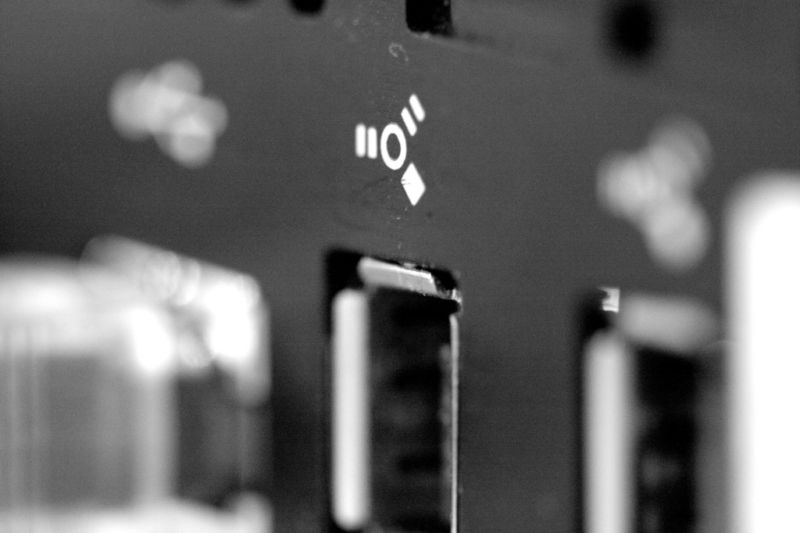
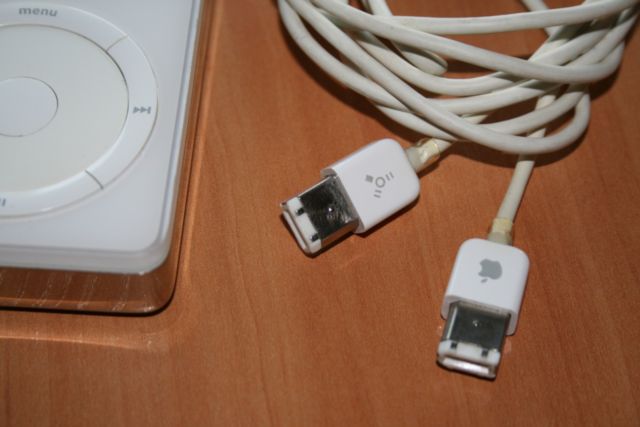
Another piece of history: FireWire also known as IEEE-1394 [WayBack].
[WayBack] The tragedy of FireWire: Collaborative tech torpedoed by corporations | Ars Technica
I still have that iPod, cables and IEEE-1394 adapters to communicate with it (:
It didn’t help that by now various types of connections – including FireWire, USB and others – are also used for DMA hacking. One less connection type, one less risk of entry:
via: [WayBack] Firewire and what could have been.. – Roderick Gadellaa – Google+ and [WayBack] Fred Dresken (Maverick) – Google+
–jeroen
Posted in Development, FireWire, FireWire, Hardware, Hardware Interfacing, History, Power User, USB, USB-C | Leave a Comment »
Posted by jpluimers on 2018/07/27
Later on, I might add a USB31000S in the mix, but I will do some initial testing with USB 3 gigabit ethernet adapters based on Realtek RTL8153 and Asix AX88179 chips.
Things I will focus on with my Retina MacBook Pro 2015 model are:
- CPU usage
- Throughput
- Duration between reconnect on USB after suspend, and renewing the DHCP lease
- Promiscuous mode capabilities
Some links for my references:
A first impression from the above links is that for Realtek chipset based devices, drivers are more readily included in operating systems, and these chipsets are better at VLAN handling.
–jeroen
Posted in Ethernet, LifeHacker, Network-and-equipment, Power User, USB, USB, USB-C | Leave a Comment »
Posted by jpluimers on 2018/06/19
I never realised that Amazon Alexa has an open source account on GitHub: https://github.com/alexa
There are full instructions on getting a Java based Alexa Voice Service (AVS) – also used by Amazon Echo – to run on a Raspberri Pi (3 or better recommended, works on 2 as well) with this extra hardware:
- USB microphone
- Speaker with a 3.5mm audio plug
- USB WiFi (essential for Raspberry Pi 2, optional if you want to boost your WiFi signal on a Raspberry Pi 3)
Full instructions are at Raspberry Pi · alexa/alexa-avs-sample-app Wiki and a video is below: https://www.youtube.com/watch?v=baec1CbV6A0
I should find some time to try this out (:
–jeroen
Read the rest of this entry »
Posted in Development, Hardware, Hardware Development, Hardware Interfacing, Software Development | Leave a Comment »
Posted by jpluimers on 2018/06/08
Be sure to read the comments at USB serial converters from FTDI are quite popular – Thomas Mueller (dummzeuch) – Google+ [WayBack] as it tells more about how to set genuine and fake FTDI chips apart (often before buying them, you cannot tell) and how to replace fake ones buy genuine ones.
Getting back to original means de-soldering fake chips, and soldering new genuine chips on the boards.
Fake chips:
- have limited batches of the same serial (although there are ways to reprogram the serial, see links below)
- connecting multiple adapters with the same serial causes trouble
- are mangled by various FTDI drivers (either their PID is reset, or fake-data is inserted in the serial stream)
- have problems operating at higher data rates
Note that the workarounds for these fake chips mean you cannot use more recent chips.
Links from Thomas’s post and other relevant links on the various kinds of genuine/fake and getting fake ones work again
Fake chips can cause you a lot of headaches – and time – sorting out communication problems: [WayBack] esptool-ck, esp8266, and FTDI Bug Hunting – vilimblog
Two years ago, this shoot-out (with results on github) had a great conclusion:
Buy either an adapter with a genuine FTDI chip, or one of the Silicon Labs CP2102 chips.
The FTDI chip is the only one attaining 3M baud rates.
Overview articles:
SiLabs chips seem to be the only without much trouble:
- [WayBack] SiLabs CP210x USB Adapters For The Win – vilimblog
- The “Legacy Utilities” allow you to re-program the serial on any
cp210x device, no matter the chip source:
- Review of a Generic USB RS 232/485/TTL Adapter (“Winners” branded) – YouTube:
- Almost anything with FTDI/Prolific chips that comes from ebay/aliexpress should be assumed to be counterfeit – easy way to test this is to buy 2 and see if their serial numbers match. You don’t really want to waste your time with fake ones, you’ll end up spending more on those if you try to get them for as cheap as possible. Itead sells an adapter for 6.8 USD with genuine FT232RL chips, but they aren’t in as convenient dongle form factor, but might be worth more than your own time replacing fake chips with genuine ones.Although not mentioned here, CH340/1 should generally be avoided, while they work fine for short periods of time, for longer use they seem to be as unreliable as the counterfeit FTDI/Prolific chips on Linux.
I haven’t seen or recognized a fake CP210x chip yet, so my guess would be that these are generally fine no matter where you get them. One big advantage of those is the integrated voltage 3.3V regulator, which can save some space when rolling your own boards.
FTDI related:
Genuine FTDI seems to be the easiest to find:
- The cheapest solution is re-soldering chips:
- Way more expensive, but saves a lot of time are complete adapters
Prolific has similar issues, driver v3.4.25.218 still works with fake chips:
–jeroen
Related posts where I mentioned some of the trouble with FTDI chips:
Read the rest of this entry »
Posted in *nix, Development, Hardware Development, Hardware Interfacing, Legacy Ports: COM, Linux, openSuSE, Power User, SuSE Linux | Leave a Comment »
Posted by jpluimers on 2017/10/30
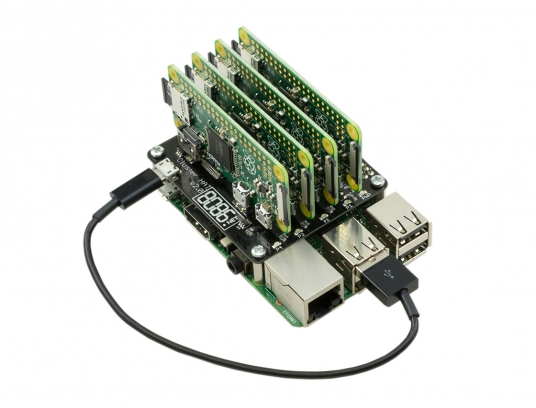 Interesting stuff; I wonder if there is a case for it as well:
The Cluster HAT interfaces a (Controller) Raspberry Pi A+/B+/2/3 with 4 Raspberry Pi Zeros Configured to use USB Gadget mode, it is an ideal tool for teaching, testing or simulating small scale clusters.
This Kit Includes 1 x Cluster HAT V2, 4 x Raspberry Pi Zero’s, 4 x 16GB Micro SD Cards.
Please Note. A Raspberry Pi B+/2/3, with SD Card & Power Supply are also required for set up. These items are NOT Included in the Kit but can be purchased separately.
Source: [WayBack] ModMyPi | Cluster HAT Kit Inc. 4 x Raspberry Pi Zero
Via Matthijs ter Woord.
–jeroen
Posted in Development, Hardware Development, Hardware Interfacing, Raspberry Pi | 2 Comments »


 The Wiert Corner - irregular stream of stuff