At the time of writing: The Selective Debugging package currently supports Delphi XE to Delphi 10.1 Berlin. It can be downloaded here: SelectiveDebuggingSetup.zip [WayBack]
If when setting up Continuous Integration (CI) with Delphi and you get errors like E2202"Required package 'rtl' not found" or F1027"Unit not found: 'System.pas'", then something is wrong with your library path on the CI server.
Before going into the details of why, the quick solution is to set either of these environment variables in your build script
put your resources in a text RC file that can be compiled through a resource compiler
add these to your Delphi project via the project manager, so it generated RcCompile elements which instructs the build process to run the resource compiler first:
This file contains hidden or bidirectional Unicode text that may be interpreted or compiled differently than what appears below. To review, open the file in an editor that reveals hidden Unicode characters. Learn more about bidirectional Unicode characters
While upgrading a truckload of Delphi stuff for a client, I came across the IMPLICITBUILDING directive in a few .dpk files that Delphi XE2 sometimes inserts but XE8 doesn’t.
This appears to be a Delphi XE2 specific thing that in younger Delphi versions has been solved properly SolarWind‘s answer on Stack Overflow:
The compiler directives which appear between the $IFDEF IMPLICITBUILDING and $ENDIF are normally passed as parameters by the compiler when explicitly compiling a package. Because these options change based on the configuration (debug / release) and target platform (Win32, Win64, OSX32) it’s problematic to have them statically defined in the package project source. When defined in the project source they will always override the options passed by the compiler. The $IFDEF prevents these options from being used during explicit compilation.
That seems to be a workaround for the problem that compiling packages with the msbuild script ignored all dproj compiler options because they were read from the dpk file by the compiler.
Some more references (I’ve saved them in the WayBack machine as the forums auto-expire posts):
class function TCardinalHelper.Parse(const S: string): Cardinal;
begin
  Result := StrToInt(S);
end;
Which means you get this nice EConvertError with message ''4294967295' is not a valid integer value'. with this simple test (which doesn’t even reach the Assert):
uses
  System.SysUtils;

procedure Cardinal_Parse_High_Cardinal_Succeeds();
var
  Expected: Cardinal;
  Value: string;
  Actual: Cardinal;
begin
  Expected := High(Cardinal);
  Value := Expected.ToString();
  Actual := Cardinal.Parse(Value);
  Assert(Expected = Actual);
end;
So I write some unit tests (see below) of which helpers for these types fail in one way or the other:
program dcc32_F2084_C2359;

type
  TNumber = Int64; // UInt64; // fails too; other numeric types do not fail. Fails in a unit as well.
  TNumbers = TArray;
  TNumberRange = record
  strict private
    function GetLowerBound: TNumber;
  public
    function Numbers: TNumbers;
    property LowerBound: TNumber read GetLowerBound;
  end;

{ TNumberRange }

function TNumberRange.GetLowerBound: TNumber;
begin
  Result := Default(TNumber);
end;

function TNumberRange.Numbers: TNumbers;
var
  lValue: TNumber;
begin
  for lValue := LowerBound to LowerBound do
  ;
end;

begin
end.
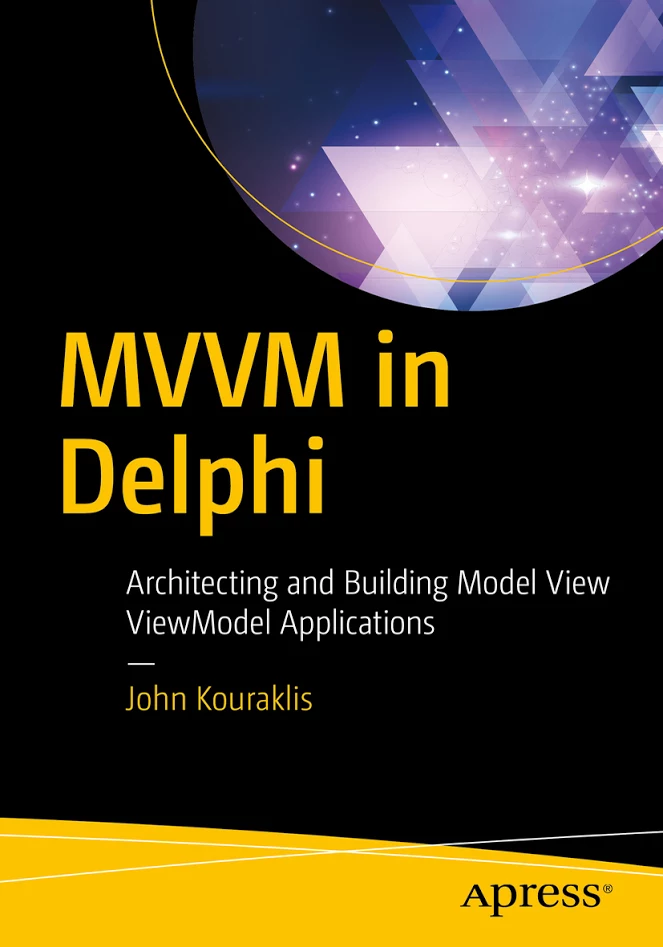
Nick Hodges did the technical review, and since Nick’s book are great I have high hopes (:
From the APress site:
Full Description
Dive into the world of MVVM, learn how to build modern Windows applications, and prepare for cross-platform development. This book introduces you to the right mindset and demonstrates suitable methodologies that allow for quick understanding of the MVVM paradigm. MVVM in Delphi shows you how to use a quick and efficient MVVM framework that allows for scalability, is of manageable complexity, and provides strong efficiency.
One of the biggest challenges developers face is how to convert legacy and monolithic Delphi applications to the MVVM architecture. This book takes you on a step-by-step journey and teaches you how to adapt an application to fit into the MVVM design.
What you’ll learn
Gain the fundamentals of MVVM
Visualize MVVM as a design philosophy
Create easy-to-use frameworks for building your own MVVM applications
Develop a methodology for converting legacy applications to the MVVM pattern
Architect cross-platform and multi-lingual applications using the MVVM pattern
Who this book is for
Delphi developers with a good knowledge of Delphi or programming experience in a different language. In addition, this book is attractive to Delphi developers who want to modernize existing applications based on the MVVM design.
and
Table of Contents
1. MVVM as Design Pattern
2. Setting Up the POSApp
3. MVVM as Design Philosophy
4. Two-way Communication
5. MVVM and Delphi
6. Planning the Application
7. Developing the Application
8. How to Convert your App to MVVM
A. Appendix: Other MVVM Delphi frameworks


 I wrote about disabling Castalia before. This is yet another reason why I disabled it: on a fresh install it will throw errors at startup like this one in XE8: [WayBack] http://qc.embarcadero.com/wc/qcmain.aspx?d=139278


 The Wiert Corner - irregular stream of stuff