The Wiert Corner – irregular stream of stuff

Jeroen W. Pluimers on .NET, C#, Delphi, databases, and personal interests

  • My badges

  • Twitter Updates

  • My Flickr Stream

  • Pages

  • All categories

  • Enter your email address to subscribe to this blog and receive notifications of new posts by email.

    Join 1,854 other subscribers

Archive for the ‘Software Development’ Category

Some of the Oracle database errors I encountered

Posted by jpluimers on 2021/05/26

For my future self:

'Invalid Oracle Home: '

Not sure what exactly fixed this, but likely either of these:

It can also have to do with Win32 versus Win64.

Related:

Status : Failure -Test failed: Listener refused the connection with the following error:
ORA-12514, TNS:listener does not currently know of service requested in connect descriptor

This was using tnsping (actually the alternative McTnsPing); cause was the DBMS server VM being down..

ORA-12545: Connect failed because target host or object does not exist

It meant the VPN connection to the site having the Oracle server was down.

Related: [WayBack] ORA-12545 – Oracle FAQ

ORA-01017: invalid username/password; logon denied

There was confusion on which test credentials to use.

Related (as there are some bugs, case sensitivity issues, and confusion around special characters like $):

Need Oracle 8 Call Interface

a

ORA-06550: line 2, column 36:

Actual error:

ORA-06550: line 2, column 36:
PLS-00103: Encountered the symbol ":" when expecting one of the following:

   ( - + case mod new not null <an identifier>
   <a double-quoted delimited-identifier> <a bind variable>
   continue avg count current exists max min prior sql stddev
   sum variance execute forall merge time timestamp interval
   date <a string literal with character set specification>
   <a number> <a single-quoted SQL string> pipe
   <an alternatively-quoted string literal with character set speci.

The cause was a bit of PL/SQL as per [WayBack] ORA-06550 tips.

It was odd, as I was calling

Source: “SYS.DBMS_APPLICATION_INFO.SET_CLIENT_INFO” – Google Search which is part of package “SYS.DBMS_APPLICATION_INFO”.

In the end it all turned out that the underlying library was trying to use OCI 7 in stead of more modern OCI, so the OCI 7 API did not accept the more modern data.

ORA-03135: connection lost contact
Process ID: 14513
Session ID: 19 Serial number: 8319

VPN connection died; application did not have re-connect logic to restore the database connection.

ORA-12545: Connect failed because target host or object does not exist

a

ORA-12545: Connect failed because target host or object does not exist

a

ORA-12545: Connect failed because target host or object does not exist

a

ORA-12545: Connect failed because target host or object does not exist

a

ORA-12545: Connect failed because target host or object does not exist

a

–jeroen

Posted in Database Development, Development, OracleDB, Software Development | Leave a Comment »

msbuild build events can inherit, but not add in addition to inherited build events (so projects in Visual Studio, Delphi and others cannot do that either)

Posted by jpluimers on 2021/05/26

Bummer: I tried to inherit the build events from a base configuration, then add some extra steps for some of the inheriting configurations.

Those configurations just executed the extra steps, not the inherited steps.

This affects Visual Studio, Delphi and any other tool based on msbuild, as this is an ms-build thing:

–jeroen

Posted in .NET, Continuous Integration, Delphi, Development, msbuild, Software Development, Visual Studio and tools | Leave a Comment »

Figure out access violation in Dsmtoolwindow.GetPreferences

Posted by jpluimers on 2021/05/26

Access violation when loading the Delphi IDE

Got the below error on Delphi 10.2 Tokyo with ODAC trial from DevArt at Delphi startup time (Error: Access violation at address 188F3528 in module 'DataSetManager250.bpl'. Read of address 00000000.).

My guess it is some configuration prerequisite which – when not existing – is handled very ungracefully.

This might have to do with my installation being a non-administrator Delphi user, but the ODAC installation requiring UAC elevation to administrative level.

In short this means the installing user is different from the user that runs Delphi.

Related (indicating it was fixed years ago, but apparently isn’t) via dsmtoolwindow.getpreferences – Google Search:

Workaround is to unregister the DataSetManager250.bpl package, though I have to figure out what functionality that disables.

[188F3528]{DataSetManager250.bpl} Dsmtoolwindow.GetPreferences + $18
[23CA524D]{Jcl240.bpl  } Jclhookexcept. + $0
[50060B13]{rtl250.bpl  } System.@HandleAnyException (Line 19991, "System.pas" + 13) + $0
[211B3A05]{designide250.bpl} DockForm.TDockableForm.FormCreate (Line 258, "DockForm.pas" + 11) + $1B
[188F2DEA]{DataSetManager250.bpl} Dsmtoolwindow.TDsmToolWindow.FormCreate + $4E
[50C06BC1]{vcl250.bpl  } Vcl.Forms.TCustomForm.DoCreate (Line 3788, "Vcl.Forms.pas" + 3) + $C
[50C067DD]{vcl250.bpl  } Vcl.Forms.TCustomForm.AfterConstruction (Line 3671, "Vcl.Forms.pas" + 1) + $D
[50060039]{rtl250.bpl  } System.@AfterConstruction (Line 18301, "System.pas" + 2) + $5
[188EBE9B]{DataSetManager250.bpl} Dsmtoolwindow.TDsmToolWindow + $43B
[188EA93D]{DataSetManager250.bpl} Dsmtoolwindow.TDsmToolWindow.CreateForm + $19
[188F7C81]{DataSetManager250.bpl} Dsmexpert.initialization + $31
[50061276]{rtl250.bpl  } System.InitUnits (Line 22833, "System.pas" + 21) + $0
[500612E6]{rtl250.bpl  } System.@PackageLoad (Line 22861, "System.pas" + 8) + $0
[188A1A09]{DataSetManager250.bpl} __dbk_fcall_wrapper + $195
[188F6DA1]{DataSetManager250.bpl} Initialize + $5
[500A0377]{rtl250.bpl  } System.SysUtils.InitializePackage (Line 25779, "System.SysUtils.pas" + 4) + $0
[500A04D1]{rtl250.bpl  } System.SysUtils.LoadPackage (Line 25830, "System.SysUtils.pas" + 18) + $5
[21E1AFAF]{delphicoreide250.bpl} PasCppPakMgr.TIDEDesignPackage.ClearModules (Line 2189, "PasCppPakMgr.pas" + 14) + $10
[204E9A94]{coreide250.bpl} PakLoad.TPackage.DoLoadPackage (Line 146, "PakLoad.pas" + 0) + $8
[204E9C09]{coreide250.bpl} PakLoad.TPackage.Load (Line 220, "PakLoad.pas" + 7) + $7
[204EC425]{coreide250.bpl} PakMgr.TDesignPackage.Load (Line 591, "PakMgr.pas" + 2) + $2
[21E1B2CB]{delphicoreide250.bpl} PasCppPakMgr.TIDEDesignPackage.Load (Line 2292, "PasCppPakMgr.pas" + 4) + $3
[50060039]{rtl250.bpl  } System.@AfterConstruction (Line 18301, "System.pas" + 2) + $5
[21E1B0DF]{delphicoreide250.bpl} PasCppPakMgr.TIDEDesignPackage.DelayLoad (Line 2217, "PasCppPakMgr.pas" + 11) + $4
[21E1572A]{delphicoreide250.bpl} PasCppPakMgr.LoadDesignPackage (Line 463, "PasCppPakMgr.pas" + 10) + $5
[0B6A0F84]{IDEFixPack.dll} SplashProgress2005p.HookedLoadDesignPackage (Line 277, "SplashProgress2005p.pas" + 3) + $3
[21E15A33]{delphicoreide250.bpl} PasCppPakMgr.LoadProjectPackages (Line 534, "PasCppPakMgr.pas" + 52) + $11
[21F20DBF]{delphicoreide250.bpl} BasePasProjOpts.TProjOptsManager.DoLoadPackages (Line 1604, "BasePasProjOpts.pas" + 22) + $6
[21F21BB4]{delphicoreide250.bpl} BasePasProjOpts.TProjOptsManager.LoadPackages (Line 1839, "BasePasProjOpts.pas" + 0) + $0
[21F22BD5]{delphicoreide250.bpl} BasePasProjOpts.TProjectOptions.LoadPackages (Line 2419, "BasePasProjOpts.pas" + 0) + $5
[22585BF3]{delphide250.bpl} DelphiProject.TDelphiProjectCreationTrait.LoadDefaultLibraries (Line 256, "DelphiProject.pas" + 1) + $1F
[2058A109]{coreide250.bpl} ProjectGroup.TDefaultProjectWrapper.LoadDefaultLibraries (Line 3544, "ProjectGroup.pas" + 5) + $31
[206DB2B9]{coreide250.bpl} Desktop.LoadDefaultDesktopState (Line 966, "Desktop.pas" + 3) + $9
[206DC0D5]{coreide250.bpl} Desktop.LoadDesktop (Line 1223, "Desktop.pas" + 73) + $0
[0049FBA8]{bds.exe     } AppMain.PostCreateInit (Line 2154, "AppMain.pas" + 57) + $0
[004A00B6]{bds.exe     } AppMain.TAppBuilder.CMPostCreateInit (Line 2257, "AppMain.pas" + 4) + $1
[50AC4C16]{vcl250.bpl  } Vcl.Controls.TControl.WndProc (Line 7326, "Vcl.Controls.pas" + 91) + $6
[50C110C3]{vcl250.bpl  } Vcl.Forms.TApplication.WndProc (Line 10270, "Vcl.Forms.pas" + 194) + $1
[50AC97FB]{vcl250.bpl  } Vcl.Controls.TWinControl.WndProc (Line 10197, "Vcl.Controls.pas" + 166) + $6
[50C080B5]{vcl250.bpl  } Vcl.Forms.TCustomForm.WndProc (Line 4546, "Vcl.Forms.pas" + 209) + $5
[50AC8DC8]{vcl250.bpl  } Vcl.Controls.TWinControl.MainWndProc (Line 9896, "Vcl.Controls.pas" + 3) + $6
[5016EBC4]{rtl250.bpl  } System.Classes.StdWndProc (Line 17406, "System.Classes.pas" + 9) + $2
[50C11A6F]{vcl250.bpl  } Vcl.Forms.TApplication.ProcessMessage (Line 10613, "Vcl.Forms.pas" + 23) + $1
[50C11AB2]{vcl250.bpl  } Vcl.Forms.TApplication.HandleMessage (Line 10643, "Vcl.Forms.pas" + 1) + $4
[50C11DE5]{vcl250.bpl  } Vcl.Forms.TApplication.Run (Line 10781, "Vcl.Forms.pas" + 26) + $3
[005088E2]{bds.exe     } bds.bds (Line 212, "" + 7) + $7

Solved the access violation

Notes:

  • %APPDATA% points to %USERPROFILE%\AppData\Roaming (where usually %USERPROFILE% is on the %HOMEDRIVE%)

Fix script (the double backslash \\ is needed, otherwise the final double quote " becomes part of the path name):

setlocal
:: 19.0 is the version for Delphi 10.2 Tokyo 
set ProductVersion=19.0
reg add "HKEY_CURRENT_USER\Software\Devart\DataSetManager\BDS\%ProductVersion%" /v "ConfigFilePath" /f /t REG_SZ /d "%APPDATA%\Embarcadero\BDS\%ProductVersion%\\"
endlocal

This allows for an XML file named DataSetManager.cfg to be created in the ConfigFilePath directory.

Even though Process Monitor will show access to the below keys, there is no need to add any values there:

  • KEY_CURRENT_USER\Software\Devart\DBMonitor
  • KEY_CURRENT_USER\SOFTWARE\Devart\ODAC
  • HKLM\Software\WOW6432Node\Devart\ODAC
  • HKLM\Software\WOW6432Node\Devart\Odac

Deploy enough BPLs

Another thing when running ODAC trial and licensed applications

---------------------------
ODAC
---------------------------
%1 is not a valid Win32 application
ODAC Trial version needs additional "bpl" files to be present on the user PC.
If you build your project without run-time packages you need:
  dac250.bpl
  odac250.bpl
---------------------------
OK   
---------------------------

This message is incomplete; what it should say is that any BPL dependencies must be deployed. One way to find out about those is to use I wanted to know the loaded DLLs in a process like Process Explorer shows, but from the console: Sysinternals ListDLLs to the rescue.

Another way is to use TDUMP (see [WayBack] TDUMP.EXE, the File Dumping Utility) and search for the import tables. I did just that for the 10.2 trial; below is the full list.

There is way better documentation at Devart ODAC Deployment: Deploying Windows applications built without run-time packages which fails to properly archive in the WayBack machine (it gets into a redirect loop) so I quote it in full:

Deploying Windows applications built without run-time packages

You do not need to deploy any files with ODAC-based applications built without run-time packages, provided you are using a registered version of ODAC.

You can check your application does not require run-time packages by making sure the “Build with runtime packages” check box is not selected in the Project Options dialog box.

Trial Limitation Warning

If you are evaluating deploying Windows applications with ODAC Trial Edition, you will need to deploy the following DAC BPL files:

dacXX.bpl always
odacXX.bpl always

and their dependencies (required IDE BPL files) with your application, even if it is built without run-time packages:

rtlXX.bpl always
dbrtlXX.bpl always
vcldbXXX.bpl always

Deploying Windows applications built with run-time packages

You can set your application to be built with run-time packages by selecting the “Build with runtime packages” check box in the Project Options dialog box before compiling your application.

In this case, you will also need to deploy the following BPL files with your Windows application:

dacXX.bpl always
odacXX.bpl always
dacvclXX.bpl if your application uses the OdacVcl unit
odacvclXX.bpl if your application uses the OdacVcl unit
crcontrolsXX.bpl if your application uses the CRDBGrid component

From those posts and the below full list, you also need to deploy the bold dependencies:

  • dac250.bpl
    • rtl250.bpl
    • dbrtl250.bpl
  • odac250.bpl
    • rtl250.bpl
    • dbrtl250.bpl
    • dac250.bpl

Enabling your projects to use ODAC packages

To get around errors like "E2202 Required package 'odac' not found", you need to ensure the correct .dcp files for ODAC are referenced.

Unlike Delphi, the ODAC .dcp files contain a version number, so in your required packages list, ensure you add them not like rtl;dbrtl, but like dac250;odac250.

List of various ODAC BPL dependencies

dac250.bpl
Imports from kernel32.dll
Imports from rtl250.bpl
Imports from wsock32.dll
Imports from dbrtl250.bpl
Imports from ole32.dll
Imports from user32.dll

dacfmx250.bpl
Imports from kernel32.dll
Imports from rtl250.bpl
Imports from dbrtl250.bpl
Imports from user32.dll
Imports from fmx250.bpl
Imports from dac250.bpl

dacvcl250.bpl
Imports from kernel32.dll
Imports from rtl250.bpl
Imports from dbrtl250.bpl
Imports from user32.dll
Imports from dac250.bpl
Imports from vcl250.bpl

dcldac250.bpl
Imports from vclactnband250.bpl
Imports from wininet.dll
Imports from shell32.dll
Imports from user32.dll
Imports from version.dll
Imports from oleaut32.dll
Imports from dac250.bpl
Imports from dacvcl250.bpl
Imports from vcldb250.bpl
Imports from dcldb250.bpl
Imports from xmlrtl250.bpl
Imports from kernel32.dll
Imports from rtl250.bpl
Imports from designide250.bpl
Imports from ole32.dll
Imports from dbrtl250.bpl
Imports from gdi32.dll
Imports from vcl250.bpl

odac250.bpl
Imports from kernel32.dll
Imports from rtl250.bpl
Imports from dbrtl250.bpl
Imports from version.dll
Imports from user32.dll
Imports from dac250.bpl
Imports from advapi32.dll

odacvcl250.bpl
Imports from kernel32.dll
Imports from odac250.bpl
Imports from rtl250.bpl
Imports from dbrtl250.bpl
Imports from dac250.bpl
Imports from dacvcl250.bpl
Imports from vcl250.bpl

dclodac250.bpl
Imports from vclactnband250.bpl
Imports from odac250.bpl
Imports from dcldac250.bpl
Imports from odacvcl250.bpl
Imports from shell32.dll
Imports from user32.dll
Imports from dac250.bpl
Imports from dcldb250.bpl
Imports from vcldb250.bpl
Imports from dacvcl250.bpl
Imports from vclimg250.bpl
Imports from kernel32.dll
Imports from xmlrtl250.bpl
Imports from rtl250.bpl
Imports from designide250.bpl
Imports from dbrtl250.bpl
Imports from vcl250.bpl

odacfmx250.bpl
Imports from kernel32.dll
Imports from odac250.bpl
Imports from rtl250.bpl
Imports from dacfmx250.bpl
Imports from dbrtl250.bpl
Imports from fmx250.bpl
Imports from dac250.bpl

dclodacfmx250.bpl
Imports from kernel32.dll
Imports from odac250.bpl
Imports from odacfmx250.bpl
Imports from rtl250.bpl
Imports from dacfmx250.bpl
Imports from dbrtl250.bpl
Imports from fmx250.bpl
Imports from dac250.bpl

oraprov250.bpl
Imports from kernel32.dll
Imports from odac250.bpl
Imports from dsnap250.bpl
Imports from rtl250.bpl
Imports from dbrtl250.bpl
Imports from dac250.bpl

dcloraprov250.bpl
Imports from kernel32.dll
Imports from odac250.bpl
Imports from dsnap250.bpl
Imports from rtl250.bpl
Imports from dbrtl250.bpl
Imports from oraprov250.bpl
Imports from dac250.bpl

datasetmanager250.bpl
Imports from vclactnband250.bpl
Imports from dcldac250.bpl
Imports from comctl32.dll
Imports from user32.dll
Imports from dac250.bpl
Imports from vclx250.bpl
Imports from dacvcl250.bpl
Imports from dcldb250.bpl
Imports from vcldb250.bpl
Imports from kernel32.dll
Imports from xmlrtl250.bpl
Imports from rtl250.bpl
Imports from designide250.bpl
Imports from dbrtl250.bpl
Imports from gdi32.dll
Imports from vcl250.bpl

crcontrols250.bpl
Imports from kernel32.dll
Imports from rtl250.bpl
Imports from dbrtl250.bpl
Imports from user32.dll
Imports from dac250.bpl
Imports from vcldb250.bpl
Imports from vcl250.bpl
Imports from gdi32.dll

dclcrcontrols250.bpl
Imports from kernel32.dll
Imports from rtl250.bpl
Imports from dbrtl250.bpl
Imports from crcontrols250.bpl
Imports from dac250.bpl
Imports from vcldb250.bpl
Imports from vcl250.bpl

oramigwizard250.dll
Imports from vclactnband250.bpl
Imports from odac250.bpl
Imports from odacvcl250.bpl
Imports from dcldac250.bpl
Imports from shell32.dll
Imports from user32.dll
Imports from dac250.bpl
Imports from vclx250.bpl
Imports from dcldb250.bpl
Imports from vcldb250.bpl
Imports from dacvcl250.bpl
Imports from vclimg250.bpl
Imports from kernel32.dll
Imports from xmlrtl250.bpl
Imports from dclodac250.bpl
Imports from rtl250.bpl
Imports from designide250.bpl
Imports from dbrtl250.bpl
Imports from vcl250.bpl

packagewizard250.dll
Imports from vclactnband250.bpl
Imports from odac250.bpl
Imports from odacvcl250.bpl
Imports from dcldac250.bpl
Imports from dac250.bpl
Imports from vclx250.bpl
Imports from dacvcl250.bpl
Imports from vcldb250.bpl
Imports from dcldb250.bpl
Imports from vclimg250.bpl
Imports from kernel32.dll
Imports from xmlrtl250.bpl
Imports from dclodac250.bpl
Imports from rtl250.bpl
Imports from designide250.bpl
Imports from dbrtl250.bpl
Imports from vcl250.bpl

–jeroen

Posted in Delphi, Delphi 10.2 Tokyo (Godzilla), Development, Software Development | Leave a Comment »

How to do tnsping? | Oracle Community

Posted by jpluimers on 2021/05/25

Since How to do tnsping? | Oracle Community refuses to be archived in the WayBack archive and Archive.is, here a quote of the most important part in the thread:

EdStevensGrand Titan

Boopathy Vasagam wrote:
How to do tnsping?
I am new to databse.
i am using Oracle 10.2 database in windows XP. How to do ‘tnsping’ in that?

Others are helping you with how to run a command. In anticipation of what your next question will be ….

Assume you have the following in your tnsnames.ora:

larry =
  (DESCRIPTION =
    (ADDRESS_LIST =
      (ADDRESS = (PROTOCOL = TCP)(HOST = myhost)(PORT = 1521))
    )
    (CONNECT_DATA =
      (SERVICE_NAME = curley)
    )
  )

Now, when you issue a connect, say like this:

$> sqlplus scott/tiger@larry

tns will look in your tnsnames.ora for an entry called ‘larry’. Next, tns sends a request to (PORT = 1521) on (HOST = myhost) using (PROTOCOL = TCP), asking for a connection to (SERVICE_NAME = curley).

Where is (HOST = myhost) on the network? When the request gets passed from tns to the next layer in the network stack, the name ‘myhost’ will get resolved to an IP address, either via a local ‘hosts’ file, via DNS, or possibly other less used mechanisms. You can also hard-code the ip address (HOST = 123.456.789.101) in the tnsnames.ora.

Next, the request arrives at port 1521 on myhost. Hopefully, there is a listener on myhost configured to listen on port 1521, and that listener knows about SERVICE_NAME = curley. If so, you’ll be connected.

A couple of important points.

First, the listener is a server side only process. It’s entire purpose in life is the receive requests for connections to databases and set up those connections. Once the connection is established, the listener is out of the picture. It creates the connection. It doesn’t sustain the connection. One listener, running from one oracle home, listening on a single port, will serve multiple database instances of multiple versions running from multiple homes. It is an unnecessary complexity to try to have multiple listeners. That would be like the telephone company building a separate switchboard for each customer.

Second, the tnsnames.ora file is a client side issue. It’s purpose is for addressess resolution – the tns equivelent of the ‘hosts’ file further down the network stack. The only reason it exists on a host machine is because that machine can also run client processes.

What can go wrong?

First, there may not be an entry for ‘larry’ in your tnsnames. In that case you get “ORA-12154: TNS:could not resolve the connect identifier specified” No need to go looking for a problem on the host, with the listener, etc. If you can’t place a telephone call because you don’t know the number (can’t find your telephone directory (tnsnames.ora) or can’t find the party you are looking for listed in it (no entry for larry)) you don’t look for problems at the telephone switchboard.

Maybe the entry for larry was found, but myhost couldn’t be resolved to an IP address (say there was no entry for myhost in the local hosts file). This will result in “ORA-12545: Connect failed because target host or object does not exist”

Maybe there was an entry for myserver in the local hosts file, but it specified a bad IP address. This will result in “ORA-12545: Connect failed because target host or object does not exist”

Maybe the IP was good, but there is no listener running: “ORA-12541: TNS:no listener”

Maybe the IP was good, there is a listener at myhost, but it is listening on a different port. “ORA-12560: TNS:protocol adapter error”

Maybe the IP was good, there is a listener at myhost, it is listening on the specified port, but doesn’t know about SERVICE_NAME = curley. “ORA-12514: TNS:listener does not currently know of service requested in connect descriptor”

Also, please be aware that tnsping goes no further than to verify there is a listener at the specified host/port. It DOES NOT prove anything regarding the status of the listener’s knowledge of any particular database instance.

–jeroen

Posted in Database Development, Development, OracleDB, Software Development | Leave a Comment »

Some VMS and DCL history links

Posted by jpluimers on 2021/05/25

Last week, I wrote about a bit of my command-line and scripting history at I wanted to know the loaded DLLs in a process like Process Explorer shows, but from the console: Sysinternals ListDLLs to the rescue.

Since information about VMS and DCL is harder to find nowadays, I saved some information in the wayback machine:

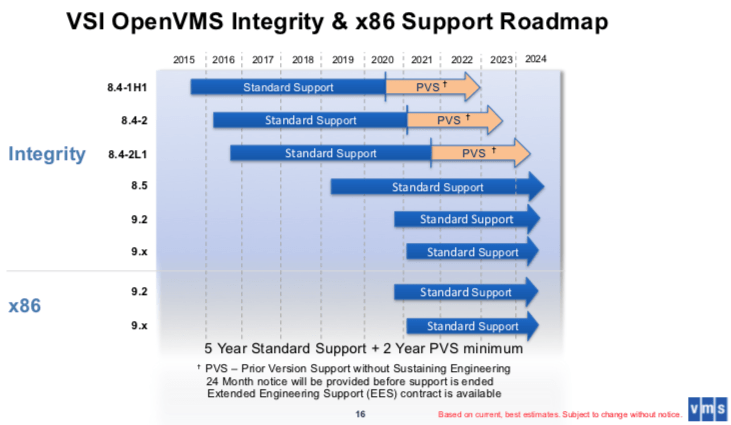
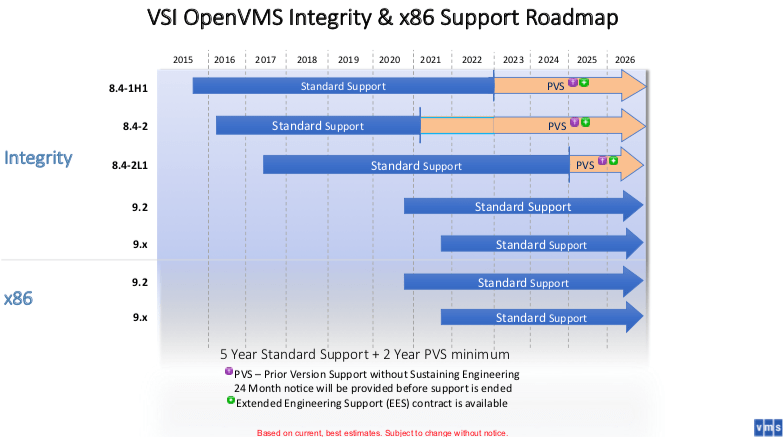
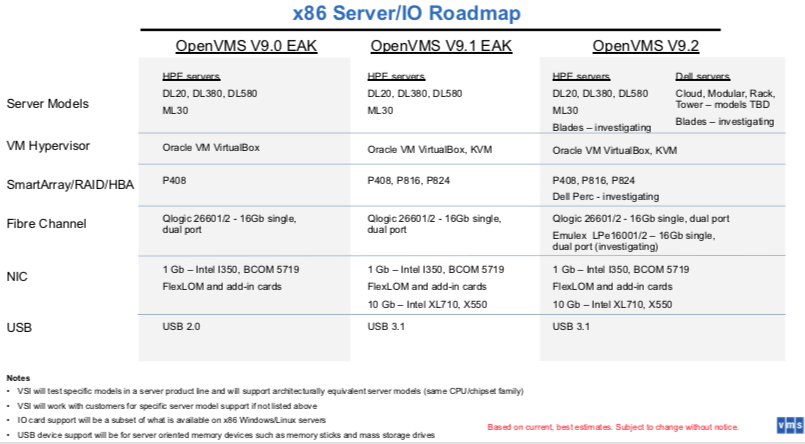
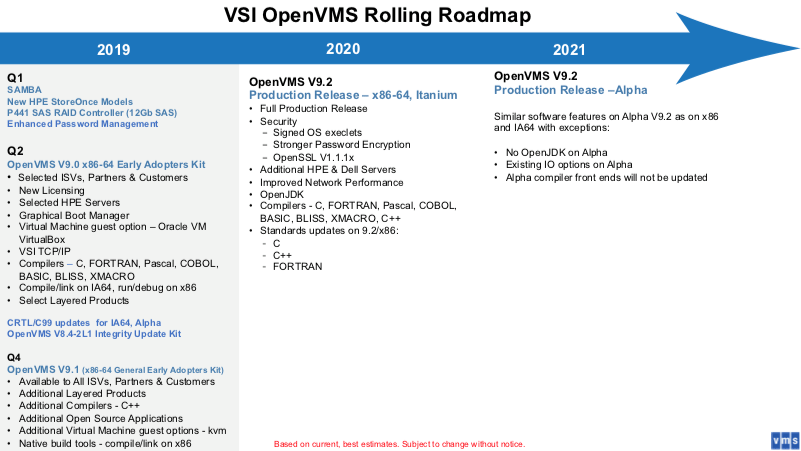
By now, there should be a good x86_64 version of OpenVMS, so this is also a reminder to self to see if that can run as a VM and is affordable enough to do some experimentation with.

–jeroen

Posted in Development, History, Scripting, Software Development | Leave a Comment »

Delphi: creating copies of installed components to repositories for portability across use cases

Posted by jpluimers on 2021/05/25

Often it is useful to have 3rd party components part of a repository so it is easier to increase portability.

For instance when you want to include or exclude some of them in certain projects by installing/deinstalling them to/from the IDE.

This can be useful for cases where components bite each other, or you want to vary the components in use by version without spinning up new VMs (Delphi registration counts can be a pain for new VMs; you need to be very careful as you can never decrease your registration count).

I usually do this by having 3 batch files:

  1. copy from an installed 3rd party library to a repository in a relative way
  2. register any needed relative files into the IDE
  3. unregister any needed relative files in from the IDE

If successful, I can uninstall the library.

I especially take this approach with 3rd party libraries that stuff to global places (inside the Delphi installation directory, or worse, inside the Windows directories).

That way, I can try to ensure that compilation of running only uses files from the repository, making my options for portability larger.

Examples I did this for are for instance QuickReports and ODAC.

Some bits are tricky to get right, especially loading dependencies.

It helps to understand that for executable files Windows also searches for dependencies in the directory of the executable file.

For libraries, that does not happen. Which means that if a BPL has dependencies, they either have to be explicitly loaded before (for instance by being in the Known Packages registry entries), or on the search PATH.

Delphi has the %BDSCOMMONDIR% directory in the search PATH. It usually points to “%PUBLIC%\Documents\Embarcadero\Studio\%ProductVersion%\Bpl” (where ProductVersion=19.0 for Delphi 10.2 Tokyo).

There might be a away around this using manifests, but this means modifying the BPL files, which is beyond the point of having these copy scripts.

More on those environment variables in a later blog post.

Related:

–jeroen

Read the rest of this entry »

Posted in Conference Topics, Conferences, Delphi, Delphi 10.2 Tokyo (Godzilla), Development, Event, Software Development | Leave a Comment »

I wanted to know the loaded DLLs in a process like Process Explorer shows, but from the console: Sysinternals ListDLLs to the rescue

Posted by jpluimers on 2021/05/20

In Windows, historically most people approach investigation GUI first. Having turned 50 a while ago, I am no exception.

My real roots however are on the command-line and scripting: roughly 1980s Apple DOS, CP/M, SunOS (yay sh Bourne shell!), MS-DOS, 4DOS, and VAX/VMS (yay DCL shell!), from the 1990s on, some Solaris, a little bit of AIX, HP-UX and quite a bit of Linux, MacOS (né OS/XMac OS),  and some BSD descendants derivatives (SunOS, AIX and MacOS are based on the Berkeley Software Distribution), and this century a more growing amount of PowerShell).

So I was glad to find out the makers of Process Explorer also made [WayBack] ListDLLs – Windows Sysinternals | Microsoft Docs (via windows get dlls loaded in process – Google Search)

List all the DLLs that are currently loaded, including where they are loaded and their version numbers.

ListDLLs is a utility that reports the DLLs loaded into processes. You can use it to list all DLLs loaded into all processes, into a specific process, or to list the processes that have a particular DLL loaded. ListDLLs can also display full version information for DLLs, including their digital signature, and can be used to scan processes for unsigned DLLs.

Usage

listdlls [-r] [-v | -u] [processname|pid]
listdlls [-r] [-v] [-d dllname]

Parameter Description
processname Dump DLLs loaded by process (partial name accepted).
pid Dump DLLs associated with the specified process id.
dllname Show only processes that have loaded the specified DLL.
-r Flag DLLs that relocated because they are not loaded at their base address.
-u Only list unsigned DLLs.
-v Show DLL version information.

Download: [WayBack] ListDlls.zip.

Now it is much easier to generate a draft deploy list of DLLs (and for Delphi: BPLs) based on a process running on a development machine.

Example output (the -r flags relocation warnings; the first part is the [WayBack] shim that Chocolatey created around the second which is from SysInternals):

Read the rest of this entry »

Posted in Conference Topics, Conferences, Delphi, Development, Event, History, Software Development, Windows Development | Leave a Comment »

Oracle Instant Client – no chocolatey package for automatic install on Windows (yet?)

Posted by jpluimers on 2021/05/20

I tried finding a chocolatey package for the [WayBack] Oracle Instant Client – Free tools and libraries for connecting to Oracle Database.

The [WayBack] Instant Client editions support light-weight installations of the Oracle database client.

I was especially interested in automating the install of the basic or basic basic light varieties:

Instant Client Package

Description

References

Basic

All files required to run OCI, OCCI, and JDBC-OCI applications for Oracle Database

OCI
OCCI
JDBC-OCI

Basic Light

Smaller version of the Basic package, with only English error messages and Unicode, ASCII, and Western European character set support

OCI
OCCI
JDBC-OCI

Having this is a prerequisite of many DAC layers, including ODBC, although for the latter, you also need this one:

Instant Client Package

Description

References

ODBC

Additional libraries providing ODBC

ODBC

Since there is no chocolatey maintained package for any of these, these are the steps to download them:

  1. Ensure you have a Oracle account
  2. Sign in on www.oracle.com/webapps/redirect/signon?nexturl=https://www.oracle.com/technetwork/developer-tools/sql-developer/downloads
  3. Accept cookies if asked for
  4. Click on the “Downloads” button to go to [WayBack] Oracle Instant Client Downloads
  5. Click on either [WayBack] Instant Client for Microsoft Windows (32-bit) (note that [WayBack] Instant Client for Microsoft Windows (x64) is specific for Win64 applications; many are 32-bit only, especially end-user ones, for instance many supporting Microsoft Office (including Outlook addins, or document storage systems)
  6. Click on the “Accept License Agreement” radio button
  7. Select the version you need.
  8. Download and install the required files.
  9. Unzip and add the directories to the PATH

TNSPING

Note that these downloads not include TNSPING; for some reason, Oracle only adds that to the fat client. So you need to use alternatives:

You can also use sqlplus with sscripting, but that is much harder on Windows than on Linux:

Note there are very distinctive differences between tnsping and sqlplus, see How to do tnsping? | Oracle Community  which I will quote large parts of soon.

For sqlplus: it works with TNSNAMES.ORA, but you can also do without it.

For all the other tnsping substitutes: ensure your TNS_ADMIN points to a directory with a correct TNSNAMES.ORA file.

What I usually do is this:

  1. Create directory a directory ORA under %LOCALAPPDATA%
  2. Store TNSNAMES.ORA inside %LOCALAPPDATA%\ORA
  3. Point TNS_ADMIN environment variable to %LOCALAPPDATA%\ORA
  4. Unzip any of the instantclient-basiclite-nt-*.zip into %LOCALAPPDATA%\ORA\InstantClient
  5. Unzip any of the instantclient-sqlplus-nt-*.zip into %LOCALAPPDATA%\ORA\SqlPlus
  6. Add %LOCALAPPDATA%\ORA\InstantClient;%LOCALAPPDATA%\ORA\SqlPlus to the user PATH

Related

My blog post Chocolatey: installing Oracle SQL Developer and updating the chocolatey package (which works without the instantclient).

[WayBack] Install Oracle Instant Client on Linux and Windows | HelloDog:  Install Oracle instantclient basic and instantclient sqlplus on Linux and Windows (and some tnsping examples).

[Archive.is] oracle – How to set tnsnames.ora location for SQL Developer in Windows 10 – Stack Overflow

–jeroen

Posted in Database Development, Development, ODBC, OracleDB, Software Development | Leave a Comment »

ODAC default install paths for Delphi 10.2 Tokyo

Posted by jpluimers on 2021/05/20

A few notes on the ODAC install:

  1. Download of x.x.x is at [WayBack] www.devart.com/odac/odac25.exe via [WayBack] www.devart.com/odac/download.html

    The 25 is DllSuffix minus trailing zero for Delphi 10.2 Tokyo, or the “real” Delphi version; see Delphi version info table.

  2. It requires local administrator access when installing
  3. When installing it installs the Demos using the %USERPROFILE% directory of the local administrator user that installed it: %USERPROFILE%\Documents\Devart\ODAC for RAD Studio 10.2\Demos
    • You can replace this directory at install time; I prefer %PUBLIC%\Documents\Devart\ODAC for RAD Studio 10.2\Demos
  4. The rest of the files are in the global directory %ProgramFiles(x86)%\Devart\ODAC for RAD Studio 10.2
  5. If your Delphi license does not include certain targets (like Linux) they do not get installed at all.

–jeroen


Posted in Delphi, Development, Software Development | Leave a Comment »

PlasticSCM ignore.conf: globally ignoring certain file types, but allowing them recursively in a subdirectory

Posted by jpluimers on 2021/05/19

I needed this for a project there 3rdParty libraries could have .dcu and .obj files (to either speed up building, or because not all source code was supplied), but those files should not be present nowhere else in the repository.

This is an ignore.conf template for that:

*.obj
*.dcu

!/3rdParty/**/*.dcu
!/3rdParty/**/*.obj

The ! exclamation mark undoes the ignore according to the pattern following it.

Note the starting slashes after the !: they indicate the root directory of the repository and are mandatory.

Based on (warning, the JavaScript on these pages are extremely CPU intensive!):

–jeroen

Posted in Development, PlasticSCM, Software Development, Source Code Management | Leave a Comment »