Archive for the ‘MacBook’ Category
Posted by jpluimers on 2013/05/10
Finder on your Mac by default does not show hidden files, and the console has vi, which lots of people find awkward to use.
There is an easy trick to open a hidden file like ~/.bash_profile (for instance to add an alias) with a visual text editor.
Just execute this in your terminal:
- Always with TextEdit
open -e ~/.bash_profile
- For the default text editor (usually TextEdit)
open -t ~/.bash_profile
- For a specific text editor (in this cast TextWrangler)
open -b com.barebones.textwrangler ~/.bash_profile
The man open(1) page has more information on the parameters you can pass to open.
–jeroen
PS: You can teach Finder to Quickly show and hide hidden files | Finder, Terminal | Mac OS X Tips.
Posted in Apple, bash, Development, Mac, Mac OS X / OS X / MacOS, Mac OS X 10.4 Tiger, Mac OS X 10.5 Leopard, Mac OS X 10.6 Snow Leopard, Mac OS X 10.7 Lion, MacBook, MacBook-Air, MacBook-Pro, OS X 10.8 Mountain Lion, Power User, Scripting, Software Development | 6 Comments »
Posted by jpluimers on 2013/03/27
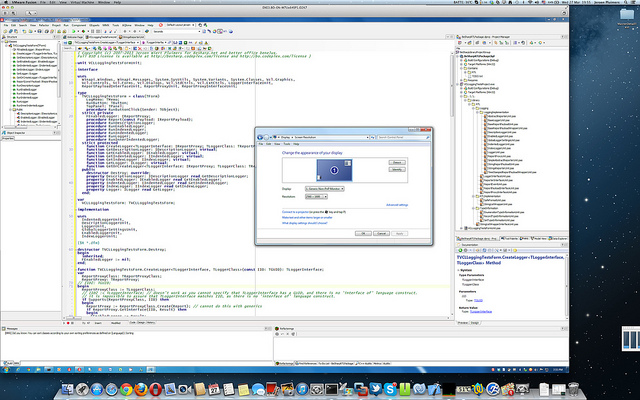
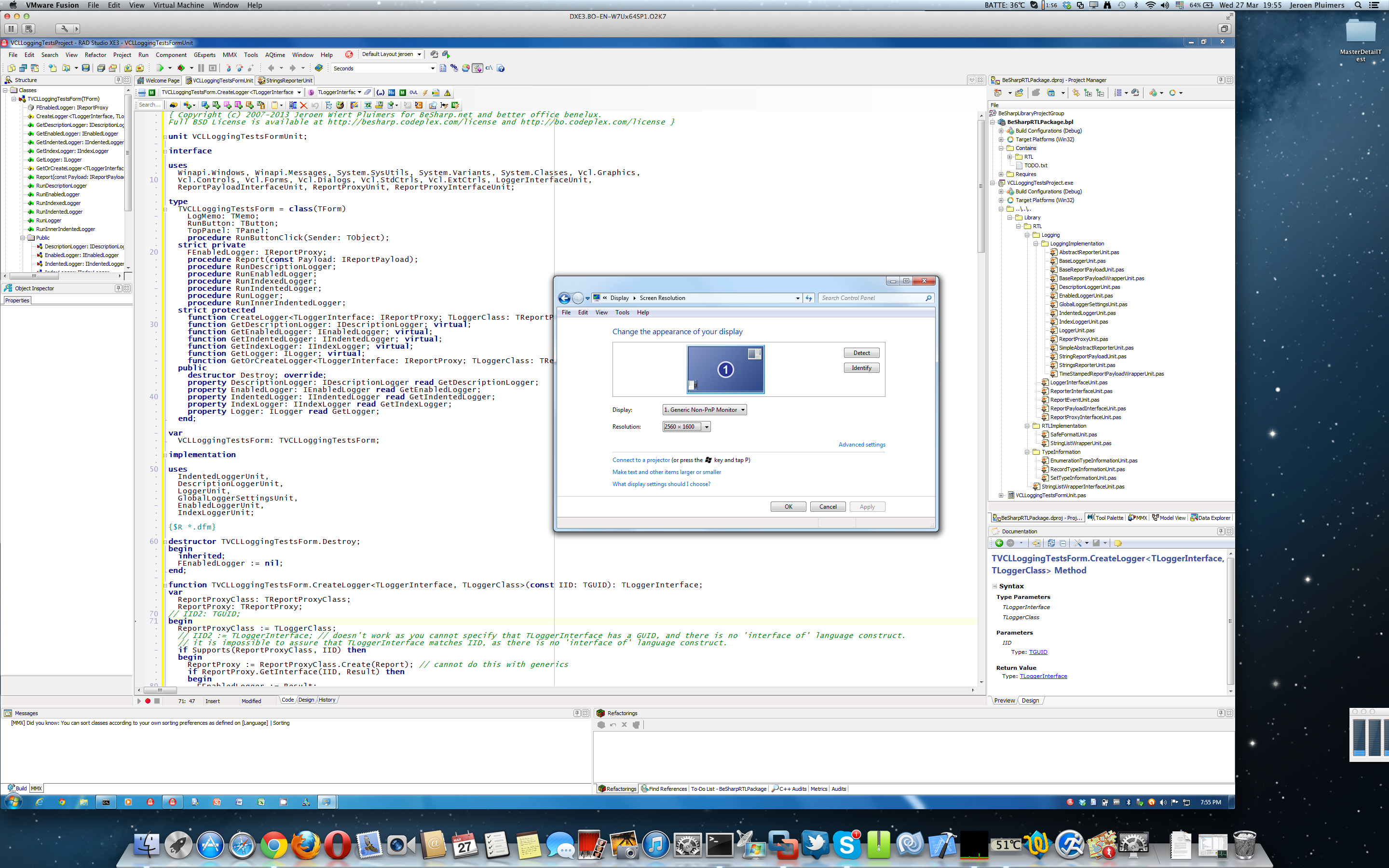
I was amazed that this is still usable:
You can even run VMware Fusion 4 full screen at 2880×1800, but I prefer to have the Mac Desktop and Dock to be visible. I didn’t have any of the VMware Fusion 4 issues mentioned here.
So the only thing you need VMware Fusion 5 for is Windows 8 support.
You need SwitchResX to get the Retina MacBook to use 2880×1800 at all (otherwise you get 1920×1200 at 1.5 scale factor, which is also a 16:10 display ratio).
It really runs 5+ hours on one battery charge, which is much longer than my ThinkPad W701.
All in all, I’m very happy with this setup.
--jeroen
PS:
via: Screen Shot 2013-03-27 at 19.55.39 | Flickr – Photo Sharing!.
Click on the image or here for full size image.
Posted in Apple, Delphi, Delphi XE3, Development, Mac, Mac OS X / OS X / MacOS, MacBook, MacBook Retina, OS X 10.8 Mountain Lion, Power User, Software Development | 7 Comments »
Posted by jpluimers on 2013/03/14
Today, Apple released SMC version 1.1 for MacBook Pro machines that especially Retina owners will like: it fixes their fan issue that has been present for months, but caused some stir lately.
Apple rushed this update. In fact, it is so new, not even EFI and SMC firmware updates for Intel-based Macs lists it.
It affects both mid 2012 and early 2013 models.
This is how to update:
I had the same problem with the basic installation. Just do the OSX updates from the App Store and the problem will disappear.
Lots of users are reporting the below SMC update fixes the fan issue.
It worked for my MacBook Retina too.
–jeroen
via:Apple Releases Retina MacBook Pro SMC Update to Address Gaming Frame Rates and Fan Issues – Mac Rumors.
Posted in Apple, Mac, MacBook, MacBook Retina, Power User | Tagged: Apple, firmware updates, mac rumors, technology | Leave a Comment »
Posted by jpluimers on 2013/02/18
Phoenix Slides is a great tiny (about 600 kilobyte) slide show viewer for Mac OS/X that supports directory recursion.
Great! Finally I can use my Mac (-Mini server, or -Book Air) showing pictures the way I want it to show them (:
Features
- fast (pre-cached) full-screen slideshows
- rotate/zoom in slideshow
- fast JPEG thumbnails (uses Epeg)
- lossless JPEG rotation
- view EXIF data, JPEG comments
- search subfolders (recursively) for images
- move files to trash, set image as desktop
- supports drag and drop, Finder aliases
- Localizations: Chinese, German, Spanish, French
- Universal binary (runs on Intel Macs)
–jeroen
via Phoenix Slides.
Posted in Apple, Mac, Mac OS X / OS X / MacOS, Mac OS X 10.4 Tiger, Mac OS X 10.5 Leopard, Mac OS X 10.6 Snow Leopard, Mac OS X 10.7 Lion, MacBook, MacBook-Air, MacBook-Pro, Power User | Leave a Comment »
Posted by jpluimers on 2012/11/09
Thanks to Matthijs ter Woord who pointed me to these.
They require a single Intel®, Nvidia®, or AMD® primary WDDM driver. That driver does the actual rendering, the USB device then gets the rendered parts over USB to the monitor.
The really cool thing is: they work on a PC with Windows XP and higher, and on Mac with OS X Tiger or better.
The chipsets are based on DisplayLink technology; they have their own USB devices as well.
USB2.0 to DVI-I Graphics
CSV-2000D – SenseVision USB Graphics – USB2.0 to DVI-I
USB2.0 to DVI-I graphics devices let you easily add an additional monitor to your notebook PC, desktop and MacBook®. The Club 3D SenseVision USB2.0 to DVI-I Graphics allows you to extend your desktop display beyond 1080p HD resolution displays. … View Details
USB2.0 to HDMI Graphics
CSV-2000H – SenseVision USB Graphics – USB2.0 to HDMI
USB2.0 to HDMI graphics devices let you easily add an additional monitor to your notebook PC, desktop and MacBook®. The Club 3D SenseVision USB2.0 to HDMI Graphics allows you to extend your desktop display beyond 1080p HD resolution displays. … View Details
–jeroen
via: USB Graphics – Graphic solutions GeForce & Radeon.
Posted in Apple, Mac, Mac OS X / OS X / MacOS, Mac OS X 10.4 Tiger, Mac OS X 10.5 Leopard, Mac OS X 10.6 Snow Leopard, Mac OS X 10.7 Lion, MacBook, MacBook-Air, MacBook-Pro, Power User, Windows, Windows 7, Windows 8 | Leave a Comment »
Posted by jpluimers on 2012/10/24
Today, my MacBook Air again kept keeping the fan speed at high, even though nothing was using CPU or other power.
So I again resolved it by following: Resetting the SMC solved my MacBook Air Fan Noise With Lion problem « The Wiert Corner – irregular stream of stuff.
The not so cool thing is that this ONLY works if your Mac is connected to a Power Source.
–jeroen
Posted in Apple, Mac, Mac OS X / OS X / MacOS, Mac OS X 10.7 Lion, MacBook, MacBook-Air, Power User | Leave a Comment »
Posted by jpluimers on 2012/08/31
On monday, I wrote it was Time to disable Java for a while: Zero-Day Season is Not Over Yet.
Today Oracle released a fix, which you should either install immediately (that is NOW, don’t hesitate!).
For this vulnerability, it is enough to disable Java from your browser – see: How to disable Java in your web browser – but as with any software: if you don’t need it, just disable/uninstall it.
Disabling/uninstalling on a Mac may impose a problem, as Apple hasn’t come with an update for the OS X editions that came with Java pre-installed.
Most other users can either install the version on their current system on-line from Download Free Java Software, or download offline installers for other systems at Java Downloads for All Operating Systems.
I might actually try the Java Unattended Silent Installer and Updater from Ninite – Install or Update Multiple Apps at Once.
–jeroen
via:
Posted in *nix, Apple, LifeHacker, Mac, Mac OS X / OS X / MacOS, Mac OS X 10.4 Tiger, Mac OS X 10.5 Leopard, Mac OS X 10.6 Snow Leopard, Mac OS X 10.7 Lion, MacBook, MacBook-Air, MacBook-Pro, Power User, Windows, Windows 7, Windows 8, Windows Server 2000, Windows Server 2003, Windows Server 2003 R2, Windows Server 2008, Windows Server 2008 R2, Windows Vista, Windows XP | Leave a Comment »
Posted by jpluimers on 2012/08/27
Posted in *nix, Apple, Chrome, Google, Linux, Mac, Mac OS X / OS X / MacOS, Mac OS X 10.4 Tiger, Mac OS X 10.5 Leopard, Mac OS X 10.6 Snow Leopard, Mac OS X 10.7 Lion, MacBook, MacBook-Air, MacBook-Pro, Power User | 3 Comments »
Posted by jpluimers on 2012/08/24

SSH tricks
Recommended reading: SSH tricks
Quote:
SSH is a protocol for authenticating and encrypting remote shell sessions.
But, using SSH for just remote shell sessions ignores 90% of what it can do.
$ ssh home -L 80:reddit.com:80
This article covers less common SSH use cases, such as:
- using passwordless, key-based login;
- setting up local per-host configurations;
- exporting a local service through a firewall;
- accessing a remote service through a firewall;
- executing commands remotely from scripts;
- transfering files to/from remote machines;
- mounting a filesystem through SSH; and
- triggering admin scripts from a phone.
–jeroen
via: SSH tricks.
Posted in *nix, Apple, Cygwin, Endian, Internet, Mac OS X 10.5 Leopard, Mac OS X 10.6 Snow Leopard, Mac OS X 10.7 Lion, MacBook, MacBook-Air, MacBook-Pro, Power User | Leave a Comment »
Posted by jpluimers on 2012/07/27
FilePathToClipCMPlugin is a live saver.
- Download it.
- Open the .dmg
- Open a new Finder window
- Point it to the folder “/Library/Contextual Menu Items/” or to “˜/Library/Contextual Menu Items/” (create the latter if it does not exist).
- Drag the required plugins there
- Restart your machine (restarting the Finder did not work for me)
–jeroen
via: Copy and paste the full path of a file in the Finder — Reality Distortion: Macs, Mac OS X, and Apple stuff.
Posted in Apple, Clipboard, Mac, Mac OS X / OS X / MacOS, Mac OS X 10.4 Tiger, Mac OS X 10.5 Leopard, Mac OS X 10.6 Snow Leopard, Mac OS X 10.7 Lion, MacBook, MacBook-Air, MacBook-Pro, Power User | Leave a Comment »




 The Wiert Corner - irregular stream of stuff