Archive for the ‘Apple’ Category
Posted by jpluimers on 2018/01/05
… simply hold the refresh button and then tap on Request Desktop Site. The page should refresh and you should be redirected to web.whatsapp.com and you should be looking at a QR code on the screen of your iPad.
If you know it’s “simply”.
Source: How to Use WhatsApp on iPad
–jeroen
Posted in Apple, iOS, iPad, Power User | Leave a Comment »
Posted by jpluimers on 2017/12/25
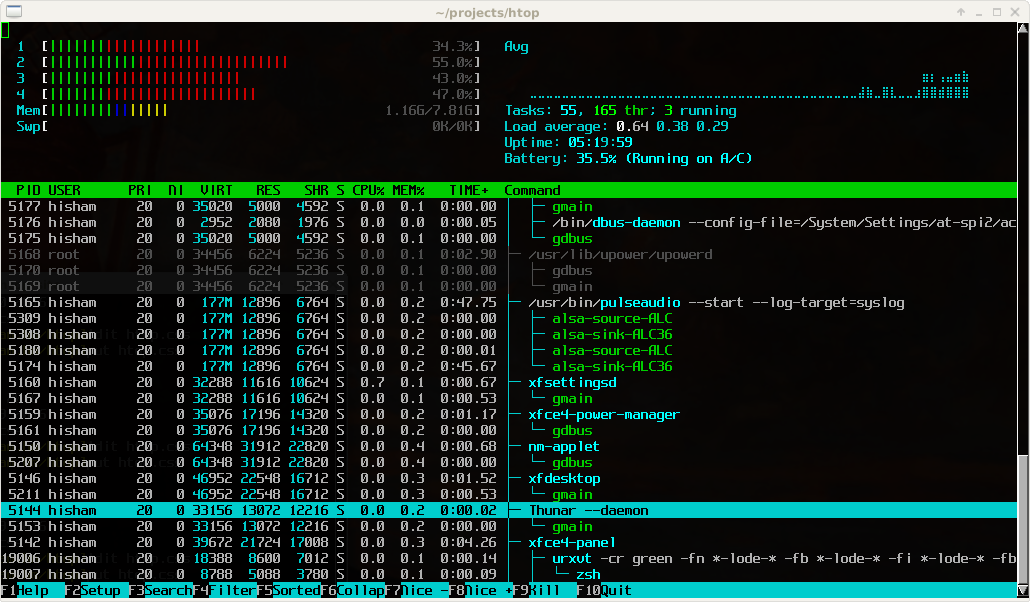
Great tool: [WayBack] htop – an interactive process viewer for Unix because it’s both interactive and supports a wide range of OSes: Linux, FreeBSD, OpenBSD and Mac OS X.
Thanks to Warren Postma who suggested it in his comment at [WayBack] 18 Useful Commands to Get Hardware Information on Linux – Linuxslaves.
Note that on OS X you get this warning after brew install htop :
htop requires root privileges to correctly display all running processes,

so you will need to run `sudo htop`.

You should be certain that you trust any software you grant root privileges.
On Linux you don’t get this message as there you have the /proc file system providing enough information as explained at [WayBack] osx – Why does htop on Mac OS X require root privileges to see data for all processes, but on Linux it runs without root – Super User.
A workaround (involving the setuid bit) is at [WayBack] Running htop on Mac OS X needs root. Why?! | Blog | JoeNyland.me or by running visudo ensuring you don’t need a password for it at [WayBack] osx – htop isn’t returning CPU or memory usage!? – Super User
–jeroen
Posted in *nix, *nix-tools, Apple, BSD, Linux, Mac OS X / OS X / MacOS, macOS 10.12 Sierra, OS X 10.11 El Capitan, OS X 10.9 Mavericks, Power User | Leave a Comment »
Posted by jpluimers on 2017/12/01
Free and – unlike the also free [WayBack] dupeGuru – finds duplicate files – hasn’t crashed on my system yet or fails to add folders:
Read reviews, compare customer ratings, see screenshots, and learn more about Duplicate File Finder for files & folders. Download Duplicate File Finder for files & folders for Mac OS X 10.9 or later and enjoy it on your Mac.
[WayBack] Duplicate File Finder for files & folders on the Mac App Store
–jeroen
Posted in Apple, iMac, Mac, Mac OS X / OS X / MacOS, MacBook, MacBook Retina, MacBook-Air, MacBook-Pro, MacMini, OS X 10.10 Yosemite, OS X 10.11 El Capitan, OS X 10.9 Mavericks, Power User | Leave a Comment »
Posted by jpluimers on 2017/12/01
cd /Volumes/Backup/Backups.backupdb/Joshua\ Priddle’s\ MacBook\ Pro/Latest/Macintosh\ HD/Users/priddle
tmutil restore -v secret_docs.txt ~/
Learned from [WayBack] Restoring files from OS X Time Machine with Terminal.app:
- do not use
cp as it will give you wrong permissions
- do use
tmutil
More elaborate steps (including finding the backup in the first place) is at [WayBack] Commandline restoration of a file in Time Machine on OS X | Hacks for Macs
–jeroen
Posted in Apple, iMac, Mac, Mac OS X / OS X / MacOS, Mac OS X 10.4 Tiger, Mac OS X 10.5 Leopard, Mac OS X 10.6 Snow Leopard, Mac OS X 10.7 Lion, MacBook, MacBook Retina, MacBook-Air, MacBook-Pro, MacMini, macOS 10.12 Sierra, OS X 10.10 Yosemite, OS X 10.11 El Capitan, OS X 10.8 Mountain Lion, OS X 10.9 Mavericks, Power User | Leave a Comment »
Posted by jpluimers on 2017/11/24
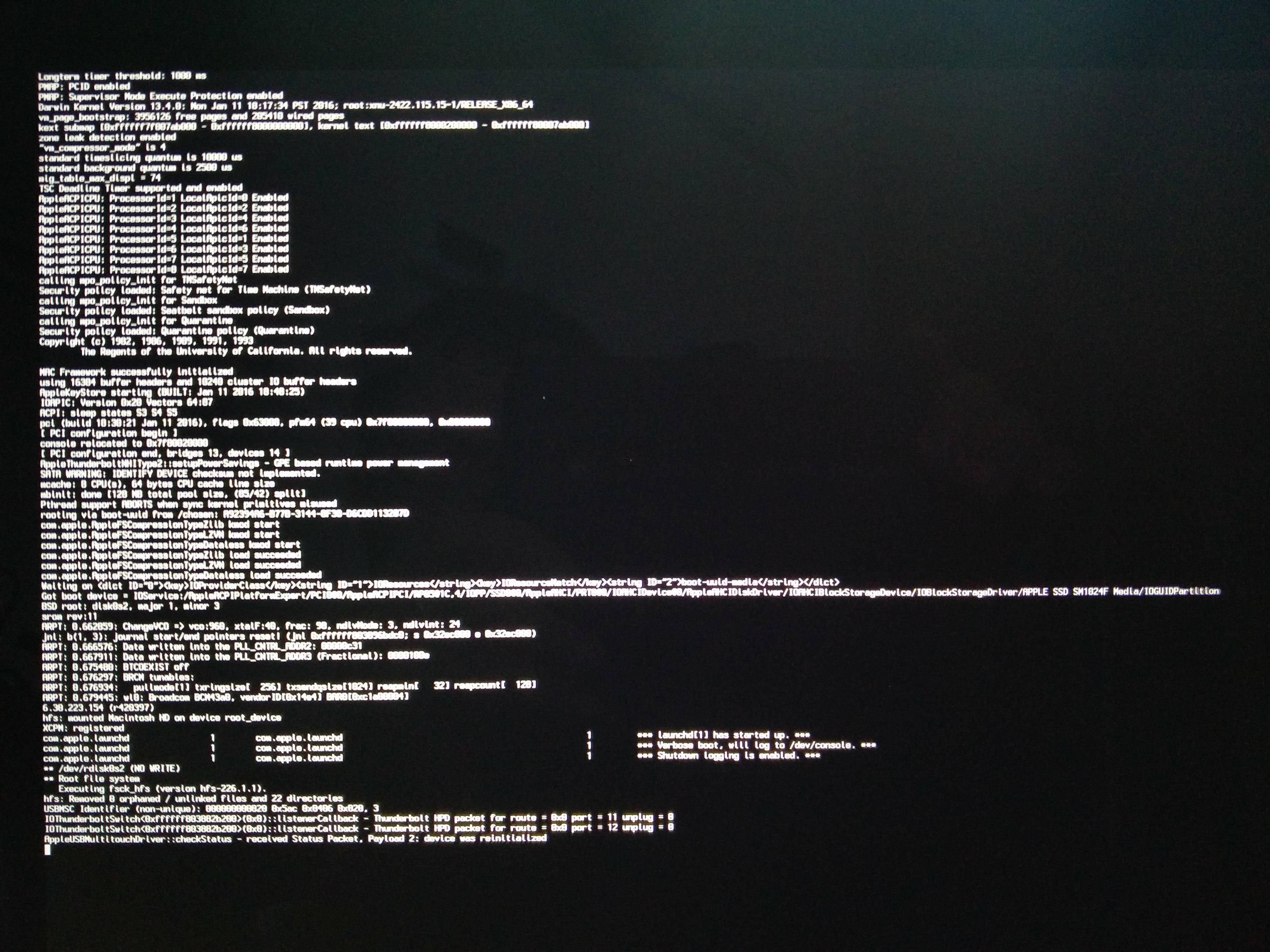
[WayBack] macbook – OS X 10.9.5 hangs with grey spinner; safe mode last message is “payload 2: device was reinitialized” – Ask Different
[WayBack] Recovery partition: “Restore From Time Machine Backup” stuck at 43.6% for more than 60 minutes – Ask Different
Steps since then:
- Restoring an image backup failed: same situation
- (it took an hour to verify the media, then an OK button appeared before continuing to restore in the middle of the night; actual restore took 4+ hours)
- Reinstalling OS X 10.9.5 failed: error -4403F
- Restoring a prior Time Machine backup hung at less than 50% (taking like 6 hours)
- Reinstalling OS X 10.9.5 over a different fiber connection worked
- Mounting the image backup succeeded, but took 3 hours to complete “verifying…”
- Migration Assistent on the image backup worked fine
In total it took 2.5 days to get the machine back in working condition.
Related links:
There was no transparent proxy inbetween the MacBook and Apple so these didn’t help:
What did help was ensuring there was only ONE NAT in between the MacBook and Apple.
–jeroen
Posted in Apple, Mac, Mac OS X / OS X / MacOS, MacBook, MacBook Retina, OS X 10.9 Mavericks, Power User | Leave a Comment »
Posted by jpluimers on 2017/11/17
The first trick works for WinBox 3.7 on Mac [download], the second doesn’t.
First trick:
Read the rest of this entry »
Posted in Apple, Hardware, iMac, Mac, Mac OS X / OS X / MacOS, MacBook, MacBook Retina, MacBook-Air, MacBook-Pro, MacMini, MikroTik, Network-and-equipment, OS X 10.11 El Capitan, Power User, routers, WinBox | Leave a Comment »
Posted by jpluimers on 2017/11/17
I have the Atom editor and was wondering how you can open a file or folder from the terminal in Atom. I am using a Mac. I am looking for a way to do this: atom . (opens folder) atom file.js (
The answer to it isn’t any good any more (since then, Atom has evolved), but this comment works splendid:
I solved the issue by choosing “Install Shell Commands” under the “Atom” menu.
It will add a script in /usr/local/bin/atom that starts Atom with the parameters you entered.
Thanks [WayBack] rxgx!
[WayBack] github – Open Atom editor from command line – Stack Overflow
–jeroen
PS: Reminder to self to add a screenshot.
Posted in Apple, atom editor, Mac, Mac OS X / OS X / MacOS, MacBook, MacBook Retina, MacBook-Air, MacBook-Pro, MacMini, macOS 10.12 Sierra, OS X 10.11 El Capitan, Power User, Text Editors | Leave a Comment »
Posted by jpluimers on 2017/11/13
For everyone who still loves and uses old computers.
Quite a few nice products for your vintage Apple II, //e and //c machines.

Posted in //e, 6502, Apple, Apple I, Apple ][, History, Power User | Leave a Comment »
Posted by jpluimers on 2017/10/27

Accessibiity -> Zoom -> enable checkbox” class=”size-medium” /> Preferences -> Accessibiity -> Zoom -> enable checkbox
I didn’t know this was built-in since Mountain Lion and up, but it is, is startable from the keyboard and it’s tremendously convenient when presenting: [WayBack]: OS X Mountain Lion: Zoom content on the screen.
TL;DR:
- System Prefrecences
- Accesibility
- Zoom
- Checkbox
–jeroen
Posted in Apple, iMac, Keyboards and Keyboard Shortcuts, Mac, Mac OS X / OS X / MacOS, MacBook, MacBook Retina, MacBook-Air, MacBook-Pro, MacMini, macOS 10.12 Sierra, OS X 10.10 Yosemite, OS X 10.11 El Capitan, OS X 10.8 Mountain Lion, OS X 10.9 Mavericks, Power User | Leave a Comment »


 The Wiert Corner - irregular stream of stuff