The Wiert Corner – irregular stream of stuff

Jeroen W. Pluimers on .NET, C#, Delphi, databases, and personal interests

  • My badges

  • Twitter Updates

  • My Flickr Stream

  • Pages

  • All categories

  • Enter your email address to subscribe to this blog and receive notifications of new posts by email.

    Join 1,860 other subscribers

Archive for the ‘Apple’ Category

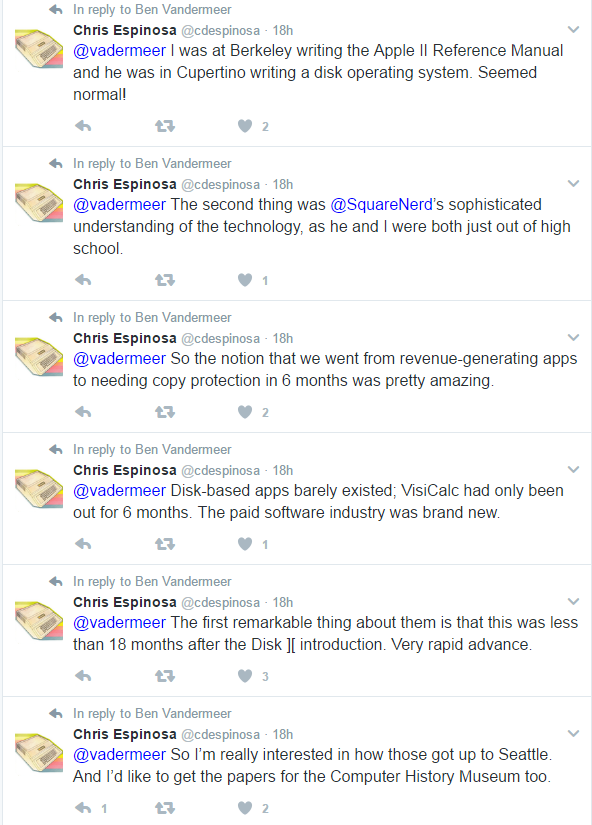
Apple ][ history – Nibble magazine

Posted by jpluimers on 2017/02/16

I recently found some old magazine issues of my early programming escapades. It reminded me of the really old days where – as a school kid – I tried to buy Nibble magazine at a regular base. It was expensive (I think it was around 8 Dutch Guilders (or NLG) – close to EUR 4 – which was a lot for me, though less expensive than diskettes that were like NLG 10 each).

But it was fun as the magazine focussed at computer programs and programming transitioned my life. From Integer Basic via AppleSoft Basic (and various smaller attempts in FORTH, MuSimp, LISA Assembler and LOGO) to Turbo Pascal on CP/M.

Recently I learned that all issues (16k pages total!) have been scanned and OCR-ed and can be obtained on DVD for a modest price. Even better: all their software is available for free.

Just follow these links:

For some history:

–jeroen

Posted in //e, 6502, Apple, Apple ][, Development, History, Pascal, Power User, Software Development, Turbo Pascal | Leave a Comment »

Managing WIFI connections using the Mac OSX…

Posted by jpluimers on 2017/02/10

These links:

Made me add this to my ~/.bash_profile:

Read the rest of this entry »

Posted in Apple, Mac, Mac OS X / OS X / MacOS, Mac OS X 10.6 Snow Leopard, MacBook, MacBook Retina, MacBook-Air, MacBook-Pro, MacMini, OS X 10.10 Yosemite, OS X 10.9 Mavericks, Power User | Leave a Comment »

Date format converter from Text or Unix/Mac/Filetime/Microsoft to virtually any readable form

Posted by jpluimers on 2017/02/09

Brilliant Date format converter from dates in Text (almost any format) or timestamp numbers in Unix, Mac, Filetime or Microsoft (which is the same as Delphi TDateTime) format to any of these formats:

Text Date:
Date in human-readable text
Wednesday, March 23, 2016 4:05:39pm
RFC 822:
RFC 822 formatted date
Wed, 23 Mar 2016 16:05:39 +0000
ISO 8601:
ISO 8601 formatted date
2016-03-23T16:05:39+00:00
UNIX Timestamp:
seconds since Jan 1 1970
1458749139
Mac Timestamp:
seconds since Jan 1 1904
3541593939
Microsoft Timestamp:
days since Dec 31 1899
42452.670590278
FILETIME:
100-nanoseconds since Jan 1 1601
131032227390000000
01D1851D:D7B58B80

Source: Date format converter

–jeroen

Posted in *nix, .NET, Apple, Delphi, Development, Mac, Mac OS X / OS X / MacOS, Power User, Software Development | 1 Comment »

Determining the current shell in *n*x variants including ESXi

Posted by jpluimers on 2017/02/08

On most systems, I use bash as shell, but not all systems have it, for instance the shell.xs4all.nl server uses tcsh and ESXi 4+ uses a very limited ash shell from busybox (ESX 4 had bash though).

There is this huge script that covers many shell and operating system versions (even DOS, Windows) and interpreters (python, ruby, php, etc) what shell is this which I got through Stéphane Chazelas‘s answer in linux – determine shell in script during runtime – Unix & Linux Stack Exchange

I wanted a shorter thing that works in current Linux, BSD, OS X and ESXi versions.

Some very short scripts are less reliable, for instance echo $SHELL looks nice, but isn’t always set.

Similar for echo $0 which will fail for instance if it shows as sh but in fact is a different shell in disguise.

This works for bash, tcsh and busybox sh, is a bit more precise than getting $0. It’s based on HOWTO: Detect bash from shell script – Stack Overflow:

lsof -p $$ | awk '(NR==2) {print $1}'

But on ESXi it shows this because lsof doesn’t take any parameter there and just dumps all information:

----------+---------------------+---------------------+--------+------------------

It’s because lsof on ESXi always shows this header where Cartel and World aren’t exactly well documented:

Cartel | World name | Type | fd | Description
----------+---------------------+---------------------+--------+------------------

Empirically for non VM related processes, it looks like the Cartel is the PID and World name the command.

On Linux and BSD based systems, the header looks like this, so command and PID are reversed in ESXi:

COMMAND PID USER FD TYPE DEVICE SIZE/OFF NODE NAME

This command then works on both ESXi, OS X, Linux and BSD assuming you can word search for the PID and noting that PID/command will be reversed on ESXi as compared to OSX/Linux/BSD:

lsof -p $$ | grep -w $$ | awk '(NR==2) {print $1,$2}'

–jeroen

Posted in Apple, bash, BSD, Development, iMac, Mac, Mac OS X / OS X / MacOS, Mac OS X 10.4 Tiger, Mac OS X 10.5 Leopard, Mac OS X 10.6 Snow Leopard, Mac OS X 10.7 Lion, MacBook, MacBook Retina, MacBook-Air, MacBook-Pro, MacMini, OS X 10.10 Yosemite, OS X 10.11 El Capitan, OS X 10.8 Mountain Lion, OS X 10.9 Mavericks, Power User, Scripting, Software Development | Leave a Comment »

fixing a Mac home `brew update` that has permission errors (after that I could install plantuml)

Posted by jpluimers on 2017/01/26

I had this occurring on my system:

RetinaMBPro1TB:~ jeroenp$ brew update
error: unable to unlink old 'Library/ENV/pkgconfig/10.11/libcurl.pc' (Permission denied)
error: unable to unlink old 'Library/ENV/pkgconfig/10.11/libxml-2.0.pc' (Permission denied)
error: unable to unlink old 'Library/ENV/pkgconfig/10.11/sqlite3.pc' (Permission denied)
To restore the stashed changes to /usr/local run:
  'cd /usr/local && git stash pop'
Already up-to-date.

This is how I solved it:

RetinaMBPro1TB:~ jeroenp$ ls -al /usr/local | grep -w Library
drwxr-xr-x+ 11 jeroenp  admin   374 Mar  9 19:33 Library
RetinaMBPro1TB:~ jeroenp$ sudo chown -R $USER /usr/local/Library/
Password:
RetinaMBPro1TB:~ jeroenp$ brew update
To restore the stashed changes to /usr/local run:
  'cd /usr/local && git stash pop'
Updated Homebrew from d32996d to 638d755.
==> New Formulae
...
==> Updated Formulae
...
==> Renamed Formulae
...
==> Deleted Formulae
...
RetinaMBPro1TB:~ jeroenp$ 

The above solution is based on major python problems · Issue #48301 · Homebrew/homebrew

After that, I could install plantuml (which requires java, just so you know) so now I can create SVGs from it locally:

plantuml -tsvg PSO.network-diagram.PlantUML.txt

Note I had to edit the formula so it installs plantuml-8037 or higher (the git version back then installed plantuml-8031) as it fixed a namespace bug. Since plantuml releases often, be prepared to do some version fiddling.

–jeroen

Posted in *nix, *nix-tools, Apple, Development, Diagram, Home brew / homebrew, Java, Java Platform, Mac, Mac OS X / OS X / MacOS, Mac OS X 10.5 Leopard, Mac OS X 10.6 Snow Leopard, MacBook, MacBook Retina, MacBook-Air, MacBook-Pro, MacMini, OS X 10.10 Yosemite, OS X 10.8 Mountain Lion, OS X 10.9 Mavericks, PlantUML, Power User, Software Development, UML | Leave a Comment »

Lots of new Apple related scans at BitSavers

Posted by jpluimers on 2017/01/22

New scans at BitSavers

Sun Remarketing MFM controller:

Sony disk drive OA-D34V-22 pictures

Service documentation:


–jeroen

Posted in Apple, Apple ][, Classic Macintosh, History, Power User | Leave a Comment »

Macintosh SE/30 link clearance

Posted by jpluimers on 2017/01/16

Since I own a Macintosh SE/30…

Mac SE/30, maximum hard disk capacity – Compact Mac –.

–jeroen

PS: non-related, but still fun:

PS/2: Nice series of pictures: Macintosh SE/30 Overhaul | Flickr – Photo Sharing!

Including

https://www.flickr.com/photos/damianward/sets/72157627731094209

16MB RAM SIMMs in a Macintosh SE/30 | Flickr – Photo Sharing!

16MB RAM SIMMs in a Macintosh SE/30

SE/30 System & Newton 2100 | Flickr – Photo Sharing!

SE/30 System & Newton 2100

RetroBright – SE/30 System AFTER | Flickr – Photo Sharing!

RetroBright - SE/30 System AFTER

James Wages is a man on a mission. Where you and I might see a tired old computer that’s not much use to anyone anymore, he sees a decent machine with plen

Source: The SE/30 That Does It All: Interview With An Expert Vintage Mac User | Cult of Mac


Posted in Apple, Classic Macintosh, Power User | Leave a Comment »

whatismylocalip alias (actually more like whataremylocalips) and some sed links

Posted by jpluimers on 2017/01/10

Getting the local IP (actually IPs, but most hosts only have a single IP):

# OS X:
alias whatismylocalip='ifconfig | sed -En '\''s/127.0.0.1//;s/.*inet (addr:)?(([0-9]*\.){3}[0-9]*).*/\2/p'\'''
# Linux:
alias whatismylocalip='ip a | sed -En '\''s/127.0.0.1//;s/.*inet (addr:)?(([0-9]*\.){3}[0-9]*).*/\2/p'\'''

I got them via bash – How to I get the primary IP address of the local machine on Linux and OS X? – Stack Overflow

Mac OS X and BSD have ifconfig, but most Linux distributions don’t use ifconfig any more in favour of iproute2, so you use ip a (which is shorthand for ip address show) there.

Their output is similar enough for the sed to work, though. Which surprised be because I didn’t know about the -E option (it lacks in the manual Linux page but it is in the Mac OS X one) which enables POSIX extended regular expressions. In Linux this is documented as -r, but -E also works.

I learned this through the Sed – An Introduction and Tutorial which compares the various versions of sed which also explains about the -n doing no printing.

–jeroen

Posted in *nix, *nix-tools, Apple, bash, bash, Development, Linux, Mac, Mac OS X / OS X / MacOS, Mac OS X 10.4 Tiger, Mac OS X 10.5 Leopard, Mac OS X 10.6 Snow Leopard, Mac OS X 10.7 Lion, MacBook, MacBook Retina, MacBook-Air, MacBook-Pro, MacMini, openSuSE, OS X 10.10 Yosemite, OS X 10.8 Mountain Lion, OS X 10.9 Mavericks, Power User, Scripting, Software Development, SuSE Linux, Tumbleweed | Leave a Comment »

The difference in changing your primary email of an Apple ID and a Microsoft Account

Posted by jpluimers on 2017/01/01

The difference in changing your primary email of an Apple ID and a Microsoft ID:

  • Microsoft Account still requires you to sign in with your (now defunct) old e-mail address as that *is* your primary ID but sends email to your new e-mail addres.
  • Apple ID forgets about your old-email address and requires you to use the new e-mail address to sign in.

Small but important difference…

–jeroen

Posted in Apple, Power User, Windows | Leave a Comment »

How to securely delete files in OS X 10.11 ‘El Capitan’ | MacIssues

Posted by jpluimers on 2016/12/23

Interesting: diskutil secureErase freespace LEVEL /Volumes/DRIVENAME

–jeroen

Source: How to securely delete files in OS X 10.11 ‘El Capitan’ | MacIssues

Posted in Apple, Mac, Mac OS X / OS X / MacOS, Mac OS X 10.4 Tiger, Mac OS X 10.5 Leopard, Mac OS X 10.6 Snow Leopard, Mac OS X 10.7 Lion, MacBook, MacBook Retina, MacBook-Air, MacBook-Pro, MacMini, OS X 10.10 Yosemite, OS X 10.8 Mountain Lion, OS X 10.9 Mavericks, Power User | Leave a Comment »