Archive for the ‘Chrome’ Category
Posted by jpluimers on 2021/12/29
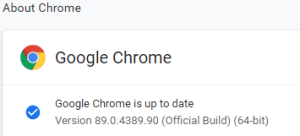 This option in Chrome has moved around a bit, so here is how it was in Version 89.0.4389.90 (Official Build) (64-bit) when I documented it.
- Browse to
chrome://discards/
- Don’t be intimidated by the many rows and columns; only the rightmost 8 (at the time of writing) are interesting:

- Search for the URL (in my chase
https://web.whatsapp.com/ , so I searched for whatsapp which you see as orange in the screenshots below) for which you want to ensure it will never sleep/hibernate (Chrome calls this “discardable”)

- Click
Toggle under the checkmark ✔ so it changes into a cross ✘️ (so the URL will never be discarded, hence always stays awake)

Do this only for tabs that are not CPU/memory/traffic intensive
I got there via these posts:
When searching for discards, I found this post: [Wayback] How to Prevent Chrome from Reloading Tabs When You Switch to Them
Chrome has built-in memory management that causes inactive tabs to “sleep” as RAM is filled. When you click the tab again, it has to reload the page. It’s annoying.
–jeroen
Posted in Chrome, Development, Google, Power User, SocialMedia, Software Development, Web Development, WhatsApp | Leave a Comment »
Posted by jpluimers on 2021/12/08
Some sites manage to disable various printing options (including layout, so you cannot choose between landscape and portrait any more, or force landscape when portrait works better or vice versa).
Googling this got me into a web of things that didn’t help me (see links below), but those led me to this query [Wayback] chrome save as pdf layout missing portrait landscape – Google Search.
That returned a helpful result at [Archive.is/Wayback] Chrome Print dialogue not offering fit to page, landscape, other printing options – Google Chrome Community:
I found a solution.
1. Install the
Stylus Extension.
2. Go into the Stylus extension and click on “Write new style”.
3. Put the following code in:
@page {
size: auto;
}
4. Give it a name (I called mine “Fix Orientation”) and save it.
5. Reload the page you’re trying to print and the print dialogue should now have the “Layout” option and you should always get it for any page you print from now on.
It’s about the extension [Archive.is] Stylus – Chrome Web Store
Redesign the web with Stylus, a user styles manager. Stylus allows you to easily install themes and skins for many popular sites.
I reconfigured the OHRA Mijn Zorg site to force re-enabling of layout by adding @page { size: auto !important; } for https://mijn.ohrazv.nl/ (click the Save button to save this change permanently):
Read the rest of this entry »
Posted in Chrome, CSS, Development, Google, HTML, Power User, Software Development, Web Development | Leave a Comment »
Posted by jpluimers on 2021/09/15
For my link archive:
Via:
–jeroen
Posted in .NET, .NET Core, ASP.NET, C#, Chrome, Chrome, Development, Firefox, Google, Power User, Safari, Software Development, Web Browsers | Leave a Comment »
Posted by jpluimers on 2021/09/14
Since Chrome changes over time, the batch file below from [WayBack] Run chrome in fullscreen mode on Windows – Stack Overflow also changes:
@echo off
echo Countdown to application launch...
timeout /t 10
"C:\Program Files (x86)\chrome-win32\chrome.exe" --chrome --kiosk http://localhost/xxxx --incognito --disable-pinch --no-user-gesture-required --overscroll-history-navigation=0
exit
On most of my systems. Chrome is at C:\Program Files (x86)\Google\Chrome\Application\chrome.exe, so I need to change the path anyway.
–jeroen
Posted in Batch-Files, Chrome, Development, Google, Power User, Scripting, Software Development, Windows | Leave a Comment »
Posted by jpluimers on 2021/06/14
I blogged about [WayBack] Awesome Cookie Manager before. The Awesome Cookie Manager lets the user manage cookies in Google Chrome. It is great.
It is even greater that the pop-up dialog has a URI:
chrome-extension://hcpidejphgpcgfnpiehkcckkkemgneif/popup.html
Get it at [Archive.is] Awesome Cookie Manager – Chrome Web Store:
Displays a list of all Google Chrome cookies. Allows searching, viewing, editing, saving, restoring, and deleting cookies.
It helped me solve the below cases, where I had too many cookies, to the Web Archive bailed out; Awesome Cookie Manager helped me to clear the right cookies:
Edit 20231230: Awesome Cookie Manager source repository at [Wayback/Archive] Phatsuo/awesome-cookie-manager: Awesome Cookie Manager.
--jeroen
Posted in Chrome, Google, Power User | Leave a Comment »
Posted by jpluimers on 2021/06/14
Every now and then, Chrome hangs to badly on MacOS that the whole Mac GUI becomes unresponsive so even the “Force Quit” dialog does not appear.
Sometimes you are lucky enough that you have a (remote) terminal shell open.
Then you can do either of these:
- Less hard kill:
killall 'Google Chrome'killall Google\ Chrome
- Hard kill:
killall -9 'Google Chrome'killall -9 Google\ Chrome
The less hard kill sometimes brings up an unresponsive task and still allows you to save any changed.
Via:
–jeroen
Posted in Apple, Chrome, Google, Mac OS X / OS X / MacOS, Power User | Leave a Comment »
Posted by jpluimers on 2021/05/11
I wonder how you can programmatically open a Hangouts link from Chrome?
These dit not help:
So did some more digging.
TL;DR: did not find a solution; so any help is appreciated.
I found the IDs of then in [WayBack] extensions/common/constants.cc – chromium/src.git – Git at Google
namespace extension_misc {
const char kPdfExtensionId[] = "mhjfbmdgcfjbbpaeojofohoefgiehjai";
const char kQuickOfficeComponentExtensionId[] =
    "bpmcpldpdmajfigpchkicefoigmkfalc";
const char kQuickOfficeInternalExtensionId[] =
    "ehibbfinohgbchlgdbfpikodjaojhccn";
const char kQuickOfficeExtensionId[] = "gbkeegbaiigmenfmjfclcdgdpimamgkj";
const char kMimeHandlerPrivateTestExtensionId[] =
    "oickdpebdnfbgkcaoklfcdhjniefkcji";
const char kProdHangoutsExtensionId[] = "nckgahadagoaajjgafhacjanaoiihapd";
const char* const kHangoutsExtensionIds[6] = {
    kProdHangoutsExtensionId,
    "ljclpkphhpbpinifbeabbhlfddcpfdde",  // Debug.
    "ppleadejekpmccmnpjdimmlfljlkdfej",  // Alpha.
    "eggnbpckecmjlblplehfpjjdhhidfdoj",  // Beta.
    "jfjjdfefebklmdbmenmlehlopoocnoeh",  // Packaged App Debug.
    "knipolnnllmklapflnccelgolnpehhpl"   // Packaged App Prod.
    // Keep in sync with _api_features.json and _manifest_features.json.
};
// Error returned when scripting of a page is denied due to enterprise policy.
const char kPolicyBlockedScripting[] =
    "This page cannot be scripted due to an ExtensionsSettings policy.";
}  // namespace extension_misc
The odd thing is that the source does not match the Chrome web store designation:
You can not start the extensions in a tab; they need to start their view through the extension.
So these links do not work:
chrome-extension://nckgahadagoaajjgafhacjanaoiihapd/mainapp.html?uv_main_windowchrome-extension://ljclpkphhpbpinifbeabbhlfddcpfdde/mainapp.html?uv_main_windowchrome-extension://ppleadejekpmccmnpjdimmlfljlkdfej/mainapp.html?uv_main_windowchrome-extension://eggnbpckecmjlblplehfpjjdhhidfdoj/mainapp.html?uv_main_windowchrome-extension://jfjjdfefebklmdbmenmlehlopoocnoeh/mainapp.html?uv_main_windowchrome-extension://knipolnnllmklapflnccelgolnpehhpl/mainapp.html?uv_main_window
–jeroen
Read the rest of this entry »
Posted in Chrome, Development, Google, GoogleHangouts, Power User, Software Development, Web Development | Leave a Comment »
Posted by jpluimers on 2021/01/18
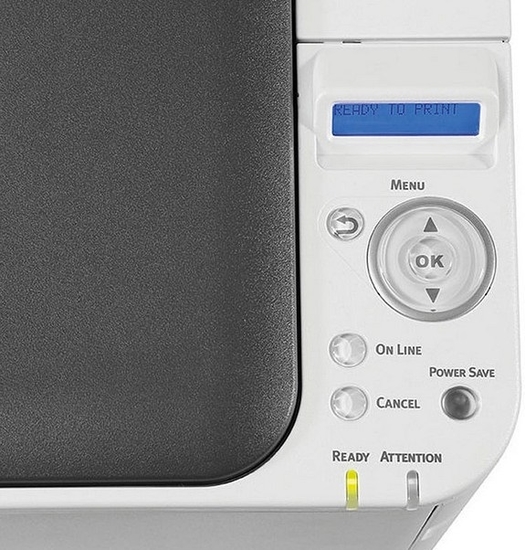 Just learned a new Google Chrome URL chrome://devices/ which lists your Google Cloud devices like printers.
Though in the case of OKI printers, you have to enter your printers at the printer which the Menu button is a painful exercise. [WayBack] oki-c332dn-control-panel_maxwidth.jpg (525×550).
You can also view the device list in https://www.google.com/cloudprint#printers
For some OKI printers (including the MC342 series) you need to update the firmware. For a Mac, you need the below firmware update tool that automagically:
- detects the printers
- finds the firmware on the internet
- updates the printer
Tool: [WayBack] FWUP_020000_10.7.dmg via [WayBack] Firmware Update | OKI Global
–jeroen
Posted in Chrome, Google, Hardware, OKI C332, OKI Printers, Power User | Leave a Comment »


 The Wiert Corner - irregular stream of stuff