


[WayBack] Google Maps gets a new look:
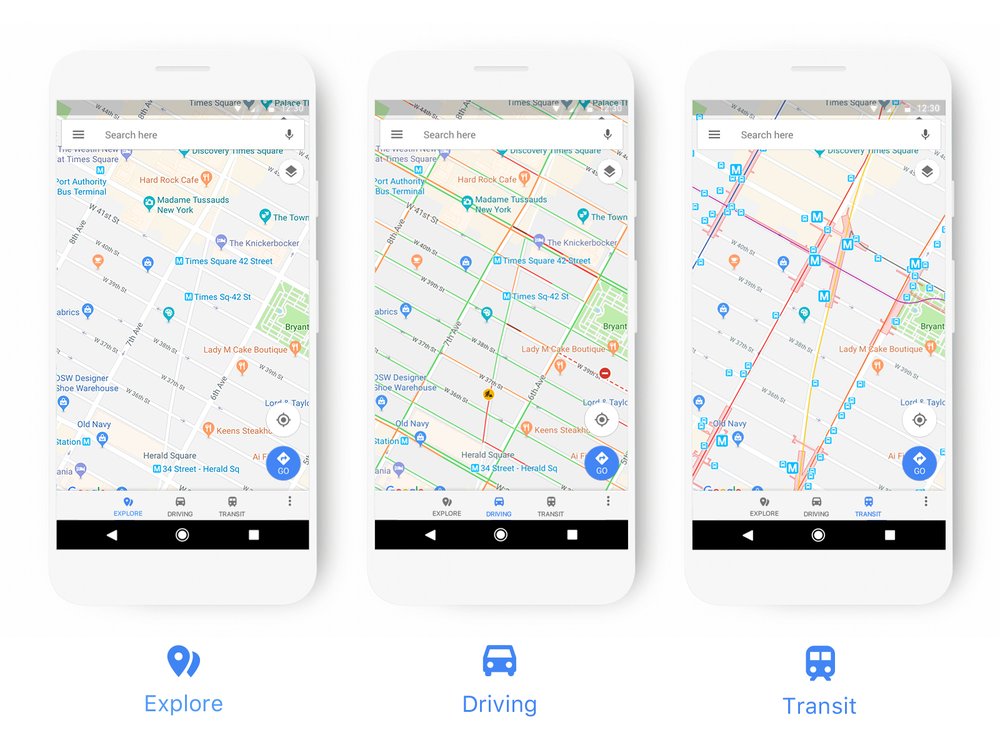
Via: [WayBack] New looks! – Roderick Gadellaa – Google+
–jeroen
Posted by jpluimers on 2017/11/20
[WayBack] Google Maps gets a new look:
Via: [WayBack] New looks! – Roderick Gadellaa – Google+
–jeroen

Posted in Google, GoogleMaps, Power User | Leave a Comment »
Posted by jpluimers on 2017/11/13
[WayBack] Did you miss the ‘View Certificate’ button in Chrome?:
Good news, it’s back for those who want it:
- chrome://flags/#show-cert-linkEnable
- , restart, Bob’s your uncle.
Via: [WayBack] Kristian Köhntopp – Google+ chrome://flags/#show-cert-link
It seems I need to update from Version 59.0.3071.115 (Official Build) (64-bit).
–jeroen

Posted in Chrome, Google, Power User | Leave a Comment »
Posted by jpluimers on 2017/10/30
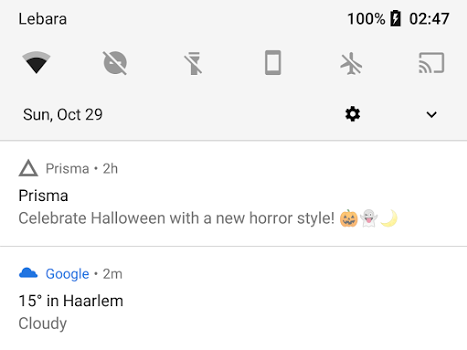
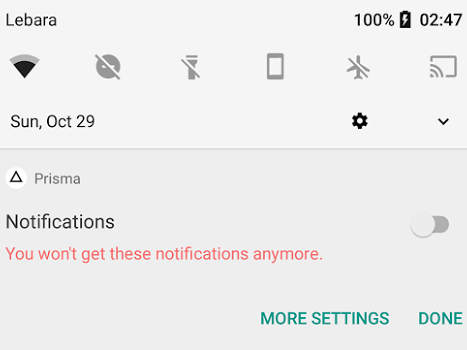
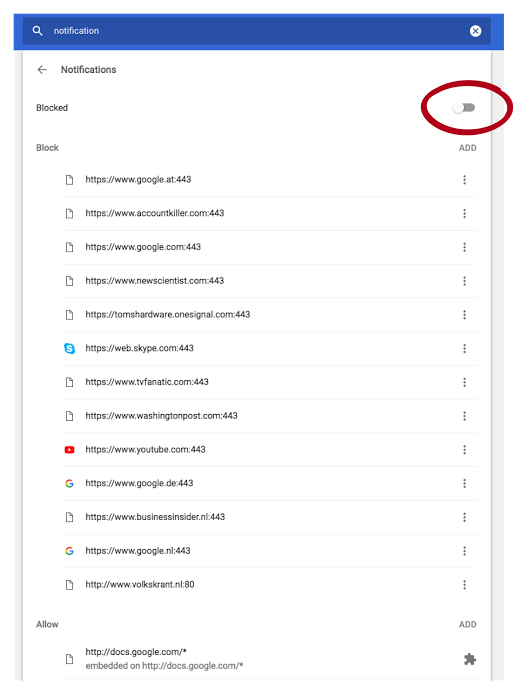
Android apps make sounds when posting notifications. So adding useless gets you on the blacklist quickly thereby disallowing your app for posting any notifications at all.
Kristian shows how and why at
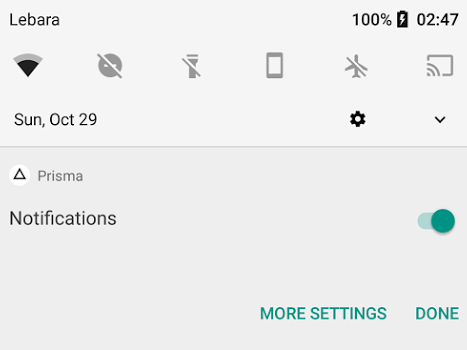
How to lose notification privilege:
- Use notification for marketing.
- Long press.
- Disable.
It’s that easy. You never force grab my attention for marketing a second time, especially since Android notifications by default come with sound now. This one woke me up.
–jeroen

Posted in Android Devices, Google, Power User | Leave a Comment »
Posted by jpluimers on 2017/10/20
Smart tip:
I keep a separate gallery app around just to be able to upload specific pictures to +Google Photos because there is no option to do so from the Photos
Via: [WayBack] I keep a separate gallery app around just to be able to… … – Roderick Gadellaa – Google+
–jeroen

Posted in Android Devices, Google, Google Photos, Power User | Leave a Comment »
Posted by jpluimers on 2017/10/06
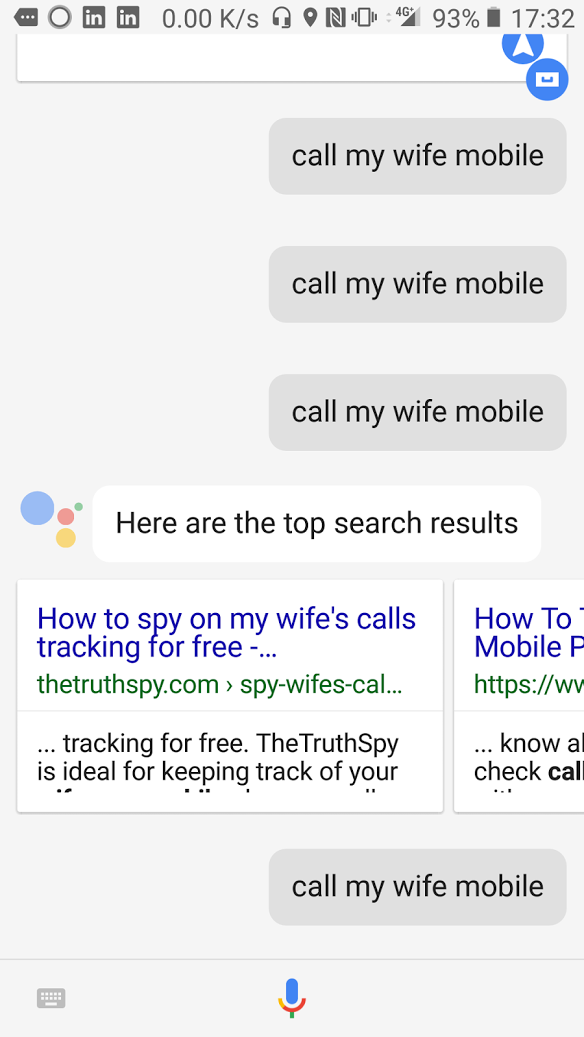 I started thinking about writing this post way before [WayBack] When +Google Assistant gets a mind of their own… – Jeroen Wiert Pluimers – Google+.
Though I’ll focus on Google Assistant, the competition (Alexa, Cortana, Siri) have about the same level of incompetence.
Though living in The Netherlands, I use the English version of Google Assistant as it won’t be available in the foreseeable future: [WayBack] Google Assistant in het Nederlands voorlopig toekomstmuziek.
This means that I cannot use Dutch words for destinations, but find English ones.
navigate to Schiphol trainstationnavigate to Amsterdam Airport ArrivalsThe odd thing is that after switching phones, the latter wants to perform this navigation by public traffic, whereas my former phone it would default to navigation for driving by car.
Basically the only interactions that work sort of OK are calling persons and navigating to places.
what's my next appointment succeedswhat's my current appointment (in case you are late, for instance because of traffic conditions) failsThis allows for aliases to persons like my wife, my brother and my mother. But often it:
call my wife mobile, it sometimes presents search results, for instance on “How to spy on my wife’s calls tracking for free”)After defining these aliases, these actions usually work OK:
call my brother mobilecall my mother at homeContrary to calling, where you can define many aliases, you can only define 2 navigation aliases: home and work. Which means these all fail:
navigate to my brother at worknavigate to my mother at homeHeck, even the simple variations fail:
navigate to my brothernavigate to my motherA cool feature would be navigate to my next appointment, but that fails too. No surprise though, as the simpler navigation commands fail.
The best way I found to navigate is to – just before you leave – search on Google Maps in your browser for the route, then open Navigation on your phone (this presumes they use the same account).
Also, since switching phones, I have to indicate how I want to navigate:
navigate home by carnavigate to Amsterdam Airport Arrivals by carStarting applications is a pain.
Examples that work
start pokemon goThese work unreliably:
start navigation sometimes opens the map, but at other times asks where to navigate toThese fail at all:
start dialer (opens a Google search, but fails to start the stock Android Dialer App)start ex-dialer (my dialer of choice: ExDialer)start player FM (fails to locate Player.FM)It is far from intuitive what kinds of phrases will work, sometimes work or will fail.
I could do a search for how to better phrase my requests, but average users won’t
The Google Voice Assistant still has a long way to go to become useable.
–jeroen

Posted in Google, Google AI, Power User | 2 Comments »
Posted by jpluimers on 2017/09/08
Somewhere around Chrome 60, this extension stopped to work for YouTube videos: Disable HTML5 Autoplay – Chrome Web Store.
It’s [WayBack] unmaintained now as Google is supposed to work on an own disable-autoplay function, but this fails too:
User gesture is required for cross-origin iframes.Via: [WayBack] HTML5 Video: How to enable *non-muted* autoplay in Chrome for Android – Stack Overflow
More reading:
–jeroen
Posted in Chrome, Google, Power User | Leave a Comment »
Posted by jpluimers on 2017/08/14
On my Mac OS X machine, I got this to work with the 20170731 nightly of VLC 3.0.
[WayBack] How to stream from VLC to Your Chromecast (3.0 Updated Version) – VLC Media Player only explains the steps for Windows and Android, probably because they were the first platforms supported by VLC to render on Chromecast: [WayBack] How to Stream Videos from VLC to Chromecast (Including on Windows, Mac & Android) / [WayBack] How to Stream From VLC to Your Chromecast
To make it easier for end-users, on other platforms the menu entries are different.
Video -> RenderPlayback -> Renderer (not Render as shown in some posts)I found this via [WayBack] Latest VLC 3 Nightly Streams to Chromecast Perfectly! : Chromecast and [WayBack] How do I stream to Chromecast using VLC? – Unix & Linux Stack Exchange
On Linux, there is the command-line for now (which works on OS X and Windows as well), or if you insist: use MKChromecast as described in [WayBack] How To Cast Video from Ubuntu to a Chromecast – OMG! Ubuntu!. [WayBack]Mkchromecast This is a program to cast your macOS X, or Linux audio to your Google Cast or Sonos devices with sources at https://github.com/muammar/mkchromecast
On Windows and Mac OS X, after choosing the Render, the steps are the same:
Render discovery on
Download: [WayBack] https://nightlies.videolan.org/build/macosx-intel/vlc-3.0.0-20170731-0451/vlc-3.0.0-20170731-0451-git.dmg via [WayBack] https://nightlies.videolan.org/build/macosx-intel/vlc-3.0.0-20170731-0451/
I didn’t need [WayBack] https://nightlies.videolan.org/build/macosx-intel/vlc-3.0.0-20170731-0451/vlc-contrib-x86_64-apple-darwin15-20170731.tar.bz2
–jeroen

Posted in Chromecast, Google, Media, Media Streaming, Power User, Video | Leave a Comment »
Posted by jpluimers on 2017/08/04
The big G+ news this week was that they brought back search, years after they made the G+ search useless, so jokes like at [WayBack] Ikey Doherty – Google+ “Remember when G+ search was useful?” finally can be left behind us.
Now that they finally made it useful again, I’m happy with it.
A few example searches to get the hang of the URL syntax:
News sources:
–jeroen

Posted in G+: GooglePlus, Google, Power User, SocialMedia | Leave a Comment »
Posted by jpluimers on 2017/07/11
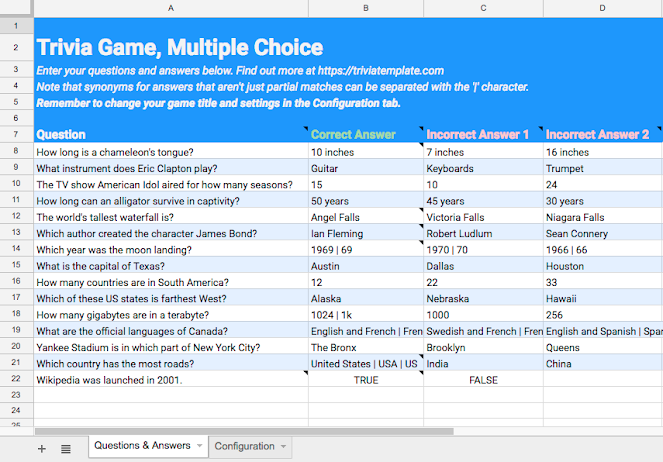
This is soo cool: [Archive.is] Trivia Template to make Google Assistant trivia questionaires.
It reminds me of a project a few years back where we did a similar thing to create automated interviews.
The trivia template tool lets you build apps for the Google Assistant without writing a single line of code.
Source: [WayBack] Google Assistant Trivia Template – Leon Nicholls – Medium
Via: [WayBack] Trivia Template: Nandini Stocker and I just launched a template tool to create trivia games for the Google Assistant. The template turns your questions and answers from a spreadsheet into a fully functioning game without writing any code… – Leon Nicholls – Google+
–jeroen
Posted in Development, Google, Google AI, Power User, Software Development | Leave a Comment »
Posted by jpluimers on 2017/07/11
Likely the Droste effect won’t last long: best torrent sites – Google Search and https://www.google.com/#q=best%20torrent%20sites both give this list at the top and a recursive link about stories with the search links at the bottom.
via many, including:
–jeroen

Posted in Fun, Google, GoogleSearch, Power User | Leave a Comment »
 The Wiert Corner - irregular stream of stuff