


[WayBack] vidister – ☎️ FTTH on Twitter : “Shitty idea of the day: Powering a soldering iron via PoE.… “:
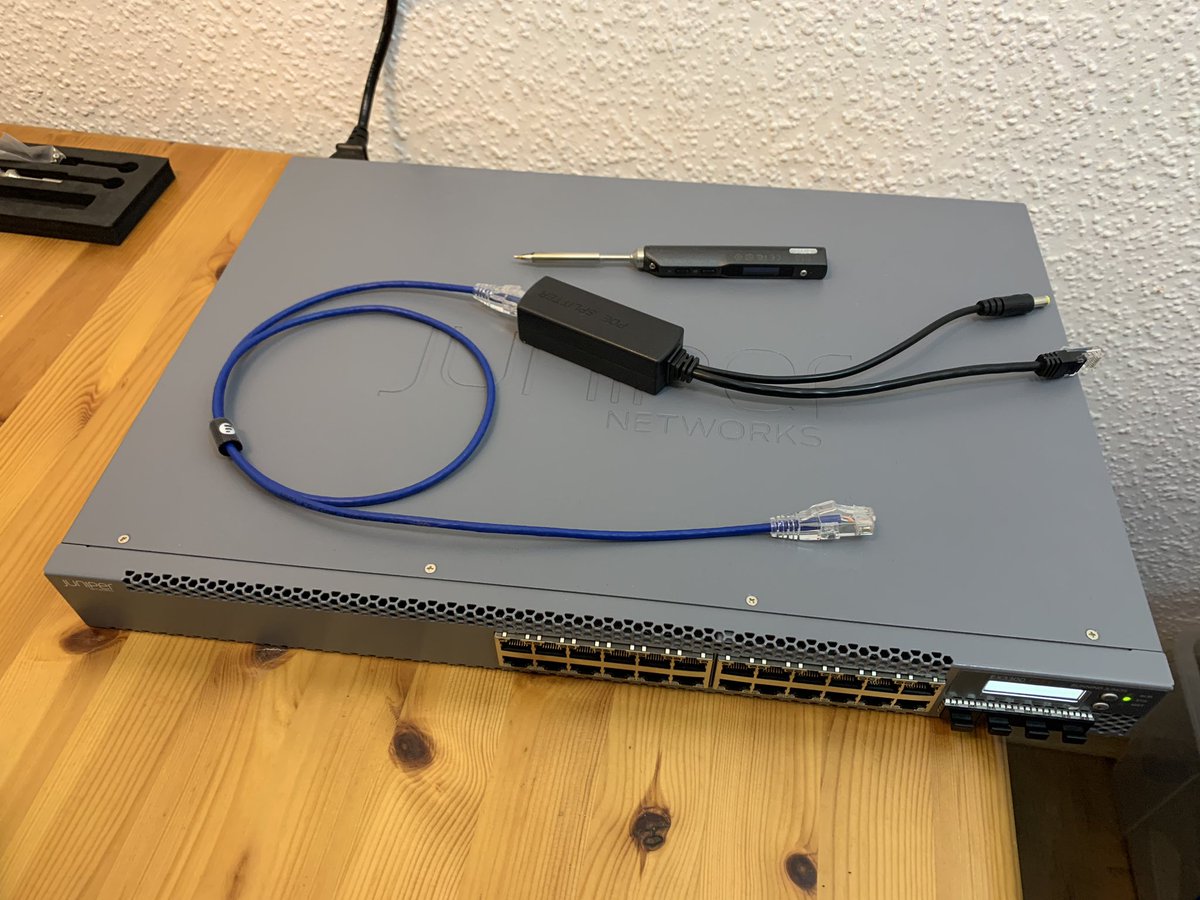
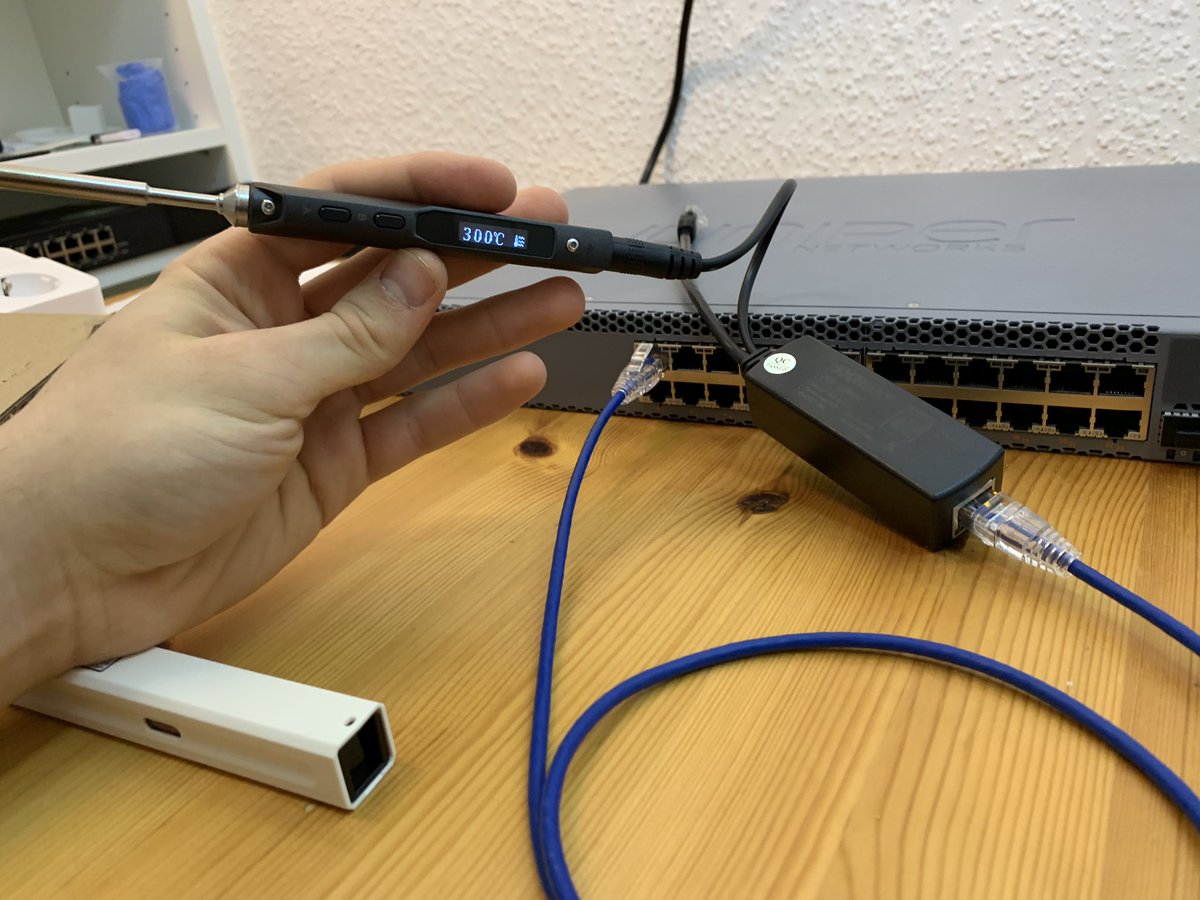
Via: [WayBack] Amy Renee on Twitter : “Soldering the packets together to enable jumbo frames. 😂😂😂… “
–jeroen
Posted by jpluimers on 2021/09/15
[WayBack] vidister – ☎️ FTTH on Twitter : “Shitty idea of the day: Powering a soldering iron via PoE.… “:
Via: [WayBack] Amy Renee on Twitter : “Soldering the packets together to enable jumbo frames. 😂😂😂… “
–jeroen

Posted in Development, Ethernet, Hardware Development, Network-and-equipment, PoE - Power over Ethernet, Power User, Soldering | Leave a Comment »
Posted by jpluimers on 2021/01/07
Similar to the CAT# designation for speed categories, fiber cables have an OM# designation. [WayBack] OM1 fiber, OM2 fiber, OM3 fiber and OM4 fiber overview explain this well, and has this quote and image tables:
There are four kinds of multimode fibers: OM1 fiber, OM2 fiber, OM3 fiber and OM4 fiber. The letters “OM” stand for optical multi-mode.
Both OM1 and OM2 work with LED based equipment that can send hundreds of modes of light down the cable, while OM3 and OM4 are optimized for laser (eg. VCSEL) based equipment.
I have combined the tables in html as:
OM1 OM2 OM3 OM4 Maximum distance for 100 Mbit/s 2000m 2000m 2000m 2000m 100BASE -FX Maximum distance for 1 Gbit/s 275m 550m 550m 1000m 1000BASE-SX Maximum distance for 10 Gbit/s 33m 82m 300m 550m 10GBASE-SR Maximum distance for 40 Gbit/s not specified not specified 100m 150m 40GBASE-SR4 Maximum distance for 100 Gbit/s not specified not specified 100m 150m 100GBASE-SR10 / 100GBASE-SR4 Diameter 62.5/125µm 50/125µm 50/125µm 50/125µm Jacket coulors (often also cable colours) Orange Orange Aqua Aqua Optical source LED LED VCSEL VCSEL Bandwidth 200MHz*km 500MHz*km 2000MHz*km 4700MHz*km
Unlike CAT cabling, fiber cables can have various connectors, of which SC and LC are the most common as explained in [WayBack] SC vs LC—What’s the difference? which has this quote and image table:
- Size: LC is half the size of SC. Actually, one SC-adapter is exactly the same size as a duplex LC-adapter. Therefore LC is more and more common in central offices where packing density (number of connections per area) is an important cost factor
- Handling: SC is a true “push-pull-connector” and LC is a “latched connector”, although there are very innovative, real “push-pull-LCs” available which have the same handling capabilities like SC.
- The History of Connector: The LC is the “younger” connector of the two, SC is wider spread around the world but LC is catching up. Both connectors have the same insertion loss and return loss capabilities. Generally, it depends where in the network you want to use the connector, no matter SC or LC, even the other different kinds of connector.
In html:
Name Mating
cyclesFerrule
sizeTypical
insertion loss
(dB)IEC
specificationCost Ease
of
useApplication
featuresSC 1000 Ø 2.5mm
ceramic0.25-0.5 61754-4 $$ ••••• Mainstream, reliable, fast deployment, field fit LC 500 Ø 1.25mm
ceramic0.25-0.5 61754-20 $$ ••••◦ High density, cost effective, field fit
Related:
–jeroen

Posted in Ethernet, Network-and-equipment, Power User | Leave a Comment »
Posted by jpluimers on 2020/08/28
 Still glad I got a few of [WayBack] GL-AR300M – GL.iNet: it makes travel life so much easier when you cannot use tethering.
I got the model GL-AR300M with external antennas (the GL-AR300M only has internal ones with a much shorter range).
Powered over USB, it runs OpenWRT and can NAT a local network towards an external network on the WAN, WiFi or (via USB) 3G/4G modem.
Despite doing only 2.4Ghz, it was a life saver in many occasions (there is a 5Ghz model, but it has over heating issues).

Posted in Development, Ethernet, GL-AR300M, GL.iNet, Hardware, Hardware Development, LifeHacker, Network-and-equipment, Power User, Raspberry Pi, routers, VPN, WiFi | Leave a Comment »
Posted by jpluimers on 2020/04/24
Interesting Power over Ethernet (PoE) capable router: [WayBack] Netgear Prosafe GS110TP – Tweakers
About the same price as [WayBack] Amazon.com: Netgear Prosafe GS110TP
–jeroen

Posted in Ethernet, Network-and-equipment, Power User | Leave a Comment »
Posted by jpluimers on 2020/01/17
A long time ago I wrote in Mac/PC: sending Wake-on-LAN (WOL) packets « The Wiert Corner – irregular stream of stuff “I’ve succesfully woken up these machines: HP XW6600 running ESXi 5.1 ThinkPad W701U running Windows 7”.
The XW6600 have now been demoted to Windows 10 machines that I only need every now and then, so most of the time they are shutdown.
However, with the installation of Windows 10 however, they stopped reacting to WOL (Wake on LAN).
Per web-search results, I’ve tried all the permutations of the below settings to no avail.
Luckily, my trusty APC PDU AP7921 (and little sister AP7920) helped out: when setting the “Reboot Duration” to 30 seconds or more (so the power fully drains), it can be rebooted.
Note that since I bought these a long time ago, they have been replaced by these:
Firmwares:
Power usage:

Posted in Ethernet, Hardware, HP XW6600, Network-and-equipment, Power User, Wake-on-LAN (WoL), Windows, Windows 10 | Leave a Comment »
Posted by jpluimers on 2019/06/03
The ll header field in a martian source message on linux is about the [WayBack] Ethernet frame – Wikipedia: Data Link Layer.
The first 6 hex digits are the source MAC address, the next are the destination MAC address:
May 10 08:59:24 linux kernel: IPv4: martian source 255.255.255.255 from 192.168.17.44, on dev eth1

May 10 08:59:24 linux kernel: ll header: 00000000: ff ff ff ff ff ff 00 0c 29 f7 0f fe 08 00 ........).....
In the above example:
ff ff ff ff ff ff (broadcast, which corresponds with IPv4 target 255.255.255.255)00 0c 29 f7 0f fe (specific, which I could verify after checking out the machine having IPv4 192.168.17.44)08 00 (IPv4)Some sources indicate it is a martian, as 255.255.255.255 is never a valid IP address, but [WayBack] Martian packet – Wikipedia: IPv4 disagrees.
References:
–jeroen
Posted in Ethernet, Network-and-equipment, Power User | Leave a Comment »
Posted by jpluimers on 2019/02/25
Until recently, I hardly used Wake on LAN, so I never noticed that many routers nowadays can send WoL requests themselves.
A few links:
/tool wol 00:1F:29:02:2A:ED

/tool wol 00:1F:29:01:12:76
wol 00:1F:29:02:2A:ED

wol 00:1F:29:01:12:76
And a few ones from my previous WoL related posts:
–jeroen
Posted in Ethernet, Network-and-equipment, Power User, Wake-on-LAN (WoL) | Leave a Comment »
Posted by jpluimers on 2019/02/18
I needed this for the Windows 10 machine of my mentally retarded brother: WoL (wake-on LAN) for his machine always works when it is in sleep or deep sleep mode, not every now and then fails when fully powered off.
After it is disabled in the UI, you can still perform it with [WayBack] shutdown.exe, so I added these shortcuts first:
shutdown /r /t 0 for “reboot”shutdown /h /f for “sleep” (note: this does not accept /t 0 as it is implied)PowerProf.dll from rundll32.exe (thanks [WayBack] grawity for pointing that out in [WayBack] windows 7 – Sleep shortcut in win7 – Super User)
psshutdown.exe -d -t 0 (Suspend)psshutdown.exe -h -t 0 (Hibernate)psshutdown.exe -s -t 0 (Shutdown without poweroff)psshutdown.exe -d -t 0 (Poweroff)Disabling the Shutdown related actions in the UI consists of two steps:
gpedit.msc (which is wrapped in mmc.exe)I will try to get the registry changes for the second using [WayBack] RegFromApp – Generate RegEdit .reg file from Registry changes made by application (thanks [WayBack] magicandre1981 for suggesting that at [WayBack] windows – How can I use Process Monitor to detect register changes made by GPEdit modifications? – Super User).
The wrappingmmc.exeis easiest to obtain using Process Explorer, and RegFromApp likely needs to run in elevated mode.If that fails, I can try Process Monitor as suggested by [WayBack] Tom Wijsman in [WayBack] command line – Change group policy using windows CMD – Super User.
The reason for the above is that I want to avoid UI based modifications that are hard to script.
This is just the registry setting below.
It also removes the reboot/hibernate/sleep options from the logon screen, so you need shortcuts for that.
This can be done using either gpedit.msc (Group Policy Editor) drilling down to the local policies or secpol.msc (the Local Policy Editor):
Local PoliciesUser Rights ManagementShut down the systemOK to confirmSee the video below how.
I’ve removed the group Users and kept the group Administrators to allow ShutDown.
Administrators now do need to execute the above commands (for instance
shutdown.exe /h /f) in with an UAC administrative token enabled!If you do not want that, add the users that can perform Shutdown commands to a new group, then aadd that group to
Shutdown the system.
If you want to perform this system wide for all users, then it’s faster to change the [WayBack] Windows Explorer NoClose policy (see also [WayBack] Group Policy Registry Reference).

Posted in Ethernet, Network-and-equipment, Power User, Wake-on-LAN (WoL), Windows | Leave a Comment »
Posted by jpluimers on 2019/02/08
Since my brother has this motherboard: M4N78 PRO GREEN.
It does WOL, but doesn’t always wake up when powered down.
–jeroen
ASUS Serial 93M0AI195747; Part 90-MIB7C0-G0EAY00Z; M4N78 PRO GREEN; UPC 61083916977; EAN 4719543169773
Posted in Ethernet, Hardware, Mainboards, Network-and-equipment, Power User, Wake-on-LAN (WoL) | Leave a Comment »
Posted by jpluimers on 2019/01/17
Cool stuff if you want to make your own WOL devices out of spare parts.
From old to new:
They can be woken up by anything sending magic WOL packets, including Raspberry Pi (which cannot be woken up by them, though you could use a Whack-on-LAN for that).
Basically the Raspberry Pi cannot be woken up with WOL because of a few reasons:
It can be a WOL server though: [WayBack] Raspberry Pi As Wake on LAN Server: 5 Steps (with Pictures)
–jeroen
Posted in Development, Ethernet, Hardware Development, Network-and-equipment, Power User, Raspberry Pi, Wake-on-LAN (WoL) | Leave a Comment »


 The Wiert Corner - irregular stream of stuff