


In case I ever need to view the archived /var/adm/backup/rpmdb files again: [WayBack] rpm – Suse: Restore Packages List from /var/adm/backup/rpmdb/Packages-20160323 .gz – Server Fault
–jeroen
Posted by jpluimers on 2019/11/25
In case I ever need to view the archived /var/adm/backup/rpmdb files again: [WayBack] rpm – Suse: Restore Packages List from /var/adm/backup/rpmdb/Packages-20160323 .gz – Server Fault
–jeroen

Posted in *nix, Power User, rpm | Leave a Comment »
Posted by jpluimers on 2019/11/22
Some interesting links on the “open with” database:
Simple solution to clean the list:
# Clean up LaunchServices to remove duplicates in the “Open With” menu.
alias lscleanup="/System/Library/Frameworks/CoreServices.framework/Frameworks/LaunchServices.framework/Support/lsregister -kill -r -domain local -domain system -domain user && killall Finder"`
These were by products of what I was really searching for:
Some applications are greyed out, for instance when editing the “Open with…” for the .cap extension (which are pcap network captures that Wireshark can process).
After the steps below, sometimes the menu still does not update for all files of that extension.
This alias helped me to get that to work: alias restart-finder='killall -KILL Finder'.
Links that helped me finding out:

The trick is to toggle “Recommended Applications” into “All Applications”:
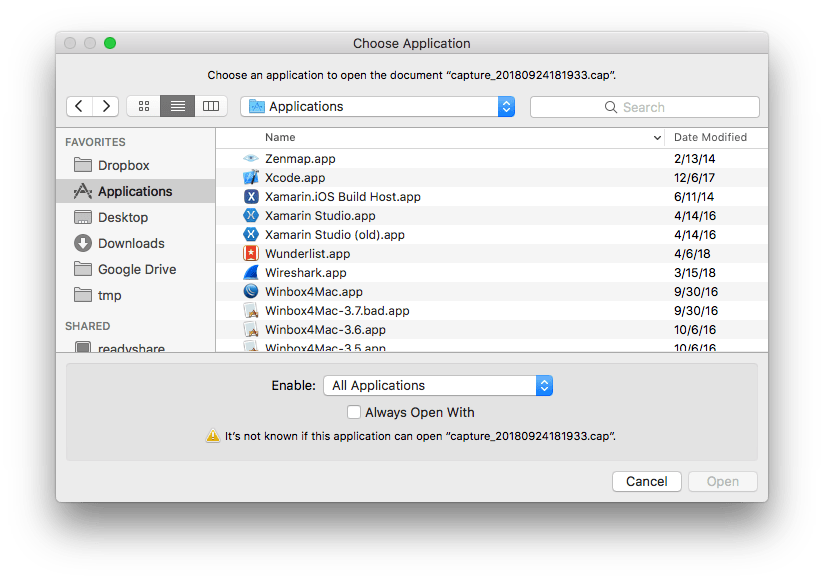
Then you can select “Wireshark.app”:

The same happens when you filter on a name (for instance because you know that Wireshark will work fine):
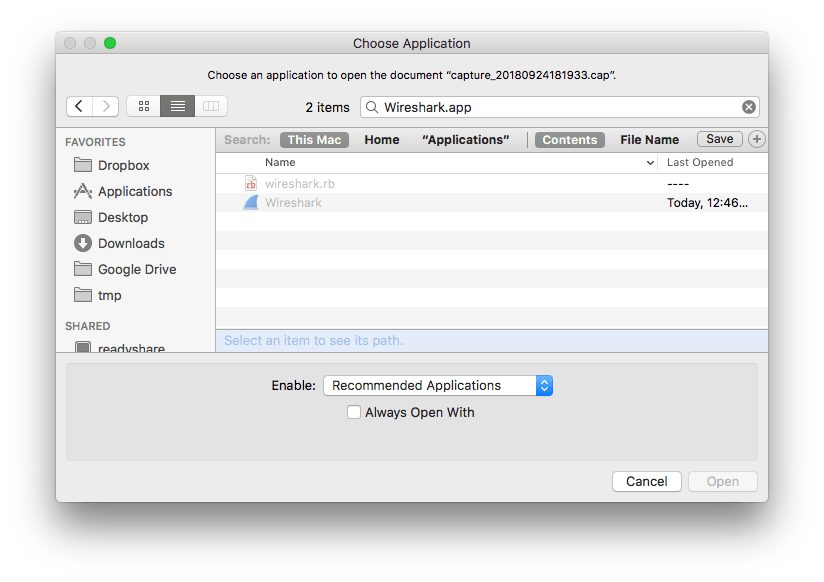
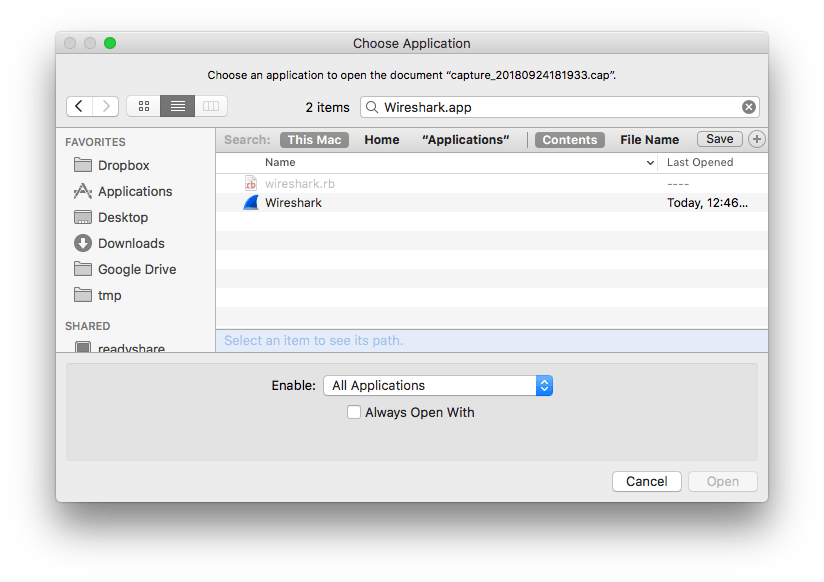
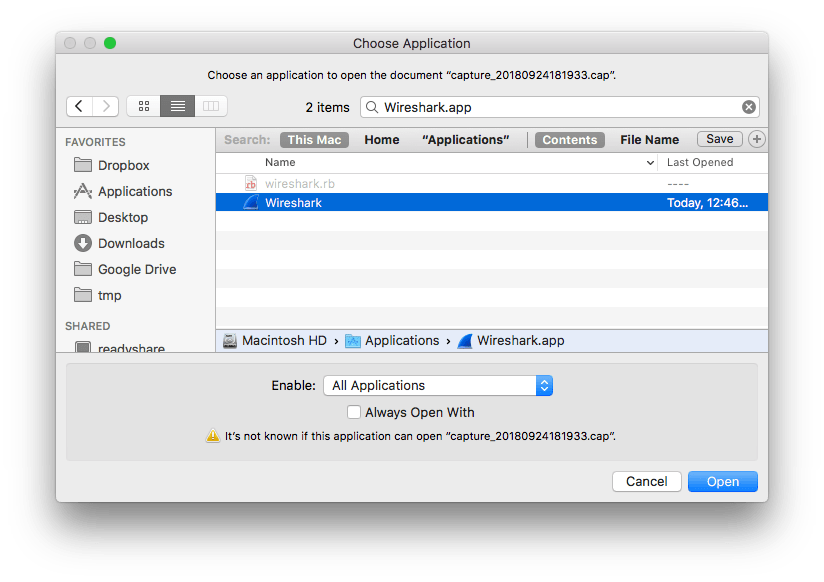
A final thing is that you have to check “Always Open With” so it ends up in the list.

–jeroen

Posted in Apple, Mac OS X / OS X / MacOS, Power User | Leave a Comment »
Posted by jpluimers on 2019/11/22
most websites are now using https by default.
And that’s great, but it also means that if you’re relying on poorly-behaved wifi networks, it can be hard to get online. Secure browsers and websites using https make it impossible for those wifi networks to send you to a login or payment page. Basically, those networks can’t tap into your connection just like attackers can’t.
So to get your brain-dead hotel, airport or other WiFi connection to work:
[WayBack] NeverSSL – helping you get online
via [WayBack] Rainer Sokoll – Google+ commenting on [WayBack] Achtung, Heise hat #neuland verlassen. So geht es richtig! – Kristian Köhntopp – Google+
–jeroen
Posted in Power User, WiFi | Leave a Comment »
Posted by jpluimers on 2019/11/22
 This indeed was an Excel 2011 for Mac thing.
Even without macros or VBA modules, Excel 2011 for Mac shows this dialog when opening a .xls file.
The solution was simple: save as .xlsx.
–jeroen
via [WayBack] Removing “Workbook Contains Macros” Prompt – Free Excel\VBA Help Forum

Posted in Excel, Office, Office 2011 for Mac, Power User | Leave a Comment »
Posted by jpluimers on 2019/11/20
One day, on a legacy Linux system, logrotate managed to skip some files in the middle of a sequence in /var/log.
Since I didn’t have time to sort out the cause (the system was being phased out), I used this to compress the rest of the log-files (dated in 2017):
sudo -u bash

pushd /var/log

ls | grep -vw xz | grep "\-20......$" | xargs -L 1 ls -alh
After that you can execute this in the same directory:
ls | grep -vw xz | grep "\-20......$" | xargs -L 1 time xz
It skips any xz files and includes only files in the year 2017.
I occasionally tracked progress with this:
ls -alh /var/log/ | grep -v xz | less
That got back a few gigabytes of disk space, just enough to help me migrate the system away.
–jeroen
Posted in *nix, *nix-tools, bash, logrotate, Power User | Leave a Comment »
Posted by jpluimers on 2019/11/19
I never thought you could do it, but you can: [Archive.is] Return empty cell from formula in Excel – Stack Overflow.
You have to crate:
Convoluted, but clever!
–jeroen
Posted in Development, Excel, Office, Office VBA, Power User, Software Development | Leave a Comment »
Posted by jpluimers on 2019/11/19
A few days after filing <path> disappears from "Preview" rendering and also from actual rendering (at least in issues), I realised that this is by intent: Markdown allows to [WayBack] inline html which means that code like below will be all treated as such:
<path>

> <path>

*<path>*

**<path>**

> *<path>*

> **<path>**
The solution is to either escape or quote with back-ticks:
`<path>`

> `<path>`

*`<path>`*

**`<path>`**

> *`<path>`*

> **`<path>`**
Since WordPress also is based on pseudo-HTML codes, it too needs escaping.
–jeroen
Posted in Development, Lightweight markup language, MarkDown, Power User, Software Development | Leave a Comment »
Posted by jpluimers on 2019/11/18
Based on, but much shorter than, [WayBack] How to change the User Account Control (UAC) level in Windows | Digital Citizen which summary is
How to change how UAC prompts are shown in Windows 7, Windows 8.1 and Windows 10. How to disable UAC when you no longer want it turned on.
UserAccountControlSettings.exe–jeroen
Posted in Power User, Windows, Windows 10, Windows 7, Windows 8, Windows 8.1 | Leave a Comment »
Posted by jpluimers on 2019/11/18
Not sure how long these will stay valid, but apparently my nl_office_professional_plus_2010_with_sp1_x86_x64_dvd_731121.iso was damaged (I forgot to check the hash) but I could download a fresh one from [WayBack] Download Earlier Versions of Office.
If you cannot find it by product key (I also tried it with a Visio one: worked fine too), then you can use [WayBack] Office 2010 direct link, X16-32250.exe, X16-32213.exe which are archived here:
–jeroen
via: [WayBack] Lost Office 2010 or 2013 CD/DVD? Legally Download Office From Microsoft
Posted in Office, Office 2010, Power User | Leave a Comment »
Posted by jpluimers on 2019/11/18
Still so relevant: [Archive.is] Intense Asymmetry and Self-Flagellation – @ASmartBear – WP Engine
Stop comparing yourself to something that is objectively incomparable.
via: [WayBack] Intense Asymmetry and Self-Flagellation – Marjan Venema – Google+
–jeroen
Posted in LifeHacker, Power User | Leave a Comment »
 The Wiert Corner - irregular stream of stuff