The Wiert Corner – irregular stream of stuff

Jeroen W. Pluimers on .NET, C#, Delphi, databases, and personal interests

  • My badges

  • Twitter Updates

  • My Flickr Stream

  • Pages

  • All categories

  • Enter your email address to subscribe to this blog and receive notifications of new posts by email.

    Join 1,862 other subscribers

Archive for the ‘Windows 7’ Category

Chrome 12 brought back Issue 47714 – chromium – maximize bug while loading webpage on windows 7 – An open-source browser project to help move the web forward. – Google Project Hosting

Posted by jpluimers on 2011/06/27

Regression tests are useful, especially before release.

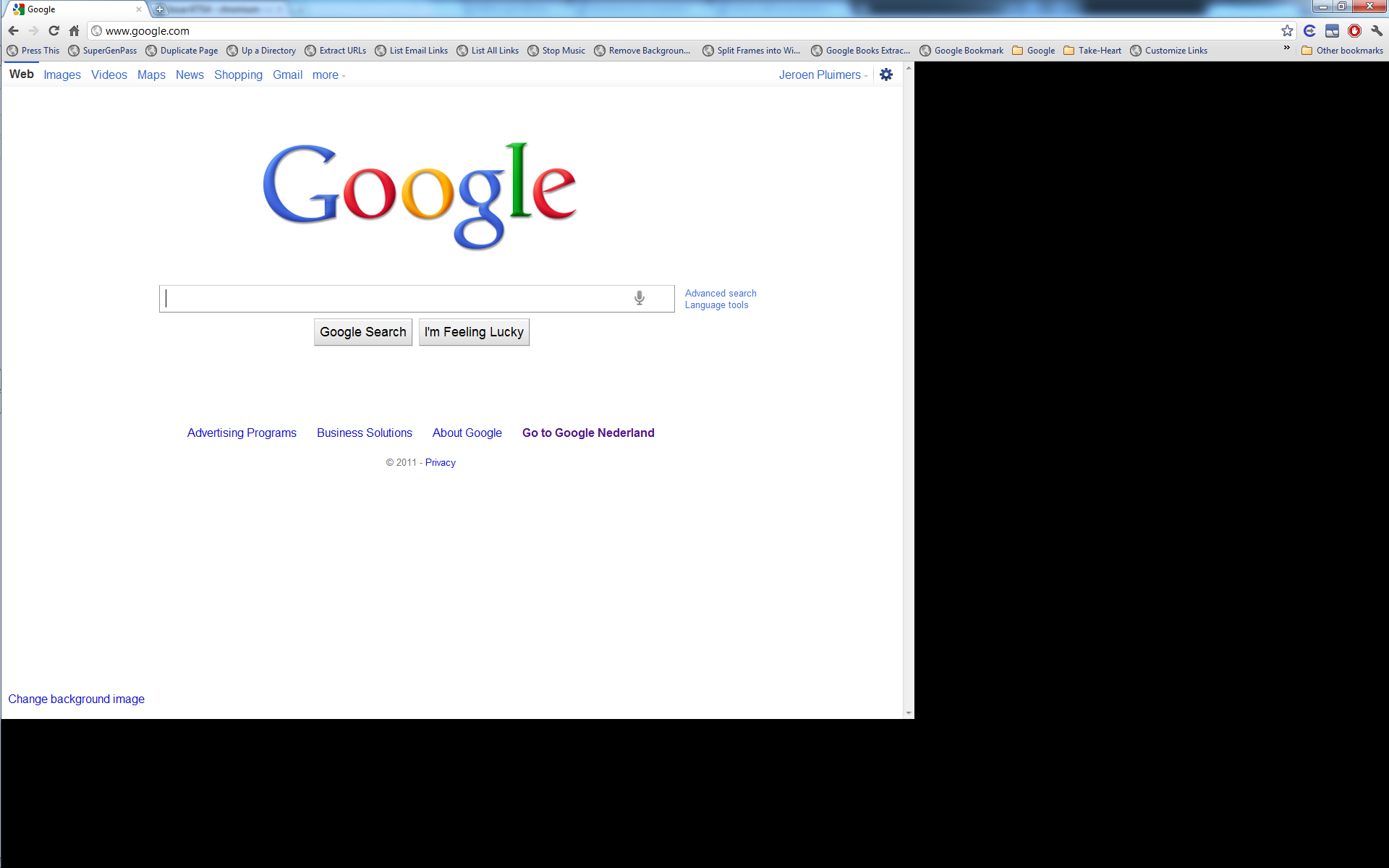
Clearly someone forgot to regression test the Issue 47714 – chromium – maximize bug while loading webpage on windows 7, as after a while of absence, Chrome 12 reintroduced this issue (it is present in all versions of Chrome 12 I tested, until at least 12.0.742.100).

Workarounds:

  1. Maximize the window, then enter a URL
  2. Wait for Chrome to fully load the URL, then maximize.

–jeroen

Posted in Chrome, Power User, Web Browsers, Windows, Windows 7 | Leave a Comment »

Finding out which client process is using a Windows network share

Posted by jpluimers on 2011/06/16

Sometimes when you want to release a network drive you get an error message that something still uses it:
C:\>net use h: /d
The device is being accessed by an active process.

More help is available by typing NET HELPMSG 2404.

Finding out about that something is the trick.
Luckily, Process Explorer allows you to search for handles pointing to resources that start with \device\lanmanredirector, as ASK-LEO explains.

–jeroen

Posted in Power User, Windows, Windows 7, Windows Vista, Windows XP | Leave a Comment »

How to tell the Windows version and Service Pack number

Posted by jpluimers on 2011/05/27

Sometimes you want to know the Windows Version and Service Pack number.

A GUI version is very simple: run winver.exe, it will give you dialogs like these ad the Microsoft Knowledge Base article 310104 explains.

A console version can be done in several different ways:

–jeroen

via: [WayBackwindows command line: can I tell Service pack number? – Super User.

Posted in Power User, Windows, Windows 7, Windows Vista, Windows XP | 1 Comment »

Disable Windows 7 DLNA exposure

Posted by jpluimers on 2011/05/13

It looks like when you install Windows Media Player in Window 7, it will expose your media library for DLNA access by default for any user that chooses “quick” settings.

This even when you have not turned on media streaming, or not enabled the “Automatically allow devices to play my media” (this link has some screenshots on those settings).

I know few users who go the whole nine yards around those “quick” settings, so pretty much any Windows 7 user has their media library exposed as DLNA in your Home or Work networks (DLNA seems disabled on Public networks by default).

This is both a pollution of your DLNA space (for instance making it more difficult from your digital TV to to select the correct DLNA source), and an exposure. Any malware in your network might so some discovery (and yes, truckloads of PC’s in Work or Home networks have such malware running).

Though searching for “Winodws 7” “Disable DLNA” returns few good results, the actual trick is easy:

  1. On the start menu, type “Manage advanced sharing settings”
  2. Click the arrow next to “Home or work”
  3. Under “Media Streaming”, click “Choose media streaming options”
  4. Click on the “Block all” button
  5. Click the “OK” button
  6. Close the “Advanced sharing settings” window

–jeroen

via: Media Streaming with Windows 7 – Engineering Windows 7 – Site Home – MSDN Blogs.

Posted in Power User, Windows 7 | 4 Comments »

FAT32 formatting a HDD volume bigger than 32 gigabyte

Posted by jpluimers on 2011/05/02

Most external USB HDDs you buy are way bigger than 32 gigabyte, and factory formatted with NTFS.

Nowadays, many devices (TVs, modems, routers, etc) support attaching HDDs, but not all of them support NTFS, but most of them support FAT32.

My brother has such a TV. He has mental retardation (they have euphemisms for that; he basically has an IQ < 50, which in his means he can live on his own but needs daily visits from people that help him with the more complex things in life).

I’m his legal guardian (Dutch: curator), so my wife and me take care of some of those things.

This included getting his TV to recognize a USB HDD so he can watch his favourite TV series I recorded for him (Knight Rider, Top Gear, etc).

Windows NT and beyond cannot format FAT32 in an easy way.

They can from the commandline using the format command: use FOMAT X: /FS:FAT32 for that, it is slow and as soon as you add the /Q parameter to speed things up, it imposes the 32 gigabyte limit.

Microsoft suggests botting Windows 98 or Windows Me, but those have too many limitations (lack of USB support, no 48-bit LBA, imposing 137 gigabyte HDD limit, etc).

Luckily, Ridgecrop Consultants Ltd has a FAT32FORMAT tool  and accompanying GUI wrapper. They format any HDD using FAT32. Their tools work at least in Windows XP and up (I haven’t tested Windows 2000 and NT 4).

Problem solved: my brother can happily watch his favourite TV series I recorded for him :)

–jeroen

Posted in About, Personal, Power User, Windows, Windows 7, Windows Vista, Windows XP | Leave a Comment »

Should I really install Windows 7 x64 SP1 after so many people get BSODs?

Posted by jpluimers on 2011/03/29

I’m hesitating to install Windows 7 SP1 on my development machines.

I do use the MUI language packs, and people doing that get BSODs after installing SP1.

Michael S. Kaplan (one of Microsoft’s nicest i18n people), wrote it like this: Lack of confidence in a feature can keep me from installing it. Oh yeah, a BSOD can, too (in a reaction to Why am I receiving “Error C000009A” after installing Windows 7 Service Pack 1 (SP1)?)

Two weeks ago, I had two co-workers that got a C00000034 too on difference machines; those could be resolved (not to complete satisfaction, but they could work) and cost a couple of hours work.

Opinions, anyone?

–jeroen

Posted in Opinions, Power User, Windows, Windows 7 | 1 Comment »

I love my keyboard; why did they hide “Underline keyboard shortcuts and access keys” in Windows 7 so far away?

Posted by jpluimers on 2011/03/18

This is how you view the underline character for Alt and other keyboard shortcuts in Windows 7 (the link shows you how to do this with the mouse, but we are keyboard lovers, are’t we?):

  1. Press the WINDOWS-U combination to open the “Ease of Access Center”
  2. Under Explore all settings, select “Make the keyboard easier to use” by pressing TAB a couple of times, then press ENTER to select it.
  3. Press ALT-N to select and check “Underline keyboard shortcuts and access keys” under “Make it easier to use keyboard shortcuts”
  4. Press ALT-O to fire the OK button action.
  5. Press ALT-F4 to close the “Ease of Access Center”

Done!

So far for accessibility (:

–jeroen

via: Underline keyboard shortcuts and access keys.

Posted in Keyboards and Keyboard Shortcuts, Power User, Windows, Windows 7 | 3 Comments »

ISO CD/DVD image mounting tools for Windows

Posted by jpluimers on 2011/03/11

A few tools for mounting ISO CD/DVD images:

–jeroen

Posted in Power User, Windows, Windows 7, Windows Vista, Windows XP | 2 Comments »

ClipName from the PC TimeWatch people – Freeware

Posted by jpluimers on 2011/02/18

Every once in a while I need to copy a bunch of filenames to the clipboard.
This is where the freeware tool [WayBackClipName comes in action: it can copy them in various formats (and works much better than the similar [WayBackClipPath, which can only copy them as CSV)

Quote from the ClipName page:

ClipName is also a Context Menu extension copying the full pathname of the right-clicked file to the clipboard. This new version supports copy of multiple filenames either as a space separated list or as a CRLF separated list. DOS filenames (8.3) can now also be copied as well as the URL encoded name and the UNC name for remote files. Clipname supports a Copy command for filenames without including any path, URL Encoding for multiple selections and style encoding for Microsoft Word, Microsoft OneNote,… A version running under Windows Vista 64-bit is now available. It also allows to copy the UNC name for local files and folders. Version 1.3 adds the capability of copying the target URL for Internet Shortcuts from Windows Explorer and from within the IE Favorites bar.

It comes both in 32-bit x86, and in x64 versions.

–jeroen

via


Posted in Clipboard, Power User, Windows, Windows 7, Windows Vista, Windows XP | 2 Comments »

Increasing your Windows XP NTFS disk size under VMware Workstation 7

Posted by jpluimers on 2011/02/11

Searching how to increase your Windows XP NTFS partitions of Virtual Machines running under VMware Workstation 7 gets you a truckload of links trying to get you to do all sorts of  command-line like vmware-vdiskmanager and such.
That was indeed the case up till VMware Workstation 6.5, but from version 7 on, it has become much easier.
But the links with difficult steps keep appearing at the top of the search queries.

Hence this blog entry: increasing the NTFS partition size in a Windows VM is easy!

The increase is a two step process:

  1. In VMware Workstation,  increase the size of the physical disk
  2. Increase the NTFS partion on that physical disk

Step 1 has become much easier since VMware Workstation version 7, you can do it from within VMware Workstation now.
Dinesh describes this small process very well in his Expand Disk in VMware Workstation 7 blog postRead the rest of this entry »

Posted in *nix, Power User, VMware, Windows, Windows 7, Windows Vista, Windows XP | 1 Comment »