Archive for the ‘SocialMedia’ Category
Posted by jpluimers on 2022/03/18
For my link list as WordPress.com is actively hiding them:
- Posts:
- Categories:
- Tags:
- Comments:
- Pages:
- Blogroll???
- Post:
Notes
You can see the old versus new infrastructure by comparing these branches:
WordPress.com does not have the “Classic Editor” plugin, but just gradually discourages use of the old infrastructure which is far more feature rich, thereby screwing old users.
Some of these features from the old infrastructure that are gone (despite the pretentious name of the Gutenberg editor):
- Posts/Pages/Tags/Categories/Comments overviews are paginated, can be filtered and have bulk-actions
- Classic-Editor has lots of useful keyboard shortcuts and allows for nested quotes
For reference, WordPress – Wikipedia: Gutenberg versus classic-editor:
WordPress 5.0 “Bebo”[edit]
The December 2018 release of WordPress 5.0, “Bebo”, is named in homage to the pioneering Cuban jazz musician Bebo Valdés.[90]
It included a new default editor “Gutenberg” – a block-based editor; it allows users to modify their displayed content in a much more user friendly way than prior iterations. Blocks are abstract units of markup that, composed together, form the content or layout of a web page.[91] Past content that was created on WordPress pages is listed under what is referred to as a Classic Block.[92] Prior to Gutenberg, there were several block-based editors available as WordPress plugins, e.g. Elementor, and following the release of Gutenberg Elementor was compared to existing plugins.[93][94]
Classic Editor plugin[edit]
The Classic Editor Plugin was created as a result of User preferences and helped website developers maintain past plugins only compatible with WordPress 4.9.8, giving plugin developers time to get their plugins updated & compatible with the 5.0 release. Having the Classic Editor plugin installed restores the “classic” editing experience that WordPress has had up until the WordPress 5.0 release.[95] The Classic Editor Plugin will be supported at least until 2022.[96]
The Classic Editor plugin is active on over 5,000,000 installations of WordPress.[97]
–jeroen
Posted in Classic editor, Development, Gutenberg editor, Power User, SocialMedia, Software Development, Web Development, WordPress, WordPress | Leave a Comment »
Posted by jpluimers on 2022/03/15
On my research list: [Wayback/Archive.is] How to access Archive.org’s Google+ communities archive? : googleplus, as there are so many interesting programming related posts there.
The main takeaway is that in order to access an archived Google+ post, you need to know or be able to reconstruct the canonical URL with language specifier to the Google+ post, see the comment in the first related link below.
It looks that for my archived profile links Wayback – Google+: Jeroen Wiert Pluimers (UUID) / Wayback – Google+: Jeroen Wiert Pluimers (user name) only some 30 links were archived directly through the WayBack save-as feature based on my UUID and some 250 based on my username profile:
. Hopefully more
Some related links:
- [Wayback/Archive.is] dredmorbius comments on How to access Archive.org’s Google+ communities archive?
dredmorbius Author of the article you’ve linked.
Unfortunately, no, there’s not a really good way of finding content on the Internet Archive’s WBM, unless you already know the URL(s) you’re looking for.
Keep in mind that:
-
Not everything got captured. I’ve been having a discussion with another G+ user over this, and spot-checking multiple URLs finds no archive of many.
-
There are several variants of G+ post URLs. You want the one with the 20-digit numeric UUID, and NOT the “vanity url” +FirstnameLastname format.
-
Also strip out any instances of /u/[0-9]+/ within the URL. E.g., if you see “https://plus.google.com/u/0/<UUID>”, change that to “https://plus.google.com/<UUID>” (where UUID is the numeric user string).
-
User profile homepages are frequently archived, but the visible posts cannot themselves be opened. This is … unfortunate.
-
Similarly: only the first page of an infinite scroll of User, Brand, Collection, Community, etc., pages is captured. Unless there are multiple captures over time, you’re not going to get a full user history there.
Generally, your best bet is to have some link to G+ content that you can convert to the appropriate format as Internet Archive might have saved, and check to see if it’s stored. Again, this is tedious, though at least in many cases, useful.
There’s a list of some of the more notable G+ users and Communities at PlexodusWiki which may also be helpful in tracking down specific references.
…
Also: it turns out that slight variations in URL format can mean you do or don’t find a page.
I just ran into this trying to track down a post and discovered that the URL arguments — here a language specifier — are critical in returning the intended post.
Discussion: https://mastodon.cloud/@dredmorbius/103592826938741244
The fully qualified G+ URL is found: https://web.archive.org/web/20190325032955/https://plus.google.com/104092656004159577193/posts/4REjF1smHpE?hl=en
But stripping off ?hl=en, even when wildcarded, is not:
https://web.archive.org/web/2019*/https://plus.google.com/104092656004159577193/posts/4REjF1smHpE
Unfortunately, the IA’s WBM requires JS to return content, which means that simple means of testing with common shell tools in scripts (allowing a large number of candidate URIs to be checked quickly) isn’t possible.
- [Wayback] Doc Edward Morbius ❌: “@woozle@toot.cat You might also try appending “?h…” – mastodon.cloud
- [Wayback] G+ Notable Communities Database – PlexodusWiki
- [Wayback] Google+ tracker – #googleminus – Donate at https://archive.org/donate/ for hosting the archives Dashboard
- [Wayback/Archive.is] Saving of public Google+ content at the Internet Archive’s Wayback Machine by the Archive Team has begun : plexodus
- GitHub – ArchiveTeam/googleplus-grab: Archiving Google+.
- [Wayback/Archive.is] Plexodus: The Google+ Exodus subreddit : plexodus
- [Wayback/Archive.is] Internet Data Is Rotting | Hacker News
–jeroen
Posted in G+: GooglePlus, Google, Power User, SocialMedia | Leave a Comment »
Posted by jpluimers on 2022/03/08
The [Wayback/Archive] Embarcadero/IDERA Documentation Wiki has been mostly down since March 3rd, 2022 (not the main page, but almost all other pages are).
I modified [Wayback/Archive] Docwiki https – EmbarcaderoMonitoring to show the actual status of a deeper page as the (mostly static) top page is up, so monitoring that is useless as the deeper pages are down.
The deeper pages are dynamic and require a functioning MySQL database connection. That connection is mostly down (the error message is not clear, so this could be a network or a database server problem, or maybe even a loadbalancer gradually entering bit heaven).
Since it had been down for like 6 days in February*, I’d expect Idera to keep an eye on it and prepare for more downtime. Apparently that’s either not a 24×7 thing for them or they missed the “pre” in preparation as it is dead-silent on .
It also runs on an unsupported version of Mediawiki 1.31** which by itself does not explain the outage, but does indicate that their idea of handling their internal lifetime management is different than what they advocate to clients in their software subscription model, see [Wayback/Archive] Delphi – Embarcadero store, [Wayback/Archive] Update Subscription – Embarcadero and [Wayback/Archive] Special Offers on RAD Studio, Delphi & C++Builder – Embarcadero:
Read the rest of this entry »
Posted in *nix, Bookmarklet, Delphi, Development, JavaScript/ECMAScript, Lightweight markup language, MediaWiki, Monitoring, Power User, Scripting, SocialMedia, Software Development, Twitter, Uptimerobot, Web Browsers | Leave a Comment »
Posted by jpluimers on 2022/03/04
[Wayback] Archive.is blog — The website has been slow for some time when…
The website has been slow for some time when archiving Twitter pages, but works fine with other websites. Is there a reason for that? Thx!

Anonymous
1. There are too many pages from Twitter in the queue, which reduces their priority (if it wasn’t for this condition, it would slow everything down)
2. Twitter API sometimes responds with “429 Too Many Requests” or other error, so it usually takes more than 1 attempt to capture the page.
I would suggest refraining from saving pages from Twitter for now, especially those people trying to save dozens or hundreds of tweets
–jeroen
Posted in archive.is / archive.today, Internet, Power User, SocialMedia, Twitter | Leave a Comment »
Posted by jpluimers on 2022/02/14
Steps: go directly to twitter.com/settings/autoplay, then ensure “Never” is checked, or
- Click on “More”,
- Click on “Settings and privacy”,
- Click on “Accessibility, display and languages”,
- Click on “Data usage”,
- Click on “Autoplay”,
- Ensure “Never” is checked.
Or in screenshots:
Read the rest of this entry »
Posted in LifeHacker, Power User, SocialMedia, Twitter | Leave a Comment »
Posted by jpluimers on 2022/01/18
Almost two years ago, GitHub – facebook/osquery: SQL powered operating system instrumentation, monitoring, and analytics published from the automatic blog queue.
It was in the midst of my rectum cancer treatment, so I was glad the blog queue back then was still about 18 months deep.
This meant I looked into osquery in 2018, which I remember because I needed it on MacOS as I did not want to remember the syntax for MacOS specific commands on getting system information. It also coincides with how much my repository fork was behind: [Wayback: jpluimers/osquery commits/Archive: jpluimers/osquery commits].
Fast forward to now, the breath of systems I’m involved with has widened, so I was glad to see that Kristian Köhntopp mentioned it:
So time to try it again (:
The links he mentioned:
- [Wayback/Archive] Welcome to osquery – osquery
osquery is an operating system instrumentation framework for Windows, OS X (macOS), Linux, and FreeBSD. The tools make low-level operating system analytics and monitoring both performant and intuitive.
- [Wayback/Archive] Welcome to osquery – osquery: High Level Features
The high-performance and low-footprint distributed host monitoring daemon, osqueryd, allows you to schedule queries to be executed across your entire infrastructure. The daemon takes care of aggregating the query results over time and generates logs which indicate state changes in your infrastructure. You can use this to maintain insight into the security, performance, configuration, and state of your entire infrastructure. osqueryd‘s logging can integrate into your internal log aggregation pipeline, regardless of your technology stack, via a robust plugin architecture.
The interactive query console, osqueryi, gives you a SQL interface to try out new queries and explore your operating system. With the power of a complete SQL language and dozens of useful tables built-in, osqueryi is an invaluable tool when performing incident response, diagnosing a systems operations problem, troubleshooting a performance issue, etc.
- [Wayback/Archive] osqueryd (daemon) – osquery
- [Wayback/Archive] osqueryi (shell) – osquery
- [Wayback/Archive] Aggregating Logs – osquery
- [Wayback/Archive] AWS Logging – osquery
Main site: [Wayback/Archive] osquery | Easily ask questions about your Linux, Windows, and macOS infrastructure
Repository: [Wayback/Archive] osquery/osquery: SQL powered operating system instrumentation, monitoring, and analytics.
–jeroen
Posted in *nix, *nix-tools, Apple, Development, DevOps, Facebook, Infrastructure, Mac, Mac OS X / OS X / MacOS, Power User, SocialMedia, Software Development, Windows | Leave a Comment »
Posted by jpluimers on 2022/01/11
This gets the tweets I retweeted and have images in them:
from:@jpluimers filter:images filter:nativeretweets
Based on:
- [Wayback] twitter – How do I find my retweets of a certain account? – Web Applications Stack Exchange
from:@someone filter:nativeretweets [KEYWORD(s)]
This shows all retweets of @someone (including the optional KEYWORD(s)). If you retweeted the same tweet you can use @yourtwittername instead of @someone.
- This article gives you a robust overview of everything you need to know about advanced TweetDeck features.[Wayback] About advanced TweetDeck features
To search for mentions of #space from verified accounts, excluding Retweets, type the following in the search box: #space filter:verified -filter:nativeretweets
- [Wayback] Difference between -filter:retweet and -filter:nativeretweets in Twitter Search API 1.1 – Stack Overflow
I believe per TweetDeck documentation (https://support.twitter.com/articles/20170322) this is the difference:
filter:nativeretweets shows retweets from users who have hit the retweet button. filter:retweets shows old style retweets (“RT”) + quoted tweets.
Those are filtering FOR those types of results, but as you’ve done, the – is necessary to filter them out -filter:nativeretweets or -filter:retweets
- [Wayback/Archive.is] Twitter API 1.1 tweets / favorites (likes) / following / followers backup in web browser
/* Twitter API 1.1 tweets / favorites (likes) / following / followers backup in web browser
 * Get your access keys to use Twitter API 1.1: https://dev.twitter.com/docs/auth/tokens-devtwittercom
 * You can change Twitter API URL and Twitter screen_name, then execute script from a trusted web page without CSP protection like about:blank in a web browser console (F12 or Ctrl+Shift+K shortcut)
 * A textarea will appear so you can copy/paste to save data as a CSV file or search tweets / users in your web browser (Ctrl+F shortcut)
 * You can then view your backup in a spreadsheet editor like LibreOffice Calc
 * You can also compare the backup with another one to see who unfollowed you, who changed their Twitter username by looking at the user ID or which tweet you retweeted / favorited was deleted (e.g. with the Linux diff command)
 *
 * Note about the tweets backup:
 * Usually you will search tweets that you retweeted using Twitter web version (https://twitter.com/search) with a search like "from:your_username filter:nativeretweets keyword"
 * But it is limited to the retweets of the last 7 days, like for the free version of the search API (https://developer.twitter.com/en/docs/tweets/search/overview/standard)
 * An alternative is to search tweets in your user timeline with this script but it is limited to your last 3200 tweets (including retweets and replies)
 * This script can be combined with the Twitter feature to backup data, which is not limited to your last 3200 tweets but you can only request a backup every 30 days
 * To find tweets that you retweeted or favorited / liked from a specific person, you can open the CSV file with LibreOffice Calc, click on the column you want to search and press Ctrl+H to search a username
*/
–jeroen
Posted in Development, JavaScript/ECMAScript, Power User, Scripting, SocialMedia, Software Development, Twitter | Leave a Comment »
Posted by jpluimers on 2022/01/11
Via [Archive.is] Jilles Groenendijk on Twitter: “what @AppSecBloke said… “, from:
I don’t normally do this but here goes:
| First job |
STOP |
| Current job |
SENDING |
| Dream Job |
YOUR |
| Favorite food |
POTENTIAL |
| Favorite dog |
PASSWORDS |
| Favorite footwear |
OR |
| Favorite Chocolate bar |
MEMORABLE |
| Favorite Ice Cream |
DATA |
| Your Vehicle color |
TO |
| Favorite Holiday |
PEOPLE |
| Night owl or earlybird |
WHO |
| Favorite day of the week |
COLLECT |
| Tattoos |
THIS |
| Favourite colour |
INFORMATION |
| Do you like vegetables |
FOR |
| Do you wear glasses |
SOCIAL |
| Favourite season |
ENGINEERING |
Read the rest of this entry »
Posted in Facebook, Instagram, LifeHacker, Pen Testing, Power User, Security, SocialMedia | Leave a Comment »
Posted by jpluimers on 2022/01/07
Removing yourself from a list has been possible for a long time (since at least 2013) by blocking the list owner, then unblocking, but was only documented late 2019 in [WayBack] How to use Twitter Lists:
A Twitter List is a curated group of Twitter accounts. Create your own or subscribe to a List created by someone else to view a streamlined timeline.
…
How to remove yourself from a List
You can view which Lists you are a member of through your Lists tab. To remove yourself from a List you will need to block the creator of that List.
It was public knowledge though, for instance documented at [WayBack] How journalists can remove themselves from Twitter lists – & why it matters – Poynter, which also documents this:
How can I find out which Twitter lists I’m on?
When using Twitter on the web, click on lists. You will arrive at “Subscribed To.” Next to that heading, you’ll see “Member Of.” Click on it to see the Twitter lists that include you as a member. This list of lists is chronological starting at the bottom — the first list you see at the top will be the one that most recently added you.
For me this is twitter.com/jpluimers/lists/memberships
The same trick also works when you want to have someone un-follow you:
Read the rest of this entry »
Posted in Power User, SocialMedia, Twitter | Leave a Comment »
Posted by jpluimers on 2021/12/29
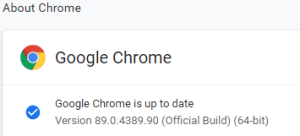 This option in Chrome has moved around a bit, so here is how it was in Version 89.0.4389.90 (Official Build) (64-bit) when I documented it.
- Browse to
chrome://discards/
- Don’t be intimidated by the many rows and columns; only the rightmost 8 (at the time of writing) are interesting:

- Search for the URL (in my chase
https://web.whatsapp.com/ , so I searched for whatsapp which you see as orange in the screenshots below) for which you want to ensure it will never sleep/hibernate (Chrome calls this “discardable”)

- Click
Toggle under the checkmark ✔ so it changes into a cross ✘️ (so the URL will never be discarded, hence always stays awake)

Do this only for tabs that are not CPU/memory/traffic intensive
I got there via these posts:
When searching for discards, I found this post: [Wayback] How to Prevent Chrome from Reloading Tabs When You Switch to Them
Chrome has built-in memory management that causes inactive tabs to “sleep” as RAM is filled. When you click the tab again, it has to reload the page. It’s annoying.
–jeroen
Posted in Chrome, Development, Google, Power User, SocialMedia, Software Development, Web Development, WhatsApp | Leave a Comment »


 The Wiert Corner - irregular stream of stuff