Archive for the ‘WhatsApp’ Category
Posted by jpluimers on 2022/07/28
Easiest way to video call from your PC via WhatsApp is to use [Wayback/Archive] WhatsApp: Download – Mac or Windows PC.
This should be an alternative for Hangouts Video Calling as Hangouts is yet another product killed by Google as mentioned in many places for instance:
Read the rest of this entry »
Posted in About, Conference Topics, Conferences, Event, Google, GoogleHangouts, LifeHacker, Personal, Power User, SocialMedia, WhatsApp | Leave a Comment »
Posted by jpluimers on 2021/12/29
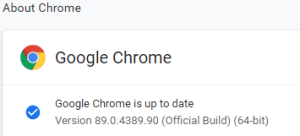 This option in Chrome has moved around a bit, so here is how it was in Version 89.0.4389.90 (Official Build) (64-bit) when I documented it.
- Browse to
chrome://discards/
- Don’t be intimidated by the many rows and columns; only the rightmost 8 (at the time of writing) are interesting:

- Search for the URL (in my chase
https://web.whatsapp.com/ , so I searched for whatsapp which you see as orange in the screenshots below) for which you want to ensure it will never sleep/hibernate (Chrome calls this “discardable”)

- Click
Toggle under the checkmark ✔ so it changes into a cross ✘️ (so the URL will never be discarded, hence always stays awake)

Do this only for tabs that are not CPU/memory/traffic intensive
I got there via these posts:
When searching for discards, I found this post: [Wayback] How to Prevent Chrome from Reloading Tabs When You Switch to Them
Chrome has built-in memory management that causes inactive tabs to “sleep” as RAM is filled. When you click the tab again, it has to reload the page. It’s annoying.
–jeroen
Posted in Chrome, Development, Google, Power User, SocialMedia, Software Development, Web Development, WhatsApp | Leave a Comment »
Posted by jpluimers on 2021/12/22
[Wayback] Contact opnemen | Persoonsgebonden budget | SVB had this:

UX: 2FA needed as of October, but which year?
If you are going to introduce a change in a certain period of time, ensure you not just mention only a part of when it occurs: include at least year and month, possibly even day and time.
That way your users know if they still have some time left to setup 2FA, or won’t be able to logon without 2FA at all.
Read the rest of this entry »
Posted in Development, SocialMedia, Software Development, User Experience (ux), WhatsApp | Leave a Comment »
Posted by jpluimers on 2018/12/11
Not sure when this happened but the CIDR list is no more [WayBack] https://www.whatsapp.com/cidr.txt:
Dear partners,
Please note that we have migrated the latest IP pools of WhatsApp to Facebook Mobile Partner Portal. Feel free to browse to the Settings page of the portal and download the latest WhatsApp IP pool: https://fb.me/mpp_support
Further IP pool updates are also done through the portal and are no longer distributed via email or through WhatsApp web site.
If you have not yet registered on the Mobile Partner Portal or have difficulties accessing it - please request access through the following form and we'll be happy to assist: https://fb.me/mpp_access
For any technical requests please contact us through the Support section of the portal: https://fb.me/mpp_support
WhatsApp team
In the past it was the place to get the CIDR so you could either block or allow WhatsApp traffic: [earlier WayBack]
It is still widely cited as way to regulate WhatsApp traffic, for instance at these places:
Time to find an automated way to get the replacement list. Maybe the below helps (via [WayBack] Block facebook messenger and whatsApp on Dlink router – Super User)
whois -h whois.radb.net '!gAS32934'
–jeroen
Posted in Android Devices, Development, Internet, Network-and-equipment, Power User, routers, SocialMedia, Software Development, Ubiquiti, WhatsApp, WhatsApp for Android, WiFi | Leave a Comment »
Posted by jpluimers on 2018/01/26
Oh cool:
Formatting your messages –
WhatsApp allows you to format selected text inside your messages.
Italic
To italicize your message, place an underscore on both sides of the text, like so: _text_
Bold
To bold your message, place an asterisk on both sides of the text, like so: *text*
Strikethrough
To strikethrough your message, place a tilde on both sides of the text, like so: ~text~
Monospace
To monospace your message, place three backticks on both sides of the text, like so: ```text```
Alternatively: On Android, you can tap and hold the text you’re typing > More …
Source: [WayBack] WhatsApp FAQ – Formatting your messages
–jeroen
Posted in Android Devices, Power User, SocialMedia, WhatsApp, WhatsApp for Android | Leave a Comment »




 The Wiert Corner - irregular stream of stuff