The Wiert Corner – irregular stream of stuff

Jeroen W. Pluimers on .NET, C#, Delphi, databases, and personal interests

  • My badges

  • Twitter Updates

  • My Flickr Stream

  • Pages

  • All categories

  • Enter your email address to subscribe to this blog and receive notifications of new posts by email.

    Join 1,862 other subscribers

Archive for 2014

ESXi Support for 2014 Apple Mac Mini 7,1 | virtuallyGhetto

Posted by jpluimers on 2014/12/01

Even though it is maxed out at 16 gigabytes of RAM, the other specs make it nice for a home lab server: ESXi Support for 2014 Apple Mac Mini 7,1 | virtuallyGhetto.

–jeroen

Posted in Apple, ESXi5.5, Mac, MacMini, Power User, VMware, VMware ESXi | Leave a Comment »

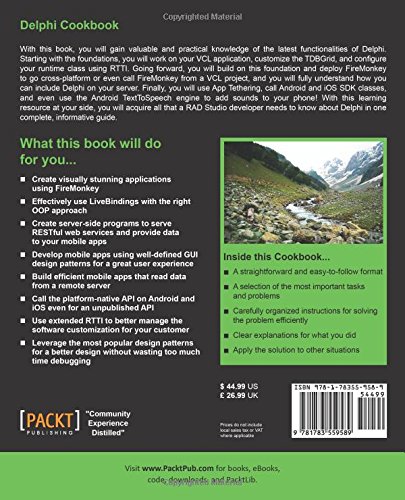
Book review: Delphi Cookbook by Daniele Teti, Packt publishing

Posted by jpluimers on 2014/12/01

After speaking on EKON 2014 and ItDevCon 2014, the last month has been extremely busy on both the work and family side of things.

So it took longer to write my review of the Delphi Cookbook by Daniele Teti, Packt publishing (ISBN 978-1783559586).

Before the review, first two ways to see for yourself if you’d like the book:

Daniele Teti has a Table of Contents on the page where he introduced his book, but that ToC is a bit poorly formatted, so I included a better formatted one below.

Some other reviews of the Delphi Cookbook also make an interesting read (I read them after writing my own):

Before the review a disclaimer. I bought the eBook version before Packt publishing asked for reviewers. They sent me a paper copy for free (which somehow took 2 weeks to arrive). I read about 25% of the book before the two European Delphi conferences, and the rest over the last two weeks.
The Review

I’ll try to keep this to the point, as too much detail would be killing. And I’m not writing a book here (:

So lets start with what I like:

  • Writing style: most of it is very pleasantly and encouraging to read.
  • Structure
    • introduction – short description of the aim
    • how to do it – step by step explanation to get an example working
    • how it works – explaining the crucial parts of the example
    • there’s more – revealing more details and providing background information
  • Explanation where recipe deviates from best practices
  • Mix of topics
  • Fresh and surprising examples
  • Building the examples on (relatively) new language and library features without distracting the examples: I was positively surprised about every other example how well Daniele did this
  • For Delphi features in the book introduced in a specific Delphi version mentioning this version
  • Keeping a variety of topics throughout the book, while still building up on previous sections during the book

I want to stress the last: Daniele Teti did an excellent job on this.

When writing a book or teaching material, it is hard to strike balances between the kinds and diversity of topics, the depth and order of the topics, and choosing between what to cover and how to cover it.

The way the chapters a built together with a variety of interesting topics per chapter, a great mix of chapters, and the various topics building (but not too much relying) on previously covered topics is really great. The whole book shows that Daniele is a great teacher. Well done.

Then a few things I dislike:

  • Chapter 1
    • The first chapter has a few VCL topics that could have been explained better. I have the feeling those were the initial writing chapters, and Daniele and the reviewers were still settling down on a routine. Shortly after that, the book gets much much better: like hearing Daniele doing a talk on a conference.
  • Code formatting
    • Especially in the eBook, the code is poorly formatted. There are enough tools to to a properly formatted example code export from Delphi, so this should have been done much better.
  •  Proofreading
    • There is still a quite a bit of non-English idiom and sentence structure in the book. This can be distracting. The reviewers and editors should have done a better job on this.
  • Security
    • Even though explaining SQL injection, the book does not talk about any other kinds of injection. Since there are many examples of clients and servers passing parameters by strings, there is virtually no error checking. This is bad, as exactly those kinds of parameter passing can make for very vulnerable applications.
  • Hard coded Delphi XE6 links
    • most of the Embarcadero web site allows you to link to topics in a non-Delphi version speficif way
  • Some “there’s more” portions are a bit thin
    • I know this is a trade off: so few pages, to much to cover. But still (: Maybe Daniele finds time to write a series of blog posts on the “there’s more” portion.
  • Cleanup without doing try..finally
    • Way too few programmers value the try..finally construct (Delphi, C#, and many other languages) so this should be the cornerstone of every resource cleanup example.

The dislikes are minor compared to the likes, so here is the…

Verdict

I didn’t buy the book by accident: knowing the presentation and teaching style of Daniele, I was expecting a nice mix of topics explained in a light and fun way. The book surpassed those expectations by far.

So any Delphi programmer should buy this book. If not for using right now, then for getting some ideas, and reading the various topics later.

Below some suggested combinations for using this book various Delphi audiences.

Audiences

Starters

Buy this book. It gets you inspired, even if only some of the topics are suited for real beginners. Then get the books below, read them and get back to the Delphi Cookbook for more inspiration:

Average Delphi users

Buy this book. Consider buying Coding in Delphi by Nick Hodges.

Advanced Delphi users

Also read Coding in Delphi by Nick Hodges.

Delphi gurus

I know few people that master all Delphi topics well (I’m not one of them: especially on the mobile side I’ve still a lot to learn). Even for gurus, I think this is a nice book, especially considering the price.

–jeroen

Table of Contents

Chapter 1: Delphi Basics

  1. Changing your application’s look and feel with VCL styles and no code
  2. Changing the style of your VCL application at runtime
  3. Customizing TDBGrid
  4. Using the owner’s draw combos and listboxes
  5. Creating a stack of embedded forms
  6. Manipulating JSON
  7. Manipulating and transforming XML documents
  8. I/O in the twenty-first century – knowing streams
  9. Putting your VCL application in the tray
  10. Creating a Windows service
  11. Associating a file extension with your application on Windows

Chapter 2: Become a Delphi Language Ninja

  1. Fun with anonymous methods – using higher-order functions
  2. Writing enumerable types
  3. RTTI to the rescue – configuring your class at runtime
  4. Duck typing using RTTI
  5. Creating helpers for your classes
  6. Checking strings with regular expressions

Chapter 3: Going Cross Platform with FireMonkey

  1. Giving a new appearance to the standard FireMonkey controls using styles
  2. Creating a styled TListBox
  3. Impressing your clients with animations
  4. Using master/details with LiveBindings
  5. Showing complex vector shapes using paths
  6. Using FireMonkey in a VCL application

Chapter 4: The Thousand Faces of Multithreading

Synchronizing shared resources with TMonitor
Talking with the main thread using a thread-safe queue
Synchronizing multiple threads using TEvent
Displaying a measure on a 2D graph like an oscilloscope

Chapter 5: Putting Delphi on the Server

  1. Web client JavaScript application with WebBroker on the server
  2. Converting a console service application to a Windows service
  3. Serializing a dataset to JSON and back
  4. Serializing objects to JSON and back using RTTI
  5. Sending a POST HTTP request encoding parameters
  6. Implementing a RESTful interface using WebBroker
  7. Controlling remote applications using UDP
  8. Using App Tethering to create a companion app
  9. Creating DataSnap Apache modules

Chapter 6: Riding the Mobile Revolution with FireMonkey

  1. Taking a photo, applying effects, and sharing it
  2. Using listview to show and search local data
  3. Do not block the main thread!
  4. Using SQLite databases to handle a to-do list
  5. Using a styled TListView to handle a long list of data
  6. Taking a photo and location and sending it to a server continuously
  7. Talking to the backend
  8. Making a phone call from your app!
  9. Tracking the application’s life cycle

Chapter 7: Using Specific Platform Features

  1. Using Android SDK Java classes
  2. Using iOS Objective-C SDK classes
  3. Displaying PDF files in your app
  4. Sending Android intents
  5. Letting your phone talk – using the Android TextToSpeech engine

–eof–

Posted in Delphi, Delphi XE, Delphi XE2, Delphi XE3, Delphi XE4, Delphi XE5, Delphi XE6, Delphi XE7, Development, Software Development | 5 Comments »

Delphi version and Build numbers

Posted by jpluimers on 2014/12/01

Every vendor should publish version numbers like this to make it easier for their customers to check if they are current or not.

I can’t promise to have a complete list, or the latest versions, but I will update with the versions I have used.

–jeroen

Posted in Conference Topics, Conferences, Delphi, Delphi XE, Delphi XE2, Development, Event, Software Development | 8 Comments »

Things you annoyingly just don’t seem to be able to get.. USB 5.25″ floppies…

Posted by jpluimers on 2014/11/28

A while ago, Alan Cox started a nice thread about finding an USB way to read old (like 5.25 inch and 3 inch) floppies.

That resulted in a nice comment thread revealing this info:

Now hopefully some people also post some links to USB PCMCIA memory card readers (:

–jeroen

Posted in History, Power User | 1 Comment »

Taking Screenshot on multiple platforms (via Wikipedia, the free encyclopedia)

Posted by jpluimers on 2014/11/28

Cool, I just found out that Wikipedia has a Screenshot topic, listing how to take screenshots (and often shots of the current window) on many platforms, where (*) means I verified them:

  • Apple Mac OS X
    (*) Use “⌘ Cmd+⇧ Shift+3” for the screen or “⌘ Cmd+⇧ Shift+4” for a part of the screen (as of Mac OS X Tiger, you can press the “Spacebar” to capture a Window in stead of part of the screen). You can press “Ctrl” with these shortcuts to the shot goes to the clipboard, otherwise it gets saved as a PNG file.
  • Microsoft Windows
    (*) Use “Prt Sc” for the screen or “Alt+Prt Sc” for the Window
    (note that on my laptop and multi-media keyboards, you need to type the “Fn” key in order to press the “Prt Sc”)
  • Microsoft Windows Phone
    Press the “Sleep/Wake” button and the Startbutton at the same time.
  • Apple iOS
    (*) Press the “Home” and “Lock” button at the same time.
  • Google Android
    Hold the “Volume down” button, then press the “Sleep/Wake” button.
    (*) Or press the “Sleep/Wake” and the “Home” button at the same time.
  • HP WebOS
    Press the “Orange/Gray Key+Sym+P” at the same time.
    Or press “Home Key+Power” at the same time.
  • X Window System
    Varies with the installed tooling
  • Maemo 5
    Press “Ctrl+⇧ Shift+P” at the same time.
  • Google Chrome OS
    Press “Ctrl+F5” to capture the screen or press “Ctrl+⇧ Shift+F5” to capture a portion of the screen.

–jeroen

via: Screenshot – Wikipedia, the free encyclopedia.

Posted in Android Devices, Apple, Chrome, Google, HTC, HTC Sensation, Keyboards and Keyboard Shortcuts, Mac, Mac OS X / OS X / MacOS, Mac OS X 10.4 Tiger, Mac OS X 10.5 Leopard, Mac OS X 10.6 Snow Leopard, Mac OS X 10.7 Lion, MacBook, MacBook Retina, MacBook-Air, MacBook-Pro, Nexus 4, OS X 10.8 Mountain Lion, Power User, Uncategorized, Windows, Windows 7, Windows 8, Windows Server 2000, Windows Server 2003, Windows Server 2003 R2, Windows Server 2008, Windows Server 2008 R2, Windows Vista, Windows XP | Leave a Comment »

Short video: What’s New In C# 6.0 | Connect; Microsoft Visual Studio vNext & Azure | Channel 9

Posted by jpluimers on 2014/11/27

7 minutes of very interesting video: clear explanation of What’s New In C# 6.0 | Connect; Microsoft Visual Studio vNext & Azure | Channel 9.

jeroen

Posted in .NET, .NET 4.0, .NET 4.5, C#, C# 6 (Roslyn), Development, Software Development | 1 Comment »

Reminder: rebuild my Nullable Types based on Class Operators in Delphi

Posted by jpluimers on 2014/11/27

Class Operators in Delphi have been introduced in the ARM compiler in Delphi XE4 for iOS support.

By now it has been in the ARM compiler for Android too, and hopefully it will (soon) be in the x86 compiler as well.

So it is time to look at my Nullable types again, and see if I can port them over to classes.

Some references so I won’t forget them: Read the rest of this entry »

Posted in Delphi, Delphi XE4, Delphi XE5, Development, Software Development | 4 Comments »

Default comparers in Delphi used by TArray.Sort (via: Stack Overflow)

Posted by jpluimers on 2014/11/26

A long while ago, I posted a detailed answer on what functions the default comparers actually were calling to get a feel for if they would apply or not answering delphi – What does the default TArray.Sort comparator actually do and when would you use it? – Stack Overflow.

I needed that information recently because of some sorting issues I bumped into (sorting generic records), so finally a blog post.

First some links to documentation for even more background information:

There is the answer I gave: Read the rest of this entry »

Posted in Algorithms, Ansi, Delphi, Delphi 2009, Delphi 2010, Delphi XE, Delphi XE2, Delphi XE3, Delphi XE4, Delphi XE5, Development, Encoding, Floating point handling, Software Development, Unicode | 2 Comments »

Signing your Delphi executables with a digital certificate.

Posted by jpluimers on 2014/11/25

Using Delphi build-events (see my post Delphi prebuild/prelink/postbuild events), you can automate the process of signing your Delphi executables with a digital certificate.

Below the steps for signing Windows executables.

Prerequisites:

  1. You have your digital certificate in a PFX file.
    (for testing you can use a self-signed certificate, for the real world you want a certificate leads to a CA).
  2. You have the Windows SDK installed that provides SignTool.
    (in this case, I presume a Windows 7 or 8 x64 machine with the Windows Software Development Kit (SDK) for Windows 8 installed. If not, you have to change the path in the various statements, for instance when using the Windows SDK: Download the Windows SDK for Windows 7 and More | MSDN.)

The post-build event code Read the rest of this entry »

Posted in Delphi, Delphi 2007, Delphi 2009, Delphi 2010, Delphi XE, Delphi XE2, Delphi XE3, Delphi XE4, Delphi XE5, Development, Software Development | 3 Comments »

Google: view which Devices used your account when: Security – Devices

Posted by jpluimers on 2014/11/24

Security – Deviceshttps://security.google.com/settings/security/activity

Posted in Google, Power User, Security | Leave a Comment »