


I had a problem running wmic. It was no a Dutch Windows 10, but the same will happen with any locale, so in English the error looks like this:
This app can't run on your PC
To find a version for your PC, check with the software publisher.After which you get this on the command-line:
Access is denied.

In the Dutch version, the error is called this:
Deze app kan niet worden uitgevoerd op uw pc
Vraag bij de software-uitgever na of er een versie bestaat voor uw pc.After which you get this on the command-line:
Toegang geweigerd.
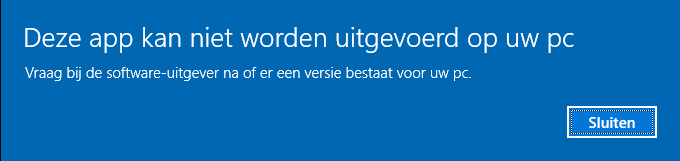
Apparently, an executable is now an app, and PC is uppercase in English, but not in Dutch. I digress.
The un-cool thing is that [WayBack] Process Monitor – Windows Sysinternals | Microsoft Docs showed no Access Denied message at all.
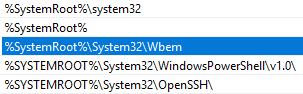 What happened however, was that there was an empty
 %SystemRoot%\System32\wmic.exe, which gets executed because %SystemRoot%\System32 is earlier on the path than C:\Windows\System32\wbem\WMIC.exe.
Note that
%SystemRoot%seems to be the new%windir%.
You can reproduce this by doing this on a command prompt window:
cd %temp%
rem > wmic.exe
wmic
The rem will create an empty wmic.exe. Because on Windows, the current directory is always on the path, it tries to execute the empty wmic.exe, which causes the error.
Do not run an administrative in the default %SystemRoot%\System32 directory
The actual cause was a combination of this:
- When running
cmdas Administrator, it starts in%SystemRoot%\System32 %SystemRoot%\System32is early on the path- Copy/Paste through a remote desktop connection is unreliable
- I copied a big bunch of output from the RDP session to my host to write some documentation
- I copied a new command from the host to run in the Administrative
cmd - What got pasted instead was the output, which created these empty files (which has some typos, I know) because output is of the form
C:\path>filename:
C
conrol
control
defrag
del
Disable-ComputerRestore
exit
Get-ComputerRestorePoint
net
powercfg
powershell
powrcfg
SystemProperties.exe
vssadmin
wmic
wmic.exe - I did not notice these files were created in
%SystemRoot%\System32
–jeroen




 The Wiert Corner - irregular stream of stuff