The Wiert Corner – irregular stream of stuff

Jeroen W. Pluimers on .NET, C#, Delphi, databases, and personal interests

  • My badges

  • Twitter Updates

  • My Flickr Stream

  • Pages

  • All categories

  • Enter your email address to subscribe to this blog and receive notifications of new posts by email.

    Join 1,839 other subscribers

Author Archive

Why don’t I get the warning W1036 Variable “‘MyStrings’ might not have been initialized”…

Posted by jpluimers on 2019/01/21

Historically, [WayBack] W1036: Variable '%s' might not have been initialized (Delphi) has had a lot of gotchas.

The most important still is that it never show for managed types (strings, interfaces, etc).

Usually W1036 shows for non-managed types, but Dan Hacker has found a new case where it does not in [WayBack] Why don’t I get the warning W1036 Variable “‘MyStrings’ might not have been initialized’ if the StringsToDo parameter in DoSomething is defined as a var… – Dan Hacker – Google+

He noticed it in Delphi XE and 10.2 Tokyo.

I tested it with the Win32 compiler in XE8.

This warns:

program W1036;
{$APPTYPE CONSOLE}
uses
  System.SysUtils,
  System.Classes;

procedure DoSomething(var StringsToDo: TStringList); // <-------- this line makes the difference
begin
  //do nothing
end;

procedure Test;
var
  MyStrings : TStringList;
begin
  MyStrings.Free;   {W1036 warning if StringsToDo param is NOT var}
  DoSomething(MyStrings);
end;

begin
end.

This does not warn:

program W1036;
{$APPTYPE CONSOLE}
uses
  System.SysUtils,
  System.Classes;

procedure DoSomething(StringsToDo: TStringList); // <-------- this line makes the difference
begin
  //do nothing
end;

procedure Test;
var
  MyStrings : TStringList;
begin
  MyStrings.Free;   {W1036 warning if StringsToDo param is NOT var}
  DoSomething(MyStrings);
end;

begin
end.

initially, I misread his report and reacted wrongly on the cause (but rightly on the suggested use case of var and of TStringList):

Because a var parameter means that the caller should pass in an initialised parameter. Otherwise it should be an out parameter, not a var parameter.

var parameter for reference types like TStrings (only pass as TStringList if it deliberately is not compatible with TStrings) is a risky thing anyway, because the called method can overwrite it and then the caller has to notice the change, then decide what to do with the previous value (likely free it).

I later correct myself:

Looking better, I think it is a compiler issue.

The only difference between nothing and var is the loading of the parameter as a pointer:

with var

//W1036.dpr.16: MyStrings.Free; {W1036 warning if StringsToDo param is NOT var}
//004CD924 8B45FC mov eax,[ebp-$04]
//004CD927 E8B8A6F3FF call TObject.Free
//Project1.dpr.17: DoSomething(MyStrings);
//004CD92C 8D45FC lea eax,[ebp-$04]
//004CD92F E8E0FFFFFF call DoSomething
without var
//W1036.dpr.16: MyStrings.Free; {W1036 warning if StringsToDo param is NOT var}
//004CD924 8B45FC mov eax,[ebp-$04]
//004CD927 E8B8A6F3FF call TObject.Free
//Project1.dpr.17: DoSomething(MyStrings);
//004CD92C 8B45FC mov eax,[ebp-$04]
//004CD92F E8E0FFFFFF call DoSomething

So:

  • with a var, a pointer to the instance of MyStrings (obtained by a lea instruction) gets pushed on the stack
  • without a var, the instance of MyStrings (obtained by a mov instruction) gets pushed on the stack.

For the difference metween mov and lea, and the use of [] brackets, see:

–jeroen

Source: Why don’t I get the warning W1036 Variable “‘MyStrings’ might not have been i…

Read the rest of this entry »

Posted in Conference Topics, Conferences, Delphi, Development, Event, Software Development | 3 Comments »

Linus Torvalds – Google+: Working gadgets: Ubiquiti UniFi collection (and a whole bunch of Unifi/Ubiquiti/Ubtn links).

Posted by jpluimers on 2019/01/21

Seems my interest in Ubiquiti needs more research: [WayBackLinus Torvalds – Google+: Working gadgets: Ubiquiti UniFi collection.

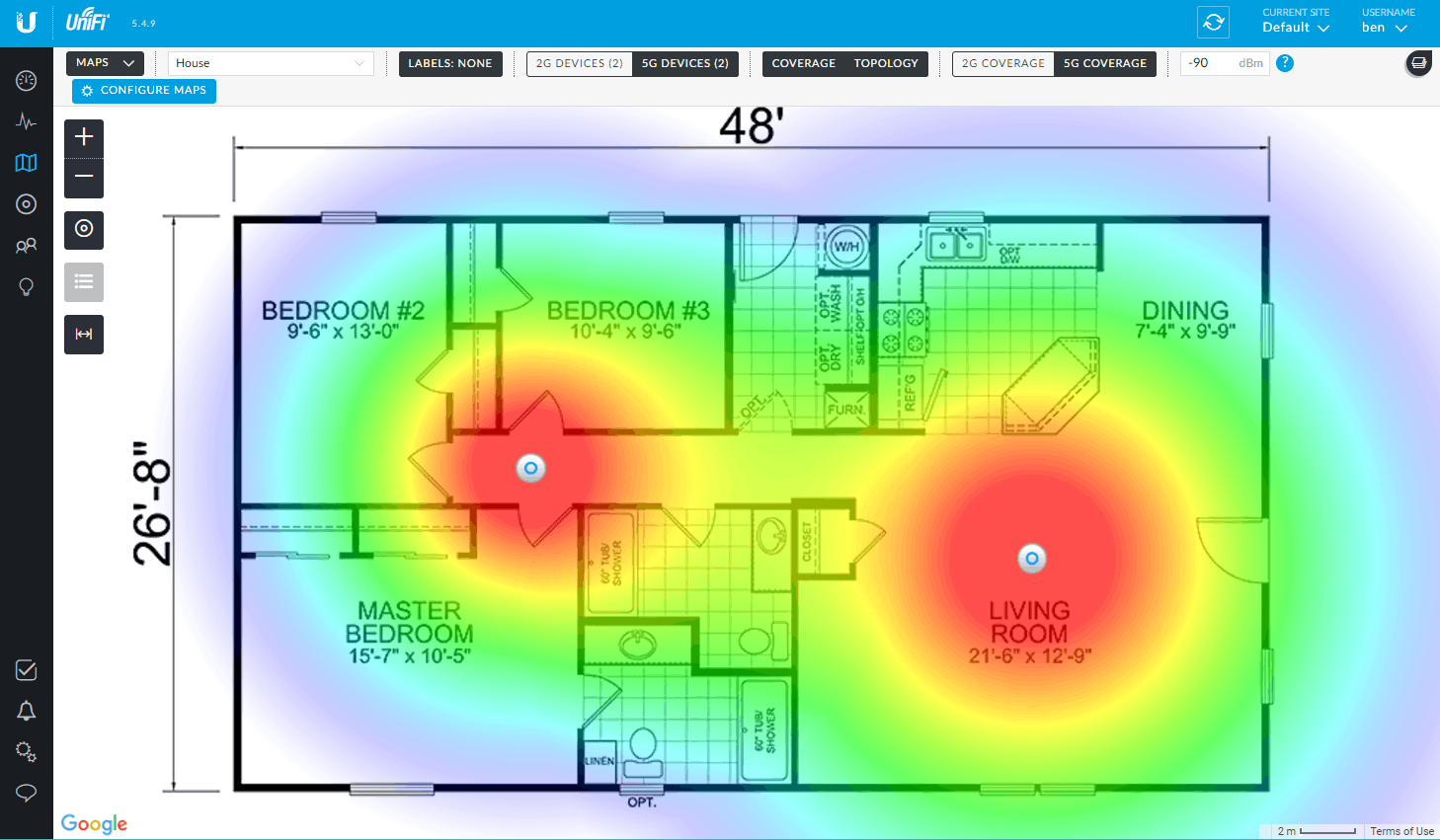
Hopefully by now I’ve time to re-design the WiFi coverage in the house and invest in a few of those access points.

Related:

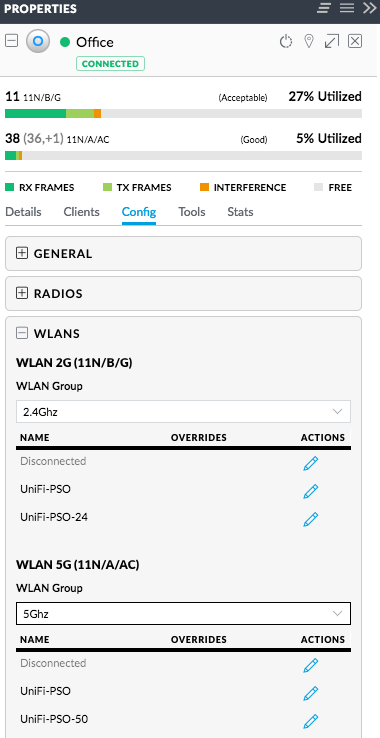
Splitting 5Ghz and 2.4Ghz SSIDs: two ways (I think the second is cleaner)
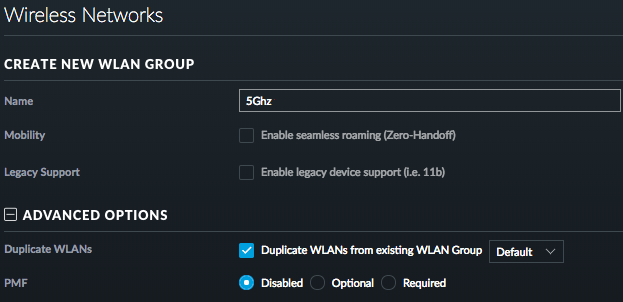
  1. Either have one WLAN group with a set of SSIDs, then in each access point disable the 2.4Ghz SSID on the 5GHz radio, and disable the 5Ghz SSID on the 2.4Ghz radio
  2. Have different WLAN groups with an SSID (or set of SSIDs) for each frequency, then in each access point select the appropriate group for each radio

For both the first and second one, you need to configure under “Config” -> “WLANs”.

For the second one, you can clone from the first, then change the SSID names.

–jeroen

Read the rest of this entry »

Posted in Power User, Ubiquiti, WiFi | Leave a Comment »

Installing as a LAN -> WiFi bridge: FRITZ!WLAN Repeater 1750E

Posted by jpluimers on 2019/01/21

I have a bunch of [WayBackFRITZ!WLAN Repeater 1750E | Overview | AVM International devices; this is the quickest way to install them as LAN -> WiFi bridge (connect ethernet to your LAN; use the WiFi as a bridge).

  1. Connect the FRITZ!WLAN to your LAN
  2. Connect the FRITZ!WLAN to power
  3. Connect your laptop to the WiFi SSID FRITZ!WLAN Repeater 1750E with password 00000000 (that eight times a zero)
  4. Set your laptop with a fixed IP address 192.168.178.127 with netmask 255.255.255.0 and gateway 192.168.178.2 for WiFi.
  5. Connect to your FRITZ!WLAN at http://192.168.178.2
  6. Setup your FRITZ!WLAN for the first time (password, country) and have it reboot
  7. Logon to the FRITZ!WLAN
  8. Change the WiFI password and the SSID for 2.4 Ghz and 5.0 Ghz channels (I use a different SSID for both as many Fritz!Box devices have both bad 2.4Ghz performance and a hard time to automatically switch from 2.4Ghz to 5.0Ghz on the same SSID automagically).
  9. Change your laptop to use DHCP on WiFi
  10. Reconnect to the Fritz!Box with the new SSID and password

–jeroen

Posted in Fritz!, Fritz!WLAN, Internet, Power User | Leave a Comment »

Google Sheet with forwarding addresses. Please feel free to add yours….

Posted by jpluimers on 2019/01/21

[WayBack] I have created a Google Sheet with forwarding addresses. Please feel free to add yours- only the info you are comfortable with. Please DO NOT add full e… – Di Cleverly – Google+

[Archive.is] Forwarding Addresses – Google Sheets

–jeroen

Posted in G+: GooglePlus, LifeHacker, Power User, SocialMedia | Leave a Comment »

National Cyber Security Centre publish Ubuntu 18.04 LTS Security Guide | Ubuntu blog

Posted by jpluimers on 2019/01/18

For my link archive: [WayBack] National Cyber Security Centre publish Ubuntu 18.04 LTS Security Guide | Ubuntu blog

Via: [WayBack] A new best practice guide for hardening #Ubuntu Desktop 18.04 from the National Cyber Security Centre (part of UK gov): https://blog.ubuntu.com/2018/07… – Will Cooke – Google+

–jeroen

Posted in *nix, Linux, Power User, Ubuntu | Leave a Comment »

TigerVNC on Mac OS X with homebrew to check why a Screen Sharing.app connection fails.

Posted by jpluimers on 2019/01/18

Two installation options for TigerVNC:

The [WayBackTigerVNC  viewer gives a bit more details on failing VNC connections than the stock OSX Screen Sharing.app does: after performing the logon, the connection would just stall, but TigerVNC would should  “write broken pipe (32)” after the logon. Most of the linked search results indicated the VNC server was having a state problem.

So I restarted the VNC server, after which connections could be made again in both tools.

I actually prefer the stock Screen Sharing.app as:

–jeroen

Posted in Apple, Mac OS X / OS X / MacOS, Mac OS X 10.4 Tiger, Mac OS X 10.5 Leopard, Mac OS X 10.6 Snow Leopard, Mac OS X 10.7 Lion, macOS 10.12 Sierra, OS X 10.10 Yosemite, OS X 10.11 El Capitan, OS X 10.8 Mountain Lion, OS X 10.9 Mavericks, Power User, VNC/Virtual_Network_Computing | 2 Comments »

Resetting the OnePlus data limit behaviour

Posted by jpluimers on 2019/01/18

Somehow I managed to get a OnePlus phone to have the read data limit line stuck at ~5 gigabyte whereas the warning was at ~15 gigabyte.

This caused all sorts of havoc when I passed the 5 gigabyte mark: cellular data would turn off, I would get all sorts of warnings and – worst of all – I could not reset the red line.

The solution was at [WayBack] Unable to remove “Cellular data limit exceeded” notification even after changing the data limit on OnePlus 2’s OOS 3.5.5:

There are numerous discussions offering a solution to this:

  1. Goto Settings > Backup & reset > Network settings reset.
  2. Now select the affected SIM card
  3. Now click Reset Settings.

–jeroen

Read the rest of this entry »

Posted in Android Devices, OnePlus Two, Power User | Leave a Comment »

GitHub – pyscripter/python4delphi: Free components that wrap up Python into Delphi and Lazarus (FPC)

Posted by jpluimers on 2019/01/17

Interesting: [WayBack] GitHub – pyscripter/python4delphi: Free components that wrap up Python into Delphi and Lazarus (FPC)

Via [WayBack] 【Develope a rabbitmq application with python4delphi】 You can download the vcl from https://github.com/pyscripter/python4delphi The VCL can support pyth… – dorje sona – Google+

–jeroen

Posted in Delphi, Development, Software Development | Leave a Comment »

Some interesting bits on interface delegation including a class helper trick – via Stefan Glienke – Google+

Posted by jpluimers on 2019/01/17

Every time he finds a new compiler use, I’m all like “wow!”. This time [WayBackStefan Glienke – Google+: One of these rare moments when the compiler positively impresses me found a new way to make single responsibility principle easier to attain by using a class helper to resolve interface delegation.

In the comments are a few nice tidbits on what the compiler emits in order to implement interface delegation and reference counting.

–jeroen

Posted in Delphi, Development, Software Development | Leave a Comment »

Raspberry Pi cannot be woken up by WOL, but it can send, and there is Whack-on-LAN

Posted by jpluimers on 2019/01/17

Cool stuff if you want to make your own WOL devices out of spare parts.

From old to new:

They can be woken up by anything sending magic WOL packets, including Raspberry Pi (which cannot be woken up by them, though you could use a Whack-on-LAN for that).

Basically the Raspberry Pi cannot be woken up with WOL because of a few reasons:

  1. The ethernet chip is connected over USB so it cannot pass the WOL result further on.
  2. If it could, there still is no BIOS to process the WOL result.
  3. When it is halted but has power, the CPU isn’t active. The GPU is, but cannot process the WOL.

It can be a WOL server though: [WayBackRaspberry Pi As Wake on LAN Server: 5 Steps (with Pictures)

–jeroen

Posted in Development, Ethernet, Hardware Development, Network-and-equipment, Power User, Raspberry Pi, Wake-on-LAN (WoL) | Leave a Comment »